

TeamViewer (32bit)12.0.75813
 無料ダウンロード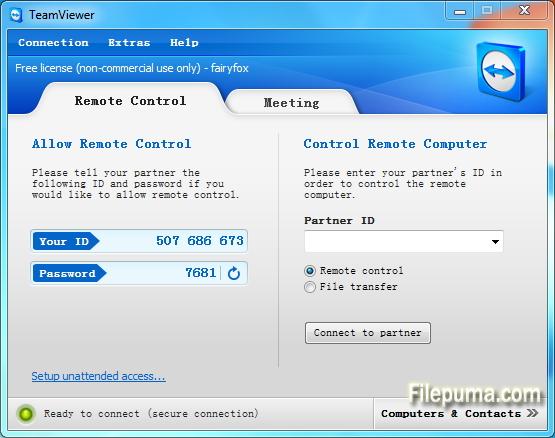
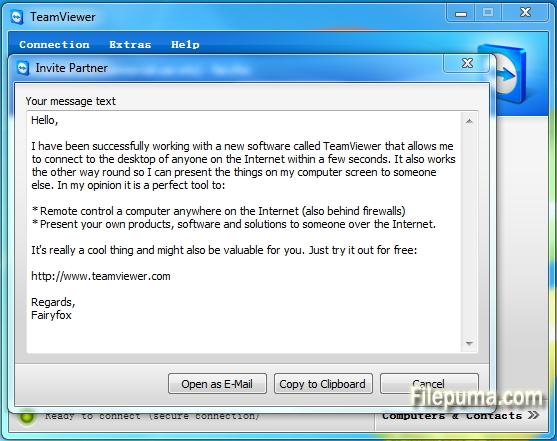


TeamViewer最先端のリモートアクセスおよびコラボレーションツールであり、世界中のデバイス間のシームレスな接続を可能にします。使いやすいインターフェースと強力な機能を備えたTeamViewerは、個人や企業にとって頼りにされるソリューションとなっています。
基本的に、TeamViewerはユーザーがリモートデバイスに簡単にアクセスし、制御できるようにします。技術サポートを同僚に提供したり、自宅から職場のコンピュータにアクセスしたり、世界中に分散したチームメンバーとプロジェクトで協力したりする必要がある場合、TeamViewerは安全で効率的な接続を保証します。
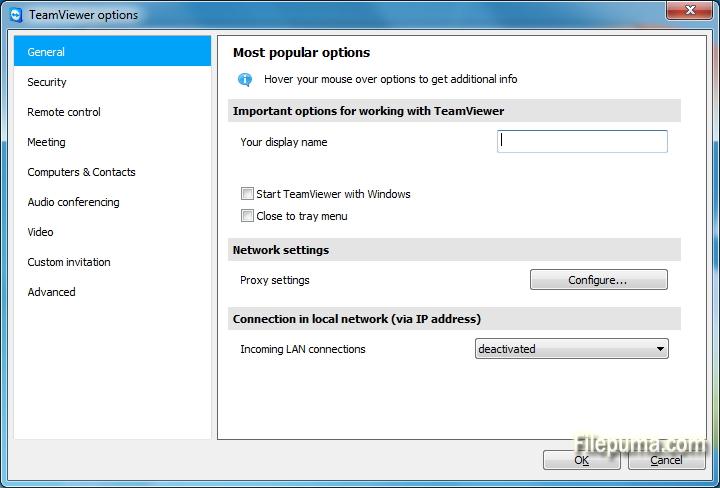
TeamViewerの際立った機能の一つは、Windows、macOS、Linux、様々なモバイルオペレーティングシステムをサポートするクロスプラットフォームの互換性です。この多様性により、異なるデバイスの好みを持つユーザーにとって柔軟なソリューションとなります。
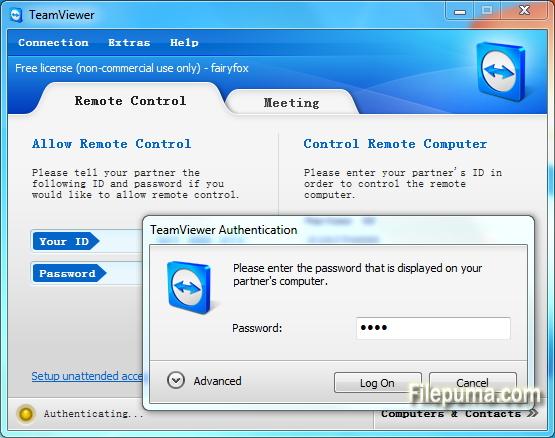
セキュリティはTeamViewerにとって最優先事項であり、エンドツーエンドの暗号化と多要素認証オプションによって証明されています。ユーザーはデータと接続が保護されているという自信を持つことができ、個人利用にもプロフェッショナル利用にとっても理想的な選択肢となります。
TeamViewerの追加機能には、ファイル転送、リモート印刷、チャット機能が含まれており、スムーズなコミュニケーションとコラボレーションを促進します。その信頼性、使いやすさ、強力な機能により、TeamViewerは効率的なリモートアクセスとコラボレーションソリューションを求める人々にとって欠かせないツールとなっています。
主な特徴:
- リモートアクセス: デバイスをリモートで制御する。
- クロスプラットフォーム互換性: 異なるオペレーティングシステム間で接続します。
- ファイル転送: セッション中にファイルを簡単に共有します。
- クロスブラウザーアクセス: 様々なウェブブラウザーを介してアクセス。
- 会議とプレゼンテーション: オンライン会議とプレゼンテーションを行う。
- 安全なデータ転送:データを暗号化して安全に転送します。
- リモートプリンティング: ローカルプリンターにリモートで印刷する。
- 高品質のオーディオとビデオ:質の高いオーディオとビデオをサポートします。
- マルチユーザーコラボレーション: 複数のユーザーと協力する。
- 無人アクセス:許可なしでリモートアクセスを設定してください。
- Wake-on-LAN: リモートコンピューターを起動します。
- カスタムブランディング: TeamViewerインターフェースをブランド化する。
- 統合: 他のアプリケーションと統合する。
- モバイルアクセス: リモートアクセスにはモバイルアプリを利用してください。
- セッション記録: リモートセッションを記録します。
新着情報
- Now the last used window size and tab is automatically used when opening the main window using the new user interface
- Now there is a connection indicator added to the Computers & Contacts list using the new user interface
- Now there is a link from the simplified user interface to the connection reports in the Management Console
- Now the navigation in the new user interface is resizable
- Fixed a bug that caused TeamViewer to crash after setting the video source in the properties to "No Video"
- Fixed a bug that caused the session recording to freeze if the session was minimized
- Fixed a bug where the title in the title bar during a session did not display the configured name correctly
- Fixed a bug where TeamViewer 12.0.72365 crashed if the remote side closed the connection during a recorded session
- Fixed a crash on the remote side that occurred in some special cases when closing the connection
- Fixed a bug where the password could already be entered while the server connection was still established so that the password had to be entered again
- Fixed a bug that caused the wallpaper to be displayed after fast user switch was performed even if the "Hide wallpaper" option was activated
- Fixed a bug that caused a black remote control screen when performing fast user switch on a Windows Server 2016 machine
- Fixed a bug where sometimes a crash occurred when the feedback button was clicked using the new user interface
- Fixed a bug where no notification was displayed for incoming chat messages using the new user interface
- Fixed a bug where the password was not displayed correctly using the new user interface
- Fixed a bug where the player to view recorded sessions did not work properly
- Fixed a bug where the microphone was activated when the client started a Voice over IP call
- Fixed a bug where the microphone was activated when clicking the communication tab in the toolbar
- Fixed a bug where the TeamViewer Panel of the remote computer was lost after a paused recorded session was resumed
- Fixed a bug where the audio icon was missing within the TeamViewer Panel
- Fixed a bug within the Computers & Contacts list where collapsing the "nearby" group led to clearance of the list
- Fixed a bug where clicking on chat or service case notifications did not work
- Fixed a bug where the displayed icon for service cases inside the Notification Center was not correct
- Fixed a bug that caused a black remote control screen when setting the quality to grayscale
- Solved some other issues which caused crashes
- Minor improvements and fixes
他の言語で利用可能なプログラム
- Download TeamViewer (32bit)
- Télécharger TeamViewer (32bit)
- Herunterladen TeamViewer (32bit)
- Scaricare TeamViewer (32bit)
- Descargar TeamViewer (32bit)
- Baixar TeamViewer (32bit)
ユーザーレビュー
ユーザー評価
 221
221
ライセンス:
無料
要件:
Windows All
言語:
Multi-languages
サイズ:
12.5MB
出版社:
更新しました:
Mar 20, 2017
クリーン
ソフト報告
最新版
旧バージョン
 TeamViewer (32bit) 15.72.6
 TeamViewer Portable 15.66.4
 TeamViewer (64bit) 15.72.6
 TeamViewer QuickSupport (64bit) 15.72.6
 TeamViewer QuickSupport (32bit) 15.72.6
 TeamViewer Host (64bit) 15.72.6
 TeamViewer Host (32bit) 15.72.6
 UltraVNC (64bit) 1.6.4.0
 UltraVNC (32bit) 1.6.4.0
セキュリティレベル
お使いのデバイスの潜在的な損害を避け、データとプライバシーの安全性を確保するために、私たちのチームは新しいインストールファイルがサーバーにアップロードされるかリモートサーバーにリンクされるたびに確認し、定期的にファイルをレビューしてその状態を確認または更新しています。この確認に基づいて、ダウンロード可能なファイルに対して次のセキュリティレベルを設定します。
 クリーン
クリーン
このソフトウェアプログラムはクリーンである可能性が高いです。
このソフトウェアプログラムに関連するファイルやURLを、世界の主要な60以上のウイルス対策サービスでスキャンしましたが、脅威は見つかりませんでした。また、サードパーティのソフトウェアはバンドルされていません。
 警告
警告
このプログラムは広告に支えられており、不要なサードパーティのプログラムをインストールすることを提案する場合があります。これにはツールバー、ホームページの変更、デフォルトの検索エンジンの変更、または他のパーティのプログラムのインストールが含まれる場合があります。これらは誤検出の場合があり、このソフトウェアをインストールおよび使用する際には注意するようにユーザーにアドバイスしています。
 無効
無効
このソフトウェアはもうダウンロードできません。このソフトウェアが悪意のあるものであるか、セキュリティの問題があるか、その他の理由がある可能性が非常に高いです。
報告書を提出してください
ありがとう!
あなたの報告書が送信されました。
ご依頼を確認し、適切な対応をいたします。
本報告に基づく措置について通知は行われませんのでご注意ください。ご不便をおかけして申し訳ありません。
私たちのウェブサイトを清潔で安全に保つためのご協力に感謝します。