
When you want to make edits on someone else’s document, and you want them to see what changes you have made, Microsoft Word has a handy tool. By tracing your changes, others can see clearly the edits you have made.
Here is how to track changes and edits to your Microsoft word document:
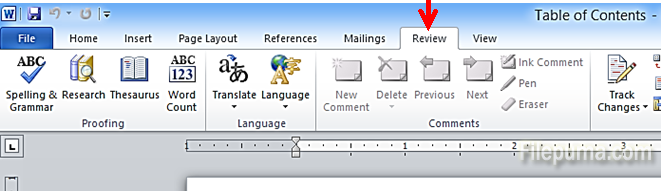
Step One: Open your document in MS Word. Select “Review” from the top task bar:
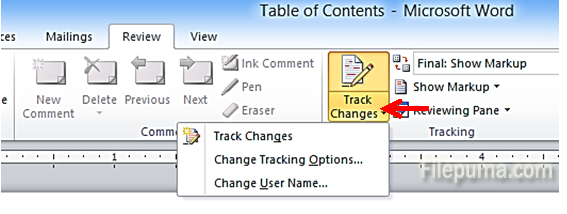
Step Two: Click on the dropdown next to “Track Changes”:
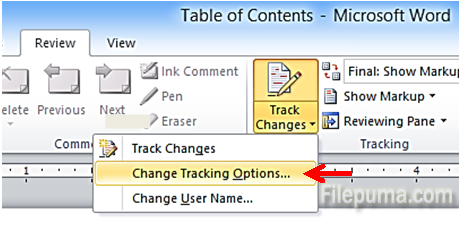
Step Three: Select “Change Tracking Options…” to review how your edits will be tracked:
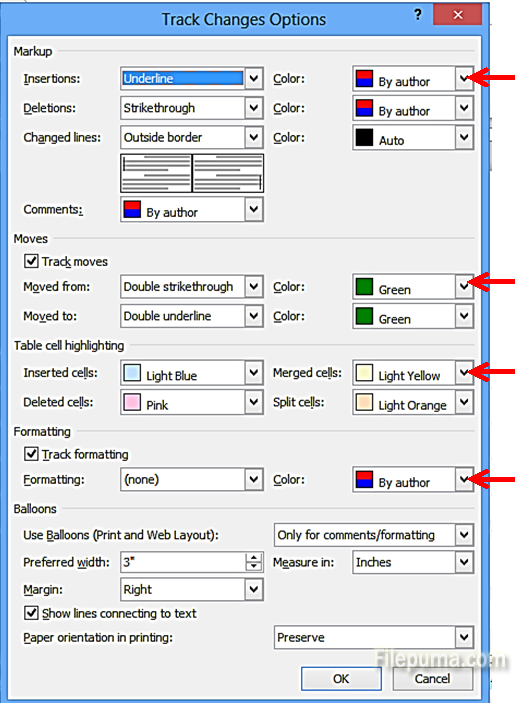
Step Four: Select the color for all your edits and insertions:
That’s it, MS Word will track all your edits!
Leave a Reply