
When you are travelling and have limited battery on your laptop, you may wish to constantly monitor how much battery is left. While Windows has a clear battery indicator, it is by default NOT shown on the taskbar in the bottom.
Here is how to constantly display the battery indicator on your laptop’s screen in Windows:
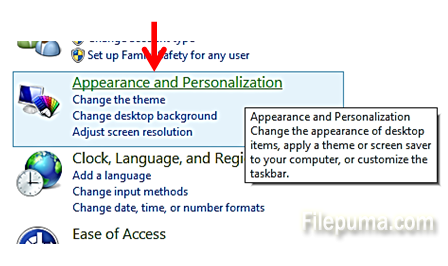
Step One. Open the Control Panel and click on “Appearance and Personalization”:
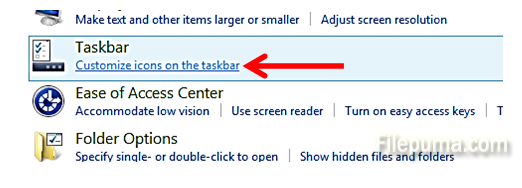
Step Two. Under “Taskbar”, select “Customize icons on the taskbar”:
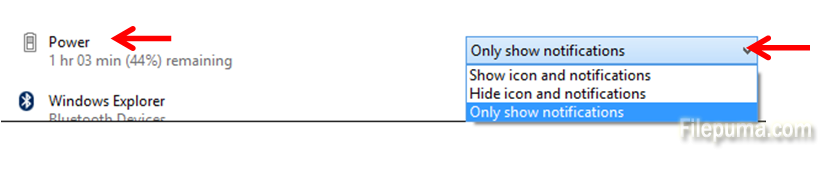
Step Three. In the right-side pane, scroll down to the “Power” icon and click on the dropdown next to the icon:
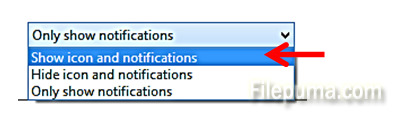
Step Four. Select “Show icon and notifications”:
Click “OK” and you will be able to always easily see in the taskbar how much battery power is remaining for your laptop.
Leave a Reply