

Calibre (64bit)0.9.36
 Free Download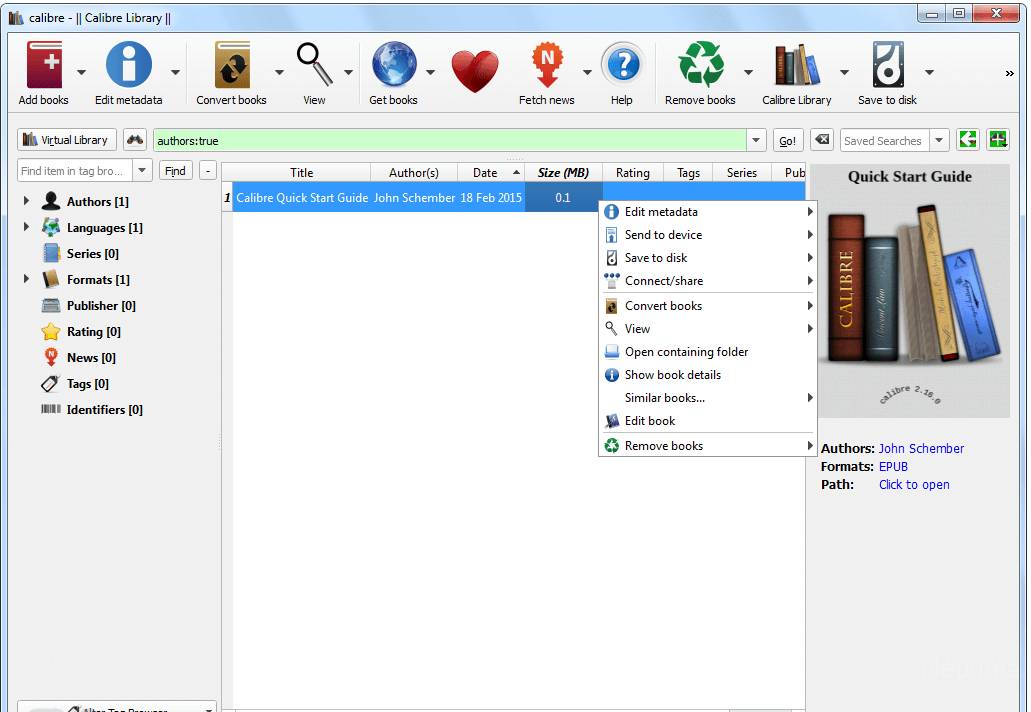


Calibre is a free and open-source e-book management software that allows users to manage their e-books, convert between different e-book formats, and sync e-books with various devices. It was first released in 2006 and has since become one of the most popular e-book management tools available.
One of the most notable features of Calibre is its ability to organize e-books into different categories and add tags, making it easy to search and locate specific books. It also allows users to edit the metadata of their e-books, including the title, author, and cover image, and can even download missing metadata from online sources.
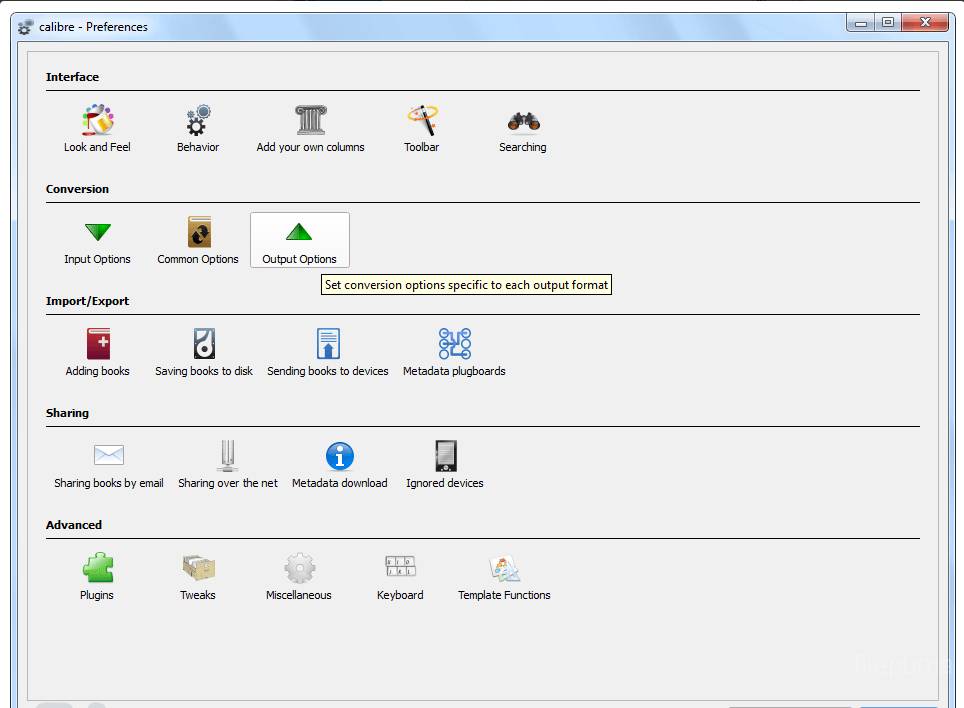
Calibre also provides a powerful e-book conversion tool, allowing users to convert e-books from one format to another, such as from EPUB to MOBI, or from PDF to EPUB. This is particularly useful for those who want to read e-books on different devices that may not support the same file format.
In addition, Calibre supports a wide range of e-book readers, including Amazon Kindle, Barnes & Noble Nook, and Kobo e-readers, and can automatically sync e-books with these devices. It can also connect to online e-book stores, such as Amazon and Google Books, allowing users to browse and purchase e-books directly from within the software.
Calibre is an essential tool for anyone who reads and manages e-books. Its powerful features and easy-to-use interface make it a must-have for anyone looking to organize, convert, and sync their e-book library.
Key Features:
- Library management system to organize e-book collection
- Format conversion for compatibility with different devices
- Built-in editor to modify e-book metadata and table of contents
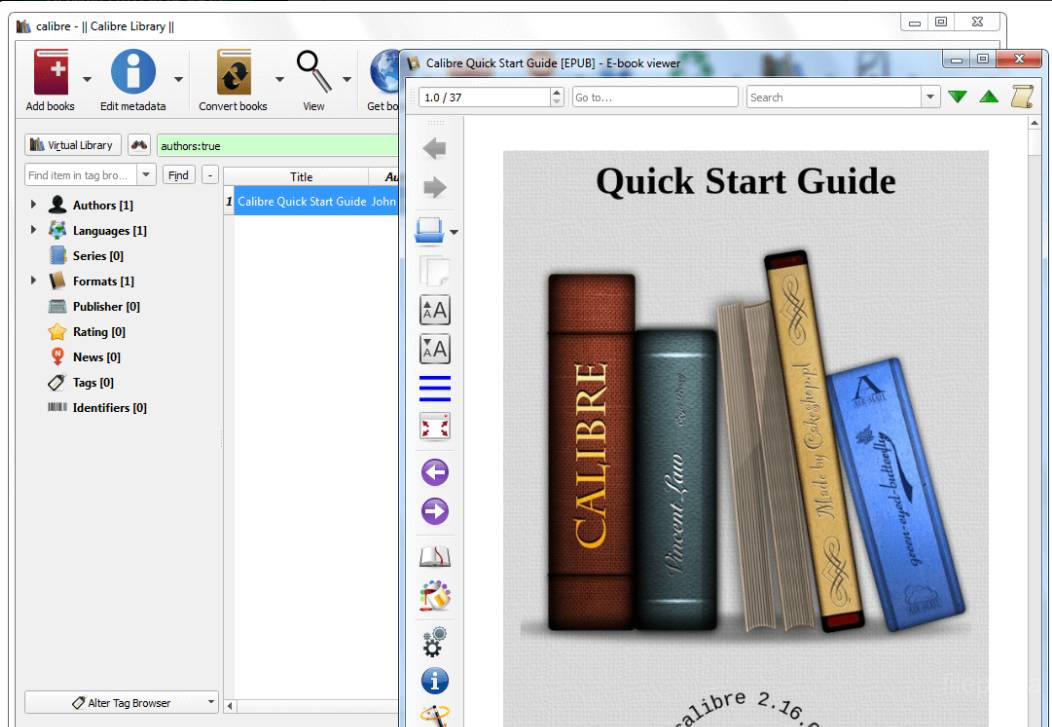
- E-book viewer with customization options
- Integrated web browser for downloading e-books
- Synchronization options for keeping e-book collection up-to-date across devices
- Extensible with plugins to add additional features and functionality.
What's New
- DOCX Input: Support for Table of Contents created using the Word Table of Contents tool. calibre now first looks for such a Table of Contents and only if one is not found does it generate a ToC from headings.
- DOCX Input: Add support for images used as bullets in lists
- DOCX Input: If a large image that looks like a cover is present at the start of the document, remove it and use it as the cover of the output ebook. This can be turned off under the DOCX Input section of the conversion dialog.
- When dropping files onto the Book Details panel, ask for confirmation before adding the files to the book. The confirmation can be disabled.
- News download: Add the 'downloaded from' link at the bottom of every article when using a touchscreen output profile (like the Tablet profile).
- E-book viewer: Change the bookmark button to always popup a menu when clicked, makes accessing existing bookmarks easier.
- After a bulk metadata download, focus the review button on the popup notification, instead of the OK button.
Bug Fixes
- DOCX Input: Hide text that has been marked as not being visible in the web view in Word.
- DOCX Input: When converting docx files with large numbers of unnamed images, do not crash on windows.
- DOCX Input: Add support for the Word setting 'No space between paragraphs with the same style'.
- MOBI Output: Fix rendering of SVG images that embed large raster images in 64bit calibre installs.
- HTMLZ Output: Fix handling of images with URL unsafe filenames.
- Fix unable to change the case of a previously used search because of the search history.
- When searching allow use of uppercase location names, such as AUTHOR instead of author, automatically lowercasing them.
- DOCX metadata: When reading covers from DOCX files use the first image as specified in the actual markup instead of just the first image in the container.
- Kobo driver: Fix a regression when deleting empty shelves on Kobo devices with older firmware.
- Do not show builtin plugins in the get new plugins dialog If a builtin plugin with the same name as a third party plugin exists, then the builtin plagin was displayed in the get new plugins dialog as installed (happened with the new DOCX Input plugin).
- Apple driver: When in synchronous mode (direct to iBooks), disable PDF transfers, as we can't update metadata in iTunes. Not sure when this started, but as of iTunes 11.0.4 it's broken.
- Get Books: Fix error when using internal browser on some systems
Program available in other languages
- Télécharger Calibre (64bit)
- Herunterladen Calibre (64bit)
- Scaricare Calibre (64bit)
- ダウンロード Calibre (64bit)
- Descargar Calibre (64bit)
- Baixar Calibre (64bit)
User Reviews
User Rating
 62
62
License:
Free
Requirements:
Windows XP 64/ Vista 64/ Windows 7 64/ Windows 8 64
Languages:
Multi-languages
Size:
55.1MB
Publisher:
Updated:
Jun 21, 2013
Clean
Report Software
Latest Version
Old Versions
 Calibre (32bit) 6.0.0
 Calibre (64bit) 9.11.0
 LibreOffice (64bit) 26.2.4
 LibreOffice (32bit) 26.2.4
 Evernote 11.26.4
Security Levels
To avoid any potential harm to your device and ensure the security of your data and privacy, our team checks every time a new installation file is uploaded to our servers or linked to a remote server and periodically reviews the file to confirm or update its status. Based on this checking, we set the following security levels for any downloadable files.
 Clean
Clean
It is highly likely that this software program is clean.
We scanned files and URLs associated with this software program in more than 60 of the world's leading antivirus services; no possible threats were found. And there is no third-party softwarebundled.
 Warning
This program is advertising supported and may offer to install third-party programs that are not required. These may include a toolbar, changing your homepage, default search engine, or installing other party programs. These could be false positives, and our users are advised to be careful when installing and using this software.
 Disabled
This software is no longer available for download. It is highly likely that this software program is malicious or has security issues or other reasons.
Submit a Report
Thank you!
Your report has been sent.
We will review your request and take appropriate action.
Please note that you will not receive a notification about anyaction taken dueto this report.We apologize for anyinconvenience this may cause.
We appreciate your help in keeping our website clean and safe.