

Calibre (64bit)1.16.0
 Free Download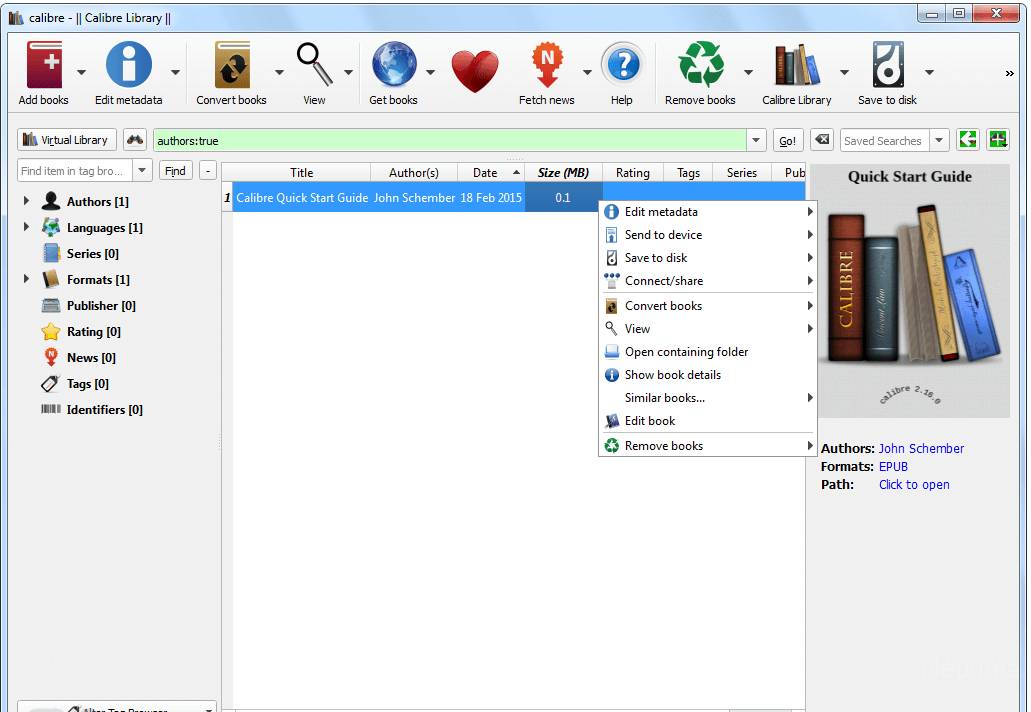


Calibre is a free and open-source e-book management software that allows users to manage their e-books, convert between different e-book formats, and sync e-books with various devices. It was first released in 2006 and has since become one of the most popular e-book management tools available.
One of the most notable features of Calibre is its ability to organize e-books into different categories and add tags, making it easy to search and locate specific books. It also allows users to edit the metadata of their e-books, including the title, author, and cover image, and can even download missing metadata from online sources.
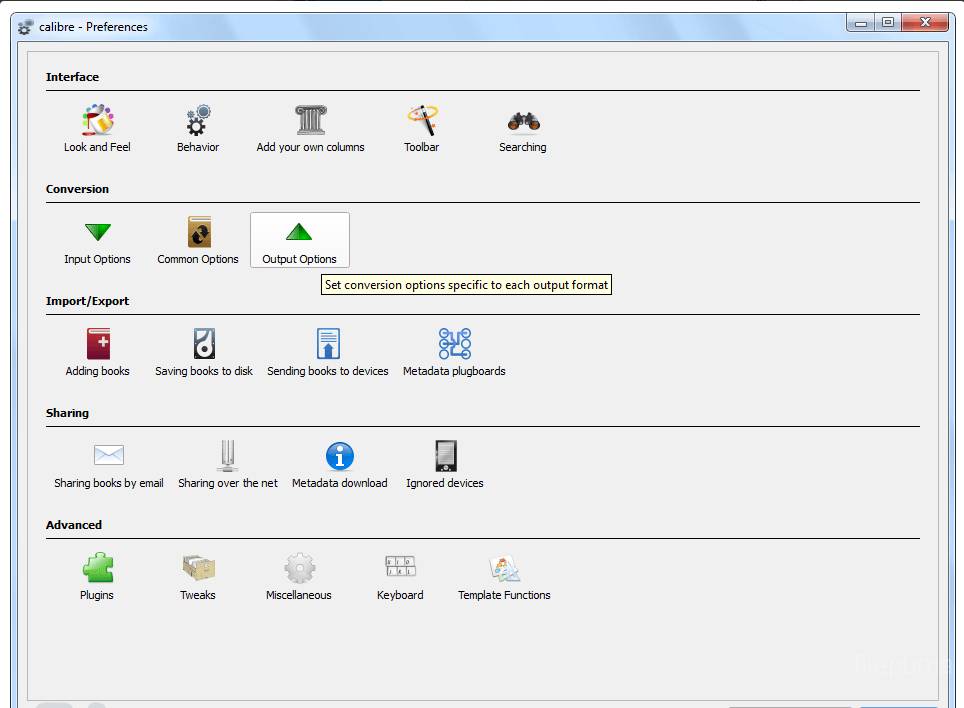
Calibre also provides a powerful e-book conversion tool, allowing users to convert e-books from one format to another, such as from EPUB to MOBI, or from PDF to EPUB. This is particularly useful for those who want to read e-books on different devices that may not support the same file format.
In addition, Calibre supports a wide range of e-book readers, including Amazon Kindle, Barnes & Noble Nook, and Kobo e-readers, and can automatically sync e-books with these devices. It can also connect to online e-book stores, such as Amazon and Google Books, allowing users to browse and purchase e-books directly from within the software.
Calibre is an essential tool for anyone who reads and manages e-books. Its powerful features and easy-to-use interface make it a must-have for anyone looking to organize, convert, and sync their e-book library.
Key Features:
- Library management system to organize e-book collection
- Format conversion for compatibility with different devices
- Built-in editor to modify e-book metadata and table of contents
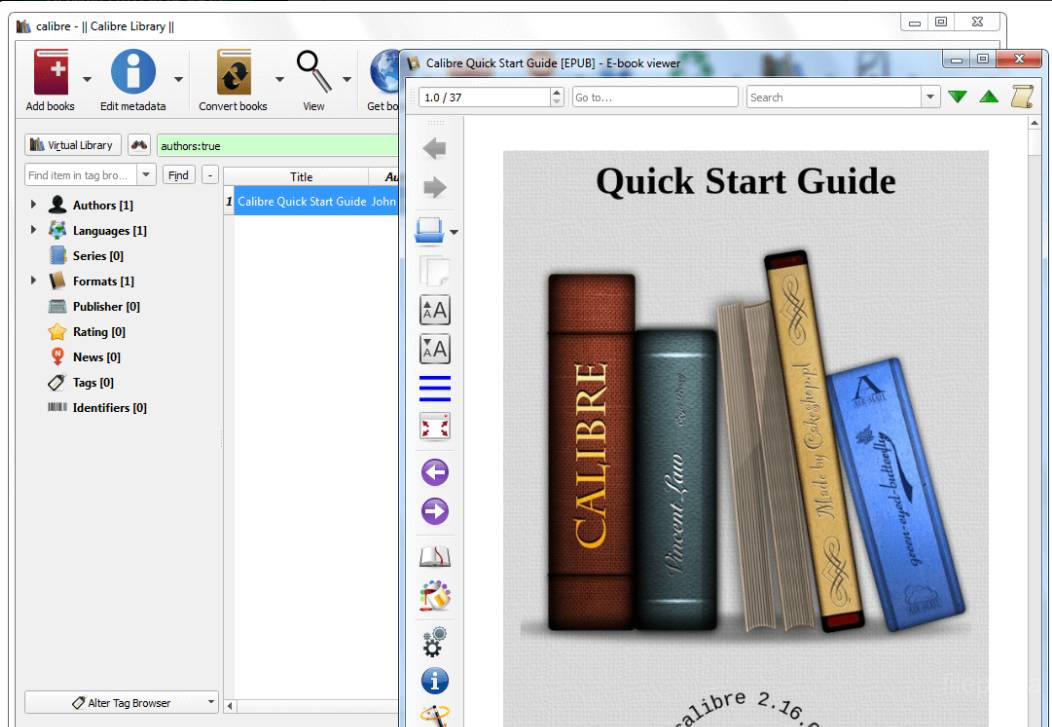
- E-book viewer with customization options
- Integrated web browser for downloading e-books
- Synchronization options for keeping e-book collection up-to-date across devices
- Extensible with plugins to add additional features and functionality.
What's New
New Features
- Edit book: Add a tool to browse all images in the book with their thumbnails. Useful for visually locating an image. To launch it, use View->Browse images in book.
- Edit book: Allow creation of new, empty books via File->Create new book
- Edit book: Add buttons to easily create formatting such as bold/italic/colors/etc. when editing HTML files
- Edit book: Add button to easily insert
tag while editing HTML
- Edit book: Add options to change the default font families/sizes for the preview panel
- Edit book: Allow customizing which dockable windows occupy the four dock corners via Edit->Preferences. You can now also choose to have more than one row of windows in a given dock area.
- Edit book: When editing AZW3 files with no images in them, do not incorrectly display a number of binary records from the AZW3 file as 'unknown' miscellaneous files
- Edit book: Fix marking image as cover not working for AZW3 files if the file did not previously have a cover
- AZW3 Output: Do not refuse to create the ToC if it has only a single entry
- Edit book: Fix crashes when processing some books that contain malformed markup on OS X and windows 64bit machines
- Edit book: Fix error when renaming the html file currently displayed in the preview panel and that file is not the file being currently edited
- Edit book: Fix crash when editing books that have links to absolute paths.
- Edit book: Fix book not being marked as modified after editing the ToC
- Edit book: When syncing the position of the preview panel to the cursor in the editor and the cursor is at or before the tag set the position of the preview panel to the top of the file, so that the top margin of the body tag is seen easily.
- Edit book: Fix trying to import an html file/css file via the add new file button always resulting in a blank file
- Edit book: Fix replacing a file with another file with exactly the same filename causing an error.
- Edit book: Have the ToC view refresh itself after any major operation on the book
- Edit book: Fix pasting in the image editor not working
Program available in other languages
- Télécharger Calibre (64bit)
- Herunterladen Calibre (64bit)
- Scaricare Calibre (64bit)
- ダウンロード Calibre (64bit)
- Descargar Calibre (64bit)
- Baixar Calibre (64bit)
User Reviews
User Rating
 62
62
License:
Free
Requirements:
Windows XP 64/ Vista 64/ Windows 7 64/ Windows 8 64
Languages:
Multi-languages
Size:
57.0MB
Publisher:
Updated:
Dec 23, 2013
Clean
Report Software
Latest Version
Old Versions
 Calibre (32bit) 6.0.0
 Calibre (64bit) 9.7.0
 LibreOffice (64bit) 26.2.2
 LibreOffice (32bit) 26.2.2
 Evernote 11.14.2
Security Levels
To avoid any potential harm to your device and ensure the security of your data and privacy, our team checks every time a new installation file is uploaded to our servers or linked to a remote server and periodically reviews the file to confirm or update its status. Based on this checking, we set the following security levels for any downloadable files.
 Clean
Clean
It is highly likely that this software program is clean.
We scanned files and URLs associated with this software program in more than 60 of the world's leading antivirus services; no possible threats were found. And there is no third-party softwarebundled.
 Warning
This program is advertising supported and may offer to install third-party programs that are not required. These may include a toolbar, changing your homepage, default search engine, or installing other party programs. These could be false positives, and our users are advised to be careful when installing and using this software.
 Disabled
This software is no longer available for download. It is highly likely that this software program is malicious or has security issues or other reasons.
Submit a Report
Thank you!
Your report has been sent.
We will review your request and take appropriate action.
Please note that you will not receive a notification about anyaction taken dueto this report.We apologize for anyinconvenience this may cause.
We appreciate your help in keeping our website clean and safe.