

Charles3.10
 Free Trial
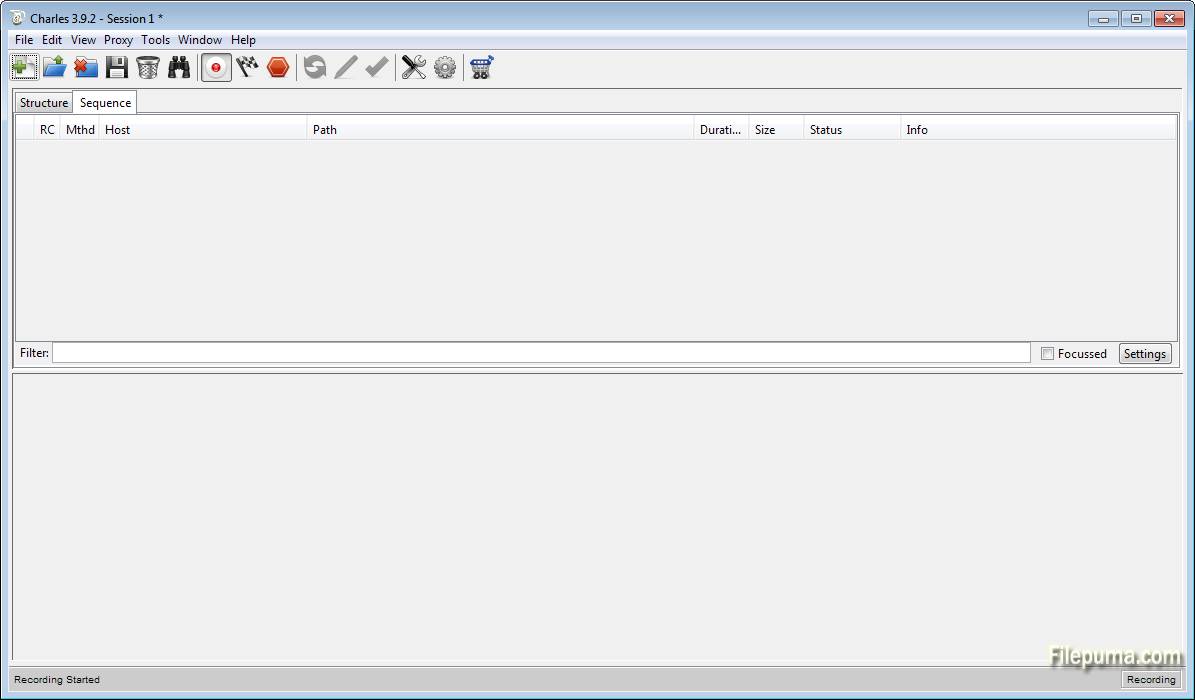
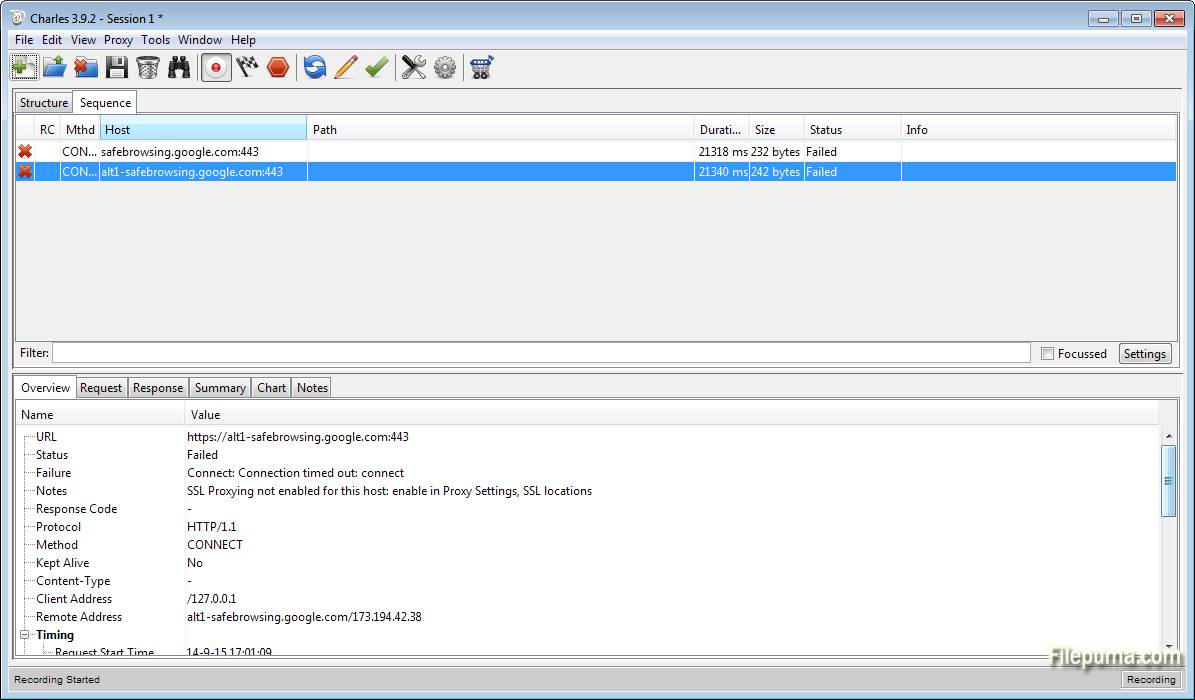


Charles is a powerful web debugging proxy application used by developers and testers to monitor and analyze network traffic. It allows users to capture HTTP and HTTPS traffic between their computers and the internet, providing a comprehensive view of the data exchanged. This tool is invaluable for diagnosing issues, debugging, and optimizing website performance.
One of the standout features of Charles is its ability to decrypt HTTPS traffic, making it possible to view encrypted data. This feature is crucial for developers who need to inspect secure data transmissions and troubleshoot issues related to SSL/TLS. Charles also supports various network protocols, including HTTP/2, WebSockets, and more, making it versatile for different web technologies.
The tool's intuitive interface provides a user-friendly experience, allowing users to easily navigate through recorded sessions, filter traffic, and view detailed request and response information. With features like breakpoints and throttling, users can pause and modify traffic in real-time, simulating different network conditions and testing responses under various scenarios.
Charles is a cross-platform tool, compatible with Windows, macOS, and Linux. It is widely used by web developers, mobile developers, and QA engineers for its robust feature set and reliability. Whether you're troubleshooting an API, inspecting JSON or XML, or optimizing web performance, Charles is an essential tool for any web professional.
Key Features:
- HTTP/HTTPS Proxy: Charles acts as a proxy server for HTTP and HTTPS, allowing you to view and manipulate network traffic.
- SSL Proxying: It supports SSL proxying, enabling you to inspect secure traffic by decrypting SSL/TLS data.
- Bandwidth Throttling: You can simulate slower network connections by throttling bandwidth, helping to test how your application behaves under different conditions.
- AJAX Debugging: Charles provides detailed insights into AJAX requests, making it easier to debug and analyze asynchronous web applications.
- WebSocket Inspection: It allows you to view and analyze WebSocket communications, providing visibility into real-time data exchanges.
- Session Recording: The tool can record and save sessions, allowing you to review and analyze them later.
- Repeat and Edit Requests: You can repeat or edit requests and responses, facilitating testing and debugging.
- DNS Spoofing: Charles supports DNS spoofing, which can be useful for testing how your app behaves with different DNS responses.
What's New
- SSL certificate root certificate change to generate a unique certificate for each installation of Charles (see SSL Proxying in the Help menu)
- SSL Proxying now has its own settings menu item in the Proxy menu
Please note that these changes will affect the way you currently use Charles for SSL Proxying. You will need to install and trust a new certificate, which will be automatically generated for you. You can install that certificate on your computer using the options in the Help menu, under SSL Proxying. You can also export the certificate, to send to other systems, or browse to download the certificate to install on mobile devices such as iPhones.
- 'Find' rewritten and dramatically improved (it's actually usable now)
- Terminate long-running transactions manually from the context menu
- Advanced Repeat now supports delays between requests and repeats
- Customisable columns in the Sequence view (with a large selection of options) including sorting
- Cookie editor
- Whitelist tool (to complement existing Blacklist tool). Enhanced both black and white list tools with options to either gracefully block or terminate the blacklisted requests.
- 'Copy cURL Request' added to the context menu
- Protobuf extensions support
Improvements
- Automatically terminate established SSL connections to a host when activating SSL proxying for that host (so you don't have to quit your browser or Charles to start SSL Proxying properly on new hosts)
- SSL requests that are not proxied now have a padlock icon, to indicate that they are encrypted (vs SSL Proxied requests which can be viewed unencrypted)
- Improved sorting in the Structure tree view
- Reduction in the amount of memory Charles uses, especially when dealing with large numbers of small transactions
- 'View Request As...' and 'View Response As...' commands added to the View menu.
- Re-organised the Proxy menu into more logical groups.
- Added tooltip for timestamp information in the Sequence table view that displays the full date/time
- When you cancel editing a request the original request is re-displayed
- Suppress the highlighting of requests when only peripheral data has changed
- Automatic fallback from TLS v1.2 to TLS v1.1 and TLS v1.0 for sites that don't support the newer protocol versions, and don't fallback nicely.
Bug fixes
- AMF editor appeared twice when editing an AMF message
- Publish Gist didn't trust the Charles root SSL certificate!
- Many dialogs in Charles could be opened multiple times via either keyboard shortcut or menu command
- Fixed the 'Throttle Settings' and 'External Proxy Settings' dialogs so that they can be dismissed using the Escape key
- Fixed a race condition that could corrupt data sent over unproxied SSL connections
- Fixed the large memory use that could occur when binary content was displayed in the Text or Raw Viewer
Program available in other languages
- Télécharger Charles
- Herunterladen Charles
- Scaricare Charles
- ダウンロード Charles
- Descargar Charles
- Baixar Charles
User Reviews
User Rating
 104
104
License:
Free Trial
Requirements:
Windows XP/ Vista/ Windows 7/ Windows 8
Languages:
English
Size:
61.6MB
Publisher:
Updated:
Mar 22, 2015
Clean
Report Software
Latest Version
Old Versions
Developer's Software
 Charles 5.0.3
 Adobe Air 51.2.2.6
 Java Runtime Environment (32bit) 8 Update 481
 Java Runtime Environment (64bit) 8 Update 481
 Java Development Kit (64bit) 8 Update 481
 Python (64bit) 3.14.3
Security Levels
To avoid any potential harm to your device and ensure the security of your data and privacy, our team checks every time a new installation file is uploaded to our servers or linked to a remote server and periodically reviews the file to confirm or update its status. Based on this checking, we set the following security levels for any downloadable files.
 Clean
Clean
It is highly likely that this software program is clean.
We scanned files and URLs associated with this software program in more than 60 of the world's leading antivirus services; no possible threats were found. And there is no third-party softwarebundled.
 Warning
This program is advertising supported and may offer to install third-party programs that are not required. These may include a toolbar, changing your homepage, default search engine, or installing other party programs. These could be false positives, and our users are advised to be careful when installing and using this software.
 Disabled
This software is no longer available for download. It is highly likely that this software program is malicious or has security issues or other reasons.
Submit a Report
Thank you!
Your report has been sent.
We will review your request and take appropriate action.
Please note that you will not receive a notification about anyaction taken dueto this report.We apologize for anyinconvenience this may cause.
We appreciate your help in keeping our website clean and safe.