
Looking for a free Mac cleaner? Try diCleaner

System Scheduler5.67
 Free Download
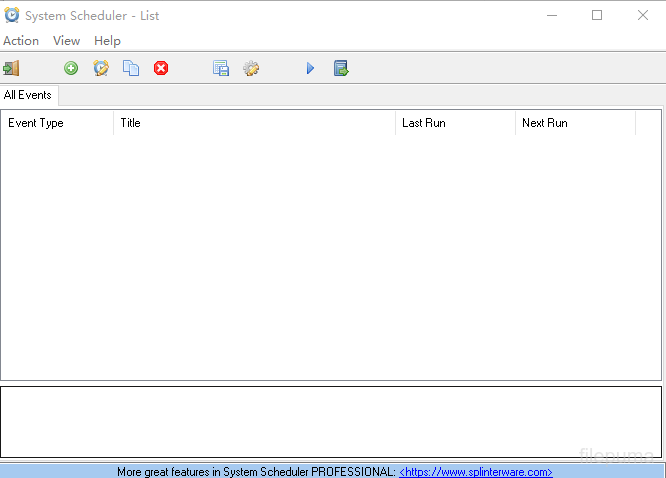
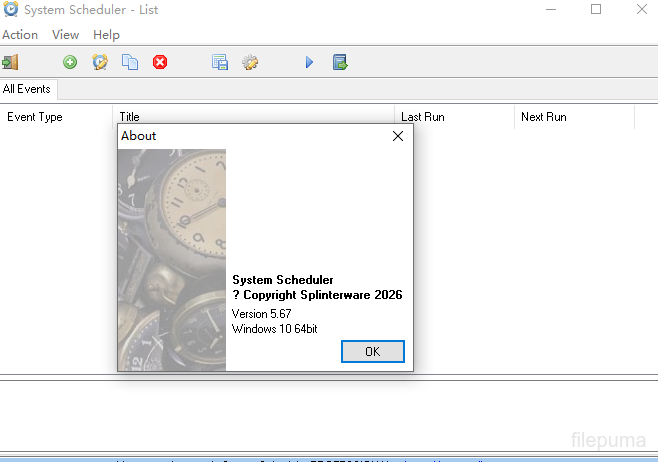




System Scheduler is a reliable automation tool that helps users manage tasks, reminders, and scheduled activities on Windows computers. It provides an easy way to launch programs, open documents, display messages, and perform routine operations at specific times. The software is suitable for both personal and professional environments where accurate task management is needed.
System Scheduler allows users to create detailed schedules based on time, date, or system events. Users can set up automatic program launches, create reminders for important events, and organize daily workflows more efficiently. Its clear interface makes configuring tasks simple, even for users who have limited technical experience.
System Scheduler offers flexible options for controlling automated actions. It supports running applications, sending notifications, and managing repeated tasks according to customized settings. The program helps reduce manual work and ensures important activities are completed on time.
System Scheduler is a helpful solution for improving productivity and maintaining organized computer operations. It can assist users in managing routine processes, monitoring schedules, and creating a more efficient working environment. Its practical features make it a useful choice for anyone who needs dependable task scheduling and automation.
Key Features:
- Automates Scheduled Tasks – Allows users to schedule applications, scripts, and commands to run automatically at specific times or intervals.
- Application Launching – Starts programs, files, and documents automatically without manual intervention.
- Event-Based Scheduling – Supports running tasks based on system events, such as startup, shutdown, user login, or file changes.
- Reminder and Notification Tools – Provides customizable reminders, alerts, and notifications for important tasks.
- Task Management – Makes it easy to create, edit, duplicate, and manage multiple scheduled activities from a central interface.
- Macro and Automation Support – Helps automate repetitive operations to improve productivity and workflow efficiency.
- System Monitoring Features – Can monitor specific conditions and trigger actions when predefined events occur.
- User-Friendly Interface – Offers a simple interface for configuring and controlling scheduled tasks.
Program available in other languages
- Télécharger System Scheduler
- Herunterladen System Scheduler
- Scaricare System Scheduler
- ダウンロード System Scheduler
- Descargar System Scheduler
- Baixar System Scheduler
User Reviews
User Rating

License:
Free
Requirements:
Windows 7/ Windows 8/ Windows 10/ Windows 11
Languages:
Multi-languages
Size:
5.50 MB
Publisher:
Updated:
Jul 22, 2026
Clean
Report Software
 System Scheduler 5.68
 System Scheduler Professional 6.00
 Glary Utilities 6.49.0.53
 Glary Utilities Pro 6.49.0.53
 CCleaner 7.13
 Driver Booster 14.0.1.462
 CrystalDiskInfo 9.9.3
Security Levels
To avoid any potential harm to your device and ensure the security of your data and privacy, our team checks every time a new installation file is uploaded to our servers or linked to a remote server and periodically reviews the file to confirm or update its status. Based on this checking, we set the following security levels for any downloadable files.
 Clean
Clean
It is highly likely that this software program is clean.
We scanned files and URLs associated with this software program in more than 60 of the world's leading antivirus services; no possible threats were found. And there is no third-party softwarebundled.
 Warning
This program is advertising supported and may offer to install third-party programs that are not required. These may include a toolbar, changing your homepage, default search engine, or installing other party programs. These could be false positives, and our users are advised to be careful when installing and using this software.
 Disabled
This software is no longer available for download. It is highly likely that this software program is malicious or has security issues or other reasons.
Submit a Report
Thank you!
Your report has been sent.
We will review your request and take appropriate action.
Please note that you will not receive a notification about anyaction taken dueto this report.We apologize for anyinconvenience this may cause.
We appreciate your help in keeping our website clean and safe.