

VirtualBox4.3.0
 Free Download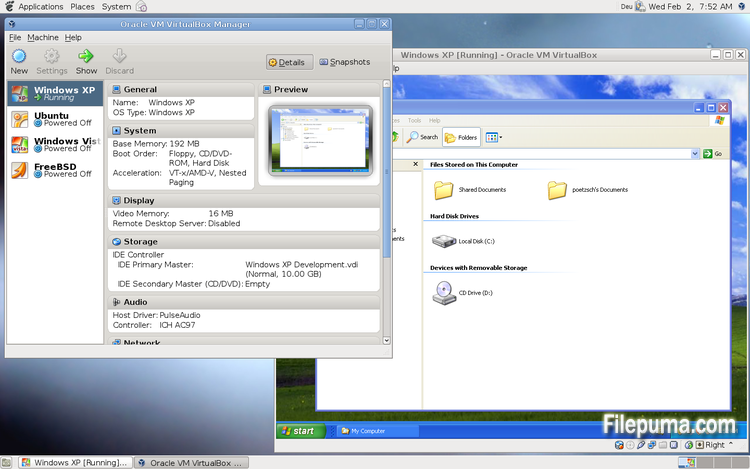
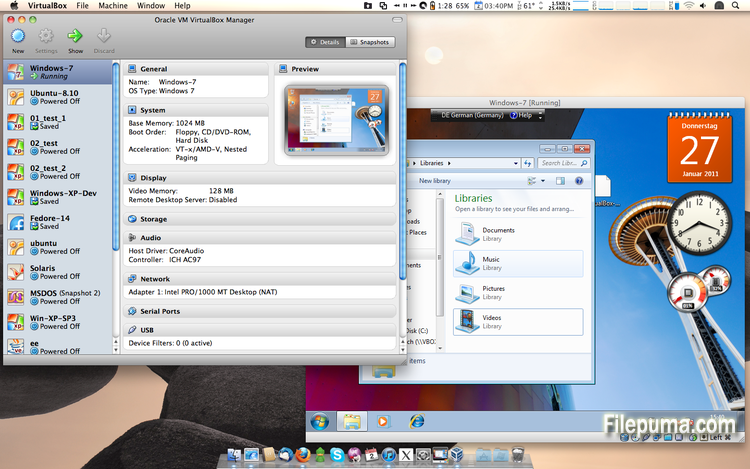
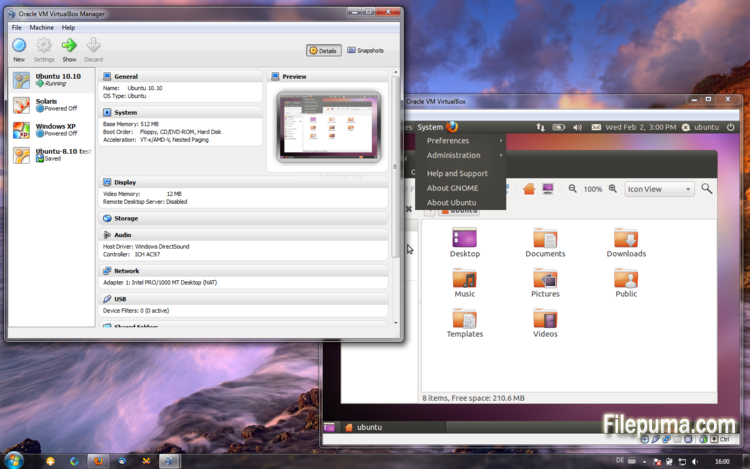


VirtualBox is a free and open-source virtualization software that allows users to create and run virtual machines on their computers. With VirtualBox, users can install and run multiple operating systems simultaneously on their computer without having to create separate partitions or buy additional hardware.
one of the main advantages of VirtualBox is its ease of use. It is simple to install and set up, even for those who have little or no experience with virtualization technology. VirtualBox also offers a wide range of customization options, including the ability to adjust the amount of RAM, CPU cores, and hard disk space allocated to each virtual machine.
Another great feature of VirtualBox is its compatibility with a wide range of operating systems. Users can install and run Windows, Linux, macOS, and many other operating systems on their virtual machines. This makes it an excellent tool for developers, software testers, and anyone who needs to run multiple operating systems on a single computer.
VirtualBox also offers a range of advanced features, such as support for USB devices, shared folders, and network adapters. These features make it possible to run software that requires hardware or network resources, such as virtual routers, firewalls, and servers.
VirtualBox is an excellent choice for anyone who needs to run multiple operating systems on a single computer. Its ease of use, wide range of customization options, and compatibility with many different operating systems make it a versatile and powerful tool for developers, IT professionals, and home users alike.
Key Feature:
- Cross-platform compatibility.
- Intuitive graphical user interface.
- Support for various operating systems.
- Seamless integration with host operating system.
- Snapshots and clones.
- Networking capabilities.
- Virtual device support.
- Extension packs for additional functionality.
What's New
This version is a major update. The following major new features were added:
- VMM: major rewrite of the VT-x code and the AMD-V code including many bug fixes and performance improvements (for example bug #9659)
- VMM: introduced a lightweight instruction interpreter for situations not handled by hardware virtualization
- GUI: extended messaging mechanism (new non-modal popup overlays used to show non-critical warnings and provide user with additional information)
- GUI: keyboard shortcuts management (input page of global preferences extended with possibility to edit general keyboard shortcuts for VirtualBox Manager and Virtual Machine)
- GUI: video capturing support (bug #4766)
- Added USB touch device emulation
- Added experimental support for webcam passthrough complementing USB passthrough (see the manual for more information)
- Added SCSI CD-ROM emulation, including boot support
- VRDP: support for IPv6
- Guest Control: guest sessions now are running in dedicated, impersonated session processes (needs at least Guest Additions 4.3 installed)
- Guest Control: implemented IGuestFile support
- NAT: experimental virtual router mode: several VMs are attached to the same internal network and share one NAT service (see the manual for more information)
In addition, the following items were fixed and/or added:
- VMM: significantly improved performance of NetWare 5.x/6.x guests on host systems without nested paging support
- VMM: fixed losing host NMIs while in VT-x guest-context
- VMM: changed order of actions in emulated task switch (bug #10532)
- VMM: allow to activate VT-x while in SMX mode and provide more information if that is not possible
- GUI: update check uses https
- GUI: numerous minor internal cleanups and bug fixes
- GUI: HID LEDs synchronization when switching between guest window(s) and host (Mac OS X hosts only)
- GUI, VBoxManage: when unregistering a VM, also unregister the hard disk images which are used exclusively (bug #10311)
- GUI: use the number of physical presented processor cores instead of the number of logical processor cores to check if the users assigned too many virtual CPUs to the guest
- Snapshots: made live snapshots work again (bug #9255)
- Teleportation: made it work again (bug #9455)
- Storage: implemented AHA-154x compatibility mode in the emulated BusLogic SCSI HBA
- Storage: significantly improved performance of large ATAPI PIO transfers (BeOS, Minix 3 guests affected)
- Storage: added floppy formatting emulation (NB: cannot be used to change existing media geometry)
- Settings: global and per-VM default frontend configuration, useful to select the use of alternative VM frontends
- Settings: limit depth of snapshot tree to 250 levels, as more will lead to decreased performance and may trigger crashes
- Settings: the per-VM hwvirtextexcl setting has been replaced by a global hwvirtexclusive property
- Main: new event queue implementation which does not use the host's native event queue for processing VirtualBox events anymore
- Main: eliminate the use of SysV semaphores on all host OSes other than Windows, namely Linux, Solaris and Mac OS X, with the consequence that no system reconfiguration is needed to run more than approximately 100 VMs
- Main: use the XDG standard configuration folder instead of .VirtualBox on systems where it is appropriate (bug #5099)
- Main: extension pack framework can now support loading HGCM modules, contributed by Jeff Westphal
- VBoxManage: list more information about hard disk/DVD/floppy media, and support the --long option to show really all available details
- VBoxManage: added support for optional command line parameters for the automatic Guest Additions update
- VBoxManage: added support for listing active guest sessions, guest processes and/or guest files via guestcontrol list
- VBoxManage: added support for closing active guest sessions via guestcontrol session close --session-id
| --session-name | --all - VBoxManage: added support for terminating active guest processes via guestcontrol
process kill|close|terminate --session-id
| --session-name or guestcontrol [p[s]]kill --session-id... | --session-name ... - VBoxManage: added support for watching guest sessions via guestcontrol watch
- VBoxManage: added modifyvm --triplefaultreset to make the VM reset on triple fault instead of triggering a Guru Meditation (see the manual for more information)
- 3D support: several fixes
- 3D support: several fixes for Mac OS X hosts
- OVF: several fixes
- Extpack Installer: make it work if the file is located in a folder with special characters
- Keyboard: fix for reporting key sequences like Ctrl+Alt+Del for the USB keyboard emulation
- Shared Clipboard/X11: support for BMP-format images, contributed by François Revol
- Mac OS X hosts: limited support for Mac OS X 10.9 (Mavericks)
- Mac OS X hosts: use a launchd script instead of the deprecated StartupItem mechanism (bug #8940)
- Windows hosts: don't cause massive DPC latency (only on certain hosts; still needs improving; bug #6242)
- Windows hosts: consider symlinks when retrieving volume information (bug #11962)
- Windows hosts: fixed an issue with USB2 devices being inaccessible when plugged into USB 3.0 ports
- Windows Additions: fixed misbehavior with guest display power management (WDDM driver only; bug #11170)
- Windows Additions: fixed memory leak caused by WTSQuerySessionInformation() on Windows 2000 guests (bug #12072)
- Windows Additions: ability to track guest user idle times through the newly introduced event IGuestUserStateChangedEvent
- Linux Additions: fixed udev detection in the init script with Linux 3.x kernels
Program available in other languages
- Télécharger VirtualBox
- Herunterladen VirtualBox
- Scaricare VirtualBox
- ダウンロード VirtualBox
- Descargar VirtualBox
- Baixar VirtualBox
User Reviews
User Rating
 101
101
License:
Free
Requirements:
Windows All
Languages:
Multi-languages
Size:
102MB
Publisher:
Updated:
Oct 15, 2013
Clean
Report Software
Latest Version
Old Versions
Developer's Software
 VirtualBox 7.2.4
 Adobe Air 51.2.2.6
 Java Runtime Environment (32bit) 8 Update 471
 Java Runtime Environment (64bit) 8 Update 471
 Java Development Kit (64bit) 8 Update 471
 Python (64bit) 3.14.2
Security Levels
To avoid any potential harm to your device and ensure the security of your data and privacy, our team checks every time a new installation file is uploaded to our servers or linked to a remote server and periodically reviews the file to confirm or update its status. Based on this checking, we set the following security levels for any downloadable files.
 Clean
Clean
It is highly likely that this software program is clean.
We scanned files and URLs associated with this software program in more than 60 of the world's leading antivirus services; no possible threats were found. And there is no third-party softwarebundled.
 Warning
This program is advertising supported and may offer to install third-party programs that are not required. These may include a toolbar, changing your homepage, default search engine, or installing other party programs. These could be false positives, and our users are advised to be careful when installing and using this software.
 Disabled
This software is no longer available for download. It is highly likely that this software program is malicious or has security issues or other reasons.
Submit a Report
Thank you!
Your report has been sent.
We will review your request and take appropriate action.
Please note that you will not receive a notification about anyaction taken dueto this report.We apologize for anyinconvenience this may cause.
We appreciate your help in keeping our website clean and safe.