

VirtualBox4.3.14
 Free Download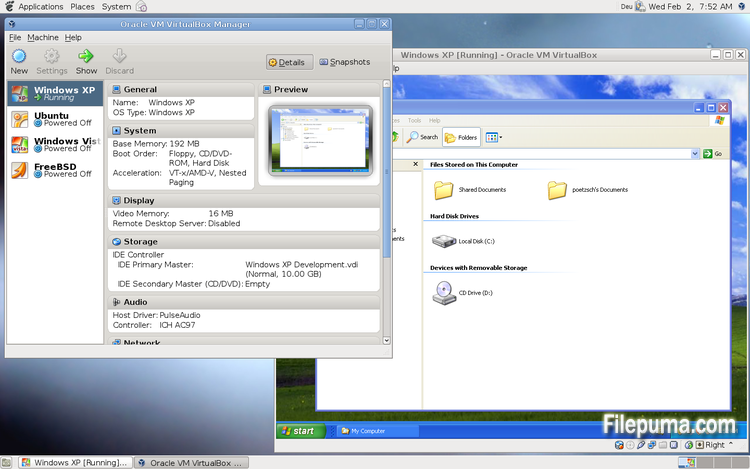
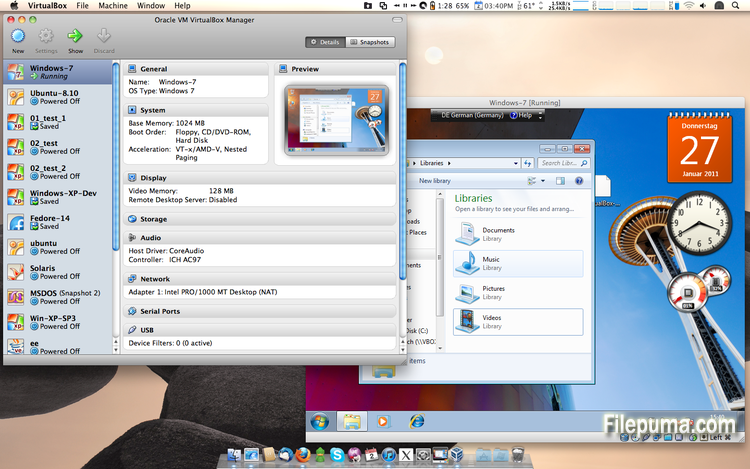
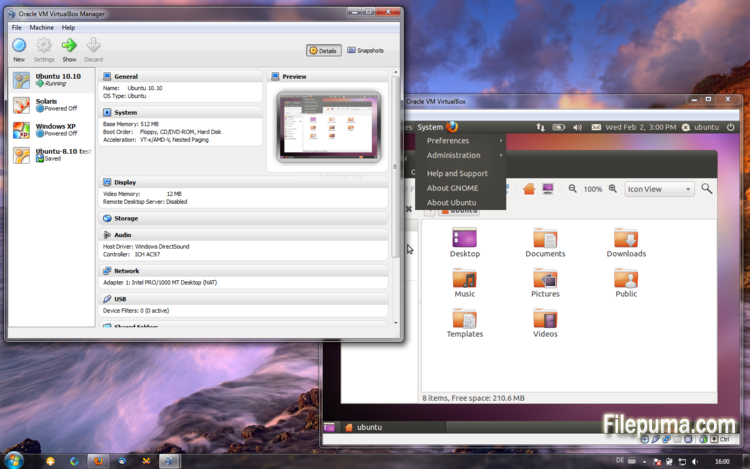


VirtualBox is a free and open-source virtualization software that allows users to create and run virtual machines on their computers. With VirtualBox, users can install and run multiple operating systems simultaneously on their computer without having to create separate partitions or buy additional hardware.
one of the main advantages of VirtualBox is its ease of use. It is simple to install and set up, even for those who have little or no experience with virtualization technology. VirtualBox also offers a wide range of customization options, including the ability to adjust the amount of RAM, CPU cores, and hard disk space allocated to each virtual machine.
Another great feature of VirtualBox is its compatibility with a wide range of operating systems. Users can install and run Windows, Linux, macOS, and many other operating systems on their virtual machines. This makes it an excellent tool for developers, software testers, and anyone who needs to run multiple operating systems on a single computer.
VirtualBox also offers a range of advanced features, such as support for USB devices, shared folders, and network adapters. These features make it possible to run software that requires hardware or network resources, such as virtual routers, firewalls, and servers.
VirtualBox is an excellent choice for anyone who needs to run multiple operating systems on a single computer. Its ease of use, wide range of customization options, and compatibility with many different operating systems make it a versatile and powerful tool for developers, IT professionals, and home users alike.
Key Feature:
- Cross-platform compatibility.
- Intuitive graphical user interface.
- Support for various operating systems.
- Seamless integration with host operating system.
- Snapshots and clones.
- Networking capabilities.
- Virtual device support.
- Extension packs for additional functionality.
What's New
- VMM: fixed #UD exception for 64-bit guests with the EFER.SCE bit and the SYSCALL instruction (VT-x only; 4.3 regression; bug #13008)
- VMM: fixed timekeeping after resuming SMP guests
- VMM: properly wake up a halted VCPU on NMI/SMI
- GUI: fixed a potential crash
- GUI: fixed stuck AltGr key on Windows hosts
- GUI: fixed a potential error during the version check
- GUI: shortcut change should not require Enter/Return (or other trigger) to confirm
- GUI: fixed update check which was broken due to changing the location of the root certificates
- VBoxManage: fixed typo in showvminfo --machinereadable
- NAT: fixed inbound half-close
- NAT: fixed slow upload speed under certain conditions
- NAT Network: fixed potential loss of inbound TCP data
- NAT Network: fixed potential infinite stalls of TCP connections over IPv6
- NAT Network: fixed resets of TCP connections on Windows hosts
- NAT Network: fixed inbound half-close on Mac OS X hosts
- NAT Network: fixed socket leak on Solaris hosts
- NAT Network: fixed ping of mapped host loopback on Mac OS X and Solaris hosts, fixed proxying of IMCP errors on Mac OS X
- Host-Only Network: fixed SNMP ifConnectorPresent value on Windows
- Storage: fixed a possible crash with CD/DVD passthrough under certain circumstances
- Storage: fixed a crash when trying to open an inaccessible QED or QCOW image
- Storage: fixed data corruption or read errors under rare circumstances
- AHCI: fixed a crash under rare circumstances
- USB: performance fixes
- ICH9: properly reset MSI capability on resetKeyboard: active modifier keys during suspend were stuck after resuming the host
- 3D: fixed misbehavior with huge guests (i.e. guest more than 4GB guest memory
- 3D: several fixes
- API: properly detect the Windows 8.1 guest OS type
- ExtPack: cleanup of dangling uninstallation directories
- Linux hosts / guests: compile fix for EL7
- Linux Additions: made 3D pass-through work with recent versions of Mesa in the guest
- Linux Additions: Linux 3.16 fixes
- Mac OS X hosts: when scanning for host CD/DVD devices also consider BlueRay devices
- OS/2 Additions: fixed gengradd.dll library name
- Solaris Additions: fixed permissions of files and directories located on shared folders
- Windows host installer: fixed the need for rebooting Windows after installation or upgrade, extended logging for NetFlt/NetAdp (un)installation
Program available in other languages
- Télécharger VirtualBox
- Herunterladen VirtualBox
- Scaricare VirtualBox
- ダウンロード VirtualBox
- Descargar VirtualBox
- Baixar VirtualBox
User Reviews
User Rating
 101
101
License:
Free
Requirements:
Windows All
Languages:
Multi-languages
Size:
111MB
Publisher:
Updated:
Jul 16, 2014
Clean
Report Software
Latest Version
Old Versions
Developer's Software
 VirtualBox 7.2.4
 Adobe Air 51.2.2.6
 Java Runtime Environment (32bit) 8 Update 471
 Java Runtime Environment (64bit) 8 Update 471
 Java Development Kit (64bit) 8 Update 471
 Python (64bit) 3.14.2
Security Levels
To avoid any potential harm to your device and ensure the security of your data and privacy, our team checks every time a new installation file is uploaded to our servers or linked to a remote server and periodically reviews the file to confirm or update its status. Based on this checking, we set the following security levels for any downloadable files.
 Clean
Clean
It is highly likely that this software program is clean.
We scanned files and URLs associated with this software program in more than 60 of the world's leading antivirus services; no possible threats were found. And there is no third-party softwarebundled.
 Warning
This program is advertising supported and may offer to install third-party programs that are not required. These may include a toolbar, changing your homepage, default search engine, or installing other party programs. These could be false positives, and our users are advised to be careful when installing and using this software.
 Disabled
This software is no longer available for download. It is highly likely that this software program is malicious or has security issues or other reasons.
Submit a Report
Thank you!
Your report has been sent.
We will review your request and take appropriate action.
Please note that you will not receive a notification about anyaction taken dueto this report.We apologize for anyinconvenience this may cause.
We appreciate your help in keeping our website clean and safe.