

VirtualBox4.2.14
 Descarga gratuita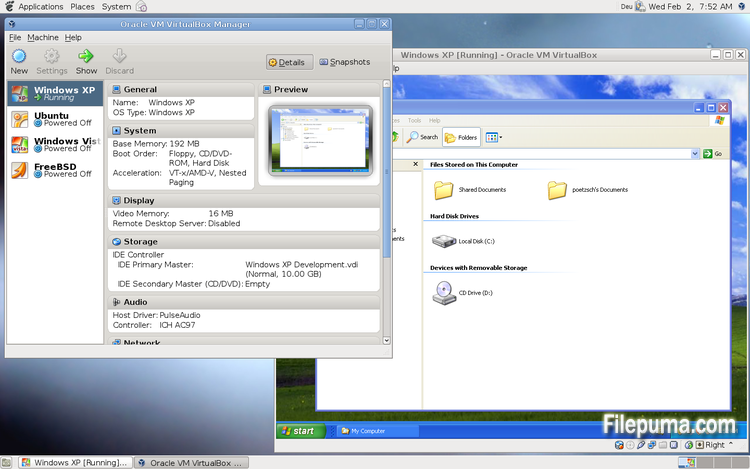
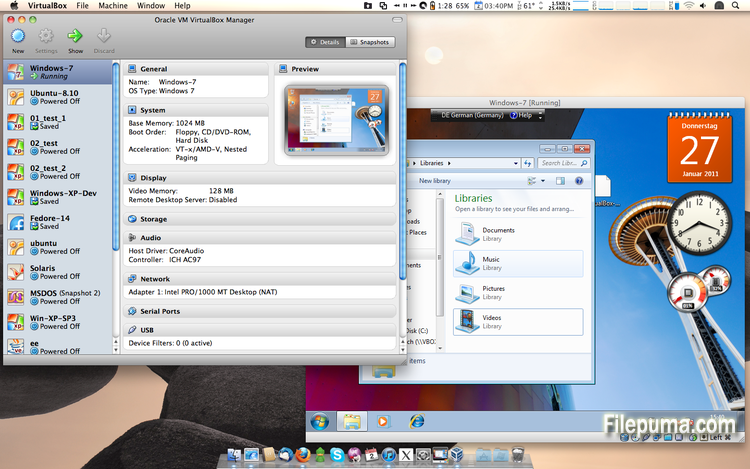
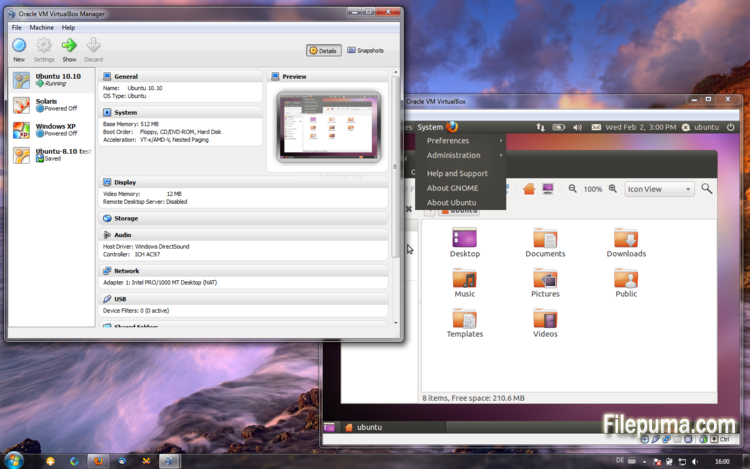


VirtualBoxes un software de virtualización gratuito y de código abierto que permite a los usuarios crear y ejecutar máquinas virtuales en sus computadoras. Con VirtualBox, los usuarios pueden instalar y ejecutar múltiples sistemas operativos simultáneamente en su computadora sin tener que crear particiones separadas o comprar hardware adicional.
Una de las principales ventajas de VirtualBox es su facilidad de uso. Es simple de instalar y configurar, incluso para aquellos que tienen poca o ninguna experiencia con la tecnología de virtualización. VirtualBox también ofrece una amplia gama de opciones de personalización, incluyendo la capacidad de ajustar la cantidad de RAM, núcleos de CPU y espacio en disco duro asignado a cada máquina virtual.
Otra gran característica de VirtualBox es su compatibilidad con una amplia gama de sistemas operativos. Los usuarios pueden instalar y ejecutar Windows, Linux, macOS y muchos otros sistemas operativos en sus máquinas virtuales. Esto lo convierte en una herramienta excelente para desarrolladores, testers de software y cualquier persona que necesite ejecutar múltiples sistemas operativos en una sola computadora.
VirtualBox también ofrece una gama de funciones avanzadas, como soporte para dispositivos USB, carpetas compartidas y adaptadores de red. Estas funciones hacen posible ejecutar software que requiere recursos de hardware o red, como enrutadores virtuales, cortafuegos y servidores.
VirtualBox es una excelente opción para cualquiera que necesite ejecutar múltiples sistemas operativos en una sola computadora. Su facilidad de uso, amplia gama de opciones de personalización y compatibilidad con muchos sistemas operativos diferentes lo convierten en una herramienta versátil y poderosa para desarrolladores, profesionales de TI y usuarios domésticos por igual.
Función clave:
- Compatibilidad multiplataforma.
- Interfaz gráfica de usuario intuitiva.
- Compatibilidad con varios sistemas operativos.
- Integración perfecta con el sistema operativo host.
- Instantáneas y clones.
- Capacidades de red.
- Soporte de dispositivos virtuales.
- Paquetes de extensión para funcionalidad adicional.
Qué hay de nuevo
- VMM: another TLB invalidation fix for non-present pages
- VMM: fixed a performance regression (4.2.8 regression; bug #11674)
- GUI: fixed a crash on shutdown
- GUI: prevent stuck keys under certain conditions on Windows hosts (bugs #2613, #6171)
- VRDP: fixed a rare crash on the guest screen resize
- VRDP: allow to change VRDP parameters (including enabling/disabling the server) if the VM is paused
- USB: fixed passing through devices on Mac OS X host to a VM with 2 or more virtual CPUs (bug #7462)
- USB: fixed hang during isochronous transfer with certain devices (4.1 regression; Windows hosts only; bug #11839)
- USB: properly handle orphaned URBs (bug #11207)
- BIOS: fixed function for returning the PCI interrupt routing table (fixes NetWare 6.x guests)
- BIOS: don't use the ENTER / LEAVE instructions in the BIOS as these don't work in the real mode as set up by certain guests (e.g. Plan 9 and QNX 4)
- DMI: allow to configure DmiChassisType (bug #11832)
- Storage: fixed lost writes if iSCSI is used with snapshots and asynchronous I/O (bug #11479)
- Storage: fixed accessing certain VHDX images created by Windows 8 (bug #11502)
- Storage: fixed hang when creating a snapshot using Parallels disk images (bug #9617)
- 3D: seamless + 3D fixes (bug #11723)
- 3D: version 4.2.12 was not able to read saved states of older versions under certain conditions (bug #11718)
- Main/Properties: don't create a guest property for non-running VMs if the property does not exist and is about to be removed (bug #11765)
- Main/Properties: don't forget to make new guest properties persistent after the VM was terminated (bug #11719)
- Main/Display: don't lose seamless regions during screen resize
- Main/OVF: don't crash during import if the client forgot to call Appliance::interpret() (bug #10845)
- Main/OVF: don't create invalid appliances by stripping the file name if the VM name is very long (bug #11814)
- Main/OVF: don't fail if the appliance contains multiple file references (bug #10689)
- Main/Metrics: fixed Solaris file descriptor leak
- Settings: limit depth of snapshot tree to 250 levels, as more will lead to decreased performance and may trigger crashes
- VBoxManage: fixed setting the parent UUID on diff images using sethdparentuuid
- Linux hosts: work around for not crashing as a result of automatic NUMA balancing which was introduced in Linux 3.8 (bug #11610)
- Windows installer: force the installation of the public certificate in background (i.e. completely prevent user interaction) if the --silent command line option is specified
- Windows Additions: fixed problems with partial install in the unattended case
- Windows Additions: fixed display glitch with the Start button in seamless mode for some themes
- Windows Additions: Seamless mode and auto-resize fixes
- Windows Additions: fixed trying to to retrieve new auto-logon credentials if current ones were not processed yet
- Windows Additions installer: added the /with_wddm switch to select the experimental WDDM driver by default
- Linux Additions: fixed setting own timed out and aborted texts in information label of the lightdm greeter
- Linux Additions: fixed compilation against Linux 3.2.0 Ubuntu kernels (4.2.12 regression as a side effect of the Debian kernel build fix; bug #11709)
- X11 Additions: reduced the CPU load of VBoxClient in drag'and'drop mode
- OS/2 Additions: made the mouse wheel work (bug #6793)
- Guest Additions: fixed problems copying and pasting between two guests on an X11 host (bug #11792)
Programa disponible en otros idiomas
- Download VirtualBox
- Télécharger VirtualBox
- Herunterladen VirtualBox
- Scaricare VirtualBox
- ダウンロード VirtualBox
- Baixar VirtualBox
Reseñas de usuarios
Calificación del usuario
 101
101
Licencia:
Gratis
Requisitos:
Windows All
Idiomas:
Multi-languages
Tamaño:
94.6MB
Editor:
Actualizado:
Jun 23, 2013
Limpio
Informa del software
Última versión
Versiones antiguas
Software del desarrollador
 VirtualBox 7.2.10
 Adobe Air 51.2.2.6
 Java Runtime Environment (32bit) 8 Update 481
 Java Runtime Environment (64bit) 8 Update 481
 Java Development Kit (64bit) 8 Update 481
 Python (64bit) 3.14.6
Niveles de seguridad
Para evitar cualquier daño potencial a su dispositivo y garantizar la seguridad de sus datos y privacidad, nuestro equipo verifica cada vez que se sube un nuevo archivo de instalación a nuestros servidores o se vincula a un servidor remoto y revisa periódicamente el archivo para confirmar o actualizar su estado. Basándonos en esta verificación, establecemos los siguientes niveles de seguridad para cualquier archivo descargable.
 Limpio
Es muy probable que este programa de software esté limpio.
Hemos escaneado los archivos y las URL asociadas con este programa de software en más de 60 de los principales servicios antivirus del mundo; no se encontraron posibles amenazas. Y no hay software de terceros incluido.
 Advertencia
Este programa está soportado por publicidad y puede ofrecer instalar programas de terceros que no son necesarios. Estos pueden incluir una barra de herramientas, cambiar su página de inicio, motor de búsqueda predeterminado, o instalar otros programas de terceros. Estos podrían ser falsos positivos, y se recomienda a nuestros usuarios que tengan cuidado al instalar y usar este software.
 Discapacitado
Este software ya no está disponible para su descarga. Es muy probable que este programa de software sea malicioso o tenga problemas de seguridad u otros motivos.
Enviar un informe
¡Gracias!
Tu informe ha sido enviado.
Revisaremos su solicitud y tomaremos las medidas adecuadas.
Tenga en cuenta que no recibirá una notificación sobre cualquier acción tomada debido a este informe. Nos disculpamos por cualquier inconveniente que esto pueda causar.
Agradecemos su ayuda para mantener nuestro sitio web limpio y seguro.