

VirtualBox4.3.8
 Descarga gratuita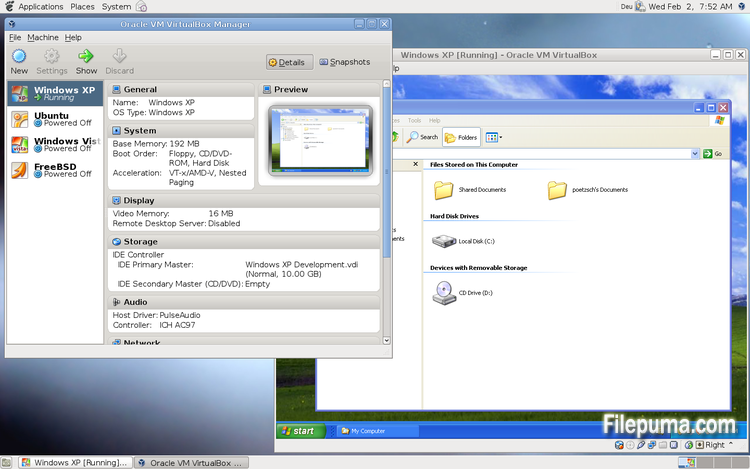
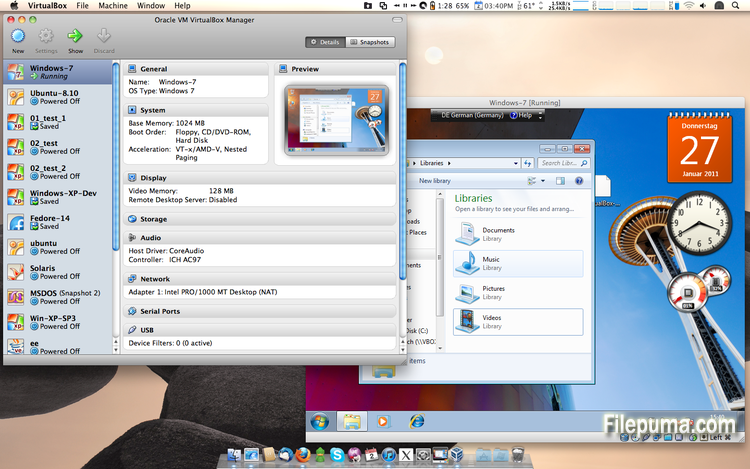
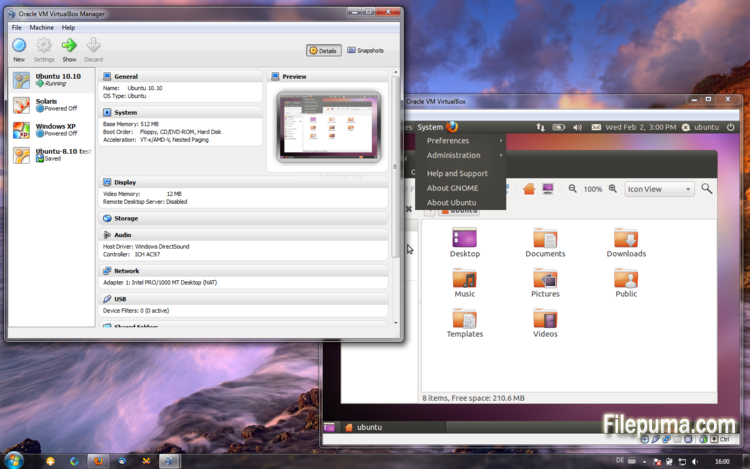


VirtualBoxes un software de virtualización gratuito y de código abierto que permite a los usuarios crear y ejecutar máquinas virtuales en sus computadoras. Con VirtualBox, los usuarios pueden instalar y ejecutar múltiples sistemas operativos simultáneamente en su computadora sin tener que crear particiones separadas o comprar hardware adicional.
Una de las principales ventajas de VirtualBox es su facilidad de uso. Es simple de instalar y configurar, incluso para aquellos que tienen poca o ninguna experiencia con la tecnología de virtualización. VirtualBox también ofrece una amplia gama de opciones de personalización, incluyendo la capacidad de ajustar la cantidad de RAM, núcleos de CPU y espacio en disco duro asignado a cada máquina virtual.
Otra gran característica de VirtualBox es su compatibilidad con una amplia gama de sistemas operativos. Los usuarios pueden instalar y ejecutar Windows, Linux, macOS y muchos otros sistemas operativos en sus máquinas virtuales. Esto lo convierte en una herramienta excelente para desarrolladores, testers de software y cualquier persona que necesite ejecutar múltiples sistemas operativos en una sola computadora.
VirtualBox también ofrece una gama de funciones avanzadas, como soporte para dispositivos USB, carpetas compartidas y adaptadores de red. Estas funciones hacen posible ejecutar software que requiere recursos de hardware o red, como enrutadores virtuales, cortafuegos y servidores.
VirtualBox es una excelente opción para cualquiera que necesite ejecutar múltiples sistemas operativos en una sola computadora. Su facilidad de uso, amplia gama de opciones de personalización y compatibilidad con muchos sistemas operativos diferentes lo convierten en una herramienta versátil y poderosa para desarrolladores, profesionales de TI y usuarios domésticos por igual.
Función clave:
- Compatibilidad multiplataforma.
- Interfaz gráfica de usuario intuitiva.
- Compatibilidad con varios sistemas operativos.
- Integración perfecta con el sistema operativo host.
- Instantáneas y clones.
- Capacidades de red.
- Soporte de dispositivos virtuales.
- Paquetes de extensión para funcionalidad adicional.
Qué hay de nuevo
- VMM: more work on improving the emulation of certain MSR registers
- VMM: fixed a VERR_INVALID_RPL Guru Meditation when booting certain guests
- VMM: experimental support for SSE 4.1 / SSE 4.2 passthrough, see the manual for more information how to enable it
- VMM: fix for recent Linux kernels with software virtualization
- GUI: experimental HID LEDs synchronization for Windows hosts, see the manual for more information
- GUI: warn the user if the Oracle Extension Pack is not installed and the user tries to activate the remote display feature
- GUI: make sure that a minimized guest (using mini toolbar in fullscreen/seamless mode) keeps the minimized state
- GUI: popup banner's "do not show this message again" check-box replaced with corresponding button
- GUI: network adapter cables can now be connected/disconnected directly through the running virtual machine Devices / Network menu a Network status-bar indicator
- GUI: the new VM wizard now proposes 64-bit guests on 64-bit hosts by default; better distinction between 32-bit OS types 64-bit OS types
- GUI: better error message if appliance import fails
- GUI: allow to set host-combination to 'None' using the Global settings / Input page
- GUI: don't switch the guest to a black screen during online snapshot merge
- VBoxManage: when exporting an appliance, support the suppression of MAC addresses, which means they will be always recreated on import, avoiding duplicate MAC addresses for VMs which are imported several times
- AHCI: fixed a VM hang during suspend under certain circumstances
- AHCI: fixed a VM hang during online snapshot merge under certain circumstances
- AHCI: fixed a bug which resulted in Windows XP guest hangs if a SATA CDROM is attached
- AHCI: fixed a Guru Meditation under certain conditions
- AHCI: ejecting a CD/DVD medium failed under certain conditions
- AHCI: disk hotplugging fixes
- NAT: transparent handling of host sleep/resume and network configuration changes if the dnsproxy is enabled or if the hostresolver is used
- NAT: fixed crash and misbehaviour under some circumstances with ICMP packets having TTL=1
- NAT Network: fixed IPv6 reassembly
- NAT Network: ping proxy implemented
- OVF: fixed reading of the OVF 0.9 section element
- OVF: several fixes
- 3D: several fixes, multiscreen fixes
- 3D: include 3D content in captured videos
- 3D: include 3D content in captured screenshot
- VGA: proper handling of legacy graphics modes if the Guest Additions are active
- USB: fixed crash during isochronous transfer under rare circumstances
- BIOS: better disk geometry handling of SCSI drives
- API: fix crashes in Java API clients using the XPCOM binding, happened with output parameters only
- VBoxSVC: documented the handling of host power management events (see the manual for more information) and added an extradata item for configuring the handling of the battery-low event
- VBoxSVC: fixed a bug which could trigger a crash if a VM snapshot was restored the second time and the VM has associated bandwidth groups
- VBoxSVC: properly detect ifconfig if located in /bin
- Shared Folders: fixed a failure to restore transient shared folders when starting a VM from a saved state
- Mac OS X hosts: fixed issue when the application icon was frozen in the dock if the bridging interface was not connected to a network
- Linux hosts: also consider the physical package ID when determining the number of physical CPU cores
- Linux hosts / guests: don't warn in kernel log if memory allocation fails
- Solaris hosts: fixed the autostart SMF script
- Windows hosts: fixes for non-ANSI code page user names and similar environment contents
- Windows hosts / guests: fixed setting and using a guest user's process environment variables (relevant for Guest Control)
- Windows Additions: fixed handle leaks in VBoxTray
- Windows Additions: fixed a crash while detecting active guest users
- Windows Additions: fixed restoring backed up D3D files on XPDM -> WDDM upgrade
- Guest Control: fixed setting and using a guest user's process environment variables
- Linux Additions: support Enterprise Linux 6.5 kernels
- Linux Additions: fixed CPU hot-remove on newer Linux kernels
- Linux / Solaris Additions: don't automount a shared folder which is already mounted
- X11 Additions: support X.Org Server 1.15
Programa disponible en otros idiomas
- Download VirtualBox
- Télécharger VirtualBox
- Herunterladen VirtualBox
- Scaricare VirtualBox
- ダウンロード VirtualBox
- Baixar VirtualBox
Reseñas de usuarios
Calificación del usuario
 101
101
Licencia:
Gratis
Requisitos:
Windows All
Idiomas:
Multi-languages
Tamaño:
102MB
Editor:
Actualizado:
Feb 26, 2014
Limpio
Informa del software
Última versión
Versiones antiguas
Software del desarrollador
 VirtualBox 7.2.4
 Adobe Air 51.2.2.6
 Java Runtime Environment (32bit) 8 Update 471
 Java Runtime Environment (64bit) 8 Update 471
 Java Development Kit (64bit) 8 Update 471
 Python (64bit) 3.14.2
Niveles de seguridad
Para evitar cualquier daño potencial a su dispositivo y garantizar la seguridad de sus datos y privacidad, nuestro equipo verifica cada vez que se sube un nuevo archivo de instalación a nuestros servidores o se vincula a un servidor remoto y revisa periódicamente el archivo para confirmar o actualizar su estado. Basándonos en esta verificación, establecemos los siguientes niveles de seguridad para cualquier archivo descargable.
 Limpio
Es muy probable que este programa de software esté limpio.
Hemos escaneado los archivos y las URL asociadas con este programa de software en más de 60 de los principales servicios antivirus del mundo; no se encontraron posibles amenazas. Y no hay software de terceros incluido.
 Advertencia
Este programa está soportado por publicidad y puede ofrecer instalar programas de terceros que no son necesarios. Estos pueden incluir una barra de herramientas, cambiar su página de inicio, motor de búsqueda predeterminado, o instalar otros programas de terceros. Estos podrían ser falsos positivos, y se recomienda a nuestros usuarios que tengan cuidado al instalar y usar este software.
 Discapacitado
Este software ya no está disponible para su descarga. Es muy probable que este programa de software sea malicioso o tenga problemas de seguridad u otros motivos.
Enviar un informe
¡Gracias!
Tu informe ha sido enviado.
Revisaremos su solicitud y tomaremos las medidas adecuadas.
Tenga en cuenta que no recibirá una notificación sobre cualquier acción tomada debido a este informe. Nos disculpamos por cualquier inconveniente que esto pueda causar.
Agradecemos su ayuda para mantener nuestro sitio web limpio y seguro.