

VirtualBox4.3.0
 Download gratuito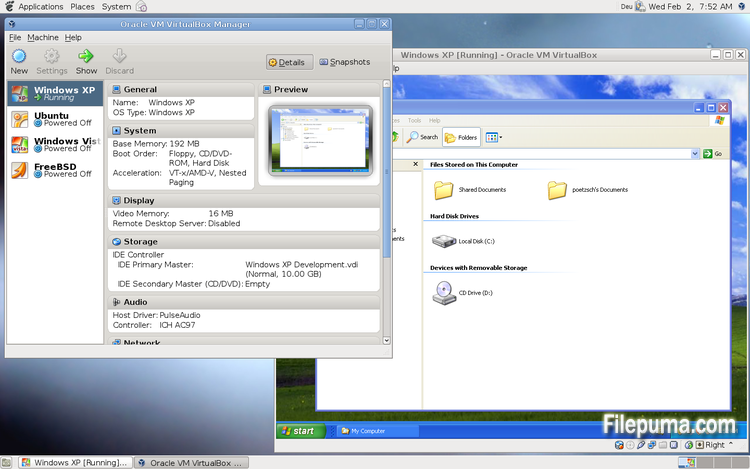
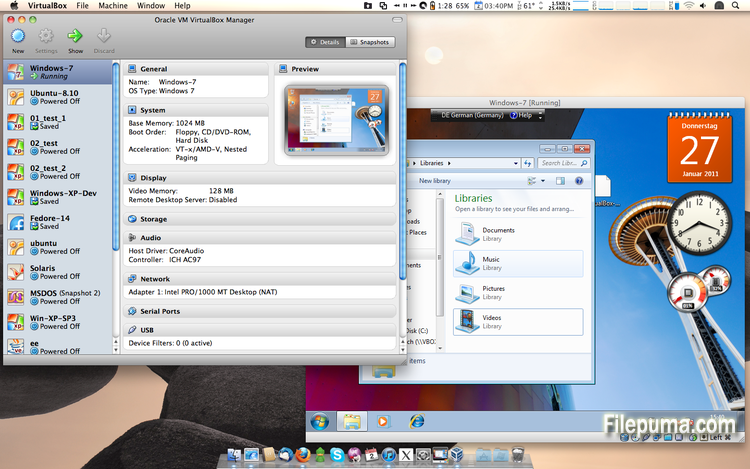
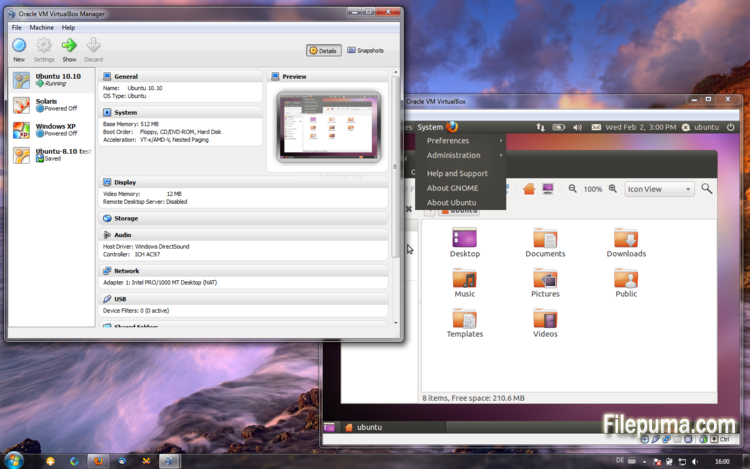


VirtualBoxè un software di virtualizzazione gratuito e open-source che consente agli utenti di creare ed eseguire macchine virtuali sui loro computer. Con VirtualBox, gli utenti possono installare ed eseguire più sistemi operativi simultaneamente sul loro computer senza dover creare partizioni separate o acquistare hardware aggiuntivo.
Uno dei principali vantaggi di VirtualBox è la sua facilità d'uso. È semplice da installare e configurare, anche per coloro che hanno poca o nessuna esperienza con la tecnologia di virtualizzazione. VirtualBox offre anche una vasta gamma di opzioni di personalizzazione, comprese la possibilità di regolare la quantità di RAM, i core della CPU e lo spazio su disco rigido allocato a ciascuna macchina virtuale.
Un'altra grande caratteristica di VirtualBox è la sua compatibilità con una vasta gamma di sistemi operativi. Gli utenti possono installare ed eseguire Windows, Linux, macOS e molti altri sistemi operativi sulle loro macchine virtuali. Questo lo rende uno strumento eccellente per sviluppatori, tester di software e chiunque abbia bisogno di eseguire più sistemi operativi su un singolo computer.
VirtualBox offre anche una gamma di funzionalità avanzate, come il supporto per dispositivi USB, cartelle condivise e adattatori di rete. Queste funzionalità rendono possibile l'esecuzione di software che richiede risorse hardware o di rete, come router virtuali, firewall e server.
VirtualBox è un'ottima scelta per chiunque abbia bisogno di eseguire più sistemi operativi su un singolo computer. La sua facilità d'uso, la vasta gamma di opzioni di personalizzazione e la compatibilità con molti sistemi operativi diversi lo rendono uno strumento versatile e potente per sviluppatori, professionisti IT e utenti domestici.
Caratteristica principale:
- Compatibilità multipiattaforma.
- Interfaccia utente grafica intuitiva.
- Supporto per vari sistemi operativi.
- Integrazione senza soluzione di continuità con il sistema operativo host.
- Snapshot e cloni.
- Capacità di networking.
- Supporto per dispositivi virtuali.
- Pacchetti di estensione per funzionalità aggiuntive.
Novità
This version is a major update. The following major new features were added:
- VMM: major rewrite of the VT-x code and the AMD-V code including many bug fixes and performance improvements (for example bug #9659)
- VMM: introduced a lightweight instruction interpreter for situations not handled by hardware virtualization
- GUI: extended messaging mechanism (new non-modal popup overlays used to show non-critical warnings and provide user with additional information)
- GUI: keyboard shortcuts management (input page of global preferences extended with possibility to edit general keyboard shortcuts for VirtualBox Manager and Virtual Machine)
- GUI: video capturing support (bug #4766)
- Added USB touch device emulation
- Added experimental support for webcam passthrough complementing USB passthrough (see the manual for more information)
- Added SCSI CD-ROM emulation, including boot support
- VRDP: support for IPv6
- Guest Control: guest sessions now are running in dedicated, impersonated session processes (needs at least Guest Additions 4.3 installed)
- Guest Control: implemented IGuestFile support
- NAT: experimental virtual router mode: several VMs are attached to the same internal network and share one NAT service (see the manual for more information)
In addition, the following items were fixed and/or added:
- VMM: significantly improved performance of NetWare 5.x/6.x guests on host systems without nested paging support
- VMM: fixed losing host NMIs while in VT-x guest-context
- VMM: changed order of actions in emulated task switch (bug #10532)
- VMM: allow to activate VT-x while in SMX mode and provide more information if that is not possible
- GUI: update check uses https
- GUI: numerous minor internal cleanups and bug fixes
- GUI: HID LEDs synchronization when switching between guest window(s) and host (Mac OS X hosts only)
- GUI, VBoxManage: when unregistering a VM, also unregister the hard disk images which are used exclusively (bug #10311)
- GUI: use the number of physical presented processor cores instead of the number of logical processor cores to check if the users assigned too many virtual CPUs to the guest
- Snapshots: made live snapshots work again (bug #9255)
- Teleportation: made it work again (bug #9455)
- Storage: implemented AHA-154x compatibility mode in the emulated BusLogic SCSI HBA
- Storage: significantly improved performance of large ATAPI PIO transfers (BeOS, Minix 3 guests affected)
- Storage: added floppy formatting emulation (NB: cannot be used to change existing media geometry)
- Settings: global and per-VM default frontend configuration, useful to select the use of alternative VM frontends
- Settings: limit depth of snapshot tree to 250 levels, as more will lead to decreased performance and may trigger crashes
- Settings: the per-VM hwvirtextexcl setting has been replaced by a global hwvirtexclusive property
- Main: new event queue implementation which does not use the host's native event queue for processing VirtualBox events anymore
- Main: eliminate the use of SysV semaphores on all host OSes other than Windows, namely Linux, Solaris and Mac OS X, with the consequence that no system reconfiguration is needed to run more than approximately 100 VMs
- Main: use the XDG standard configuration folder instead of .VirtualBox on systems where it is appropriate (bug #5099)
- Main: extension pack framework can now support loading HGCM modules, contributed by Jeff Westphal
- VBoxManage: list more information about hard disk/DVD/floppy media, and support the --long option to show really all available details
- VBoxManage: added support for optional command line parameters for the automatic Guest Additions update
- VBoxManage: added support for listing active guest sessions, guest processes and/or guest files via guestcontrol list
- VBoxManage: added support for closing active guest sessions via guestcontrol session close --session-id
| --session-name | --all - VBoxManage: added support for terminating active guest processes via guestcontrol
process kill|close|terminate --session-id
| --session-name or guestcontrol [p[s]]kill --session-id... | --session-name ... - VBoxManage: added support for watching guest sessions via guestcontrol watch
- VBoxManage: added modifyvm --triplefaultreset to make the VM reset on triple fault instead of triggering a Guru Meditation (see the manual for more information)
- 3D support: several fixes
- 3D support: several fixes for Mac OS X hosts
- OVF: several fixes
- Extpack Installer: make it work if the file is located in a folder with special characters
- Keyboard: fix for reporting key sequences like Ctrl+Alt+Del for the USB keyboard emulation
- Shared Clipboard/X11: support for BMP-format images, contributed by François Revol
- Mac OS X hosts: limited support for Mac OS X 10.9 (Mavericks)
- Mac OS X hosts: use a launchd script instead of the deprecated StartupItem mechanism (bug #8940)
- Windows hosts: don't cause massive DPC latency (only on certain hosts; still needs improving; bug #6242)
- Windows hosts: consider symlinks when retrieving volume information (bug #11962)
- Windows hosts: fixed an issue with USB2 devices being inaccessible when plugged into USB 3.0 ports
- Windows Additions: fixed misbehavior with guest display power management (WDDM driver only; bug #11170)
- Windows Additions: fixed memory leak caused by WTSQuerySessionInformation() on Windows 2000 guests (bug #12072)
- Windows Additions: ability to track guest user idle times through the newly introduced event IGuestUserStateChangedEvent
- Linux Additions: fixed udev detection in the init script with Linux 3.x kernels
Programma disponibile in altre lingue
- Download VirtualBox
- Télécharger VirtualBox
- Herunterladen VirtualBox
- ダウンロード VirtualBox
- Descargar VirtualBox
- Baixar VirtualBox
Recensioni degli utenti
Valutazione dell'utente
 101
101
Licenza:
Gratis
Requisiti:
Windows All
Lingue:
Multi-languages
Taglia:
102MB
Editore:
Aggiornato:
Oct 15, 2013
Pulito
Segnala il software
Ultima versione
Vecchie versioni
Software dello sviluppatore
 VirtualBox 7.2.6
 Adobe Air 51.2.2.6
 Java Runtime Environment (32bit) 8 Update 481
 Java Runtime Environment (64bit) 8 Update 481
 Java Development Kit (64bit) 8 Update 481
 Python (64bit) 3.14.4
Livelli di Sicurezza
Per evitare qualsiasi potenziale danno al tuo dispositivo e garantire la sicurezza dei tuoi dati e della tua privacy, il nostro team controlla ogni volta che un nuovo file di installazione viene caricato sui nostri server o collegato a un server remoto e riesamina periodicamente il file per confermarne o aggiornarne lo stato. Sulla base di questo controllo, impostiamo i seguenti livelli di sicurezza per qualsiasi file scaricabile.
 Pulito
È molto probabile che questo programma software sia pulito.
Abbiamo scansionato file e URL associati a questo programma software in oltre 60 dei principali servizi antivirus del mondo; non sono state trovate minacce possibili. E non ci sono software di terze parti inclusi.
 Avvertimento
Questo programma è supportato dalla pubblicità e potrebbe offrire l'installazione di programmi di terze parti che non sono necessari. Questi possono includere una barra degli strumenti, il cambiamento della tua homepage, del motore di ricerca predefinito o l'installazione di altri programmi di terze parti. Questi potrebbero essere falsi positivi e si consiglia ai nostri utenti di essere cauti durante l'installazione e l'utilizzo di questo software.
 Disabile
Questo software non è più disponibile per il download. È altamente probabile che questo programma software sia dannoso o abbia problemi di sicurezza o altri motivi.
Presenta un rapporto
Grazie!
Il tuo rapporto è stato inviato.
Esamineremo la tua richiesta e prenderemo le misure opportune.
Si prega di notare che non riceverai una notifica riguardante qualsiasi azione intrapresa a causa di questo rapporto. Ci scusiamo per qualsiasi inconveniente che ciò possa causare.
Apprezziamo il tuo aiuto nel mantenere il nostro sito web pulito e sicuro.