

Calibre (64bit)1.23.0
 無料ダウンロード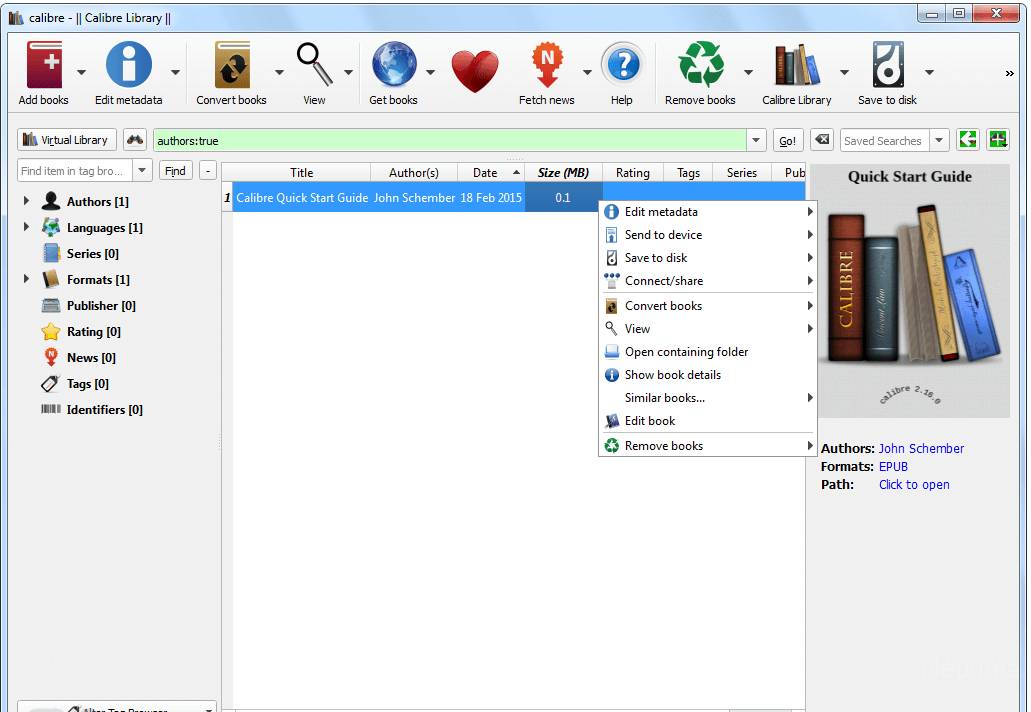


Calibreは、ユーザーが電子書籍を管理し、さまざまな電子書籍フォーマット間で変換し、さまざまなデバイスと電子書籍を同期することを可能にする無料でオープンソースの電子書籍管理ソフトウェアです。それは2006年に初めてリリースされ、それ以来、最も人気のある電子書籍管理ツールの1つとなっています。
Calibreの最も顕著な機能の一つは、電子書籍を異なるカテゴリーに整理し、タグを追加することで、特定の本を簡単に検索し見つけることができることです。また、ユーザーが電子書籍のメタデータを編集できるようにし、タイトル、著者、カバー画像を含むメタデータをオンラインソースからダウンロードすることさえできます。
Calibreは、強力な電子書籍変換ツールも提供しており、ユーザーが電子書籍をEPUBからMOBI、またはPDFからEPUBなど、ある形式から別の形式に変換することができます。これは、同じファイル形式をサポートしない異なるデバイスで電子書籍を読みたい人々にとって特に便利です。
さらに、CalibreはAmazon Kindle、Barnes & Noble Nook、Koboなどの幅広い電子書籍リーダーをサポートしており、これらのデバイスと自動で電子書籍を同期することができます。また、AmazonやGoogle Booksなどのオンライン電子書店に接続し、ソフトウェア内から直接電子書籍を閲覧したり購入したりすることができます。
Calibreは、電子書籍を読む人や管理する人にとって欠かせないツールです。その強力な機能と使いやすいインターフェースは、電子書籍ライブラリを整理、変換、同期したい人にとって必須です。
主な機能:
- 電子書籍コレクションを整理するためのLibrary management system
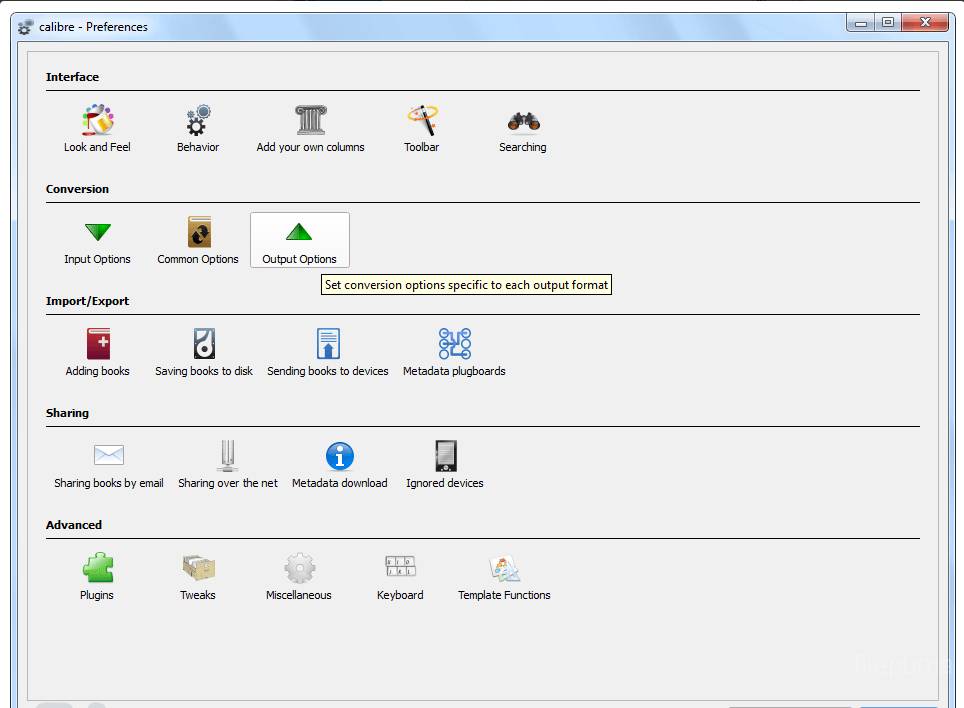
- さまざまなデバイスとの互換性のためのフォーマット変換
- 内蔵エディターで電子書籍のメタデータと目次を編集します。
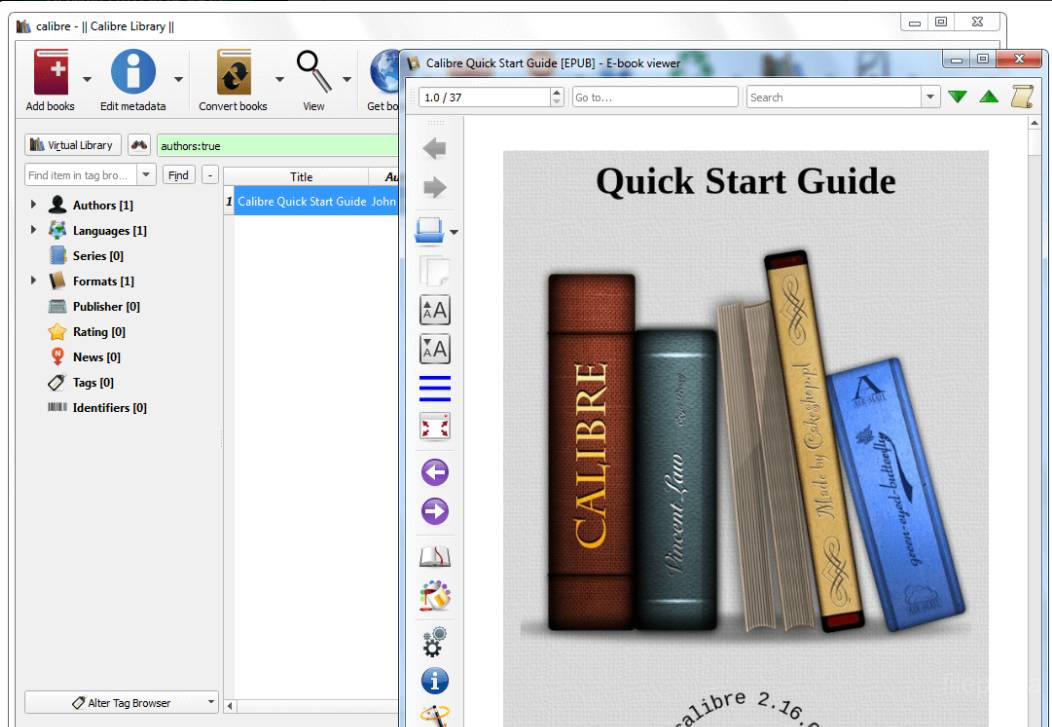
- カスタマイズオプション付きのE-bookビューワー
- 電子書籍をダウンロードするための統合ウェブブラウザ
- デバイス間で電子書籍コレクションを最新の状態に保つための同期オプション
- 追加の機能や機能性を加えるためにプラグインで拡張可能。
新着情報
- Edit Book: Highlight the closest surrounding tag when editing HTML/XML
- Edit Book: Add a tool to easily change the current paragraph (the paragraph containing the cursor) to a heading. Simply click the button with 'H1' on it and choose the heading level you want the current paragraph changed to.
- Edit Book: When running Replace All add a button to the replaced message to show exactly what changes were done and allow them to be undone
- Edit book: When checking book, detect case mismatches between links and the filenames of the files they point to and offer to auto-correct the links
- Adding books: Implement a copy to clipboard button for when duplicates are found during the adding process. Useful if you wish to review the list of duplicates later.
- Linux installer: Install appdata files for integration with software stores.
- Edit book: Auto add a checkpoint when the book is first opened for editing
- Edit Book: Fix a bug in AZW3 support that could cause images/fonts to get mixed up when saving and re-opening the book multiple times.
- Edit Book: Fix individual find and replace not working in regex mode if the search expression uses lookbehind/lookahead operators
- Compare books: Fix unchanged lines at the start of a change block being sometimes marked with a blue background, even though they contain no changes
- Compare books: Fix incorrect scrolling when viewing all text and a large amount of text is present after the final change.
- PDF Output: Fix a zero division error when the transformation matrix has a zero diagonal
- calibredb add_custom_column: Fix a spurious error message when adding custom columns caused by the new db backend
- calibredb list: Fix error if one of the requested fields is empty for all requested books
- calibredb set_metadata: Fix setting series_index with the -f argument not working
- Markdown input: Fix handling of very large files.
- Edit book: Do not create savepoints when no changes are performed by automated tools such as smarten punctuation, remove unused css etc.
- Edit Book: Fix a bug that would cause an error when a global operation like find/replace or polishing fails.
- Metadata download: Workaround edelweiss.com no longer being able to search by author name. Search only by titles and filter the results returned by edelweiss to only include matching authors.
- HTML 5 parser: Preserve non-core namespace declarations on the tag
- Workaround broken file chooser dialog on Ubuntu that does not auto-insert the specified extension.
- Compare books: Fix error when previously different files become identical after beautifying
- Edit Book: Fix subsetting embedded fonts not processing fonts included in a stylesheet that is itself referenced only by an @import rule
- Edit Book: Fix the remove unused css tool changing the namespace prefix used for the XHTML namespace in the CSS sheet, if any
- Conversion: Fix CSS selectors using the epub namespace being ignored
- Compare books: Fix double clicking in the right panel not opening the correct file in the editor
他の言語で利用可能なプログラム
- Download Calibre (64bit)
- Télécharger Calibre (64bit)
- Herunterladen Calibre (64bit)
- Scaricare Calibre (64bit)
- Descargar Calibre (64bit)
- Baixar Calibre (64bit)
ユーザーレビュー
ユーザー評価
 62
62
ライセンス:
無料
要件:
Windows XP 64/ Vista 64/ Windows 7 64/ Windows 8 64
言語:
Multi-languages
サイズ:
57.11MB
出版社:
更新しました:
Feb 7, 2014
クリーン
ソフト報告
最新版
旧バージョン
 Calibre (32bit) 6.0.0
 Calibre (64bit) 8.16.2
 LibreOffice (64bit) 25.8.4
 LibreOffice (32bit) 25.8.4
 Evernote 10.167.2
セキュリティレベル
お使いのデバイスの潜在的な損害を避け、データとプライバシーの安全性を確保するために、私たちのチームは新しいインストールファイルがサーバーにアップロードされるかリモートサーバーにリンクされるたびに確認し、定期的にファイルをレビューしてその状態を確認または更新しています。この確認に基づいて、ダウンロード可能なファイルに対して次のセキュリティレベルを設定します。
 クリーン
クリーン
このソフトウェアプログラムはクリーンである可能性が高いです。
このソフトウェアプログラムに関連するファイルやURLを、世界の主要な60以上のウイルス対策サービスでスキャンしましたが、脅威は見つかりませんでした。また、サードパーティのソフトウェアはバンドルされていません。
 警告
警告
このプログラムは広告に支えられており、不要なサードパーティのプログラムをインストールすることを提案する場合があります。これにはツールバー、ホームページの変更、デフォルトの検索エンジンの変更、または他のパーティのプログラムのインストールが含まれる場合があります。これらは誤検出の場合があり、このソフトウェアをインストールおよび使用する際には注意するようにユーザーにアドバイスしています。
 無効
無効
このソフトウェアはもうダウンロードできません。このソフトウェアが悪意のあるものであるか、セキュリティの問題があるか、その他の理由がある可能性が非常に高いです。
報告書を提出してください
ありがとう!
あなたの報告書が送信されました。
ご依頼を確認し、適切な対応をいたします。
本報告に基づく措置について通知は行われませんのでご注意ください。ご不便をおかけして申し訳ありません。
私たちのウェブサイトを清潔で安全に保つためのご協力に感謝します。