

Calibre (64bit)1.26.0
 無料ダウンロード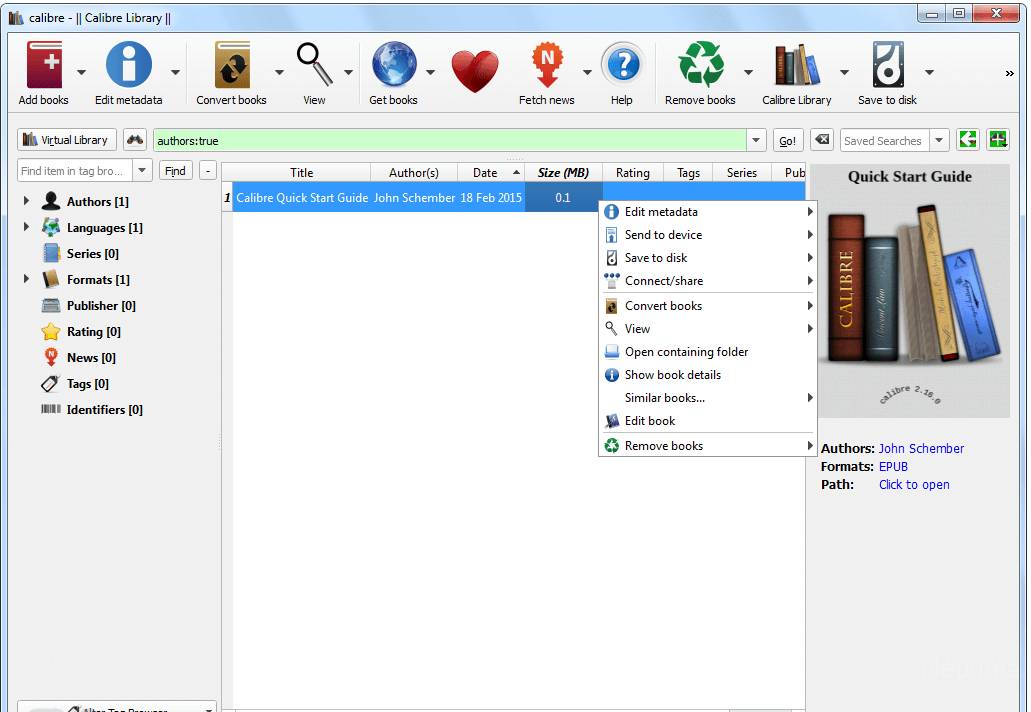


Calibreは、ユーザーが電子書籍を管理し、さまざまな電子書籍フォーマット間で変換し、さまざまなデバイスと電子書籍を同期することを可能にする無料でオープンソースの電子書籍管理ソフトウェアです。それは2006年に初めてリリースされ、それ以来、最も人気のある電子書籍管理ツールの1つとなっています。
Calibreの最も顕著な機能の一つは、電子書籍を異なるカテゴリーに整理し、タグを追加することで、特定の本を簡単に検索し見つけることができることです。また、ユーザーが電子書籍のメタデータを編集できるようにし、タイトル、著者、カバー画像を含むメタデータをオンラインソースからダウンロードすることさえできます。
Calibreは、強力な電子書籍変換ツールも提供しており、ユーザーが電子書籍をEPUBからMOBI、またはPDFからEPUBなど、ある形式から別の形式に変換することができます。これは、同じファイル形式をサポートしない異なるデバイスで電子書籍を読みたい人々にとって特に便利です。
さらに、CalibreはAmazon Kindle、Barnes & Noble Nook、Koboなどの幅広い電子書籍リーダーをサポートしており、これらのデバイスと自動で電子書籍を同期することができます。また、AmazonやGoogle Booksなどのオンライン電子書店に接続し、ソフトウェア内から直接電子書籍を閲覧したり購入したりすることができます。
Calibreは、電子書籍を読む人や管理する人にとって欠かせないツールです。その強力な機能と使いやすいインターフェースは、電子書籍ライブラリを整理、変換、同期したい人にとって必須です。
主な機能:
- 電子書籍コレクションを整理するためのLibrary management system
- さまざまなデバイスとの互換性のためのフォーマット変換
- 内蔵エディターで電子書籍のメタデータと目次を編集します。
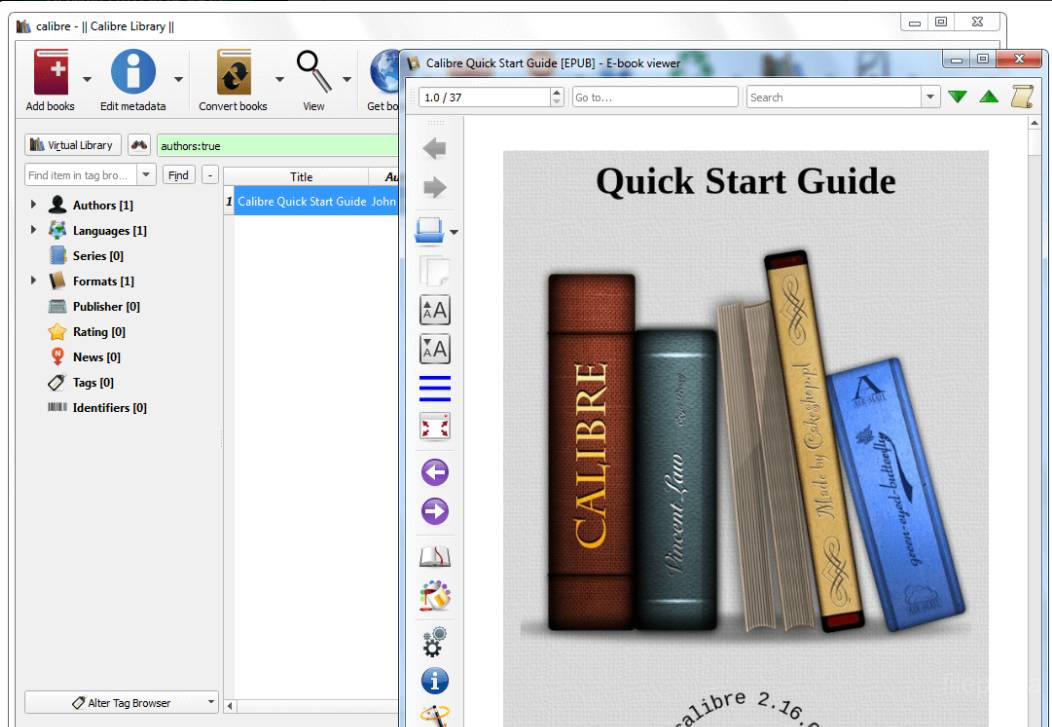
- カスタマイズオプション付きのE-bookビューワー
- 電子書籍をダウンロードするための統合ウェブブラウザ
- デバイス間で電子書籍コレクションを最新の状態に保つための同期オプション
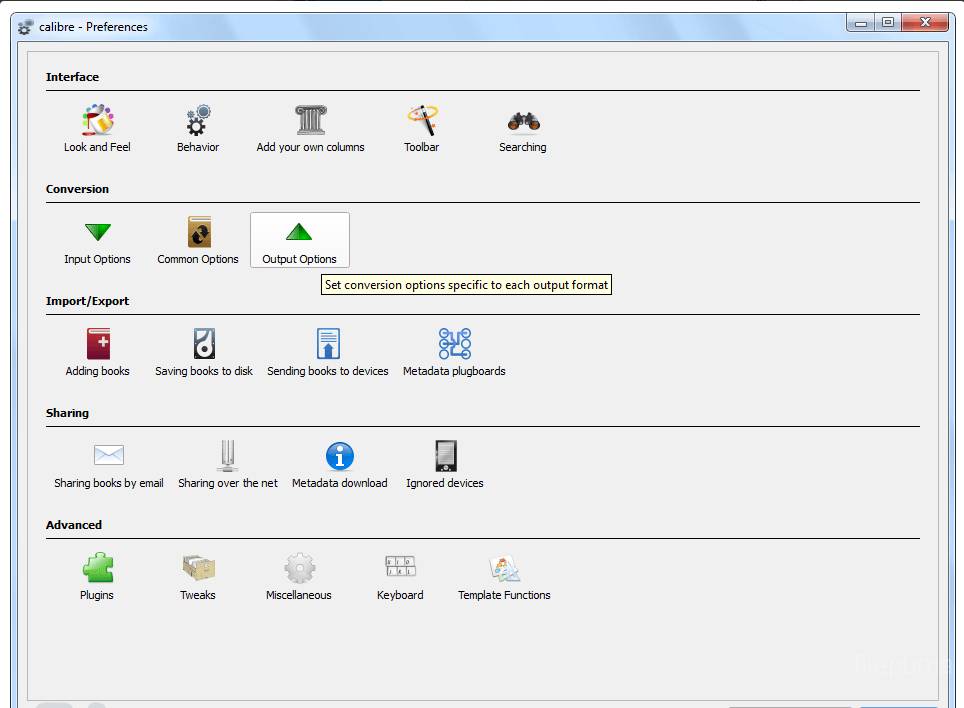
- 追加の機能や機能性を加えるためにプラグインで拡張可能。
新着情報
Version 1.26.0
New Features
- Edit Book: Allow direct importing of HTML or DOCX files as new books without doing a full conversion. Use File->Import HTML or DOCX to import a file as a new EPUB book with minimal changes from the original.
- Linux binary installer: Various improvements to the binary installer. It now creates an un-installer (calibre-uninstall) that will remove all files created by the installer. It also no longer asks for the installation directory. If you wish to change that, you need to specify it in the installation command itself. Also the installer is now downloaded securely via HTTPS from github and verifies the signature of the installed files. Finally, it can be used to create an isolated install, that only makes changes to files in the installation directory and does not require root privileges.
- Metadata download: Add an option to merge the downloaded comments into existing comments, instead of overwriting (Preferences->Metadata download).
- Edit book: Add an option to automatically beautify individual files whenever they are opened for editing. Look under 'Editor Settings' in the Edit Book Preferences.
- Bulk metadata download: When reviewing downloaded metadata allow hiding the controls on the comments box by right clicking in the comments area. Useful on smaller screens.
- E-book viewer: When displaying metadata for the book, also display custom column metadata
Bug Fixes
- Smarten punctuation: Correct handling for decade abbreviations like '60s and measurements in feet and inches like 1' 2".
- EPUB Output: If the output profile is set to one of the Nook profiles, do not use shorthand CSS properties as the Nook cannot handle them.
- Conversion: Fix incorrect CSS being generated when converting files that have tags with width or height attributes that contain fractional numbers.
- Edit Book: When editing EPUB files, and a file is added in META-INF/ do not automatically add it to the manifest. Also do not warn about unmanifested files inside META-INF/ since a few vendors (Apple) require non standard files in that location.
- Fix Book details popup window not being updated when editing metadata in the main window
- Edit book: Fix editor not marking the book as modified when doing a Replace All that does not affect any currently open files.
- Windows: Use a separate worker process to move files to the recycle bin. Fixes the problem of the recycle bin icon not being updated when deleting books into an empty recycle bin. Also avoids the overhead of launching a new, short-lived worker process for every delete.
- calibredb: When deleting books/formats wait for deleted files to be moved to recycle bin, before quitting
- RTF Output: Fix invalid RTF being produced when the text contains a double backslash.
- Edit book: Fix option to disable showing the character before cursor not working
- Get Books: Update various store plugins to account for changes to the store websites
- Fix virtual library names with ampersands in them not being displayed correctly in the virtual library menu
他の言語で利用可能なプログラム
- Download Calibre (64bit)
- Télécharger Calibre (64bit)
- Herunterladen Calibre (64bit)
- Scaricare Calibre (64bit)
- Descargar Calibre (64bit)
- Baixar Calibre (64bit)
ユーザーレビュー
ユーザー評価
 62
62
ライセンス:
無料
要件:
Windows XP 64/ Vista 64/ Windows 7 64/ Windows 8 64
言語:
Multi-languages
サイズ:
57.2MB
出版社:
更新しました:
Feb 27, 2014
クリーン
ソフト報告
最新版
旧バージョン
 Calibre (32bit) 6.0.0
 Calibre (64bit) 9.7.0
 LibreOffice (64bit) 26.2.2
 LibreOffice (32bit) 26.2.2
 Evernote 11.14.2
セキュリティレベル
お使いのデバイスの潜在的な損害を避け、データとプライバシーの安全性を確保するために、私たちのチームは新しいインストールファイルがサーバーにアップロードされるかリモートサーバーにリンクされるたびに確認し、定期的にファイルをレビューしてその状態を確認または更新しています。この確認に基づいて、ダウンロード可能なファイルに対して次のセキュリティレベルを設定します。
 クリーン
クリーン
このソフトウェアプログラムはクリーンである可能性が高いです。
このソフトウェアプログラムに関連するファイルやURLを、世界の主要な60以上のウイルス対策サービスでスキャンしましたが、脅威は見つかりませんでした。また、サードパーティのソフトウェアはバンドルされていません。
 警告
警告
このプログラムは広告に支えられており、不要なサードパーティのプログラムをインストールすることを提案する場合があります。これにはツールバー、ホームページの変更、デフォルトの検索エンジンの変更、または他のパーティのプログラムのインストールが含まれる場合があります。これらは誤検出の場合があり、このソフトウェアをインストールおよび使用する際には注意するようにユーザーにアドバイスしています。
 無効
無効
このソフトウェアはもうダウンロードできません。このソフトウェアが悪意のあるものであるか、セキュリティの問題があるか、その他の理由がある可能性が非常に高いです。
報告書を提出してください
ありがとう!
あなたの報告書が送信されました。
ご依頼を確認し、適切な対応をいたします。
本報告に基づく措置について通知は行われませんのでご注意ください。ご不便をおかけして申し訳ありません。
私たちのウェブサイトを清潔で安全に保つためのご協力に感謝します。