

VirtualBox4.2.12
 無料ダウンロード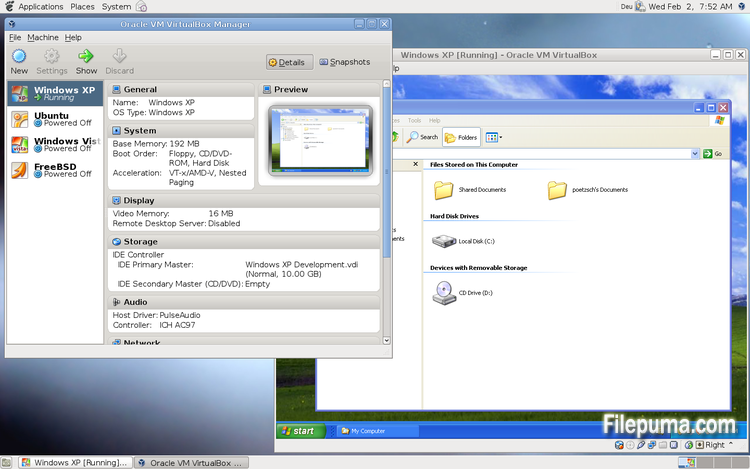
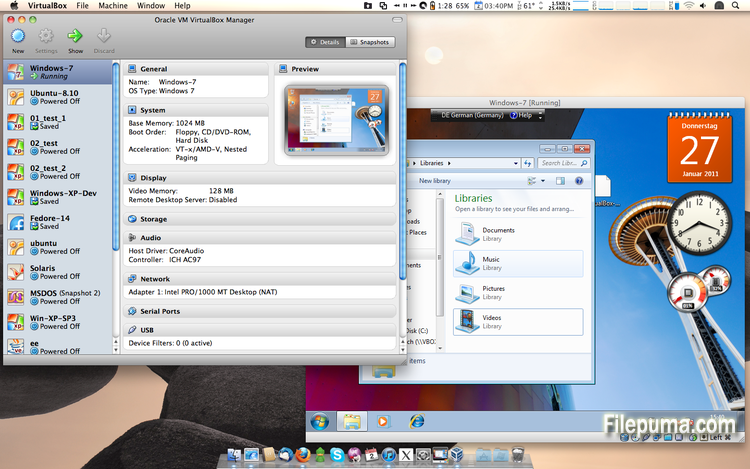
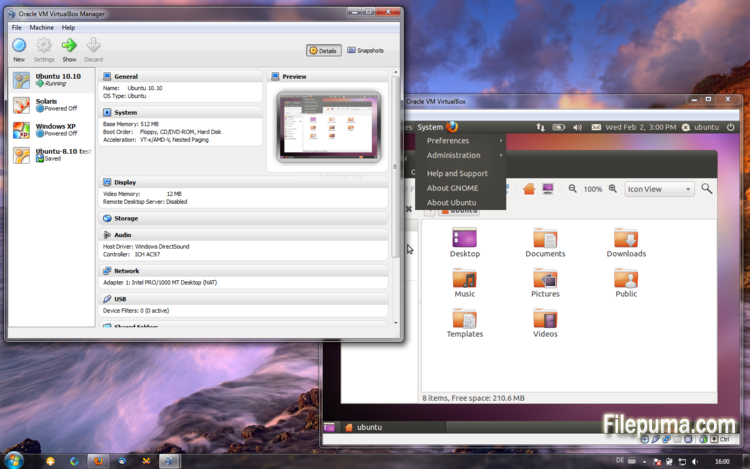


VirtualBoxは、ユーザーが自分のコンピュータで仮想マシンを作成および実行できる無料のオープンソースの仮想化ソフトウェアです。VirtualBoxを使用すると、ユーザーはコンピュータ上で複数のオペレーティングシステムを同時にインストールして実行することができ、別々のパーティションを作成したり追加のハードウェアを購入したりする必要がありません。
VirtualBoxの主な利点の一つは、その使いやすさです。仮想化技術の経験がほとんどない人でも、簡単にインストールして設定できます。VirtualBoxはまた、各仮想マシンに割り当てるRAMの量、CPUコア、ハードディスクスペースを調整する能力を含む、幅広いカスタマイズオプションを提供します。
VirtualBoxのもう一つの優れた機能は、幅広いオペレーティングシステムとの互換性です。ユーザーはWindows、Linux、macOS、その他多くのオペレーティングシステムを仮想マシン上でインストールして実行できます。これにより、開発者、ソフトウェアテスター、および単一のコンピュータで複数のオペレーティングシステムを実行する必要がある人にとって、優れたツールとなります。
VirtualBoxは、USBデバイスのサポート、共有フォルダー、ネットワークアダプターなど、さまざまな高度な機能も提供します。これらの機能により、仮想ルーター、ファイアウォール、サーバーなど、ハードウェアまたはネットワークリソースを必要とするソフトウェアを実行することが可能になります。
VirtualBoxは、1台のコンピューターで複数のオペレーティングシステムを実行する必要がある人にとって優れた選択肢です。使いやすさ、幅広いカスタマイズオプション、多くの異なるオペレーティングシステムとの互換性があるため、開発者、ITプロフェッショナル、一般家庭ユーザーにとっても多用途で強力なツールです。
主な特徴:
- クロスプラットフォームの互換性。
- 直感的なグラフィカルユーザーインターフェース。
- さまざまなオペレーティングシステムへのサポート。
- ホストオペレーティングシステムとのシームレスな統合。
- スナップショットとクローン。
- ネットワーク機能。
- バーチャルデバイスのサポート。
- 追加機能のためのExtension packs。
新着情報
VirtualBox 4.2.12 (release 2013-04-12)
This is a maintenance release. The following items were fixed and/or added:
- VMM: fixed a Guru Meditation on putting Linux guest CPU online if nested paging is disabled
- VMM: invalidate TLB entries even for non-present pages
- GUI: Multi-screen support: fixed a crash on visual-mode change
- GUI: Multi-screen support: disabled guest-screens should now remain disabled on visual-mode change
- GUI: Multi-screen support: handle host/guest screen plugging/unplugging in different visual-modes
- GUI: Multi-screen support: seamless mode: fixed a bug when empty seamless screens were represented by fullscreen windows
- GUI: Multi-screen support: each machine window in multi-screen configuration should have correct menu-bar now (Mac OS X hosts)
- GUI: Multi-screen support: machine window View menu should have correct content in seamless/fullscreen mode now (Mac OS X hosts)
- GUI: VM manager: vertical scroll-bars should be now updated on content/window resize
- GUI: VM settings: fixed crash on machine state-change event
- GUI: don't show warnings about enabled or disabled mouse integration if the VM was restored from a saved state
- Virtio-net: properly announce that the guest has to handle partial TCP checksums (bug #9380)
- Storage: Fixed incorrect alignment of VDI images causing disk size changes when using snapshots (bug #11597)
- Audio: fixed broken ALSA & PulseAudio on some Linux hosts due to invalid symbol resolution (bug #11615)
- PS/2 keyboard: re-apply keyboard repeat delay and rate after a VM was restored from a saved state (bug #10933)
- BIOS: updated DMI processor information table (type 4): corrected L1 & L2 cache table handles
- Timekeeping: fix several issues which can lead to incorrect time, Solaris guests sporadically showed time going briefly back to Jan 1 1970
- Main/Metrics: disk metrics are collected properly when software RAID, symbolic links or rootfs are used on Linux hosts
- VBoxManage: don't stay paused after a snapshot was created and the VM was running before
- VBoxManage: introduced controlvm nicpromisc (bug #11423)
- VBoxManage: don't crash on controlvm guestmemoryballoon if the VM isn't running (bug #11639)
- VBoxHeadless: don't filter guest property events as this would affect all clients (bug #11644)
- Guest control: prevent double CR in the output generated by guest commands and do NLS conversion
- Linux hosts / guests: fixed build errors on Linux 3.5 and newer kernels if the CONFIG_UIDGID_STRICT_TYPE_CHECKS config option is enabled (bug #11664)
- Linux Additions: handle fall-back to VESA driver on RedHat-based guests if vboxvideo cannot be loaded
- Linux Additions: RHEL/OEL/CentOS 6.4 compile fix (bug #11586)
- Linux Additions: Debian Linux kernel 3.2.0-4 (3.2.39) compile fix (bug #11634)
- Linux Additions: added auto-logon support for Linux guests using LightDM as the display manager
- Windows Additions: Support for multimonitor. Dynamic enable/disable of secondary virtual monitors. Support for XPDM/WDDM based guests
- X11 Additions: support X.Org Server 1.14 (bug #11609)
他の言語で利用可能なプログラム
- Download VirtualBox
- Télécharger VirtualBox
- Herunterladen VirtualBox
- Scaricare VirtualBox
- Descargar VirtualBox
- Baixar VirtualBox
ユーザーレビュー
ユーザー評価
 101
101
ライセンス:
無料
要件:
Windows All
言語:
Multi-languages
サイズ:
94.5MB
出版社:
更新しました:
Apr 14, 2013
クリーン
ソフト報告
最新版
旧バージョン
開発者のソフトウェア
 VirtualBox 7.2.16
 Adobe Air 51.3.3.1
 Java Runtime Environment (32bit) 8 Update 501
 Java Runtime Environment (64bit) 8 Update 501
 Java Development Kit (64bit) 8 Update 501
 Python (64bit) 3.14.7
セキュリティレベル
お使いのデバイスの潜在的な損害を避け、データとプライバシーの安全性を確保するために、私たちのチームは新しいインストールファイルがサーバーにアップロードされるかリモートサーバーにリンクされるたびに確認し、定期的にファイルをレビューしてその状態を確認または更新しています。この確認に基づいて、ダウンロード可能なファイルに対して次のセキュリティレベルを設定します。
 クリーン
クリーン
このソフトウェアプログラムはクリーンである可能性が高いです。
このソフトウェアプログラムに関連するファイルやURLを、世界の主要な60以上のウイルス対策サービスでスキャンしましたが、脅威は見つかりませんでした。また、サードパーティのソフトウェアはバンドルされていません。
 警告
警告
このプログラムは広告に支えられており、不要なサードパーティのプログラムをインストールすることを提案する場合があります。これにはツールバー、ホームページの変更、デフォルトの検索エンジンの変更、または他のパーティのプログラムのインストールが含まれる場合があります。これらは誤検出の場合があり、このソフトウェアをインストールおよび使用する際には注意するようにユーザーにアドバイスしています。
 無効
無効
このソフトウェアはもうダウンロードできません。このソフトウェアが悪意のあるものであるか、セキュリティの問題があるか、その他の理由がある可能性が非常に高いです。
報告書を提出してください
ありがとう!
あなたの報告書が送信されました。
ご依頼を確認し、適切な対応をいたします。
本報告に基づく措置について通知は行われませんのでご注意ください。ご不便をおかけして申し訳ありません。
私たちのウェブサイトを清潔で安全に保つためのご協力に感謝します。