

VirtualBox4.3.16
 無料ダウンロード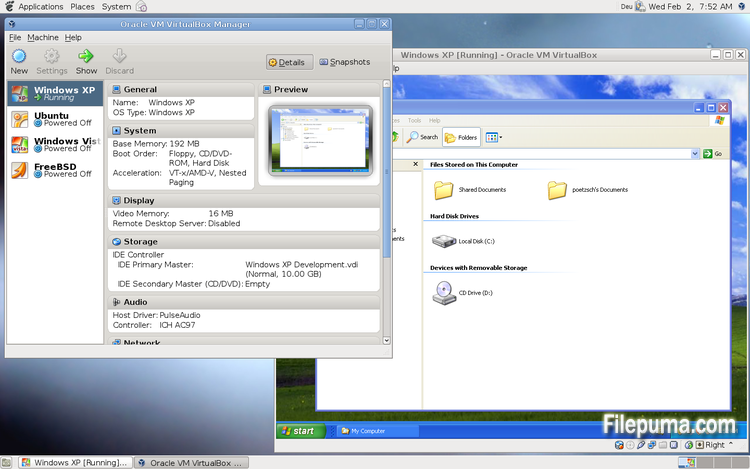
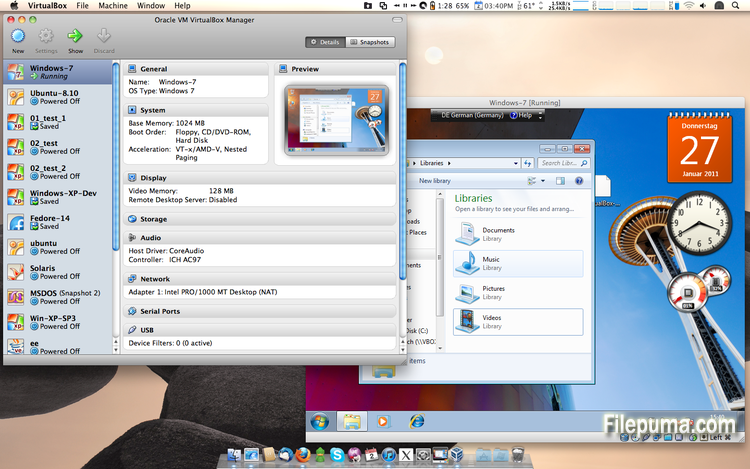
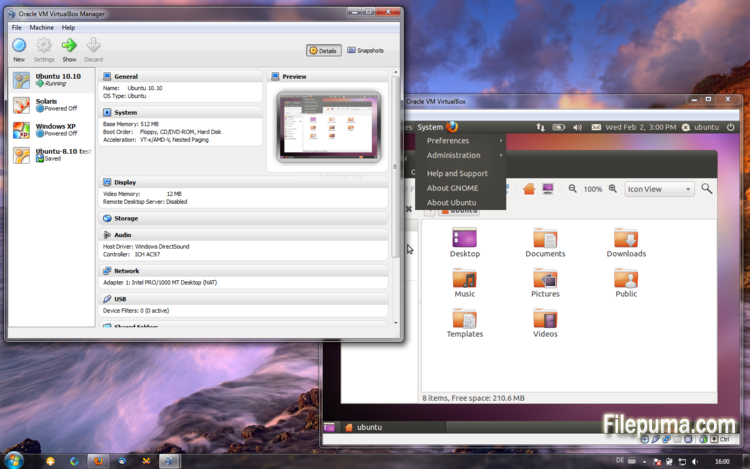


VirtualBoxは、ユーザーが自分のコンピュータで仮想マシンを作成および実行できる無料のオープンソースの仮想化ソフトウェアです。VirtualBoxを使用すると、ユーザーはコンピュータ上で複数のオペレーティングシステムを同時にインストールして実行することができ、別々のパーティションを作成したり追加のハードウェアを購入したりする必要がありません。
VirtualBoxの主な利点の一つは、その使いやすさです。仮想化技術の経験がほとんどない人でも、簡単にインストールして設定できます。VirtualBoxはまた、各仮想マシンに割り当てるRAMの量、CPUコア、ハードディスクスペースを調整する能力を含む、幅広いカスタマイズオプションを提供します。
VirtualBoxのもう一つの優れた機能は、幅広いオペレーティングシステムとの互換性です。ユーザーはWindows、Linux、macOS、その他多くのオペレーティングシステムを仮想マシン上でインストールして実行できます。これにより、開発者、ソフトウェアテスター、および単一のコンピュータで複数のオペレーティングシステムを実行する必要がある人にとって、優れたツールとなります。
VirtualBoxは、USBデバイスのサポート、共有フォルダー、ネットワークアダプターなど、さまざまな高度な機能も提供します。これらの機能により、仮想ルーター、ファイアウォール、サーバーなど、ハードウェアまたはネットワークリソースを必要とするソフトウェアを実行することが可能になります。
VirtualBoxは、1台のコンピューターで複数のオペレーティングシステムを実行する必要がある人にとって優れた選択肢です。使いやすさ、幅広いカスタマイズオプション、多くの異なるオペレーティングシステムとの互換性があるため、開発者、ITプロフェッショナル、一般家庭ユーザーにとっても多用途で強力なツールです。
主な特徴:
- クロスプラットフォームの互換性。
- 直感的なグラフィカルユーザーインターフェース。
- さまざまなオペレーティングシステムへのサポート。
- ホストオペレーティングシステムとのシームレスな統合。
- スナップショットとクローン。
- ネットワーク機能。
- バーチャルデバイスのサポート。
- 追加機能のためのExtension packs。
新着情報
- VMM: fixed restoring 32-bit FPU state on 64-bit capable VMs and restoring guest FPU in raw-mode VMs
- GUI: properly restore normal/scale mode guest-screen size after exiting full-screen/seamless mode
- GUI: mini-toolbar should provoke less artifacts/conflicts with 3D guest rendering
- GUI: Mac OS X: Native full-screen multi-screen transition was able to blackout host-screens for nearly minute
- GUI: X11: Modern window managers should now use native full-screen multi-screen mapping API
- GUI: added extradata item for configuring the mouse capture behavior, see the manual for more information
- Storage: fixed a VBoxSVC crash when querying an iSCSI target with authentication configured
- Storage: fixed a rare data corruption during reads if another allocating write is running concurrently and accesses the same range
- Storage: fixed a rare crash for certain VHD images from other products
- Storage: fixed a rare release assertion when using the AHCI controller
- Floppy: fixed read errors and guest memory corruption when running under control of QEMM
- 3D: added experimental support for rendering on offline GPUs for Mac OS X host
- 3D: fixed white window appearing on entering FullScreen mode on OSX host
- 3D: fixed video recording support for 3D data regression
- 3D: fixes for MS Office 2013 support
- 3D: several fixes
- Bridged Networking: improved IPv6 support when bridging to a wireless interface
- NAT: prevent internal DNS service from stuck in host-resolver mode when host was switched from one network to another one while host was sleeping
- NAT: preserve DF (if possible) and TOS when proxying outbound UDP datagrams
- NAT: don't let multicast datagrams out
- NAT: fixed handling of large incoming UDP datagrams on Windows hosts
- NAT: fixed handling of the RFC 1533 DHCP PAD option
- NAT Network: fixed inbound half-close on Windows hosts
- NAT Network: preserve IPv4 DF (if possible), TTL, TOS and IPv6 Hop Limit when proxying outbound UDP datagrams
- VRDP: fixed a rare crash when using remote audio input
- USB: fixed several regressions from 4.3.14
- Audio: made the HDA sound emulation work with certain OSX guests (e.g. Mountain Lion)
- Windows hosts: fixed startup problems on certain Windows hosts due to conflicts with anti-virus software
- Windows hosts: fixed 4.3.14 regression whereby AltGr stopped working for some people
- X11 hosts: made the extra key on Brazilian Thinkpads work
- X11 hosts: fixed a problem of input focus cycles and immediately released key presses in full screen mode
- Linux hosts: fixed flooding the kernel log with USB related messages when passing through certain USB devices to a VM
- Linux guests: stop applications crashing when drm_wait_vblank is called
- Linux guests: fix a crash in gnome-session
- X11 guests: do not start VBoxClient over an SSH connection
- X11 guests: added support for X.Org Server 1.16
- X11 guests: fixed a wrong parameter in the video driver which caused problems with full-screen X11 clients
- VirtualKD: introduced stub/loader device for speeding up Windows kernel debugging
他の言語で利用可能なプログラム
- Download VirtualBox
- Télécharger VirtualBox
- Herunterladen VirtualBox
- Scaricare VirtualBox
- Descargar VirtualBox
- Baixar VirtualBox
ユーザーレビュー
ユーザー評価
 101
101
ライセンス:
無料
要件:
Windows All
言語:
Multi-languages
サイズ:
103MB
出版社:
更新しました:
Sep 10, 2014
クリーン
ソフト報告
最新版
旧バージョン
開発者のソフトウェア
 VirtualBox 7.2.4
 Adobe Air 51.2.2.6
 Java Runtime Environment (32bit) 8 Update 471
 Java Runtime Environment (64bit) 8 Update 471
 Java Development Kit (64bit) 8 Update 471
 Python (64bit) 3.14.2
セキュリティレベル
お使いのデバイスの潜在的な損害を避け、データとプライバシーの安全性を確保するために、私たちのチームは新しいインストールファイルがサーバーにアップロードされるかリモートサーバーにリンクされるたびに確認し、定期的にファイルをレビューしてその状態を確認または更新しています。この確認に基づいて、ダウンロード可能なファイルに対して次のセキュリティレベルを設定します。
 クリーン
クリーン
このソフトウェアプログラムはクリーンである可能性が高いです。
このソフトウェアプログラムに関連するファイルやURLを、世界の主要な60以上のウイルス対策サービスでスキャンしましたが、脅威は見つかりませんでした。また、サードパーティのソフトウェアはバンドルされていません。
 警告
警告
このプログラムは広告に支えられており、不要なサードパーティのプログラムをインストールすることを提案する場合があります。これにはツールバー、ホームページの変更、デフォルトの検索エンジンの変更、または他のパーティのプログラムのインストールが含まれる場合があります。これらは誤検出の場合があり、このソフトウェアをインストールおよび使用する際には注意するようにユーザーにアドバイスしています。
 無効
無効
このソフトウェアはもうダウンロードできません。このソフトウェアが悪意のあるものであるか、セキュリティの問題があるか、その他の理由がある可能性が非常に高いです。
報告書を提出してください
ありがとう!
あなたの報告書が送信されました。
ご依頼を確認し、適切な対応をいたします。
本報告に基づく措置について通知は行われませんのでご注意ください。ご不便をおかけして申し訳ありません。
私たちのウェブサイトを清潔で安全に保つためのご協力に感謝します。