
When want to quickly correct some brightness or contrast on your photos, you don’t always need to open a fancy designer program like Photoshop. In Microsoft Office Picture Manager, you could do it with one click.
Here is how you can adjust brightness and contrast to improve your photos:
Step One: Open your picture in Microsoft Office Picture manager:
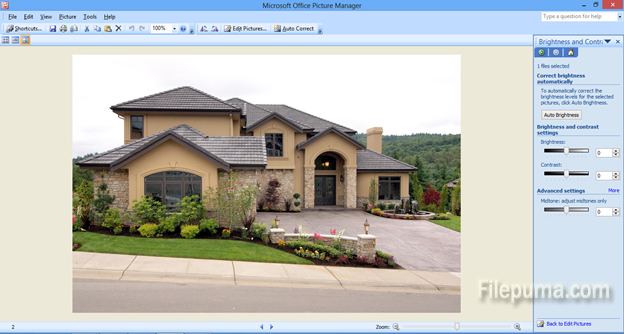
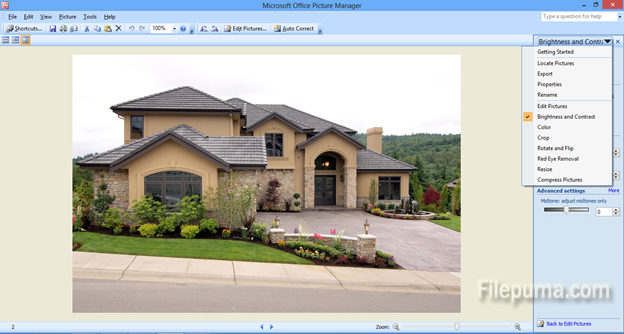
Step Two: On the right-hand side pane, select from the dropdown “Brightness and contrast”:
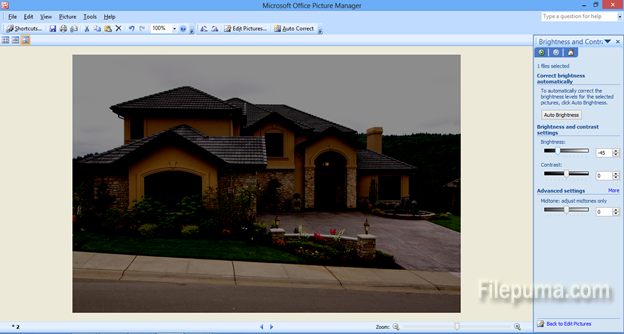
Step Three: Play with the sliders for Brightness, contrast and mid-tones, to achieve the photo which you desire. You could give your photo a nice evening-mode look:
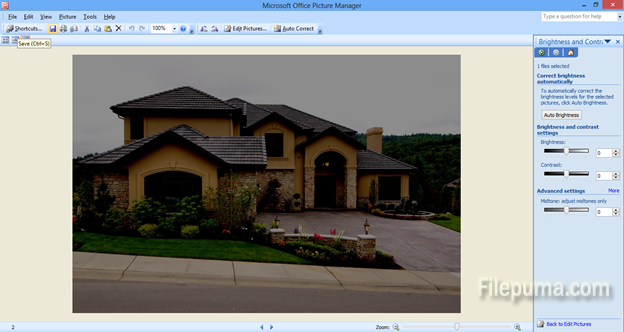
Step Four: Once you are satisfied with the result, click on the “save” button in the top taskbar:
With this easy one-click option you can achieve the desired modifications on your photos. They will look much better, just the way you want them!
Leave a Reply