

TeamViewer (32bit)9.0.24322
 Ücretsiz İndirme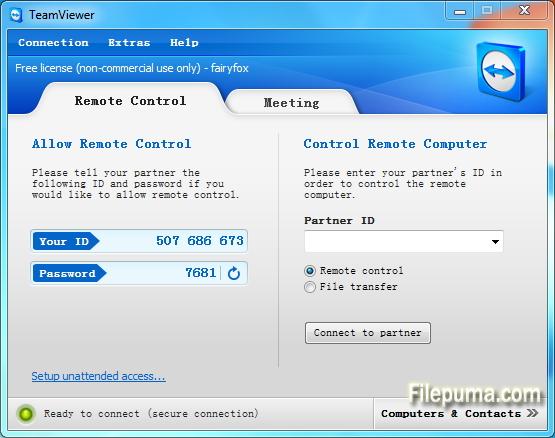
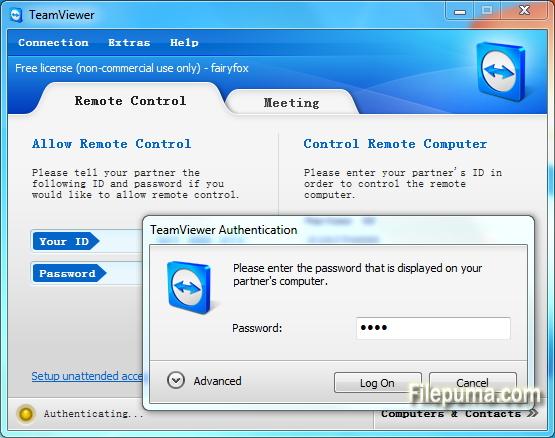
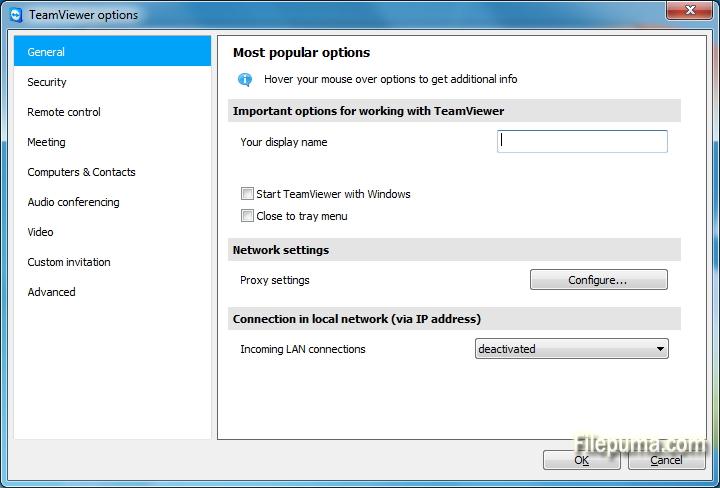
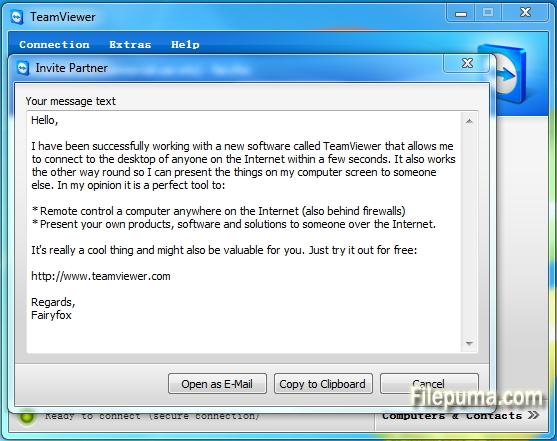


TeamViewerdünyanın dört bir yanındaki cihazlar arasında sorunsuz bağlantıyı sağlayan son teknoloji bir uzaktan erişim ve işbirliği aracıdır. Kullanıcı dostu arayüzü ve güçlü özellikleriyle TeamViewer, hem bireyler hem de işletmeler için tercih edilen bir çözüm haline gelmiştir.
Temelde, TeamViewer kullanıcıların uzaktaki cihazlara zahmetsizce erişim sağlamasına ve kontrol etmesine olanak tanır. İster bir meslektaşınıza teknik destek sağlamanız, ister iş bilgisayarınıza evden erişmeniz, ya da dünyanın dört bir yanına dağılmış ekip üyeleriyle bir proje üzerinde işbirliği yapmanız gerekiyorsa, TeamViewer güvenli ve etkili bir bağlantı sağlar.
TeamViewer'ın öne çıkan özelliklerinden biri, Windows, macOS, Linux ve çeşitli mobil işletim sistemlerini destekleyerek sunduğu çapraz platform uyumluluğudur. Bu çok yönlülük, çeşitli cihaz tercihleri olan kullanıcılar için onu çok yönlü bir çözüm haline getirir.
Güvenlik, TeamViewer için en önemli önceliktir; bu, uçtan uca şifreleme ve çok faktörlü kimlik doğrulama seçenekleri ile kanıtlanmıştır. Kullanıcılar, verilerinin ve bağlantılarının korunduğundan emin olabilir, bu da onu hem kişisel hem de profesyonel kullanım için ideal bir seçim haline getirir.
TeamViewer'ın ek özellikleri arasında dosya transferi, uzaktan yazdırma ve sohbet işlevi bulunur, bu da sorunsuz iletişim ve işbirliğini teşvik eder. Güvenilirliği, kullanım kolaylığı ve güçlü yetenekleriyle TeamViewer, verimli uzaktan erişim ve işbirliği çözümleri arayan herkes için vazgeçilmez bir araç haline gelmiştir.
Ana Özellikler:
- Uzaktan Erişim: Cihazları uzaktan kontrol edin.
- Çapraz Platform Uyumluluğu: Farklı işletim sistemleri arasında bağlantı kurun.
- Dosya Transferi: Oturumlar sırasında dosyaları kolayca paylaşın.
- Çapraz Tarayıcı Erişimi: Çeşitli web tarayıcıları aracılığıyla erişim.
- Toplantılar ve Sunumlar: Çevrimiçi toplantılar ve sunumlar yapın.
- Güvenli Veri Aktarımı: Verileri güvenli aktarım için şifreler.
- Uzak Yazdırma: Yerel yazıcılara uzaktan yazdırın.
- Yüksek Kaliteli Ses ve Video: Kaliteli ses ve video destekler.
- Çok Kullanıcılı İşbirliği: Birden fazla kullanıcı ile işbirliği yapın.
- Gözetimsiz Erişim: Uzaktan erişimi izinsiz olarak ayarlayın.
- Wake-on-LAN: Uzak bir bilgisayarı uyandır.
- Özel Markalama: TeamViewer arayüzünü markala.
- Entegrasyon: Diğer uygulamalarla entegre edin.
- Mobil Erişim: Uzaktan erişim için mobil uygulamaları kullanın.
- Oturum Kaydı: Uzaktan oturumları kaydet.
Yeni Olan Nedir?
New features:
- Open multiple connections in different tabs: Open multiple remote sessions in tabs, just like in your browser. For an optimal overview, you can also open all the monitors belonging to a remote computer in separate tabs. You won't miss a thing because opened tabs will always flash when new activity occurs on the remote computer, e.g. a new chat message from a customer.
- Wake-on-LAN with TeamViewer:Do you want to ensure 24/7 access to your computer without having to leave it running all the time? With the new Wake-on-LAN feature, you can now wake up your computer remotely whenever you need access. The wake feature simply works via another computer using TeamViewer within the local network or via a router.
- Protect your TeamViewer account with two factor authentication :Protect your TeamViewer account against unauthorized access with two factor authentication, just in case your password happens to land in the wrong hands. With an established authentication app (e.g. Google Authenticator), you can simply generate a security code with your smartphone. Both the code and the password are requested during login. With this two factor authentication, TeamViewer helps you meet HIPAA and PCI DSS requirements, among others.
- Ready for Windows 8.1 :Do you or your customers use Windows 8.1? No problem. TeamViewer 9 is also optimized for this operating system.
- Save customized customer modules :You can now save customized modules with your company branding (TeamViewer QuickSupport, QuickJoin or Host) in your Management Console. You or your customers simply download the created module via an individual link.
- Copy and paste files, images, and text via the clipboard :Copy files, folders, images, screenshots, text, and tables along with formatting from one computer to another via the clipboard. E.g. attach a local file to an email being sent from a remote computer..
- Simplified file transfer without establishing a connection :Send files to computers and contacts from your list without first needing to establish a connection. Using an FTP server to share large amounts of data or files that exceed your email attachment size limit is now a thing of the past. Starting now, simply use TeamViewer to share files with colleagues or customers in the blink of an eye.
- Process customer cases in the service queue together with your team :Now organize instant customer support in your team more easily. All service cases are collected in your service queue and identified based on a session code. You can now manually create a new session code and pass it on to your customer in the form of a link. Instead of sharing the TeamViewer ID and password, like you used to, the customer can now join the session directly with just a click. Alternatively, a code is created automatically, as soon as the customer launches your customized TeamViewer QuickSupport. In this way, new customer cases are added to your service queue.
- TeamViewer API for integration into your applications :Integrate TeamViewer with your systems, such as helpdesk, ticket, or CRM. The new TeamViewer API offers the option of seamlessly integrating TeamViewer functionalities into your own work environment:
- Quick connection via desktop shortcut :Add a shortcut to any computer so you can connect to it in the blink of an eye, any time, with just a double-click. Simply use drag & drop to pull the specific computer from your Computers & Contacts list to your desktop.
- Notifications - Everything at a glance :TeamViewer now informs you directly in your Computers & Contacts list when new notifications are available. Stay informed, regardless of where you happen to be.
- Optimized video :Video transfer is now even faster. Show your participant a video during a presentation or view YouTube videos on remote computers in real-time.
- Redesign for even easier use :New TeamViewer user interface and Computers & Contacts design. Experience a new touch-friendly design. Important buttons convert automatically when you use TeamViewer on a touch device.
- TeamViewer 9 users can still establish remote control connections with TeamViewer 3, 4, 5, 6, 7 and 8.
- For technical and licensing reasons, a remote control connection in the other direction, i.e., from TeamViewer 3, 4, 5, 6, 7 and 8 to TeamViewer 9, is not possible. Meetings with version 9 are also accessible for participants with version 7, 8, however, vice versa it is not possible due to the mentioned reasons.
Program diğer dillerde mevcuttur.
- Download TeamViewer (32bit)
- Télécharger TeamViewer (32bit)
- Herunterladen TeamViewer (32bit)
- Scaricare TeamViewer (32bit)
- ダウンロード TeamViewer (32bit)
- Descargar TeamViewer (32bit)
- Baixar TeamViewer (32bit)
Kullanıcı Yorumları
Kullanıcı Puanı
 221
221
Lisans:
Ücretsiz
Gereksinimler:
Windows All
Diller:
Multi-languages
Size:
5.7MB
Yayıncı:
Güncellendi:
Dec 3, 2013
Temiz
Yazılım Raporu
Son Sürüm
Eski Sürümler
 TeamViewer (32bit) 15.73.5
 TeamViewer Portable 15.70.5
 TeamViewer (64bit) 15.73.5
 TeamViewer QuickSupport (64bit) 15.73.5
 TeamViewer QuickSupport (32bit) 15.73.5
 TeamViewer Host (64bit) 15.73.5
 TeamViewer Host (32bit) 15.73.5
 UltraVNC (64bit) 1.6.4.0
 UltraVNC (32bit) 1.6.4.0
Güvenlik Seviyeleri
Cihazınıza olası zararları önlemek ve verilerinizin ve gizliliğinizin güvenliğini sağlamak amacıyla, ekibimiz her yeni kurulum dosyası sunucularımıza yüklendiğinde veya bir uzak sunucuya bağlandığında kontrol yapar ve dosyanın durumunu onaylamak veya güncellemek için periyodik olarak gözden geçirir. Bu kontrol temelinde, indirilebilir dosyalar için aşağıdaki güvenlik seviyelerini belirliyoruz.
 Temiz
Temiz
Bu yazılım programının temiz olması yüksek ihtimal.
Bu yazılım programıyla ilişkili dosyaları ve URL'leri dünyanın önde gelen 60'tan fazla antivirüs hizmetinde taradık; olası tehditler bulunamadı. Ayrıca, üçüncü taraf yazılımlar bir arada gelmemiştir.
 Uyarı
Uyarı
Bu program reklam desteklidir ve gerekli olmayan üçüncü taraf programların kurulmasını teklif edebilir. Bu, bir araç çubuğu, ana sayfanızı değiştirmek, varsayılan arama motorunuzu ayarlamak veya diğer parti programlarını yüklemek gibi şeyleri içerebilir. Bunlar yanlış pozitif olabilir ve kullanıcılarımızın bu yazılımı kurarken ve kullanırken dikkatli olmaları tavsiye edilir.
 Engelli
Bu yazılım artık indirilebilir durumda değil. Bu yazılım programının kötü niyetli olma veya güvenlik sorunları ya da başka nedenlerden dolayı olması oldukça olasıdır.
Bir Rapor Gönderin
Teşekkür ederim!
Raporunuz gönderildi.
Talebinizi gözden geçireceğiz ve uygun adımları atacağız.
Lütfen bu raporla ilgili alınan herhangi bir eylem hakkında bildirim almayacağınızı unutmayın. Verdiğimiz rahatsızlıktan dolayı özür dileriz.
Web sitemizi temiz ve güvenli tutma konusundaki yardımınızı takdir ediyoruz.