

VLC Media Player (32bit)2.1.0 RC2
 Kostenloser Download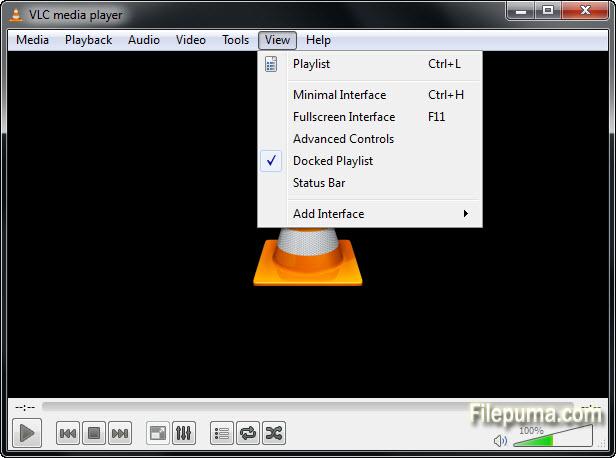
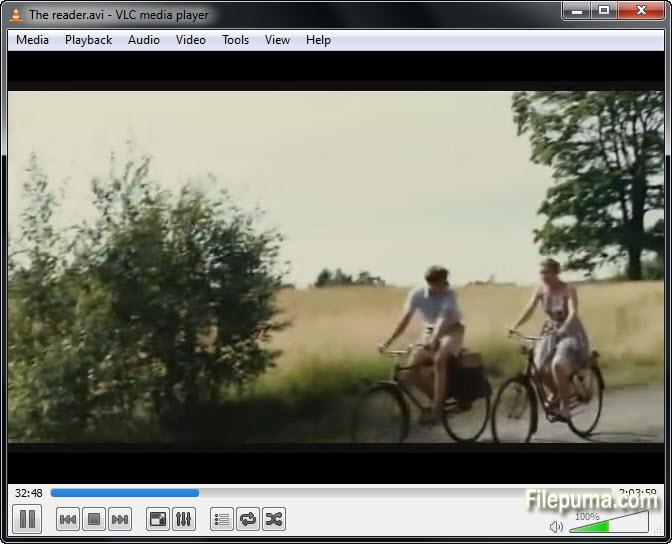
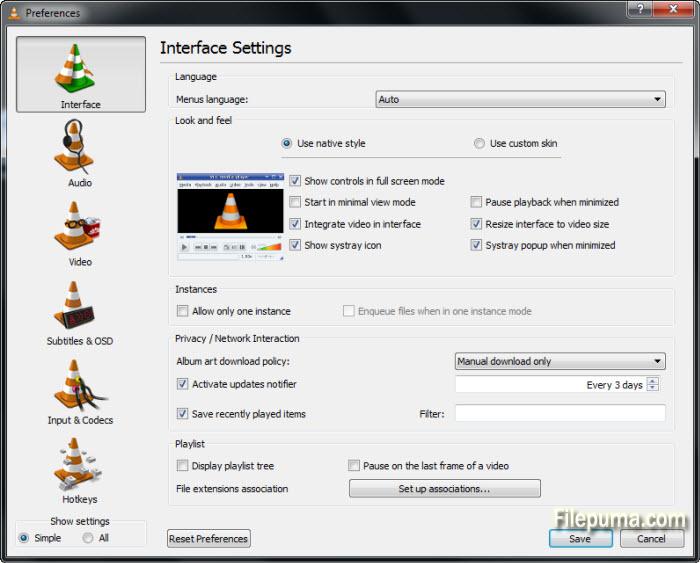
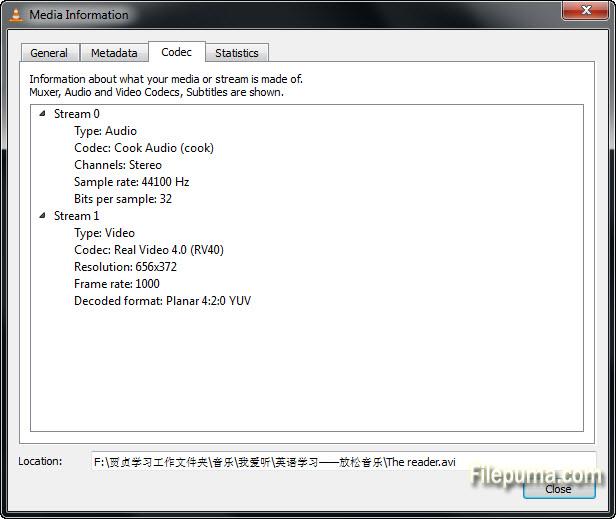


VLC Media Playerist ein äußerst vielseitiger und beliebter Media Player, der aufgrund seiner Vielzahl von Funktionen und der Kompatibilität mit verschiedenen Audio- und Videoformaten immense Beliebtheit erlangt hat. Entwickelt von VideoLAN ist VLC Media Player eine kostenlose und Open-Source-Software, die auf mehreren Plattformen wie Windows, macOS, Linux, Android und iOS verwendet werden kann.
Eine der wichtigsten Stärken von VLC Media Player ist seine Fähigkeit, nahezu jede Multimedia-Datei unabhängig vom Format abzuspielen. Er unterstützt eine breite Palette von Audio- und Videocodecs, sodass Benutzer ihre Lieblingsmedieninhalte genießen können, ohne zusätzliche Codec-Pakete zu benötigen. Von beliebten Dateiformaten wie MP3, MP4, AVI und MKV bis hin zu spezialisierteren Formaten, VLC Media Player verarbeitet sie alle nahtlos.
Darüber hinaus bietet VLC Media Player eine Reihe fortschrittlicher Funktionen, die das Seherlebnis verbessern. Benutzer können Videoeinstellungen wie Helligkeit, Kontrast und Sättigung anpassen, um die Wiedergabequalität zu optimieren. Die Software bietet auch verschiedene Audioeffekte und Equalizer-Voreinstellungen, die es den Benutzern ermöglichen, die Tonausgabe nach ihren Vorlieben anzupassen.
Zusätzlich zu seinen Wiedergabefunktionen bietet VLC Media Player weitere nützliche Funktionen. Es kann Medieninhalte aus dem Internet streamen und es den Benutzern ermöglichen, Online-Videos anzusehen und Internetradiosender zu hören. Die Software unterstützt auch die Konvertierung von Mediendateien, wodurch es einfach ist, Audio- oder Videodateien in verschiedene Formate umzuwandeln.
Darüber hinaus ist VLC Media Player für seine Stabilität und Effizienz bekannt. Es hat eine minimalistische Benutzeroberfläche, die einfach zu bedienen ist, und sein leichtgewichtiges Design sorgt für eine reibungslose Leistung, selbst auf älteren Hardwarekonfigurationen.
Zusammenfassend lässt sich sagen, dass VLC Media Player ein vielseitiger und zuverlässiger Media-Player ist, der eine umfassende Ausstattung bietet. Seine Kompatibilität mit zahlreichen Dateiformaten, umfangreiche Anpassungsmöglichkeiten und Unterstützung für Online-Streaming machen ihn zur bevorzugten Wahl für Millionen von Nutzern weltweit. Ob Sie Filme schauen, Musik hören oder Online-Inhalte streamen möchten, VLC Media Player ist eine erstklassige Wahl, die außergewöhnliche Leistung bietet.
Hauptmerkmale:
- Arbeiten auf mehreren Plattformen.
- Spielen Sie fast alle Audio- und Videoformate ab.
- Sie können streamen und empfangen Streaming.
- Eingebauter Codec kann leicht abgespielt werden.
- Die anpassbare Benutzeroberfläche.
- Einfache Steuerung der Wiedergabe.
- Unterstützung für Untertitel und Zoll.
- Verfügbare Audio- und Videoeffekte.
- Playlists und Medienorganisationen.
Was gibt's Neues?
Important changes:
* The licenses of numerous modules have changed from GPLv2+ to LGPLv2.1+
* Discontinued support for PowerPC-based and 32bit Intel-based Macs
VLC now requires Mac OS X 10.6 or later on 64bit hardware
* The --with-tuning and --without-tuning options are removed. To tune
compilation for a specific processor type, set CFLAGS manually.
3rd party libraries (contrib):
* /extras/contrib has been replaced by a cleaner system in /contrib
Core:
* Audio core rewrite, supporting higher samplerates, better volume management,
better device selection, new channel layouts and new output capabilities.
* Fix support for .001, .00x split files on Windows
* Full support for UNICODE Windows mode
* Remove SQL support
* Add an audio fingerprinter, using AcoustID!
* Disable and mark obsolete --language selection
* Partial support for Windows Store App / WinRT
* Port to Android
* Port to iOS
Decoders:
* Support for CDXL, Ut Video, VBLE, Dxtory codecs via libavcodec
* Numerous improvements on the OpenMAX IL codec module
* Support for Ulead DV audio
* Support for TechSmith Screen Codec 2, Microsoft Expression Encoder Screen,
Microsoft Application Screen Decoder 1 (MSS1) and 2 (MSS2)
* Support for Indeo Audio Coder, RealAudio Lossless
* Add Hardware Acceleration support on OS X for H.264 based upon VDADecoder
* Add Hardware Acceleration support on Android Jelly Bean using MediaCodec
* Add Hardware Acceleration support on Linux using VDPAU
* Support for SCTE-27 subtitles
* Split G.711 decoder from Araw decoder
* X Window system raster image dump pseudo-decoder
* Support for Webinar GoToMeeting 4 (G2M4)
Encoders:
* high10, high422 and high444 encoding support in h264
* QuickSyncVideo Encoding (Intel Media SDK) support using Intel GPU on Windows
* New AAC encoder using the fdk-aac library (non-free)
Access:
* Screen: add support for OS X Lion and later,
remove support for previous OS X releases
* Major improvements in DASH support
* Improvements in Blu-Ray module, notably for multiple video tracks support
* Important improvements and rewrite of the v4l2 access module
* HTTP: support for Internationalized Domain Names
* Microsoft Smooth Streaming support (H264 and VC1) developed by Viotech.net
* NTSC EIA-608 closed caption input support via V4L2 VBI devices
* Add support for VNC/rfb in view only mode
* Add support for Remote Desktop/RDP in view only mode
* Timecode: generate a clock/timecode as a subtitle track
vlc video.mkv --input-slave timecode:// --timecode-fps 30/1001
* New video capture module for OS X based on AVFoundation, named AVcapture
* New shared memory framebuffer access module, named shm
Demuxers:
* MP4: partial support for fragmented MP4
* Vorbis: better support for metadata and cover art
* AVI: better support for tags and extended metadata
* Support for FLAC, Atrac and some ADPCM in AVI
* Support for DV data type 1 in AVI and 12 bits DV Audio
* Support for total number of tracks in major container
* Support for Cook and Atrac in MKV
* AVI: support for files produced by Nikon cameras
* Support for more MJPEG streams
* Add support for liveleak streams
* Add support for Wave/RF64 files
* Prevent numerous uncaught exceptions in MKV
* Add protection against several potential heap buffer overflow in libebml
Audio output:
* Windows Audio Session API audio output support
* OpenBSD sndio audio output support
* Important improvements on the Android OpenSL ES audio output
* Android AudioTrack audio output support
* OS X Auhal output support for 6.1, 7.1, 8.0 and 8.1 playback and layouts
* Rewrite of OSS module to support OSSv4
* OS X Auhal output support for multi-buffer output devices
This fix was facilitated through a hardware lending by TEAC Europe GmbH
distributing such devices under the brand "TASCAM" (US-122, US-144, etc.).
* Rewrite of the AudioQueue output for iOS (and OS X)
* New, simplified AudioUnit output for iOS
Audio Filters:
* New remapping channel filter
* New filter to enhance stereo effect by mono suppression and delay effect
* New VSXu visualization plugin
* ARM NEON acceleration of volume filter
* Rewrite of the simple downmixer filter
* New gain audio filter
Video Outputs:
* New output for Decklink Blackmagic cards
* New output using OpenMAX IL hardware acceleration API
* OpenGL: use glsl instead of ARB to do the YUV->RGB conversions
* OpenGLES: add support for color conversation shaders on Android and iOS
* Fix and enable the OpenGL ES1 and ES2 outputs
* Support for subpictures in the OpenGL ES2 output
* Fix the power management issue on Windows for standby management
* New output module for iOS using OpenGL ES2
* Fix performance issue on Macs with multiple graphics cards
Video Filters:
* New anaglyph video filter which transforms side by side 3D video streams in
anaglyph glasses (aka red/blue) compatible images.
* Support in deinterlacing filter for most 4:2:0, 4:2:2, 4:4:4 YUV formats
and for bits depth higher than 8bits (like 10bits)
* Improvements on the transform filter, to support 10bits and RGB formats
* Revival of the openCV and openCV example filters
* ARM NEON acceleration of chroma filters
Stream Output:
* Extended support for recording, notably for MKV and AVI
* Options support for AVIO output module
* Livehttp places more accurate segments durations in playlist
* Livehttp allows setting cachin-variable in playlist
* Livehttp stream encryption support
* Livehttp supports changing encryption key and uri on segment change with key-loadfile option
* Added chromaprint based audio fingerprinting
Fingerprinters:
* Add AcoustID/Musicbrainz based fingerprinter
Interfaces:
* configurable password for the HTTP server.
* .hosts removed from the HTTP server.
* fix Lua command line interface console mode under Windows.
* Better support for MCE remotes on Windows
* Hotkey support for TS program selection
* Rewrite of D-Bus inhibit interface
* Improvements on motion sensing interface, fix orientation, move out
rotate mode into the rotate video filter
Services discovery:
* UPnP A/V subtitles
* Support for multiple UPnP resources on a single item
OS X Interface:
* Add support for multiple video outputs
* Add accessibility support to playback windows, open panel and fullscreen
controller
* Add a GUI to manage podcasts
* Add a new panel for media conversation and streaming
* Add a GUI for the QTSound access input to process audio captured locally
- This also allows to capture input from a webcam and a mic at the same time.
* Add a GUI to capture QTSound data along with the current screen content
* Add an option to let the Apple Remote control the system volume instead of
VLC's internal volume level
* Add a new Subtitles menu to change Subtitles and their properties during
playback
* Add the ability to create custom equalizer presets based upon the current
selection and to manage the list of presets
* Add custom profiles for video and audio effects, which let the user keep
multiple configuration sets of all the individual filters
* Support for pausing iTunes during media playback with VLC
* Add support for video filters to clone the video output or split it in parts
* Add A->B loop feature known from the Qt interface
* Add an option to disable skipping to next/previous file with the Apple Remote
* Add an option to show next / previous buttons
* Add an option to hide the shuffle and repeat buttons
* Add an option to hide the audio effects button (default enabled)
* Add optional playlist columns for track number, genre, album, description,
date and language
* Add options to the Advanced Open File dialog for start and stop time
* Add an option to play videos as a desktop background
* Add support for playing video and showing audio visualizations side by side
* improve fullscreen controller time slider with larger click target
* rewrite of minimal macosx module for use within VLCKit
* Add support for 'macosx-autoplay' to the Apple Event / Apple Script bindings
when adding new inputs - this also affects network streams opened through
3rd party applications
* Add a UI to the preferences dialog to configure the default application
handler for ftp, mms, rtmp, rtp, rtsp, sftp, smb and udp streams
(system-wide settings)
* Add support for the Video Title option
* Add support for the Boss Key
* The Streaming/Transcoding wizard and the open dialog's output panel are
deprecated now and will be removed in a future release.
Qt:
* Partial support for Qt5.0
* Menus modifications and improvements
* Playlist improvements and fixes, including PictureFlow view
* Streaming output wizard rewrite
* Add bitrate graph in information panels
* Filters panels improvements, notably Equalizer and Compressor
* EPG display fixes and improvements
* Add SD pixmap sources
* Preferences hotkeys management fixes
* Display playlist total duration
* Support for a Maximum volume in the UI
* Numerous fixes
* Add audio track fingerprinting from media info
* Remove language preference
* New profiles format and dialog to handle filters and quality.
Added new profiles.
Skins2:
* Port to OS/2
* Extend sliders, offsets options
* New bitmaps caching mechanism
* Numerous fixes and improvements
* Skinning of the Fullscreen controller
libVLC:
* new libvlc_audio_output_device_list_get and libvlc_audio_output_device_list_release functions
to replace the deprecated libvlc_audio_output_device_count, libvlc_audio_output_device_longname
and libvlc_audio_output_device_id
* libvlc_audio_output_get_device_type and libvlc_audio_output_set_device_type are now deprecated
* new libvlc_media_tracks_get and libvlc_media_tracks_release methods to get more info about the
media tracks. libvlc_media_get_tracks_info is now deprecated.
* new fingerprinter_Create and fingerprinter_Destroy for fingerprinter support
* new libvlc_log_set, libvlc_log_set_file, libvlc_log_unset, libvlc_log_get_context and
libvlc_log_get_object for a better logger mechanism
* new libvlc_set_app_id to complement libvlc_set_user_agent to set the icons
Removed modules:
* portaudio audio output: use the native audio output instead
* X11 On Screen Display notifications (xosd)
* Linux Framebuffer On Screen Display interface (fbosd)
* PVR: IVTV analog TV encoder - use V4L instead
* RTMP access: use libavformat avio instead
* RTMP access_output: use libavformat avio instead
* Hildon GUI
* MSN messenger "now playing" (broken and unmaintained since VLC 1.0.0)
* Telepathy framework "now playing" (broken and unmaintained since VLC 1.0.0)
* Nokia/Maemo MCE screen unblanking plugin
* Broken crop video filter
* Switcher module
* OSD parser and menu
* Xscreensaver: use xdg-screensaver
* Removed DLL loader for non-Windows Operating Systems
* SQL Media Library (broken and unmaintained)
* SQL Lite (only used as SQL Media library backend)
* htcpcp :)
Programm in anderen Sprachen verfügbar
- Download VLC Media Player (32bit)
- Télécharger VLC Media Player (32bit)
- Scaricare VLC Media Player (32bit)
- ダウンロード VLC Media Player (32bit)
- Descargar VLC Media Player (32bit)
- Baixar VLC Media Player (32bit)
Nutzerbewertungen
Benutzerbewertung
 672
672
Lizenz:
Kostenlos
Anforderungen:
Windows XP/ 2003/ Vista/ 2008/ Windows 7/ Windows 8
Sprachen:
Multi-languages
Größe:
23MB
Verleger:
Aktualisiert:
Sep 10, 2013
Sauber
Melden Sie die Software
Neueste Version
VLC Media Player (32bit) 3.0.21
Alte Versionen
VLC Media Player (32bit) 3.0.20
VLC Media Player (32bit) 3.0.19
VLC Media Player (32bit) 3.0.18
VLC Media Player (32bit) 3.0.17.4
VLC Media Player (32bit) 3.0.16
VLC Media Player (32bit) 3.0.15
VLC Media Player (32bit) 3.0.14
VLC Media Player (32bit) 3.0.12
 VLC Media Player (32bit) 3.0.21
 VLC Media Player (64bit) 3.0.21
 GOM Player 2.3.115.5385
 MediaInfo 25.10
 5KPlayer (32bit) 6.11
Sicherheitsstufen
Um möglichen Schaden an Ihrem Gerät zu vermeiden und die Sicherheit Ihrer Daten und Privatsphäre zu gewährleisten, überprüft unser Team jedes Mal, wenn eine neue Installationsdatei auf unsere Server hochgeladen oder mit einem entfernten Server verknüpft wird, und überprüft die Datei regelmäßig, um ihren Status zu bestätigen oder zu aktualisieren. Auf der Grundlage dieser Überprüfung legen wir die folgenden Sicherheitsstufen für alle herunterladbaren Dateien fest.
 Sauber
Es ist sehr wahrscheinlich, dass dieses Softwareprogramm sauber ist.
Wir haben Dateien und URLs, die mit diesem Softwareprogramm verbunden sind, in mehr als 60 der weltweit führenden Antiviren-Dienste gescannt; es wurden keine möglichen Bedrohungen gefunden. Außerdem ist keine Drittanbieter-Software gebündelt.
 Warnung
Dieses Programm wird durch Werbung unterstützt und kann anbieten, Drittanbieterprogramme zu installieren, die nicht erforderlich sind. Diese können eine Toolbar, das Ändern Ihrer Startseite, Standard-Suchmaschine oder die Installation anderer Party-Programme umfassen. Diese könnten Fehlalarme sein, und unseren Benutzern wird geraten, beim Installieren und Verwenden dieser Software vorsichtig zu sein.
 Behindert
Diese Software ist nicht mehr zum Download verfügbar. Es ist sehr wahrscheinlich, dass dieses Softwareprogramm bösartig ist, Sicherheitsprobleme hat oder andere Gründe vorliegen.
Einen Bericht einreichen
Danke!
Ihr Bericht wurde gesendet.
Wir werden Ihre Anfrage überprüfen und entsprechende Maßnahmen ergreifen.
Bitte beachten Sie, dass Sie keine Benachrichtigung über Maßnahmen erhalten, die aufgrund dieses Berichts ergriffen wurden. Wir entschuldigen uns für eventuelle Unannehmlichkeiten.
Wir schätzen Ihre Hilfe dabei, unsere Website sauber und sicher zu halten.