

VLC Media Player (32bit)2.1.0 RC2
 無料ダウンロード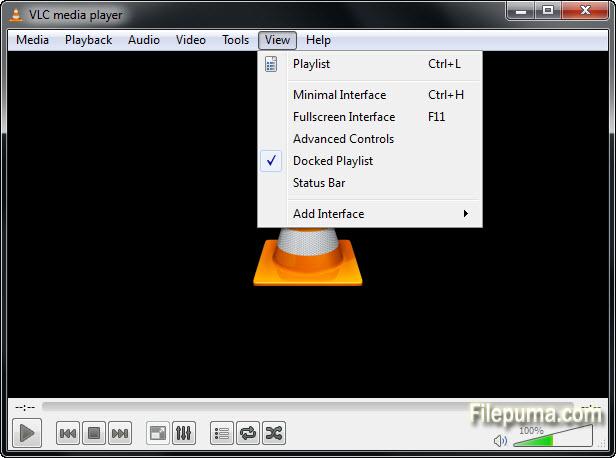


VLC Media PlayerVideoLANによって開発されたVLC Media Playerは、非常に多機能で人気のあるメディアプレーヤーで、様々な音声およびビデオフォーマットと互換性があり、その幅広い機能により非常に人気を博しています。VLC Media Playerは、Windows、macOS、Linux、Android、iOSを含む複数のプラットフォームで使用できるフリーでオープンソースのソフトウェアです。
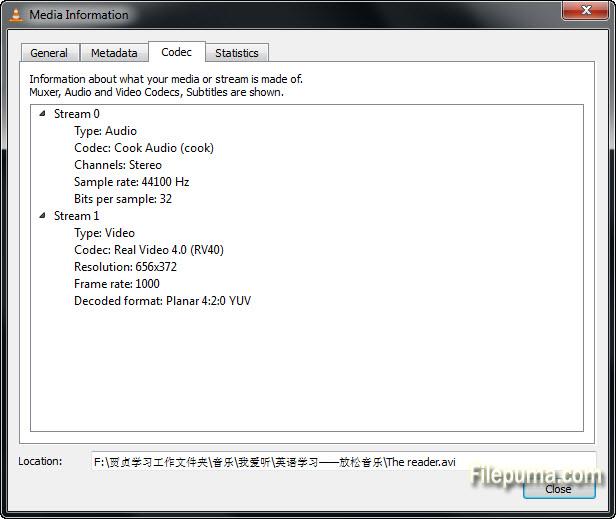
VLC Media Playerの主な強みの一つは、フォーマットに関係なくほとんどすべてのマルチメディアファイルを再生できる能力です。膨大な音声および映像のコーデックをサポートしており、ユーザーは追加のコーデックパックを必要とせずにお気に入りのメディアコンテンツを楽しむことができます。MP3、MP4、AVI、MKVのような人気のあるファイル形式から、より専門的な形式に至るまで、VLC Media Playerはそれらをすべてシームレスに処理します。
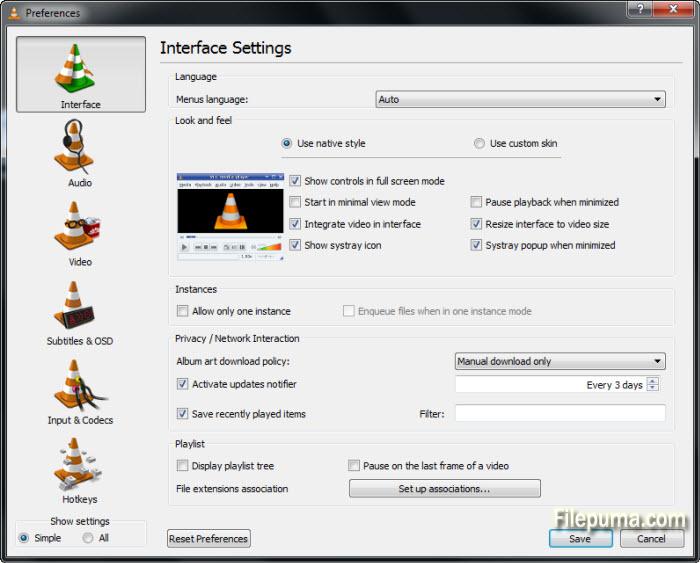
さらに、VLC Media Playerは視聴体験を向上させるさまざまな高度な機能を提供しています。ユーザーは、明るさ、コントラスト、彩度などのビデオ設定を調整して再生品質を最適化できます。また、このソフトウェアはさまざまなオーディオ効果とイコライザープリセットを提供し、ユーザーは好みに応じて音声出力をカスタマイズできます。
再生機能に加えて、VLC Media Playerは他の便利な機能を提供します。インターネットからメディアコンテンツをストリーミングでき、ユーザーはオンライン動画を視聴したり、インターネットラジオ局を聞くことができます。このソフトウェアはメディアファイルの変換もサポートしており、オーディオやビデオファイルを異なる形式に簡単に変換できます。
さらに、VLC Media Playerはその安定性と効率性で知られています。操作が簡単なミニマリストなインターフェースを備えており、その軽量設計により、古いハードウェア構成でもスムーズなパフォーマンスを実現します。
結論として、VLC Media Playerは多機能で信頼性の高いメディアプレーヤーで、包括的な機能セットを提供します。多数のファイル形式との互換性、広範なカスタマイズオプション、オンラインストリーミングのサポートにより、世界中の何百万ものユーザーに選ばれています。映画を見たり、音楽を聴いたり、オンラインコンテンツをストリームしたりする場合でも、VLC Media Playerは優れたパフォーマンスを提供する一流の選択肢です。
主な機能:
- 複数のプラットフォームで動作します。
- ほとんどすべてのオーディオおよびビデオ形式を再生します。
- ストリーミングをして受信できます。
- 内蔵コーデックは簡単に再生できます。
- カスタマイズ可能なインターフェース。
- シンプルなプレイコントロール。
- 字幕とカスタムをサポートする。
- 使用可能なオーディオおよびビデオ効果。
- プレイリストとメディア組織。
新着情報
Important changes:
* The licenses of numerous modules have changed from GPLv2+ to LGPLv2.1+
* Discontinued support for PowerPC-based and 32bit Intel-based Macs
VLC now requires Mac OS X 10.6 or later on 64bit hardware
* The --with-tuning and --without-tuning options are removed. To tune
compilation for a specific processor type, set CFLAGS manually.
3rd party libraries (contrib):
* /extras/contrib has been replaced by a cleaner system in /contrib
Core:
* Audio core rewrite, supporting higher samplerates, better volume management,
better device selection, new channel layouts and new output capabilities.
* Fix support for .001, .00x split files on Windows
* Full support for UNICODE Windows mode
* Remove SQL support
* Add an audio fingerprinter, using AcoustID!
* Disable and mark obsolete --language selection
* Partial support for Windows Store App / WinRT
* Port to Android
* Port to iOS
Decoders:
* Support for CDXL, Ut Video, VBLE, Dxtory codecs via libavcodec
* Numerous improvements on the OpenMAX IL codec module
* Support for Ulead DV audio
* Support for TechSmith Screen Codec 2, Microsoft Expression Encoder Screen,
Microsoft Application Screen Decoder 1 (MSS1) and 2 (MSS2)
* Support for Indeo Audio Coder, RealAudio Lossless
* Add Hardware Acceleration support on OS X for H.264 based upon VDADecoder
* Add Hardware Acceleration support on Android Jelly Bean using MediaCodec
* Add Hardware Acceleration support on Linux using VDPAU
* Support for SCTE-27 subtitles
* Split G.711 decoder from Araw decoder
* X Window system raster image dump pseudo-decoder
* Support for Webinar GoToMeeting 4 (G2M4)
Encoders:
* high10, high422 and high444 encoding support in h264
* QuickSyncVideo Encoding (Intel Media SDK) support using Intel GPU on Windows
* New AAC encoder using the fdk-aac library (non-free)
Access:
* Screen: add support for OS X Lion and later,
remove support for previous OS X releases
* Major improvements in DASH support
* Improvements in Blu-Ray module, notably for multiple video tracks support
* Important improvements and rewrite of the v4l2 access module
* HTTP: support for Internationalized Domain Names
* Microsoft Smooth Streaming support (H264 and VC1) developed by Viotech.net
* NTSC EIA-608 closed caption input support via V4L2 VBI devices
* Add support for VNC/rfb in view only mode
* Add support for Remote Desktop/RDP in view only mode
* Timecode: generate a clock/timecode as a subtitle track
vlc video.mkv --input-slave timecode:// --timecode-fps 30/1001
* New video capture module for OS X based on AVFoundation, named AVcapture
* New shared memory framebuffer access module, named shm
Demuxers:
* MP4: partial support for fragmented MP4
* Vorbis: better support for metadata and cover art
* AVI: better support for tags and extended metadata
* Support for FLAC, Atrac and some ADPCM in AVI
* Support for DV data type 1 in AVI and 12 bits DV Audio
* Support for total number of tracks in major container
* Support for Cook and Atrac in MKV
* AVI: support for files produced by Nikon cameras
* Support for more MJPEG streams
* Add support for liveleak streams
* Add support for Wave/RF64 files
* Prevent numerous uncaught exceptions in MKV
* Add protection against several potential heap buffer overflow in libebml
Audio output:
* Windows Audio Session API audio output support
* OpenBSD sndio audio output support
* Important improvements on the Android OpenSL ES audio output
* Android AudioTrack audio output support
* OS X Auhal output support for 6.1, 7.1, 8.0 and 8.1 playback and layouts
* Rewrite of OSS module to support OSSv4
* OS X Auhal output support for multi-buffer output devices
This fix was facilitated through a hardware lending by TEAC Europe GmbH
distributing such devices under the brand "TASCAM" (US-122, US-144, etc.).
* Rewrite of the AudioQueue output for iOS (and OS X)
* New, simplified AudioUnit output for iOS
Audio Filters:
* New remapping channel filter
* New filter to enhance stereo effect by mono suppression and delay effect
* New VSXu visualization plugin
* ARM NEON acceleration of volume filter
* Rewrite of the simple downmixer filter
* New gain audio filter
Video Outputs:
* New output for Decklink Blackmagic cards
* New output using OpenMAX IL hardware acceleration API
* OpenGL: use glsl instead of ARB to do the YUV->RGB conversions
* OpenGLES: add support for color conversation shaders on Android and iOS
* Fix and enable the OpenGL ES1 and ES2 outputs
* Support for subpictures in the OpenGL ES2 output
* Fix the power management issue on Windows for standby management
* New output module for iOS using OpenGL ES2
* Fix performance issue on Macs with multiple graphics cards
Video Filters:
* New anaglyph video filter which transforms side by side 3D video streams in
anaglyph glasses (aka red/blue) compatible images.
* Support in deinterlacing filter for most 4:2:0, 4:2:2, 4:4:4 YUV formats
and for bits depth higher than 8bits (like 10bits)
* Improvements on the transform filter, to support 10bits and RGB formats
* Revival of the openCV and openCV example filters
* ARM NEON acceleration of chroma filters
Stream Output:
* Extended support for recording, notably for MKV and AVI
* Options support for AVIO output module
* Livehttp places more accurate segments durations in playlist
* Livehttp allows setting cachin-variable in playlist
* Livehttp stream encryption support
* Livehttp supports changing encryption key and uri on segment change with key-loadfile option
* Added chromaprint based audio fingerprinting
Fingerprinters:
* Add AcoustID/Musicbrainz based fingerprinter
Interfaces:
* configurable password for the HTTP server.
* .hosts removed from the HTTP server.
* fix Lua command line interface console mode under Windows.
* Better support for MCE remotes on Windows
* Hotkey support for TS program selection
* Rewrite of D-Bus inhibit interface
* Improvements on motion sensing interface, fix orientation, move out
rotate mode into the rotate video filter
Services discovery:
* UPnP A/V subtitles
* Support for multiple UPnP resources on a single item
OS X Interface:
* Add support for multiple video outputs
* Add accessibility support to playback windows, open panel and fullscreen
controller
* Add a GUI to manage podcasts
* Add a new panel for media conversation and streaming
* Add a GUI for the QTSound access input to process audio captured locally
- This also allows to capture input from a webcam and a mic at the same time.
* Add a GUI to capture QTSound data along with the current screen content
* Add an option to let the Apple Remote control the system volume instead of
VLC's internal volume level
* Add a new Subtitles menu to change Subtitles and their properties during
playback
* Add the ability to create custom equalizer presets based upon the current
selection and to manage the list of presets
* Add custom profiles for video and audio effects, which let the user keep
multiple configuration sets of all the individual filters
* Support for pausing iTunes during media playback with VLC
* Add support for video filters to clone the video output or split it in parts
* Add A->B loop feature known from the Qt interface
* Add an option to disable skipping to next/previous file with the Apple Remote
* Add an option to show next / previous buttons
* Add an option to hide the shuffle and repeat buttons
* Add an option to hide the audio effects button (default enabled)
* Add optional playlist columns for track number, genre, album, description,
date and language
* Add options to the Advanced Open File dialog for start and stop time
* Add an option to play videos as a desktop background
* Add support for playing video and showing audio visualizations side by side
* improve fullscreen controller time slider with larger click target
* rewrite of minimal macosx module for use within VLCKit
* Add support for 'macosx-autoplay' to the Apple Event / Apple Script bindings
when adding new inputs - this also affects network streams opened through
3rd party applications
* Add a UI to the preferences dialog to configure the default application
handler for ftp, mms, rtmp, rtp, rtsp, sftp, smb and udp streams
(system-wide settings)
* Add support for the Video Title option
* Add support for the Boss Key
* The Streaming/Transcoding wizard and the open dialog's output panel are
deprecated now and will be removed in a future release.
Qt:
* Partial support for Qt5.0
* Menus modifications and improvements
* Playlist improvements and fixes, including PictureFlow view
* Streaming output wizard rewrite
* Add bitrate graph in information panels
* Filters panels improvements, notably Equalizer and Compressor
* EPG display fixes and improvements
* Add SD pixmap sources
* Preferences hotkeys management fixes
* Display playlist total duration
* Support for a Maximum volume in the UI
* Numerous fixes
* Add audio track fingerprinting from media info
* Remove language preference
* New profiles format and dialog to handle filters and quality.
Added new profiles.
Skins2:
* Port to OS/2
* Extend sliders, offsets options
* New bitmaps caching mechanism
* Numerous fixes and improvements
* Skinning of the Fullscreen controller
libVLC:
* new libvlc_audio_output_device_list_get and libvlc_audio_output_device_list_release functions
to replace the deprecated libvlc_audio_output_device_count, libvlc_audio_output_device_longname
and libvlc_audio_output_device_id
* libvlc_audio_output_get_device_type and libvlc_audio_output_set_device_type are now deprecated
* new libvlc_media_tracks_get and libvlc_media_tracks_release methods to get more info about the
media tracks. libvlc_media_get_tracks_info is now deprecated.
* new fingerprinter_Create and fingerprinter_Destroy for fingerprinter support
* new libvlc_log_set, libvlc_log_set_file, libvlc_log_unset, libvlc_log_get_context and
libvlc_log_get_object for a better logger mechanism
* new libvlc_set_app_id to complement libvlc_set_user_agent to set the icons
Removed modules:
* portaudio audio output: use the native audio output instead
* X11 On Screen Display notifications (xosd)
* Linux Framebuffer On Screen Display interface (fbosd)
* PVR: IVTV analog TV encoder - use V4L instead
* RTMP access: use libavformat avio instead
* RTMP access_output: use libavformat avio instead
* Hildon GUI
* MSN messenger "now playing" (broken and unmaintained since VLC 1.0.0)
* Telepathy framework "now playing" (broken and unmaintained since VLC 1.0.0)
* Nokia/Maemo MCE screen unblanking plugin
* Broken crop video filter
* Switcher module
* OSD parser and menu
* Xscreensaver: use xdg-screensaver
* Removed DLL loader for non-Windows Operating Systems
* SQL Media Library (broken and unmaintained)
* SQL Lite (only used as SQL Media library backend)
* htcpcp :)
他の言語で利用可能なプログラム
- Download VLC Media Player (32bit)
- Télécharger VLC Media Player (32bit)
- Herunterladen VLC Media Player (32bit)
- Scaricare VLC Media Player (32bit)
- Descargar VLC Media Player (32bit)
- Baixar VLC Media Player (32bit)
ユーザーレビュー
ユーザー評価
 672
672
ライセンス:
無料
要件:
Windows XP/ 2003/ Vista/ 2008/ Windows 7/ Windows 8
言語:
Multi-languages
サイズ:
23MB
出版社:
更新しました:
Sep 10, 2013
クリーン
ソフト報告
最新版
VLC Media Player (32bit) 3.0.21
旧バージョン
VLC Media Player (32bit) 3.0.20
VLC Media Player (32bit) 3.0.19
VLC Media Player (32bit) 3.0.18
VLC Media Player (32bit) 3.0.17.4
VLC Media Player (32bit) 3.0.16
VLC Media Player (32bit) 3.0.15
VLC Media Player (32bit) 3.0.14
VLC Media Player (32bit) 3.0.12
 VLC Media Player (32bit) 3.0.21
 VLC Media Player (64bit) 3.0.21
 GOM Player 2.3.115.5385
 MediaInfo 25.10
 5KPlayer (32bit) 6.11
セキュリティレベル
お使いのデバイスの潜在的な損害を避け、データとプライバシーの安全性を確保するために、私たちのチームは新しいインストールファイルがサーバーにアップロードされるかリモートサーバーにリンクされるたびに確認し、定期的にファイルをレビューしてその状態を確認または更新しています。この確認に基づいて、ダウンロード可能なファイルに対して次のセキュリティレベルを設定します。
 クリーン
クリーン
このソフトウェアプログラムはクリーンである可能性が高いです。
このソフトウェアプログラムに関連するファイルやURLを、世界の主要な60以上のウイルス対策サービスでスキャンしましたが、脅威は見つかりませんでした。また、サードパーティのソフトウェアはバンドルされていません。
 警告
警告
このプログラムは広告に支えられており、不要なサードパーティのプログラムをインストールすることを提案する場合があります。これにはツールバー、ホームページの変更、デフォルトの検索エンジンの変更、または他のパーティのプログラムのインストールが含まれる場合があります。これらは誤検出の場合があり、このソフトウェアをインストールおよび使用する際には注意するようにユーザーにアドバイスしています。
 無効
無効
このソフトウェアはもうダウンロードできません。このソフトウェアが悪意のあるものであるか、セキュリティの問題があるか、その他の理由がある可能性が非常に高いです。
報告書を提出してください
ありがとう!
あなたの報告書が送信されました。
ご依頼を確認し、適切な対応をいたします。
本報告に基づく措置について通知は行われませんのでご注意ください。ご不便をおかけして申し訳ありません。
私たちのウェブサイトを清潔で安全に保つためのご協力に感謝します。