

CodeLite18.5.0
 Free Download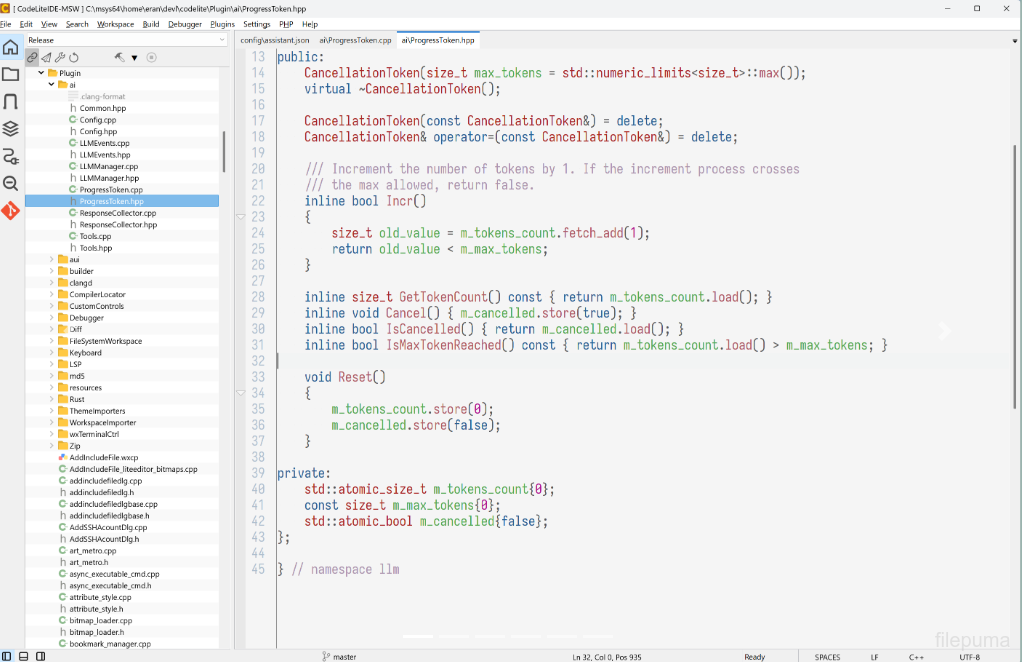


CodeLite is an open-source integrated development environment created for programmers who need a focused workspace for writing, editing, building, and debugging code. It supports several programming languages and provides a clean interface that helps developers organize source files, projects, and development tasks efficiently. Its cross-platform availability also makes it suitable for different desktop environments.
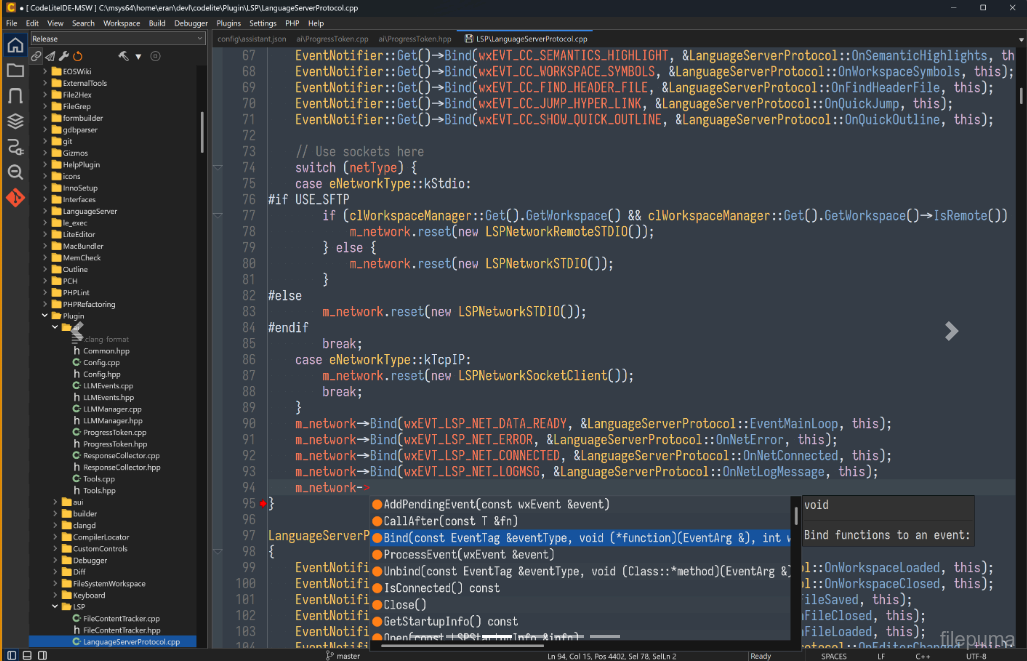
CodeLite includes project management tools that simplify the process of creating and maintaining programming projects. Developers can organize files into logical project structures, configure build targets, and manage multiple projects from a unified workspace. Syntax highlighting, code completion, and navigation features help users work through source code more efficiently while keeping the editing experience clear and organized.
CodeLite provides debugging capabilities that assist developers in locating and resolving problems during development. Integration with popular compilers and build systems allows projects to be compiled and tested directly from the workspace. Additional tools for searching, code navigation, and source management can help reduce repetitive tasks and make larger projects easier to handle.
CodeLite can serve students, hobbyists, and experienced developers working on a range of programming projects. Its open-source nature allows the development community to examine, improve, and extend the project over time. By combining source editing, project organization, compilation, and debugging in a single environment, CodeLite provides a practical workspace for everyday software development.
Key Features:
- Multi-Language Development – Supports C, C++, Rust, PHP, Python, and JavaScript/Node.js development.
- Smart Code Completion – Provides fast code completion, function tips, member lists, and language-aware assistance.
- Integrated Debugging – Supports GDB, LLDB, and XDebug for debugging applications across different programming environments.
- Compiler Integration – Works with GCC, Clang, and MSVC, with build errors displayed directly in the editor.
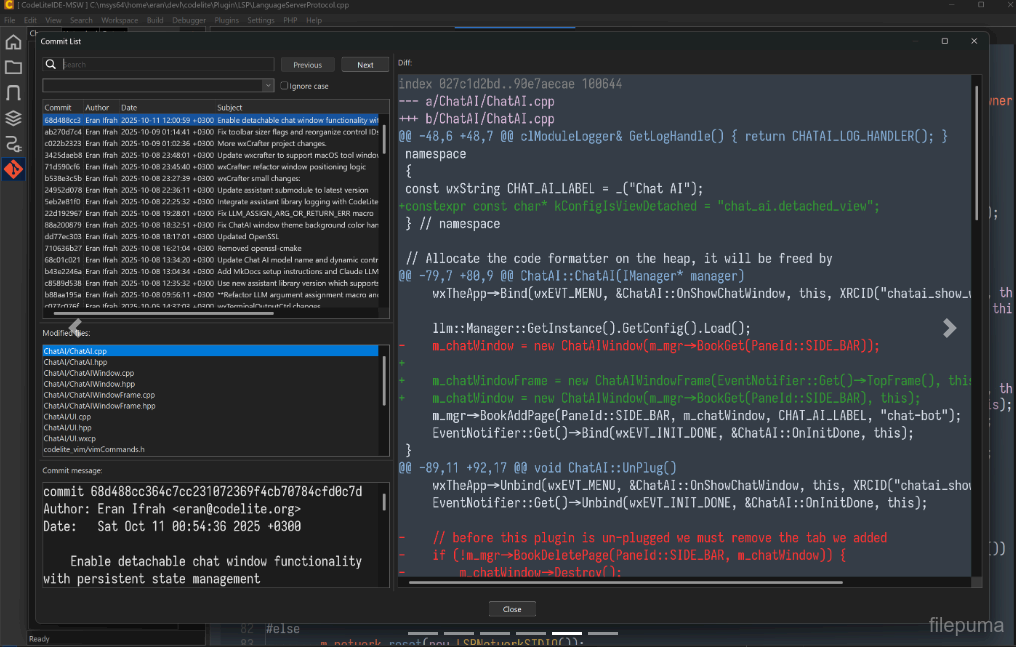
- Source Control Support – Provides plugins for Git and Subversion to help manage source code changes.
- Code Refactoring – Includes symbol renaming, method generation, signature changes, and other code restructuring tools.
- Code Navigation – Offers workspace search, code outlines, type navigation, bookmarks, and related navigation tools.
- Remote Development – Built-in SFTP support enables users to work with remote workspaces.
- CMake and Project Support – Supports project management, CMake workflows, Makefiles, and multiple development configurations.
What's New
Version 18.5.0
Highlights
- Claude Code integration: run and manage Claude Code sessions directly inside CodeLite.
- Terminal Settings dialog: configure the default shell, scroll-back size, and drawing options for the built-in terminal from one place.
New Features
- Added a new Claude Code plugin that hosts Claude Code in its own tab with a toolbar, keyboard shortcut, and menu entry.
- Configurable Claude executable path via a new "Options…" dialog, with a fallback to
PATHlookup. - Remote workspace support — Claude Code can now be launched against SFTP/remote projects.
- The Claude Code plugin's terminal is fully clickable:
Ctrl+Left-Click (Cmd+Left-Click on macOS) any file path, symbol, class name, directory, executable, or plain URL that Claude Code prints, and it opens right inside CodeLite — in the editor, a file explorer, a browser, or via the "Open Resource" dialog as a fallback when the word isn't a direct file match. - Tab title and theme changes now follow the Claude Code session correctly.
- Added a persisted system prompt for Chat AI: edit it any time from
Chat AI→Edit System Prompt.... It's applied to every new agent session, and edits now take effect on the running session immediately, without a restart. - Chat AI now automatically loads a workspace's
AGENTS.md(orCLAUDE.mdif there's noAGENTS.md) into its system context as soon as the workspace opens, giving the model project-specific instructions without manually running/context. - Added a dedicated Terminal Settings dialog for the built-in terminal (default shell, scroll-back buffer size, safe/optimized drawing).
- Added type-ahead (incremental) search to tree control panels — start typing to jump to a matching item.
- Migrated the Remote Directory Control and Open Resource Dialog to
wxDataViewTreeCtrl/wxDataViewListCtrl, improving performance, icon rendering, and keyboard navigation. - Added asynchronous SFTP directory listing for a more responsive remote file browsing experience.
- Extended the file system watcher to monitor remote SFTP files (not just local files), so remote-workspace editors correctly detect external changes and deletions.
- Added support for the LLM "retry" reason in the AI Chat window, with a new warning icon shown when a request is retried.
- Added a Linux package build target and improved macOS build signing/notarization for release artifacts.
Improvements
- Reworked how the built-in terminal claims keyboard shortcuts, so application-wide shortcuts (e.g.
Ctrl-Tab,Ctrl-`, and mostCtrl+<letter>combinations) are no longer swallowed or misrouted while a terminal has focus. - Refactored SFTP account management and the SFTP tree view toolbar (now AUI-based, using standard icons) for a more consistent look and feel; the Quick Connect dialog now uses a notebook-based layout.
- Refactored the Diff Folders frame's icon handling and toolbar for consistency with the rest of the IDE.
- Improved the Git Commit dialog: selection handling, search, and general visual consistency.
- Adjusted alternate row colors and tree indentation on Windows for better readability in dark/light themes.
- Simplified default shell selection for new terminals (modal selection instead of a toolbar dropdown) and improved WSL distribution discovery.
- Chat window docking now defaults to disabled.
- Renamed the "AI" menu to "Chat AI" for clarity, and added a predefined Ollama endpoint to the default AI settings.
- The tab switcher (
Ctrl-Tab) now shows each entry's icon in its own column, with a modified-file indicator prepended to the file name instead of overlaid on the icon.
Bug Fixes
- Fixed a
Ctrl+Tabassertion failure. - Fixed folder expand/collapse not toggling correctly on double-click in file trees.
- Fixed terminal-related events (tab title, termination, link clicks) not reaching plugins hosting their own terminal (e.g. Claude Code) due to a cross-plugin event delivery issue.
- Fixed a potential crash from a null file-watcher handler, and ensured watchers are cleared correctly when files are closed.
- Fixed disabled bitmaps rendering incorrectly (scaling) on Windows.
- Fixed the DataView row height on Windows.
- Fixed a potential null-pointer access in the Git Commit dialog when changing the selected file.
- Fixed the "Safe Drawing" terminal menu item not reflecting its actual state.
- Fixed terminal notebook event binding and ensured the GLEW DLL is bundled on Windows, avoiding a missing-dependency failure.
- Fixed font handling so the configured default font is applied correctly to editors.
- LSP: now shows a message box when a code action (e.g. renaming a namespace via clangd) cannot be applied, instead of failing silently.
- LSP: fixed an incorrect Code Action request being sent to the language server.
- Removed invalid/stale theme files.
- Fixed a bug where closing one tab in an AUI-docked notebook could notify plugins (e.g. Claude Code) that a different tab had closed.
- Fixed Chat AI not fully resetting its context: "Clear Session" could leave stale context active on the running client instead of clearing it.
- Corrected the placeholder environment-variable name used for the default LLM authorization key in the default AI settings.
Program available in other languages
- Télécharger CodeLite
- Herunterladen CodeLite
- Scaricare CodeLite
- ダウンロード CodeLite
- Descargar CodeLite
- Baixar CodeLite
User Reviews
User Rating

License:
Free
Requirements:
Windows 10 64/ Windows 11 64
Languages:
Multi-languages
Size:
68.10 MB
Publisher:
Updated:
Sep 22, 2026
Clean
Report Software
Latest Version
Developer's Software
 Adobe Air 51.3.3.1
 Java Runtime Environment (32bit) 8 Update 501
 Java Runtime Environment (64bit) 8 Update 501
 Java Development Kit (64bit) 8 Update 501
 Python (64bit) 3.14.7
Security Levels
To avoid any potential harm to your device and ensure the security of your data and privacy, our team checks every time a new installation file is uploaded to our servers or linked to a remote server and periodically reviews the file to confirm or update its status. Based on this checking, we set the following security levels for any downloadable files.
 Clean
Clean
It is highly likely that this software program is clean.
We scanned files and URLs associated with this software program in more than 60 of the world's leading antivirus services; no possible threats were found. And there is no third-party softwarebundled.
 Warning
This program is advertising supported and may offer to install third-party programs that are not required. These may include a toolbar, changing your homepage, default search engine, or installing other party programs. These could be false positives, and our users are advised to be careful when installing and using this software.
 Disabled
This software is no longer available for download. It is highly likely that this software program is malicious or has security issues or other reasons.
Submit a Report
Thank you!
Your report has been sent.
We will review your request and take appropriate action.
Please note that you will not receive a notification about anyaction taken dueto this report.We apologize for anyinconvenience this may cause.
We appreciate your help in keeping our website clean and safe.