

CodeLite18.5.0
 Download gratuito


Novità
Version 18.5.0
Highlights
- Claude Code integration: run and manage Claude Code sessions directly inside CodeLite.
- Terminal Settings dialog: configure the default shell, scroll-back size, and drawing options for the built-in terminal from one place.
New Features
- Added a new Claude Code plugin that hosts Claude Code in its own tab with a toolbar, keyboard shortcut, and menu entry.
- Configurable Claude executable path via a new "Options…" dialog, with a fallback to
PATHlookup. - Remote workspace support — Claude Code can now be launched against SFTP/remote projects.
- The Claude Code plugin's terminal is fully clickable:
Ctrl+Left-Click (Cmd+Left-Click on macOS) any file path, symbol, class name, directory, executable, or plain URL that Claude Code prints, and it opens right inside CodeLite — in the editor, a file explorer, a browser, or via the "Open Resource" dialog as a fallback when the word isn't a direct file match. - Tab title and theme changes now follow the Claude Code session correctly.
- Added a persisted system prompt for Chat AI: edit it any time from
Chat AI→Edit System Prompt.... It's applied to every new agent session, and edits now take effect on the running session immediately, without a restart. - Chat AI now automatically loads a workspace's
AGENTS.md(orCLAUDE.mdif there's noAGENTS.md) into its system context as soon as the workspace opens, giving the model project-specific instructions without manually running/context. - Added a dedicated Terminal Settings dialog for the built-in terminal (default shell, scroll-back buffer size, safe/optimized drawing).
- Added type-ahead (incremental) search to tree control panels — start typing to jump to a matching item.
- Migrated the Remote Directory Control and Open Resource Dialog to
wxDataViewTreeCtrl/wxDataViewListCtrl, improving performance, icon rendering, and keyboard navigation. - Added asynchronous SFTP directory listing for a more responsive remote file browsing experience.
- Extended the file system watcher to monitor remote SFTP files (not just local files), so remote-workspace editors correctly detect external changes and deletions.
- Added support for the LLM "retry" reason in the AI Chat window, with a new warning icon shown when a request is retried.
- Added a Linux package build target and improved macOS build signing/notarization for release artifacts.
Improvements
- Reworked how the built-in terminal claims keyboard shortcuts, so application-wide shortcuts (e.g.
Ctrl-Tab,Ctrl-`, and mostCtrl+<letter>combinations) are no longer swallowed or misrouted while a terminal has focus. - Refactored SFTP account management and the SFTP tree view toolbar (now AUI-based, using standard icons) for a more consistent look and feel; the Quick Connect dialog now uses a notebook-based layout.
- Refactored the Diff Folders frame's icon handling and toolbar for consistency with the rest of the IDE.
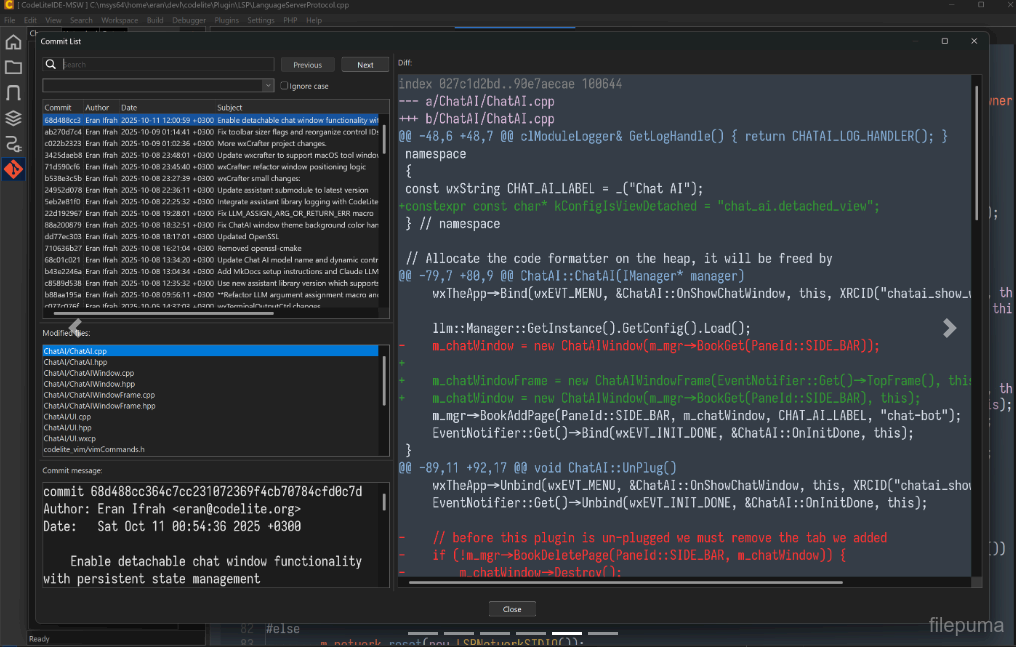
- Improved the Git Commit dialog: selection handling, search, and general visual consistency.
- Adjusted alternate row colors and tree indentation on Windows for better readability in dark/light themes.
- Simplified default shell selection for new terminals (modal selection instead of a toolbar dropdown) and improved WSL distribution discovery.
- Chat window docking now defaults to disabled.
- Renamed the "AI" menu to "Chat AI" for clarity, and added a predefined Ollama endpoint to the default AI settings.
- The tab switcher (
Ctrl-Tab) now shows each entry's icon in its own column, with a modified-file indicator prepended to the file name instead of overlaid on the icon.
Bug Fixes
- Fixed a
Ctrl+Tabassertion failure. - Fixed folder expand/collapse not toggling correctly on double-click in file trees.
- Fixed terminal-related events (tab title, termination, link clicks) not reaching plugins hosting their own terminal (e.g. Claude Code) due to a cross-plugin event delivery issue.
- Fixed a potential crash from a null file-watcher handler, and ensured watchers are cleared correctly when files are closed.
- Fixed disabled bitmaps rendering incorrectly (scaling) on Windows.
- Fixed the DataView row height on Windows.
- Fixed a potential null-pointer access in the Git Commit dialog when changing the selected file.
- Fixed the "Safe Drawing" terminal menu item not reflecting its actual state.
- Fixed terminal notebook event binding and ensured the GLEW DLL is bundled on Windows, avoiding a missing-dependency failure.
- Fixed font handling so the configured default font is applied correctly to editors.
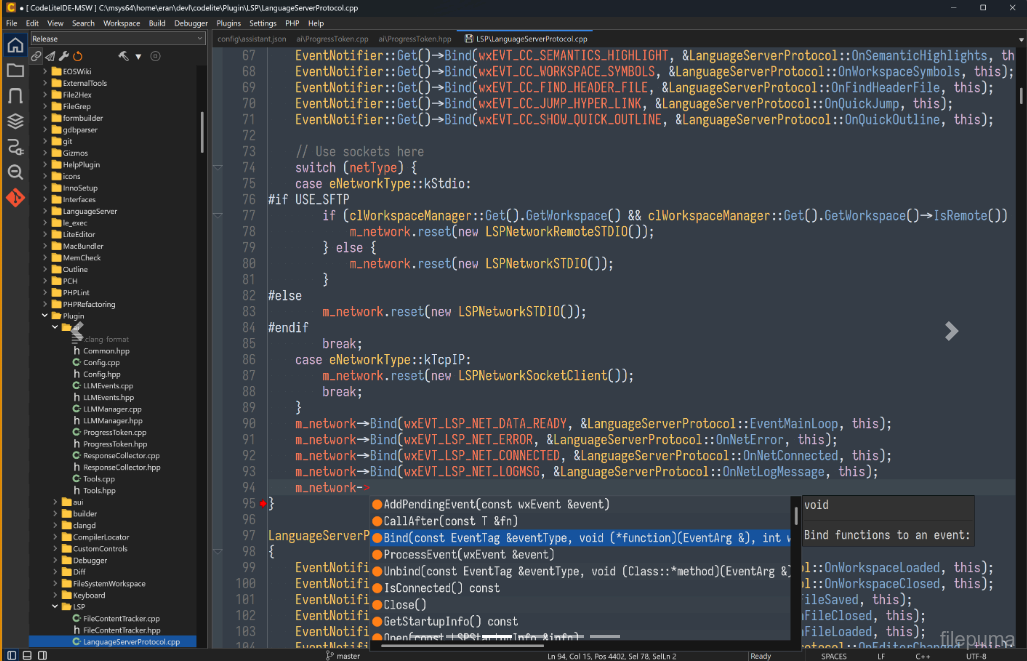
- LSP: now shows a message box when a code action (e.g. renaming a namespace via clangd) cannot be applied, instead of failing silently.
- LSP: fixed an incorrect Code Action request being sent to the language server.
- Removed invalid/stale theme files.
- Fixed a bug where closing one tab in an AUI-docked notebook could notify plugins (e.g. Claude Code) that a different tab had closed.
- Fixed Chat AI not fully resetting its context: "Clear Session" could leave stale context active on the running client instead of clearing it.
- Corrected the placeholder environment-variable name used for the default LLM authorization key in the default AI settings.
Programma disponibile in altre lingue
- Download CodeLite
- Télécharger CodeLite
- Herunterladen CodeLite
- ダウンロード CodeLite
- Descargar CodeLite
- Baixar CodeLite
Recensioni degli utenti
Valutazione dell'utente

Licenza:
Gratis
Requisiti:
Windows 10 64/ Windows 11 64
Lingue:
Multi-languages
Taglia:
68.10 MB
Editore:
Aggiornato:
Sep 22, 2026
Pulito
Segnala il software
Ultima versione
Software dello sviluppatore
 Adobe Air 51.3.3.1
 Java Runtime Environment (32bit) 8 Update 501
 Java Runtime Environment (64bit) 8 Update 501
 Java Development Kit (64bit) 8 Update 501
 Python (64bit) 3.14.7
Livelli di Sicurezza
Per evitare qualsiasi potenziale danno al tuo dispositivo e garantire la sicurezza dei tuoi dati e della tua privacy, il nostro team controlla ogni volta che un nuovo file di installazione viene caricato sui nostri server o collegato a un server remoto e riesamina periodicamente il file per confermarne o aggiornarne lo stato. Sulla base di questo controllo, impostiamo i seguenti livelli di sicurezza per qualsiasi file scaricabile.
 Pulito
È molto probabile che questo programma software sia pulito.
Abbiamo scansionato file e URL associati a questo programma software in oltre 60 dei principali servizi antivirus del mondo; non sono state trovate minacce possibili. E non ci sono software di terze parti inclusi.
 Avvertimento
Questo programma è supportato dalla pubblicità e potrebbe offrire l'installazione di programmi di terze parti che non sono necessari. Questi possono includere una barra degli strumenti, il cambiamento della tua homepage, del motore di ricerca predefinito o l'installazione di altri programmi di terze parti. Questi potrebbero essere falsi positivi e si consiglia ai nostri utenti di essere cauti durante l'installazione e l'utilizzo di questo software.
 Disabile
Questo software non è più disponibile per il download. È altamente probabile che questo programma software sia dannoso o abbia problemi di sicurezza o altri motivi.
Presenta un rapporto
Grazie!
Il tuo rapporto è stato inviato.
Esamineremo la tua richiesta e prenderemo le misure opportune.
Si prega di notare che non riceverai una notifica riguardante qualsiasi azione intrapresa a causa di questo rapporto. Ci scusiamo per qualsiasi inconveniente che ciò possa causare.
Apprezziamo il tuo aiuto nel mantenere il nostro sito web pulito e sicuro.