

Multi Commander (32bit)4.2.0 Build 1672
 Free Download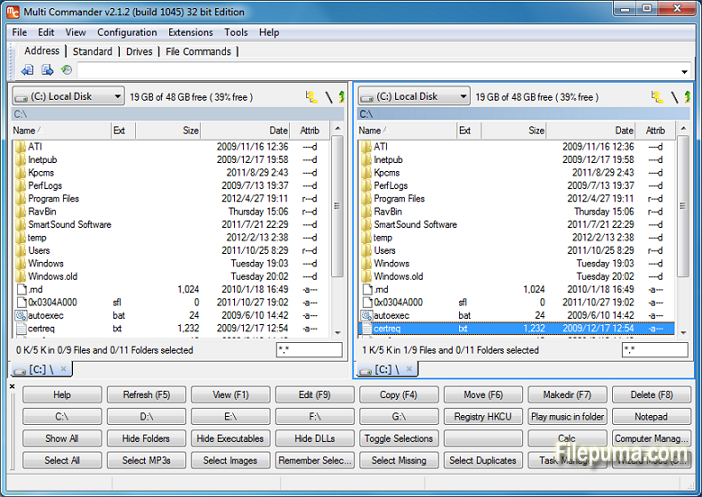


Multi Commander is a versatile and powerful file management software designed to simplify and enhance the way you handle your files and folders. With its user-friendly interface and a wide range of features, Multi Commander is a preferred choice for both novice users and experienced professionals.
This file manager offers dual-panel browsing, allowing you to effortlessly drag and drop files between different directories and make file operations more efficient. Additionally, it supports tabs and bookmarks, enabling you to work with multiple folders simultaneously, reducing clutter and streamlining your workflow.
One of Multi Commander's key strengths is its extensive customization options. Users can tailor the interface, toolbars, and keyboard shortcuts to suit their preferences and work habits, resulting in a personalized and optimized file management experience.
The software also boasts an array of built-in tools, such as file viewer, archive handling, and FTP client, eliminating the need for additional applications. It supports a wide range of file formats, making it a versatile solution for various file management tasks.
Furthermore, Multi Commander prioritizes security, offering features like file hashing and secure file deletion, ensuring your data remains protected from unauthorized access.
Multi Commander is a reliable and feature-rich file management software that combines ease of use with advanced capabilities. Whether you're a casual user or a professional seeking a robust file management solution, Multi Commander is an excellent choice.
Key Features:
- Dual-pane interface for easy file management.
- Tabbed browsing for efficient navigation.
- Customizable interface with light/dark themes.
- Integrated file viewers and editors.
- Comprehensive file handling operations.
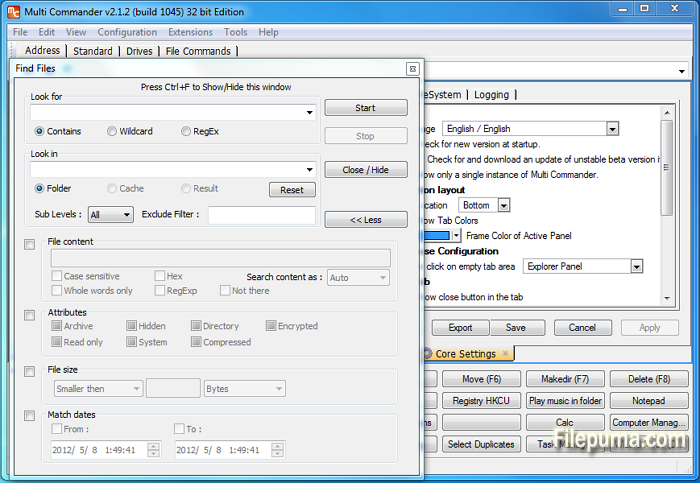
- Powerful file search and filtering.
- Advanced file organization options.
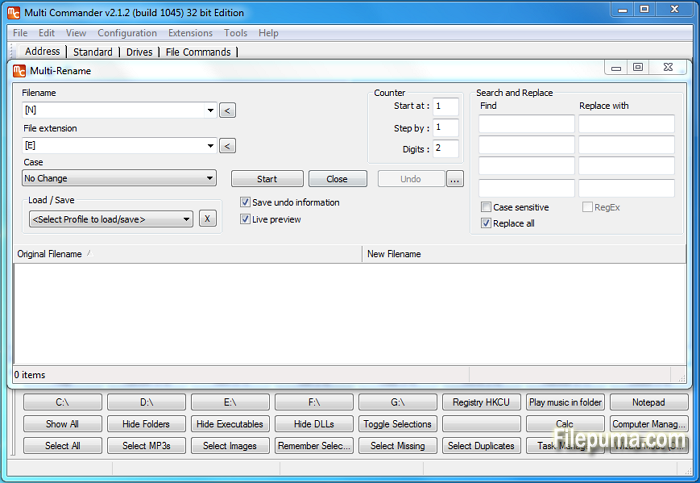
- Multi-rename tool for bulk file renaming.
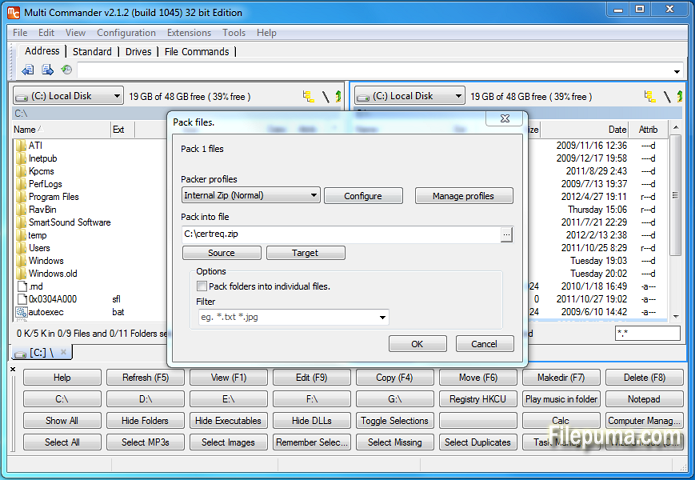
- Support for various archive formats.
- FTP and network connectivity.
- Scripting and extension capabilities.
- Customizable keyboard shortcuts and mouse gestures.
What's New
- ADDED - User Defined Commands can now be duplicated.
- ADDED - Button panel changed so it can not be undocked. Then no close button is shown making it look better
- ADDED - Buttons in the Button panel can now be drawn transparent.
- ADDED - New column that shows the length of the name or fullpath.
- ADDED - Option to enable/disable the refresh tab when application focus is returned to MultiCommander
- ADDED - Command line field can now show hits/tips when not used. (Can be disabled in core settings)
- ADDED - Command line command ":one" now also work for going to OneDrive/SkyDrive folder
- ADDED - Option for "Expand folder hovering over during drag and drop in folder tree". (Was always enabled before, can now be disabled)
- ADDED - Option if a new tab should be opened when browsing to new location in a locked tab.
- ADDED - Rule Based file coloring can now be configured to also change font style like Bold,Italic,Underline,Strikeout
- ADDED - New MultiScript functions PathMakeRelativeMC(...), PathMakeAbsoluteMC(...), PathTranslatePath(...), TranslateEnvString(...)
- ADDED - Custom command MC.Explorer.NewBrowser now support TABCOLORS,TABNAME,TABLOCK paramters
- ADDED - New Custom Command MC.FileSystem.Unpack
- ADDED - New Custom command MC.Explorer.SetTabProp for setting tab properties like color, on existing tab
- ADDED - Duplicating a Explorer Panel tab. or opening a folder from one tab into a new tab. New tab will get the same custom Tab Colors.
- ADDED - Doing TapAndHold on touch devices will now be a right click. (Show context menu in most places)
- ADDED - MultiFileViewer have experimental support for line filtering (grep)
- FIXED - Command line fields dropdown history is now shown and saved correct.
- FIXED - QuickLaunchBar now works better with relative and environments paths.
- FIXED - Color rules are now refresh when files are renamed or attributes changed (From inside MC)
- FIXED - Copying files to folder starting with ".." now works again. Eg "..Myfolder"
- FIXED - FileTypeSetup will not clear extension field if external program is selected
- FIXED - If sorting of columns that shown extended info (info fetched in background), view will now resort automatically when data is ready.
- FIXED - Windows Shell context menu did not work in some locations.
- FIXED - A couple of strange issues with context menu handling
- FIXED - Issue with overwriting existing file inside a zip archive.
- FIXED - Refresh issues when a zip is rebuilt.
- FIXED - Lots of DPI scaling issues fixed. MC now look good in 150% DPI. Still some minor issue with 125%
- FIXED - Improved error handling and error reporting of read/write errors.
- FIXED - Improved error logging in a couple of places.
- FIXED - A lot of minor fixes and changes to error handling
- FIXED - Placeholder files is now being identified (Win8.1+ only)
- FIXED - When unpacking rar it could happen it complained that disk was full even if disk was not full.
- FIXED - Some icons was messed up if icon cached was cleared
- FIXED - Context Menu key on keyboard now works for the ".." item
- FIXED - The settings "Remember Selected files/folders when changing path" now works again. (can be turned off)
- FIXED - 14 crash issues reported by Crash report system
Program available in other languages
- Télécharger Multi Commander (32bit)
- Herunterladen Multi Commander (32bit)
- Scaricare Multi Commander (32bit)
- ダウンロード Multi Commander (32bit)
- Descargar Multi Commander (32bit)
- Baixar Multi Commander (32bit)
User Reviews
User Rating
 3
3
License:
Free
Requirements:
Windows XP/ 2003/ Vista/ Server 2008 (R2)/ Windows 7/ Windows 8 /Server 2012
Languages:
English
Size:
5.7MB
Publisher:
Updated:
Apr 20, 2014
Clean
Report Software
Latest Version
Multi Commander (32bit) 15.8 Build 3135
Old Versions
Multi Commander (32bit) 15.7 Build 3133
Multi Commander (32bit) 15.7 Build 3132
Multi Commander (32bit) 15.6 Build 3119
Multi Commander (32bit) 15.5.0 Build 3102
Multi Commander (32bit) 15.5.0 Build 3101
Multi Commander (32bit) 15.4.0 Build 3089
Multi Commander (32bit) 15.4.0 Build 3088
Multi Commander (32bit) 15.3.0 Build 3084
Developer's Software
 Multi Commander (32bit) 15.8 Build 3135
 Multi Commander (64bit) 15.8 Build 3135
 CrystalDiskInfo 9.8.0
 Update Detector 6.64.0.64
 Defraggler 2.22.995
 Recuva 1.54.120
 EaseUS Data Recovery Wizard Free 20.1.0
Security Levels
To avoid any potential harm to your device and ensure the security of your data and privacy, our team checks every time a new installation file is uploaded to our servers or linked to a remote server and periodically reviews the file to confirm or update its status. Based on this checking, we set the following security levels for any downloadable files.
 Clean
Clean
It is highly likely that this software program is clean.
We scanned files and URLs associated with this software program in more than 60 of the world's leading antivirus services; no possible threats were found. And there is no third-party softwarebundled.
 Warning
This program is advertising supported and may offer to install third-party programs that are not required. These may include a toolbar, changing your homepage, default search engine, or installing other party programs. These could be false positives, and our users are advised to be careful when installing and using this software.
 Disabled
This software is no longer available for download. It is highly likely that this software program is malicious or has security issues or other reasons.
Submit a Report
Thank you!
Your report has been sent.
We will review your request and take appropriate action.
Please note that you will not receive a notification about anyaction taken dueto this report.We apologize for anyinconvenience this may cause.
We appreciate your help in keeping our website clean and safe.