

Multi Commander (32bit)4.2.0 Build 1672
 無料ダウンロード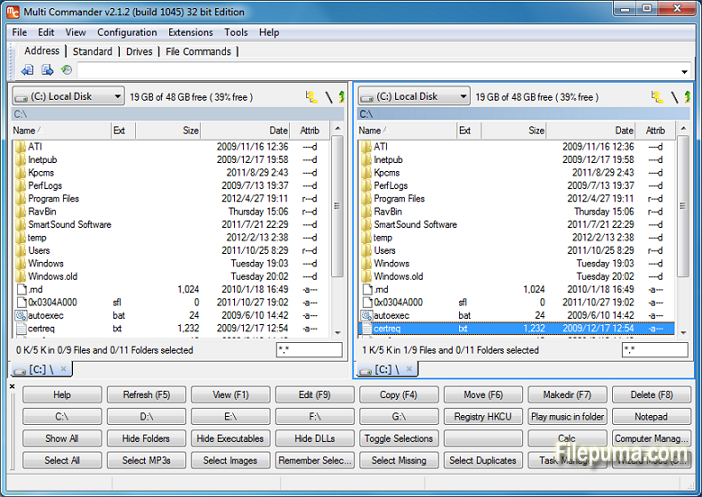


Multi Commanderは、ファイルやフォルダの管理を簡素化し、改善するために設計された多機能で強力なファイル管理ソフトウェアです。使いやすいインターフェースと幅広い機能を備えたMulti Commanderは、初心者から経験豊富なプロフェッショナルまでのユーザーに好まれる選択肢です。
このファイルマネージャは、デュアルパネルのブラウジングを提供し、異なるディレクトリ間でファイルを簡単にドラッグアンドドロップできるようにし、ファイル操作をより効率的にします。さらに、複数のフォルダを同時に操作できるタブとブックマークをサポートし、整理を促進し、作業の効率を向上させます。
Multi Commanderの主な強みの一つは、その豊富なカスタマイズオプションです。ユーザーは、自分の好みや作業習慣に合わせてインターフェース、ツールバー、キーボードショートカットを調整でき、個別化され最適化されたファイル管理体験を実現できます。
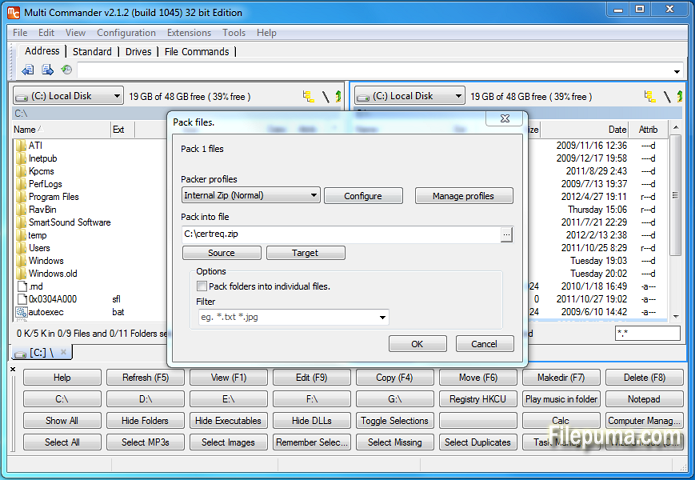
このソフトウェアは、ファイルビューア、アーカイブ処理、FTPクライアントなどの組み込みツールを備えており、追加のアプリケーションが不要です。さまざまなファイル形式をサポートしており、さまざまなファイル管理タスクに対応できる多用途なソリューションです。
さらに、Multi Commanderはセキュリティを優先し、ファイルハッシュや安全なファイル削除などの機能を提供し、データが不正アクセスから保護されることを保証します。
Multi Commanderは、使いやすさと高度な機能を兼ね備えた、信頼性の高い豊富な機能を持つファイル管理ソフトウェアです。カジュアルユーザーでも、強力なファイル管理ソリューションを求めるプロフェッショナルでも、Multi Commanderは優れた選択肢です。
主な機能:
- 簡単なファイル管理のためのデュアルペインインターフェース。
- 効率的なナビゲーションのためのタブブラウジング。
- カスタマイズ可能なインターフェースとライト/ダークテーマ。
- 統合ファイルビューアーとエディター。
- 包括的なファイル処理操作。
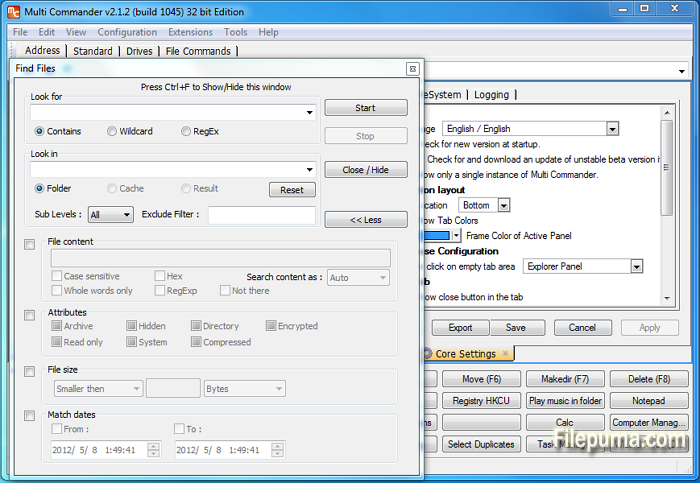
- 強力なファイル検索とフィルタリング。
- 高度なファイル整理オプション。
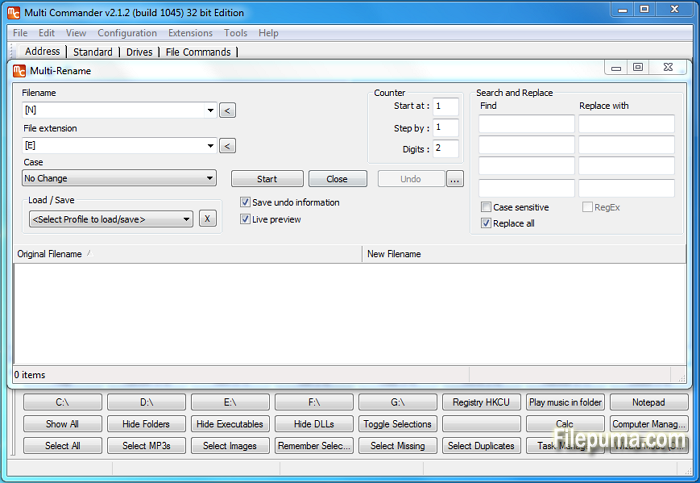
- 大量のファイル名を変更するためのマルチリネームツール。
- さまざまなアーカイブ形式のサポート。
- FTPとネットワーク接続。
- スクリプトと拡張機能の機能。
- カスタマイズ可能なキーボードショートカットとマウスジェスチャー。
新着情報
- ADDED - User Defined Commands can now be duplicated.
- ADDED - Button panel changed so it can not be undocked. Then no close button is shown making it look better
- ADDED - Buttons in the Button panel can now be drawn transparent.
- ADDED - New column that shows the length of the name or fullpath.
- ADDED - Option to enable/disable the refresh tab when application focus is returned to MultiCommander
- ADDED - Command line field can now show hits/tips when not used. (Can be disabled in core settings)
- ADDED - Command line command ":one" now also work for going to OneDrive/SkyDrive folder
- ADDED - Option for "Expand folder hovering over during drag and drop in folder tree". (Was always enabled before, can now be disabled)
- ADDED - Option if a new tab should be opened when browsing to new location in a locked tab.
- ADDED - Rule Based file coloring can now be configured to also change font style like Bold,Italic,Underline,Strikeout
- ADDED - New MultiScript functions PathMakeRelativeMC(...), PathMakeAbsoluteMC(...), PathTranslatePath(...), TranslateEnvString(...)
- ADDED - Custom command MC.Explorer.NewBrowser now support TABCOLORS,TABNAME,TABLOCK paramters
- ADDED - New Custom Command MC.FileSystem.Unpack
- ADDED - New Custom command MC.Explorer.SetTabProp for setting tab properties like color, on existing tab
- ADDED - Duplicating a Explorer Panel tab. or opening a folder from one tab into a new tab. New tab will get the same custom Tab Colors.
- ADDED - Doing TapAndHold on touch devices will now be a right click. (Show context menu in most places)
- ADDED - MultiFileViewer have experimental support for line filtering (grep)
- FIXED - Command line fields dropdown history is now shown and saved correct.
- FIXED - QuickLaunchBar now works better with relative and environments paths.
- FIXED - Color rules are now refresh when files are renamed or attributes changed (From inside MC)
- FIXED - Copying files to folder starting with ".." now works again. Eg "..Myfolder"
- FIXED - FileTypeSetup will not clear extension field if external program is selected
- FIXED - If sorting of columns that shown extended info (info fetched in background), view will now resort automatically when data is ready.
- FIXED - Windows Shell context menu did not work in some locations.
- FIXED - A couple of strange issues with context menu handling
- FIXED - Issue with overwriting existing file inside a zip archive.
- FIXED - Refresh issues when a zip is rebuilt.
- FIXED - Lots of DPI scaling issues fixed. MC now look good in 150% DPI. Still some minor issue with 125%
- FIXED - Improved error handling and error reporting of read/write errors.
- FIXED - Improved error logging in a couple of places.
- FIXED - A lot of minor fixes and changes to error handling
- FIXED - Placeholder files is now being identified (Win8.1+ only)
- FIXED - When unpacking rar it could happen it complained that disk was full even if disk was not full.
- FIXED - Some icons was messed up if icon cached was cleared
- FIXED - Context Menu key on keyboard now works for the ".." item
- FIXED - The settings "Remember Selected files/folders when changing path" now works again. (can be turned off)
- FIXED - 14 crash issues reported by Crash report system
他の言語で利用可能なプログラム
- Download Multi Commander (32bit)
- Télécharger Multi Commander (32bit)
- Herunterladen Multi Commander (32bit)
- Scaricare Multi Commander (32bit)
- Descargar Multi Commander (32bit)
- Baixar Multi Commander (32bit)
ユーザーレビュー
ユーザー評価
 3
3
ライセンス:
無料
要件:
Windows XP/ 2003/ Vista/ Server 2008 (R2)/ Windows 7/ Windows 8 /Server 2012
言語:
English
サイズ:
5.7MB
出版社:
更新しました:
Apr 20, 2014
クリーン
ソフト報告
最新版
Multi Commander (32bit) 15.8 Build 3135
旧バージョン
Multi Commander (32bit) 15.7 Build 3133
Multi Commander (32bit) 15.7 Build 3132
Multi Commander (32bit) 15.6 Build 3119
Multi Commander (32bit) 15.5.0 Build 3102
Multi Commander (32bit) 15.5.0 Build 3101
Multi Commander (32bit) 15.4.0 Build 3089
Multi Commander (32bit) 15.4.0 Build 3088
Multi Commander (32bit) 15.3.0 Build 3084
 Multi Commander (32bit) 15.8 Build 3135
 Multi Commander (64bit) 15.8 Build 3135
 CrystalDiskInfo 9.8.0
 Update Detector 6.64.0.64
 Defraggler 2.22.995
 Recuva 1.54.120
 EaseUS Data Recovery Wizard Free 20.1.0
セキュリティレベル
お使いのデバイスの潜在的な損害を避け、データとプライバシーの安全性を確保するために、私たちのチームは新しいインストールファイルがサーバーにアップロードされるかリモートサーバーにリンクされるたびに確認し、定期的にファイルをレビューしてその状態を確認または更新しています。この確認に基づいて、ダウンロード可能なファイルに対して次のセキュリティレベルを設定します。
 クリーン
クリーン
このソフトウェアプログラムはクリーンである可能性が高いです。
このソフトウェアプログラムに関連するファイルやURLを、世界の主要な60以上のウイルス対策サービスでスキャンしましたが、脅威は見つかりませんでした。また、サードパーティのソフトウェアはバンドルされていません。
 警告
警告
このプログラムは広告に支えられており、不要なサードパーティのプログラムをインストールすることを提案する場合があります。これにはツールバー、ホームページの変更、デフォルトの検索エンジンの変更、または他のパーティのプログラムのインストールが含まれる場合があります。これらは誤検出の場合があり、このソフトウェアをインストールおよび使用する際には注意するようにユーザーにアドバイスしています。
 無効
無効
このソフトウェアはもうダウンロードできません。このソフトウェアが悪意のあるものであるか、セキュリティの問題があるか、その他の理由がある可能性が非常に高いです。
報告書を提出してください
ありがとう!
あなたの報告書が送信されました。
ご依頼を確認し、適切な対応をいたします。
本報告に基づく措置について通知は行われませんのでご注意ください。ご不便をおかけして申し訳ありません。
私たちのウェブサイトを清潔で安全に保つためのご協力に感謝します。