

SlimBrowser (32bit)7.00.016
 Free Download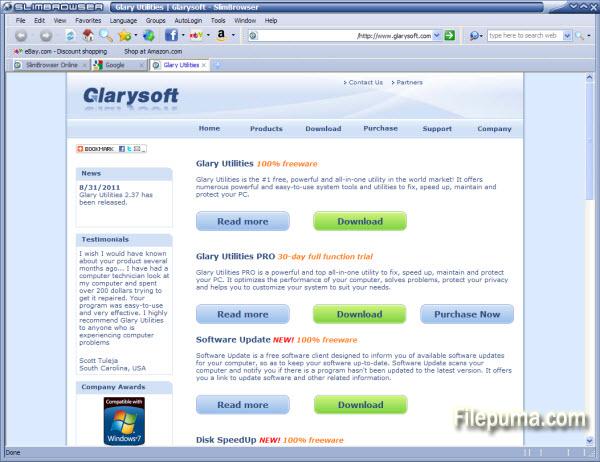
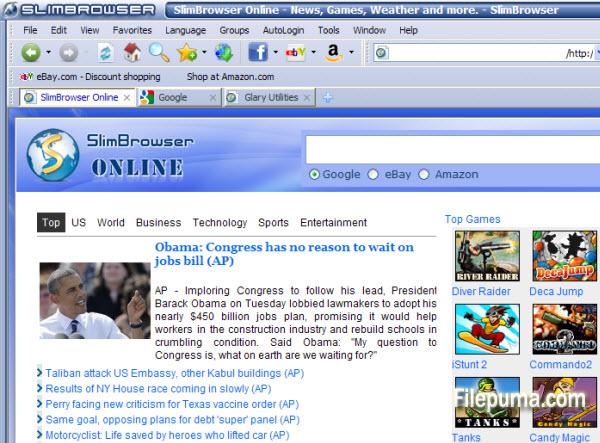


SlimBrowser is a fast, efficient, and feature-packed web browser designed to enhance your internet browsing experience. With its user-friendly interface and a plethora of built-in tools, SlimBrowser stands out as a versatile and powerful web surfing companion.
One of the standout features of SlimBrowser is its speed. It's built on the Trident layout engine, which ensures that web pages load quickly and smoothly. This makes browsing a breeze, especially for users with slower internet connections.
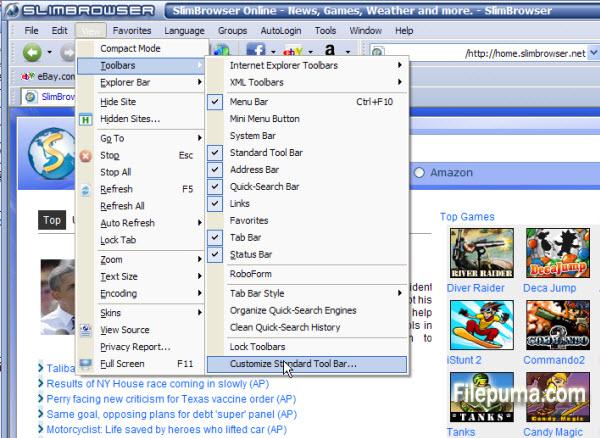
SlimBrowser also boasts an array of customization options. Users can easily tailor their browsing experience with customizable toolbars, themes, and skins. Additionally, the browser supports tabbed browsing, allowing you to open multiple webpages in a single window, making multitasking a breeze.
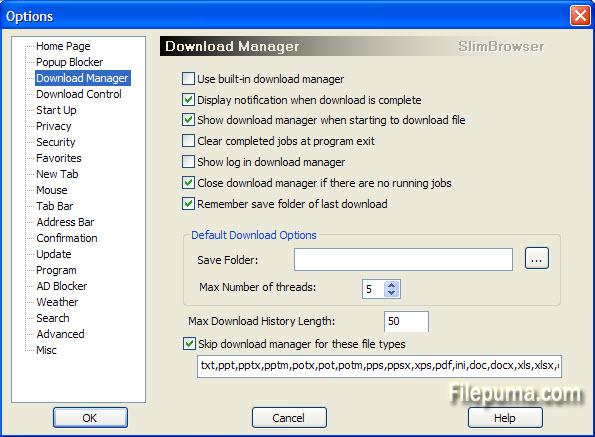
One of the most significant advantages of SlimBrowser is its rich set of built-in features. It includes an intelligent form filler, a password manager, and a pop-up blocker, all of which enhance your online security and convenience. Furthermore, it has a download manager, which accelerates download speeds and supports resumable downloads.
SlimBrowser is designed to provide a seamless browsing experience, offering features like a built-in spell checker, RSS reader, and quick search functionality. It's also compatible with various plugins and extensions, allowing you to customize it further to suit your needs.
In conclusion, SlimBrowser is a feature-rich and speedy web browser that caters to users looking for a reliable and customizable internet surfing solution. Its numerous built-in tools and user-friendly interface make it a compelling choice for those seeking an enhanced online experience. Give it a try and discover how SlimBrowser can streamline your web browsing activities.
Key Features:
- Tabbed Browsing: Browse multiple websites in one window.
- Form Auto-Fill: Quickly fill out forms and log in.
- Pop-up Blocker: Block annoying pop-up ads.
- Download Manager: Manage and speed up downloads.
- Auto-Login: Remember website logins.
- Ad Blocker: Block various types of ads.
- Mouse Gestures: Perform actions with mouse movements.
- Weather Forecast: Get current weather info.
- RSS Reader: Subscribe to and read RSS feeds.
- Customizable Interface: Personalize the browser.
- Auto Refresh: Automatically update web pages.
- Online Translation: Translate web pages.
- Web Page Saver: Save web pages as HTML.
- Proxy Switcher: Change IP or use a proxy.
- Phishing Filter: Protect against malicious sites.
What's New
V7.00
For detailed changes in each build, please read the detailed changed log in the forum. If you would like to understand more about the new features in V7.0, please read Introduction to SlimBrowser 7.0.
Major Changes:
- Redesigned ad blocker to support ad blocker plus filter rules.
- Improved Photo Salon:
- Allow users to select a portion of the input photo for final output image.
- Added photo paper effect for opaque photo frames.
- Added support for signature image.
- Allow users to tilt photos randomly when combining multiple photos.
- Allow some photo frames to be used for both landscape and portrait photos.
- Redesigned tabs page:
- Configurable number of rows and columns.
- Configurable background color or image.
- Resize quick-dial buttons based on the current window size.
- Added better support for use the original address bar as search bar as well (i.e., Omni-bar).
- Redesigned address bar drop down suggestion list to show matching items from history, favorites, forms, groups as well as search suggestions provided by the current search engine. All the keywords will be matched separately if multiple keywords are typed into the address bar.
- Switched to new weather data source with better accuracy, separate day and night weather, and 7-day forecast.
Minor Changes:
- Disable playing of gif animations by default.
- Bug fix: Allow control+F to invoke the find dialog in script pad.
- Added support for IE 10 compatible view list. Updated IE9 compatible view list
- Added built-in support for “Pin It” operation for pinterest.com.
- Allow users to directly edit form files that show up in the address bar suggestion list. Allow users to delete urls from the entire domain for urls that show up in the address bar suggestion list.
- Allow users to view the preferred password in identities protected by master password.
- Added “Upload Clipboard Image” button in upload file dialog.
- Added support for custom zoom percentage.
- Added option to hide the title bar when the main window is maximized in order to save screen space for small monitors.
- Added menu View->View DOM Source to help developers view the dynamic DOM structure.
- Added support for settings backup and restoration under menu “Tools:Back & Restore”.
- Remember javascript settings on a per-domain basis (Similar what's offered by the NoScript add-on)
- Use a new smaller icon for the mini menu button.
- Added menu Window->Go to Last Active Tab and shortcuts key Ctrl+Q so that users can toggle between two tabs back and forth easily with keyboard.
- Allow users to use saved form or site group on quickdial buttons on tabs page.
- Added drop down menu to show the quickdial sites on the new tab(+) button.
Program available in other languages
- Télécharger SlimBrowser (32bit)
- Herunterladen SlimBrowser (32bit)
- Scaricare SlimBrowser (32bit)
- ダウンロード SlimBrowser (32bit)
- Descargar SlimBrowser (32bit)
- Baixar SlimBrowser (32bit)
User Reviews
User Rating
 25
25
License:
Free
Requirements:
Windows XP/ 2003/ Vista/ Server 2008/ 2012/ Windows 7/ Windows 8
Languages:
Multi-languages
Size:
3.22MB
Publisher:
Updated:
Apr 10, 2013
Clean
Report Software
Latest Version
Old Versions
 SlimBrowser (32bit) 18.0.0.0
 SlimBrowser (64bit) 18.0.0.0
 Google Chrome (64bit) 147.0.7727.138
 Google Chrome (32bit) 147.0.7727.138
 Mozilla Firefox (32bit) 150.0.1
 Mozilla Firefox (64bit) 150.0.1
 Maxthon (64bit) 7.5.2.5801
Security Levels
To avoid any potential harm to your device and ensure the security of your data and privacy, our team checks every time a new installation file is uploaded to our servers or linked to a remote server and periodically reviews the file to confirm or update its status. Based on this checking, we set the following security levels for any downloadable files.
 Clean
Clean
It is highly likely that this software program is clean.
We scanned files and URLs associated with this software program in more than 60 of the world's leading antivirus services; no possible threats were found. And there is no third-party softwarebundled.
 Warning
This program is advertising supported and may offer to install third-party programs that are not required. These may include a toolbar, changing your homepage, default search engine, or installing other party programs. These could be false positives, and our users are advised to be careful when installing and using this software.
 Disabled
This software is no longer available for download. It is highly likely that this software program is malicious or has security issues or other reasons.
Submit a Report
Thank you!
Your report has been sent.
We will review your request and take appropriate action.
Please note that you will not receive a notification about anyaction taken dueto this report.We apologize for anyinconvenience this may cause.
We appreciate your help in keeping our website clean and safe.