

SlimBrowser (32bit)7.00.016
 無料ダウンロード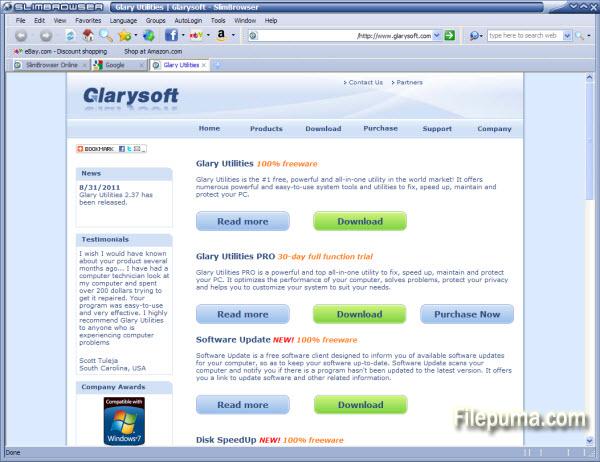
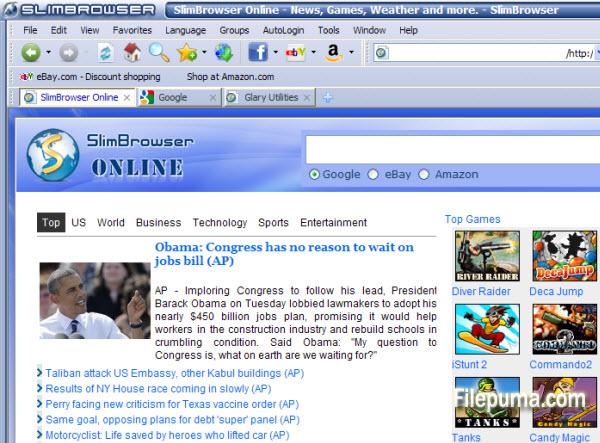


SlimBrowserSlimBrowserは、インターネット閲覧体験を向上させるために設計された、高速で効率的、かつ機能が豊富なウェブブラウザです。ユーザーフレンドリーなインターフェースと多数の組み込みツールにより、SlimBrowserは多用途で強力なウェブサーフィングのコンパニオンとして際立っています。
SlimBrowserの際立った機能の一つは、その速度です。Tridentレイアウトエンジン上に構築されており、ウェブページの読み込みが迅速かつスムーズであることを保証しています。これにより、特にインターネット接続が遅いユーザーにとって、ブラウジングが非常に快適になります。
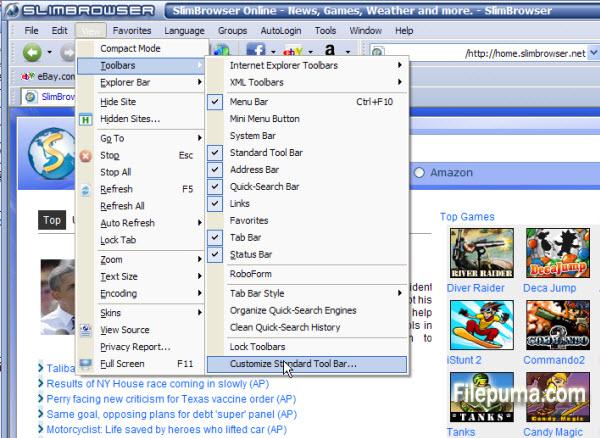
SlimBrowserは、カスタマイズオプションの充実でも有名です。ユーザーは、カスタマイズ可能なツールバー、テーマ、スキンによって、簡単にブラウジング体験を自分好みに合わせることができます。さらに、このブラウザはタブブラウジングをサポートしており、複数のウェブページを1つのウィンドウで開くことができるため、マルチタスクが簡単になります。
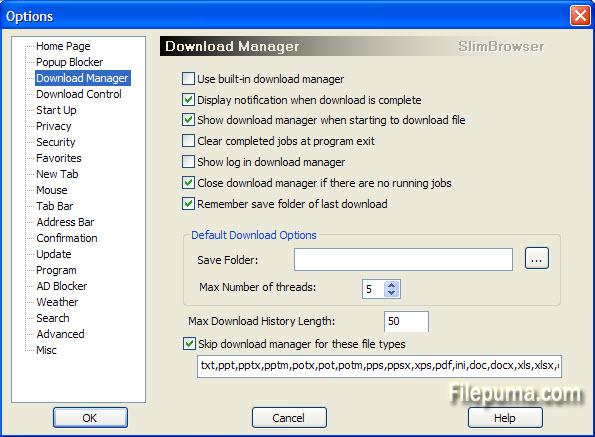
SlimBrowserの最大の利点の一つは、豊富な組み込み機能のセットです。インテリジェントなフォームフィラー、パスワードマネージャー、ポップアップブロッカーを含んでおり、オンラインのセキュリティと利便性を高めます。さらに、ダウンロードマネージャーがあり、ダウンロード速度を加速し、再開可能なダウンロードをサポートします。
SlimBrowserは、シームレスなブラウジング体験を提供するように設計されており、組み込みのスペルチェッカー、RSSリーダー、およびクイック検索機能などの機能を提供します。また、さまざまなプラグインや拡張機能と互換性があり、ニーズに合わせてさらにカスタマイズすることが可能です。
結論として、SlimBrowserは豊富な機能と高速なウェブブラウザーであり、信頼性が高くカスタマイズ可能なインターネットサーフィングソリューションを探しているユーザーに対応します。数々の組み込みツールとユーザーに優しいインターフェースにより、オンライン体験を向上させたい人々にとって魅力的な選択肢となっています。是非試してみて、SlimBrowserがどのようにウェブ閲覧活動を効率化できるかを発見してください。
主な機能:
- タブブラウジング1つのウィンドウで複数のウェブサイトを閲覧する。
- フォームオートフィル:迅速にフォームを記入してログインしてください。
- ポップアップブロッカー:迷惑なポップアップ広告をブロックする。
- Download Manager:ダウンロードを管理し、スピードアップする。
- 自動ログイン:ウェブサイトのログインを覚えてください。
- Ad Blockerさまざまなタイプの広告をブロックします。
- マウスジェスチャーマウスの動きでアクションを実行します。
- 天気予報現在の天気情報を取得してください。
- RSSリーダーRSSフィードを購読して読む。
- カスタマイズ可能なインターフェースブラウザをパーソナライズする。
- オートリフレッシュ自動的にウェブページを更新します。
- オンライン翻訳:ウェブページを翻訳する。
- Web Page SaverWebページをHTMLとして保存する。
- Proxy SwitcherIPを変更するか、プロキシを使用する。
- Phishing Filter悪意のあるサイトから保護します。
新着情報
V7.00
For detailed changes in each build, please read the detailed changed log in the forum. If you would like to understand more about the new features in V7.0, please read Introduction to SlimBrowser 7.0.
Major Changes:
- Redesigned ad blocker to support ad blocker plus filter rules.
- Improved Photo Salon:
- Allow users to select a portion of the input photo for final output image.
- Added photo paper effect for opaque photo frames.
- Added support for signature image.
- Allow users to tilt photos randomly when combining multiple photos.
- Allow some photo frames to be used for both landscape and portrait photos.
- Redesigned tabs page:
- Configurable number of rows and columns.
- Configurable background color or image.
- Resize quick-dial buttons based on the current window size.
- Added better support for use the original address bar as search bar as well (i.e., Omni-bar).
- Redesigned address bar drop down suggestion list to show matching items from history, favorites, forms, groups as well as search suggestions provided by the current search engine. All the keywords will be matched separately if multiple keywords are typed into the address bar.
- Switched to new weather data source with better accuracy, separate day and night weather, and 7-day forecast.
Minor Changes:
- Disable playing of gif animations by default.
- Bug fix: Allow control+F to invoke the find dialog in script pad.
- Added support for IE 10 compatible view list. Updated IE9 compatible view list
- Added built-in support for “Pin It” operation for pinterest.com.
- Allow users to directly edit form files that show up in the address bar suggestion list. Allow users to delete urls from the entire domain for urls that show up in the address bar suggestion list.
- Allow users to view the preferred password in identities protected by master password.
- Added “Upload Clipboard Image” button in upload file dialog.
- Added support for custom zoom percentage.
- Added option to hide the title bar when the main window is maximized in order to save screen space for small monitors.
- Added menu View->View DOM Source to help developers view the dynamic DOM structure.
- Added support for settings backup and restoration under menu “Tools:Back & Restore”.
- Remember javascript settings on a per-domain basis (Similar what's offered by the NoScript add-on)
- Use a new smaller icon for the mini menu button.
- Added menu Window->Go to Last Active Tab and shortcuts key Ctrl+Q so that users can toggle between two tabs back and forth easily with keyboard.
- Allow users to use saved form or site group on quickdial buttons on tabs page.
- Added drop down menu to show the quickdial sites on the new tab(+) button.
他の言語で利用可能なプログラム
- Download SlimBrowser (32bit)
- Télécharger SlimBrowser (32bit)
- Herunterladen SlimBrowser (32bit)
- Scaricare SlimBrowser (32bit)
- Descargar SlimBrowser (32bit)
- Baixar SlimBrowser (32bit)
ユーザーレビュー
ユーザー評価
 25
25
ライセンス:
無料
要件:
Windows XP/ 2003/ Vista/ Server 2008/ 2012/ Windows 7/ Windows 8
言語:
Multi-languages
サイズ:
3.22MB
出版社:
更新しました:
Apr 10, 2013
クリーン
ソフト報告
最新版
旧バージョン
 SlimBrowser (32bit) 18.0.0.0
 SlimBrowser (64bit) 18.0.0.0
 Google Chrome (64bit) 147.0.7727.138
 Google Chrome (32bit) 147.0.7727.138
 Mozilla Firefox (32bit) 150.0.1
 Mozilla Firefox (64bit) 150.0.1
 Maxthon (64bit) 7.5.2.5801
セキュリティレベル
お使いのデバイスの潜在的な損害を避け、データとプライバシーの安全性を確保するために、私たちのチームは新しいインストールファイルがサーバーにアップロードされるかリモートサーバーにリンクされるたびに確認し、定期的にファイルをレビューしてその状態を確認または更新しています。この確認に基づいて、ダウンロード可能なファイルに対して次のセキュリティレベルを設定します。
 クリーン
クリーン
このソフトウェアプログラムはクリーンである可能性が高いです。
このソフトウェアプログラムに関連するファイルやURLを、世界の主要な60以上のウイルス対策サービスでスキャンしましたが、脅威は見つかりませんでした。また、サードパーティのソフトウェアはバンドルされていません。
 警告
警告
このプログラムは広告に支えられており、不要なサードパーティのプログラムをインストールすることを提案する場合があります。これにはツールバー、ホームページの変更、デフォルトの検索エンジンの変更、または他のパーティのプログラムのインストールが含まれる場合があります。これらは誤検出の場合があり、このソフトウェアをインストールおよび使用する際には注意するようにユーザーにアドバイスしています。
 無効
無効
このソフトウェアはもうダウンロードできません。このソフトウェアが悪意のあるものであるか、セキュリティの問題があるか、その他の理由がある可能性が非常に高いです。
報告書を提出してください
ありがとう!
あなたの報告書が送信されました。
ご依頼を確認し、適切な対応をいたします。
本報告に基づく措置について通知は行われませんのでご注意ください。ご不便をおかけして申し訳ありません。
私たちのウェブサイトを清潔で安全に保つためのご協力に感謝します。