

WinPatrol28.8.2013
 Descarga gratuita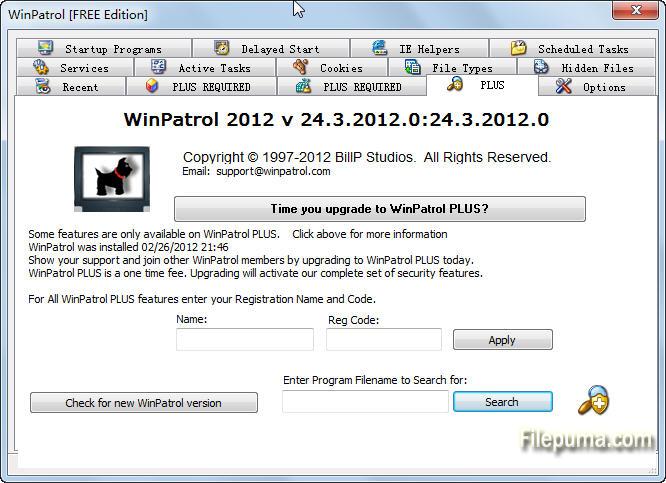


Qué hay de nuevo
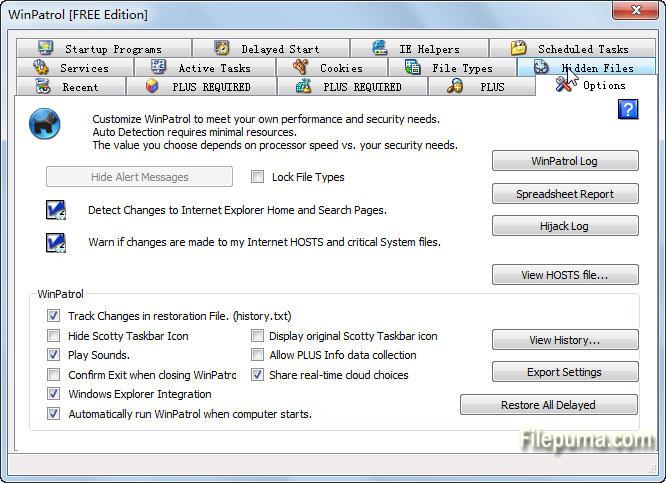
Microsoft has made great advancements in security yet machines continue to fall victim to attacks, suffer from poor user choices and receive unwanted programs included with legitimate software. WinPatrol considers security essential but also provides the knowledge needed to configure systems to run at optimal performance. Features are designed for both experts and users with little understanding of computers.
Update Notification
Ironically one of our new fixes relates to text on our PLUS screen that lets you know when a new version is available. By popular demand WinPatrol will now send a message letting you know when a new build is available. When this notification is displayed we also change the text on the PLUS screen to remind you. Unfortunately, the text didn't always reset after you upgraded to the new version. This version will resolve that issue.
(All Users)
Windows 8 Task Manager
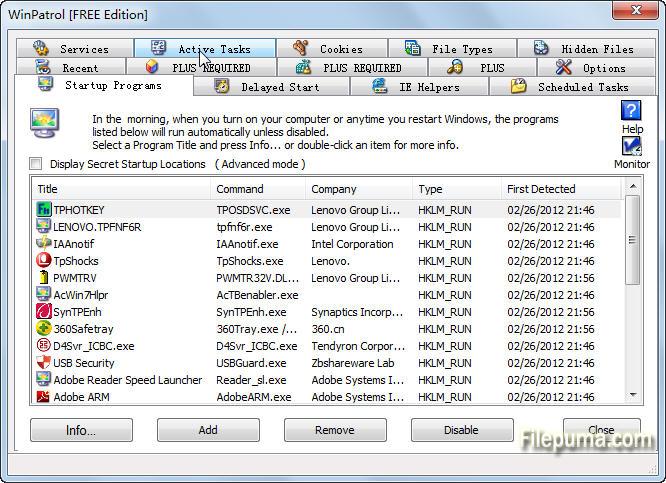
Instead of using MSConfig, Windows 8 includes a list of Startup programs as a tab in the new Task Manager. Users can disable startup programs using the Windows Task Manager. While WinPatrol's "Disable" feature includes additional features it now recognizes choices made by the Task Manager and will alert Task Manager when files are disabled by WinPatrol. As in the past WinPatrol will monitor programs which are disabled so if they are forced back to normal by a partner program, WinPatrol will automatically reset them to disabled unless you click to Enable the program.
(Windows 8 Only)
Installation Program Update
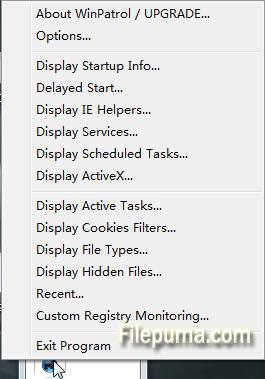
The WinPatrol setup program will no longer launch regedit as part of the install process. In the past, regedit was used to set some useful examples on how to use the feature that allows WinPatrol to monitor any registry location. Launching regedit was not acceptable to some secure systems and with so many different versions of Windows not all of our examples were useful on all platforms. A help file is still easily accessible on the Registry Monitoring tab.
(All Users during setup. PLUS required for custom registry monitoring.)
Windows XP Enhancement
As part of our dedication to XP users we've improved performance that can sometimes be affected by large Temp Internet Folders or hard drives with little space. Even if you don't use Internet Explorer unrelated quirks can sometimes occur when the temp file grows too large. For more information on healthy temp files reading Free #1 Tweak to Improve Windows Performance While for safety we recommend XP users upgrade to Windows 8 before the end of support from Microsoft next April, WinPatrol will continue to detect changes including zero-day infiltrations on Windows XP systems.
(Windows XP SP2 & SP3 and Windows Vista users.)
Programa disponible en otros idiomas
- Download WinPatrol
- Télécharger WinPatrol
- Herunterladen WinPatrol
- Scaricare WinPatrol
- ダウンロード WinPatrol
- Baixar WinPatrol
Reseñas de usuarios
Calificación del usuario
 62
62
Licencia:
Gratis
Requisitos:
Windows XP / Vista/ Windows 7/ Windows 8/ XP 64/ Vista 64/ Windows 7 64/ Windows 8 64
Idiomas:
English
Tamaño:
886KB
Editor:
Actualizado:
Sep 4, 2013
Limpio
Informa del software
Última versión
Versiones antiguas
Software del desarrollador
 WinPatrol 35.5.2017.8
 Spybot - Search & Destroy 2.9.85.5
 SuperAntiSpyware 10.0.1282
 RogueKiller 16.5.4.0
 Kaspersky Anti-Virus 17.0.0.611
Niveles de seguridad
Para evitar cualquier daño potencial a su dispositivo y garantizar la seguridad de sus datos y privacidad, nuestro equipo verifica cada vez que se sube un nuevo archivo de instalación a nuestros servidores o se vincula a un servidor remoto y revisa periódicamente el archivo para confirmar o actualizar su estado. Basándonos en esta verificación, establecemos los siguientes niveles de seguridad para cualquier archivo descargable.
 Limpio
Es muy probable que este programa de software esté limpio.
Hemos escaneado los archivos y las URL asociadas con este programa de software en más de 60 de los principales servicios antivirus del mundo; no se encontraron posibles amenazas. Y no hay software de terceros incluido.
 Advertencia
Este programa está soportado por publicidad y puede ofrecer instalar programas de terceros que no son necesarios. Estos pueden incluir una barra de herramientas, cambiar su página de inicio, motor de búsqueda predeterminado, o instalar otros programas de terceros. Estos podrían ser falsos positivos, y se recomienda a nuestros usuarios que tengan cuidado al instalar y usar este software.
 Discapacitado
Este software ya no está disponible para su descarga. Es muy probable que este programa de software sea malicioso o tenga problemas de seguridad u otros motivos.
Enviar un informe
¡Gracias!
Tu informe ha sido enviado.
Revisaremos su solicitud y tomaremos las medidas adecuadas.
Tenga en cuenta que no recibirá una notificación sobre cualquier acción tomada debido a este informe. Nos disculpamos por cualquier inconveniente que esto pueda causar.
Agradecemos su ayuda para mantener nuestro sitio web limpio y seguro.