

WinPatrol28.8.2013
 Download gratuito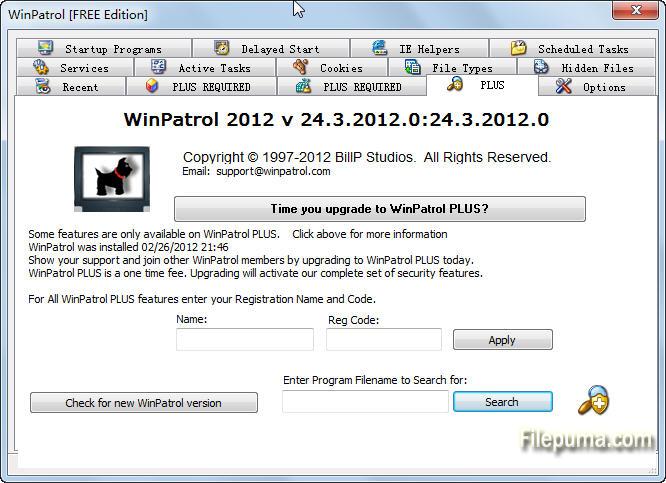


Novità
Microsoft has made great advancements in security yet machines continue to fall victim to attacks, suffer from poor user choices and receive unwanted programs included with legitimate software. WinPatrol considers security essential but also provides the knowledge needed to configure systems to run at optimal performance. Features are designed for both experts and users with little understanding of computers.
Update Notification
Ironically one of our new fixes relates to text on our PLUS screen that lets you know when a new version is available. By popular demand WinPatrol will now send a message letting you know when a new build is available. When this notification is displayed we also change the text on the PLUS screen to remind you. Unfortunately, the text didn't always reset after you upgraded to the new version. This version will resolve that issue.
(All Users)
Windows 8 Task Manager
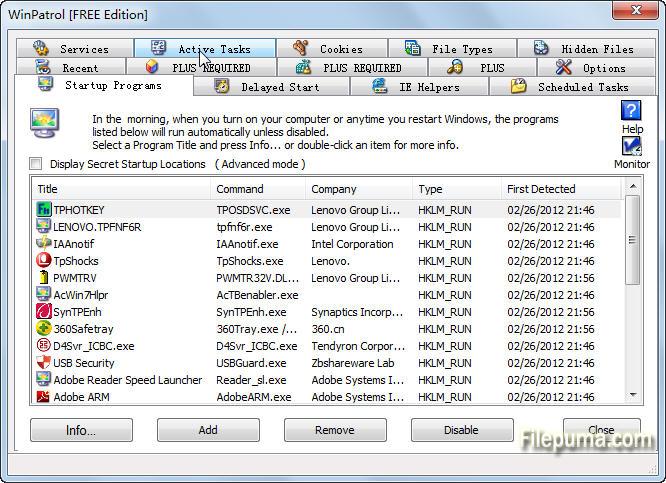
Instead of using MSConfig, Windows 8 includes a list of Startup programs as a tab in the new Task Manager. Users can disable startup programs using the Windows Task Manager. While WinPatrol's "Disable" feature includes additional features it now recognizes choices made by the Task Manager and will alert Task Manager when files are disabled by WinPatrol. As in the past WinPatrol will monitor programs which are disabled so if they are forced back to normal by a partner program, WinPatrol will automatically reset them to disabled unless you click to Enable the program.
(Windows 8 Only)
Installation Program Update
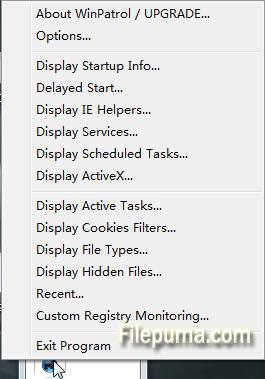
The WinPatrol setup program will no longer launch regedit as part of the install process. In the past, regedit was used to set some useful examples on how to use the feature that allows WinPatrol to monitor any registry location. Launching regedit was not acceptable to some secure systems and with so many different versions of Windows not all of our examples were useful on all platforms. A help file is still easily accessible on the Registry Monitoring tab.
(All Users during setup. PLUS required for custom registry monitoring.)
Windows XP Enhancement
As part of our dedication to XP users we've improved performance that can sometimes be affected by large Temp Internet Folders or hard drives with little space. Even if you don't use Internet Explorer unrelated quirks can sometimes occur when the temp file grows too large. For more information on healthy temp files reading Free #1 Tweak to Improve Windows Performance While for safety we recommend XP users upgrade to Windows 8 before the end of support from Microsoft next April, WinPatrol will continue to detect changes including zero-day infiltrations on Windows XP systems.
(Windows XP SP2 & SP3 and Windows Vista users.)
Programma disponibile in altre lingue
- Download WinPatrol
- Télécharger WinPatrol
- Herunterladen WinPatrol
- ダウンロード WinPatrol
- Descargar WinPatrol
- Baixar WinPatrol
Recensioni degli utenti
Valutazione dell'utente
 62
62
Licenza:
Gratis
Requisiti:
Windows XP / Vista/ Windows 7/ Windows 8/ XP 64/ Vista 64/ Windows 7 64/ Windows 8 64
Lingue:
English
Taglia:
886KB
Editore:
Aggiornato:
Sep 4, 2013
Pulito
Segnala il software
Ultima versione
Vecchie versioni
Software dello sviluppatore
 WinPatrol 35.5.2017.8
 Spybot - Search & Destroy 2.9.85.5
 SuperAntiSpyware 10.0.1282
 RogueKiller 16.5.4.0
 Kaspersky Anti-Virus 17.0.0.611
Livelli di Sicurezza
Per evitare qualsiasi potenziale danno al tuo dispositivo e garantire la sicurezza dei tuoi dati e della tua privacy, il nostro team controlla ogni volta che un nuovo file di installazione viene caricato sui nostri server o collegato a un server remoto e riesamina periodicamente il file per confermarne o aggiornarne lo stato. Sulla base di questo controllo, impostiamo i seguenti livelli di sicurezza per qualsiasi file scaricabile.
 Pulito
È molto probabile che questo programma software sia pulito.
Abbiamo scansionato file e URL associati a questo programma software in oltre 60 dei principali servizi antivirus del mondo; non sono state trovate minacce possibili. E non ci sono software di terze parti inclusi.
 Avvertimento
Questo programma è supportato dalla pubblicità e potrebbe offrire l'installazione di programmi di terze parti che non sono necessari. Questi possono includere una barra degli strumenti, il cambiamento della tua homepage, del motore di ricerca predefinito o l'installazione di altri programmi di terze parti. Questi potrebbero essere falsi positivi e si consiglia ai nostri utenti di essere cauti durante l'installazione e l'utilizzo di questo software.
 Disabile
Questo software non è più disponibile per il download. È altamente probabile che questo programma software sia dannoso o abbia problemi di sicurezza o altri motivi.
Presenta un rapporto
Grazie!
Il tuo rapporto è stato inviato.
Esamineremo la tua richiesta e prenderemo le misure opportune.
Si prega di notare che non riceverai una notifica riguardante qualsiasi azione intrapresa a causa di questo rapporto. Ci scusiamo per qualsiasi inconveniente che ciò possa causare.
Apprezziamo il tuo aiuto nel mantenere il nostro sito web pulito e sicuro.