

SMPlayer (32bit)16.6.0
 無料ダウンロード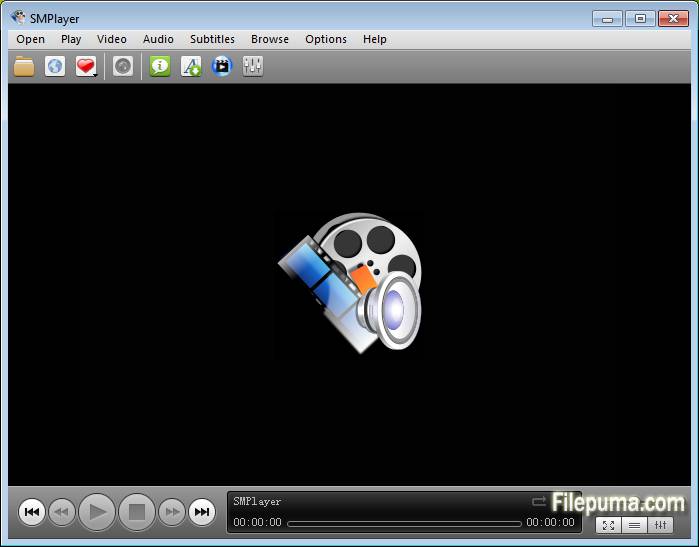


SMPlayerは、さまざまなオーディオおよびビデオ形式をシームレスに楽しむためのダイナミックでユーザーフレンドリーなマルチメディアプレーヤーです。その直感的なインターフェースと幅広い機能により、SMPlayerはメディア再生のニーズにとってトップチョイスとして際立っています。
SMPlayerの主な強みの一つは、豊富なコーデックサポートを持ち、追加のプラグインやダウンロードなしで多くのファイルタイプと互換性を確保できることです。これにより、多様なメディア形式に頻繁に遭遇するユーザーにとって便利なソリューションとなります。
さらに、SMPlayerのカスタマイズ可能なインターフェースは、ユーザーが自分の好みに合わせて視聴体験を調整することを可能にします。再生設定の調整から異なるスキンやテーマの選択まで、ユーザーは自分の好みに合わせてSMPlayerをパーソナライズする柔軟性を持っています。
SMPlayerのもう一つの注目すべき機能は、プログラムを閉じたりコンピュータをシャットダウンしたりしても、再生を中断した箇所から再開できることです。この便利な機能により、お気に入りのメディアコンテンツを途切れることなく楽しむことができます。
さらに、SMPlayerは音声と映像の同期を調整したり、フィルターの適用や画像品質の向上など、再生を微調整する高度なオプションを提供します。これらの機能は、映像再生体験をよりコントロールしたいユーザーに対応しています。
SMPlayerは信頼性が高く多用途なマルチメディアプレーヤーであり、ユーザーにお気に入りのオーディオやビデオコンテンツを快適にカスタマイズできるプラットフォームを提供します。カジュアルな視聴者でもマルチメディア愛好者でも、SMPlayerは優れた再生体験を提供します。
主な特徴:
- フォーマット互換性ほとんどすべてのビデオおよびオーディオ形式を追加のコーデックなしで再生できます。
- 字幕統合: 簡単に字幕を扱い、オンラインで字幕のダウンロードも可能です。
- カスタマイズ可能なインターフェース: 様々なテーマやスキンで外観をカスタマイズしてください。
- 再生制御: 再生速度を調整し、オーディオ/字幕を同期させ、再生をループさせます。
- オーディオ/ビデオフィルタービルトインフィルターでオーディオ/ビデオの品質を向上させる。
- プレイリスト管理: プレイリストを簡単に作成して整理します。
- 再生位置メモリ最後の再生位置から自動的に再開します。
- YouTube再生: プレーヤーで直接YouTube動画を視聴する。
新着情報
Support for 2 in 1 computers with touch screens:
- SMPlayer includes now a 'tablet mode', available in the menu Options. When the option is turned on it makes some changes in the interface so that it would be easier to control SMPlayer by touching the screen.
- the size of windows and fonts are increased
- sliding vertically in the video changes the volume, sliding horizontally seeks in the video
- tapping while in fullscreen displays the floating control
- When the user changes the tablet mode in the Windows 10 action center, SMPlayer will detect it and ask if it should switch to the SMPlayer's tablet mode as well.
Send video to an external screen:
- Now it's possible to send the video to a second screen connected to the computer, while controlling the application in the computer's screen.
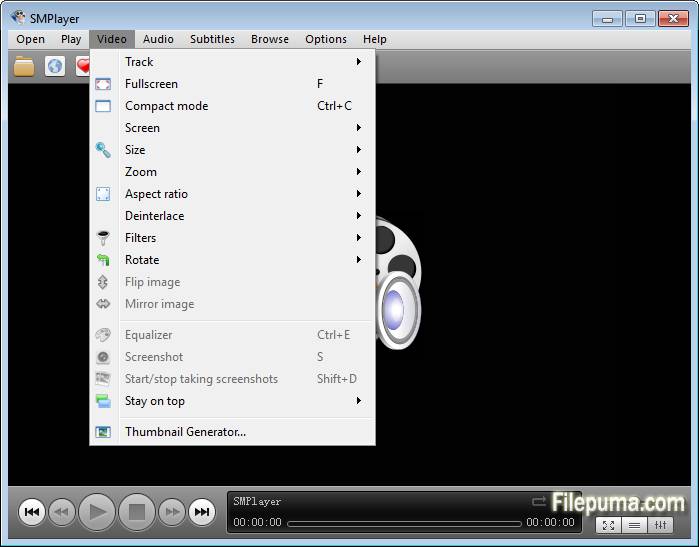
- There's a new option in the menu Video: send video to screen. It shows a submenu with all connected screens.
- One of the screens is labeled as 'primary screen', which is the computer's screen. If you send the video to another screen the video will be displayed on that screen in fullscreen mode. The SMPlayer interface will remain in the computer's screen where you can control the video (seek, change volume, subtitles, playlist, open another video, etc.) while the video is displayed on the second screen. If you send the video to the primary screen the video will be re-attached to the SMPlayer window.
- Note this feature requires the desktop to be set as 'extended'.
Support for high DPI screens:
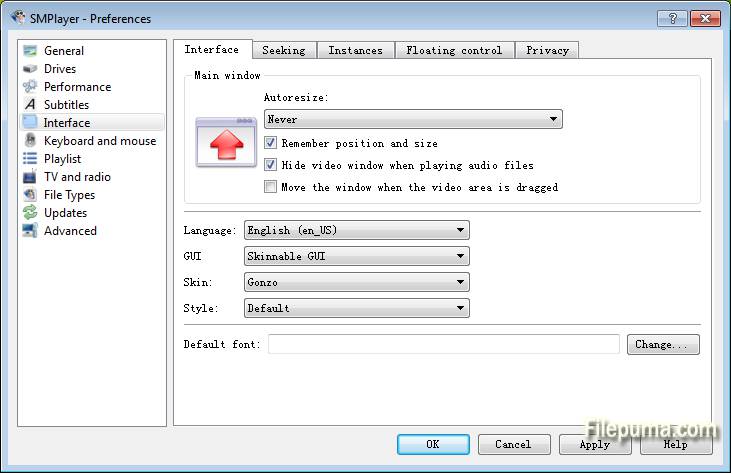
- On high DPI (dots per inch) screens SMPlayer looked very tiny. Now the interface is automatically scaled so it looks correctly. There are also settings in Preferences -> Interface -> High DPI where you can adjust manually the scale factor or turn off this feature.
Global shortcuts:
- Now it's possible to use the media keys (play/pause, stop, volume+/-, etc.) as global shortcuts. That means that those keys will work even when SMPlayer is in the background. You can activate this option in Preferences -> Keyboard and mouse.
- Settings are remembered for online streams too:
- This means that, for example, SMPlayer can resume playback or set bookmarks on YouTube videos or other online streams (as long as they are seekable).
Other changes in SMPlayer 16.6:
- New themes: Masalla, Papirus and PapirusDark.
- Built by default with Qt 5.
他の言語で利用可能なプログラム
- Download SMPlayer (32bit)
- Télécharger SMPlayer (32bit)
- Herunterladen SMPlayer (32bit)
- Scaricare SMPlayer (32bit)
- Descargar SMPlayer (32bit)
- Baixar SMPlayer (32bit)
ユーザーレビュー
ユーザー評価
 5
5
ライセンス:
無料
要件:
Windows XP / Vista / Windows 7 / Windows 8 / Windows 10
言語:
Multi-languages
サイズ:
40.2MB
出版社:
更新しました:
Jun 11, 2016
クリーン
ソフト報告
最新版
旧バージョン
 SMPlayer (32bit) 25.6.0
 SMPlayer (64bit) 25.6.0
 VLC Media Player (64bit) 3.0.21
 VLC Media Player (32bit) 3.0.21
 iTunes (64bit) 12.13.9.1
 Spotify 1.2.79.411
 AIMP 5.40.2700
セキュリティレベル
お使いのデバイスの潜在的な損害を避け、データとプライバシーの安全性を確保するために、私たちのチームは新しいインストールファイルがサーバーにアップロードされるかリモートサーバーにリンクされるたびに確認し、定期的にファイルをレビューしてその状態を確認または更新しています。この確認に基づいて、ダウンロード可能なファイルに対して次のセキュリティレベルを設定します。
 クリーン
クリーン
このソフトウェアプログラムはクリーンである可能性が高いです。
このソフトウェアプログラムに関連するファイルやURLを、世界の主要な60以上のウイルス対策サービスでスキャンしましたが、脅威は見つかりませんでした。また、サードパーティのソフトウェアはバンドルされていません。
 警告
警告
このプログラムは広告に支えられており、不要なサードパーティのプログラムをインストールすることを提案する場合があります。これにはツールバー、ホームページの変更、デフォルトの検索エンジンの変更、または他のパーティのプログラムのインストールが含まれる場合があります。これらは誤検出の場合があり、このソフトウェアをインストールおよび使用する際には注意するようにユーザーにアドバイスしています。
 無効
無効
このソフトウェアはもうダウンロードできません。このソフトウェアが悪意のあるものであるか、セキュリティの問題があるか、その他の理由がある可能性が非常に高いです。
報告書を提出してください
ありがとう!
あなたの報告書が送信されました。
ご依頼を確認し、適切な対応をいたします。
本報告に基づく措置について通知は行われませんのでご注意ください。ご不便をおかけして申し訳ありません。
私たちのウェブサイトを清潔で安全に保つためのご協力に感謝します。