

TOWeb5.15
 無料ダウンロード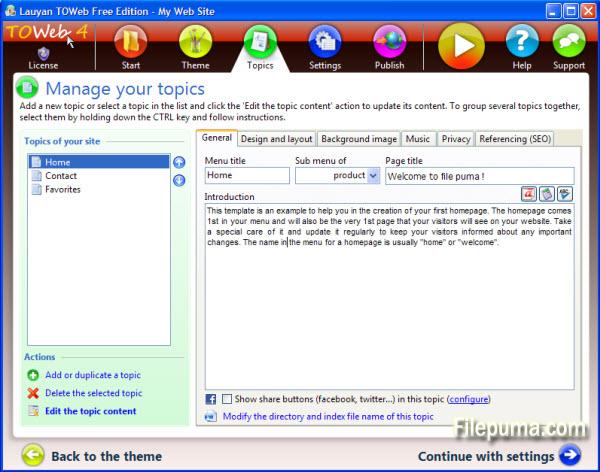


TOWebソフトウェアを使用すると、専門家でも初心者でも、数分でウェブサイトを作成および維持できます。
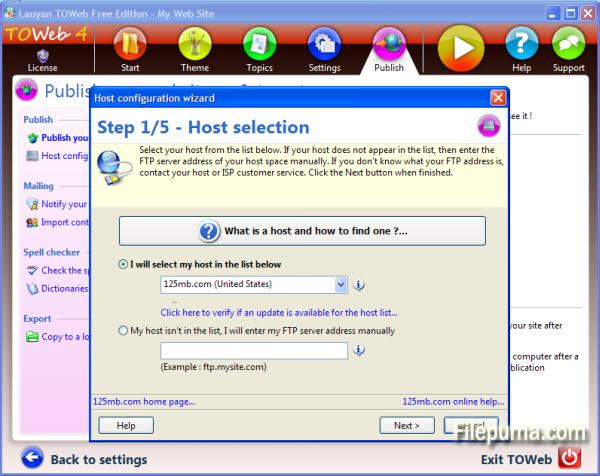
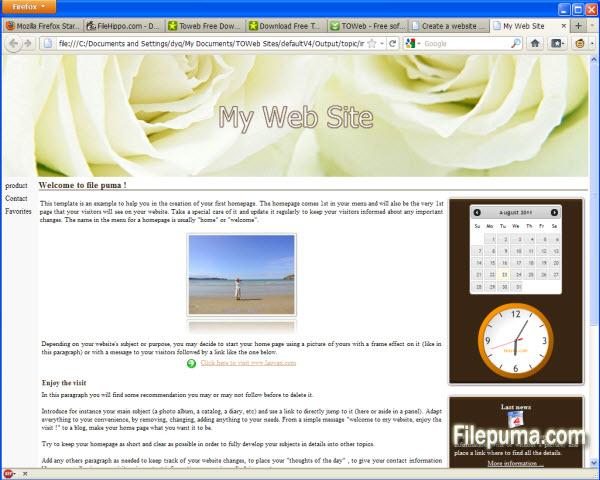
TOWebを使えば、わずか5つのステップでできます:トピックからウェブサイトを作成し、独自のビジュアルアイデンティティを付与し、いくつかのオプションを選択して、任意のホスティングサービスでウェブサイトを公開します。特に、TOWebには統合された画像編集ツールがあり、画像をトリミングしたり、ボーダー効果、テキスト、変形を適用したりすることが可能です。また、ウェブサイトの検索エンジンへの最適化に必要なすべてのアドバイスとツールが提供されます。
すべての高度な機能がワンクリックで利用可能であり、明確なガイダンスの整合性に従うだけで、サイトは成功裏に完成します。
新着情報
Version 5.15
- In design mode under the Topics' step, a toolbar is now displayed when hovering over some editable or customizable elements (such as paragraphs, site's menu or shopcart button) to easily access their options. The double-click remains operational as before to directly modify any editable element such as titles and texts. These toolbars are all displayed by default at the end of the hovered elements but can be displayed at the beginning of these elements by using the option located in the "Options > TOWeb" screen
- The drop-down list of topics now starts with a “Add a new topic” entry to facilitate the creation of a new topic in your site
- New checkbox “Flat buttons” located in the theme under the element "Site > General > Buttons > Default button" to remove the default gradient/3D effects of all buttons of your site. This allows to make flat buttons used a lot in webdesign these days
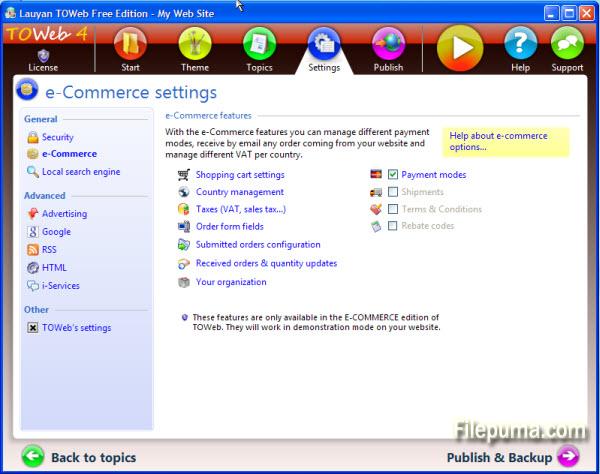
- New option located in “Options > e-Commerce > Shopping cart” to quickly remove the shopping cart of your site and deactivate all e-Commerce features
- The different states of Brazil are now available. Not activated by default you can use them from TOWeb step “Options > e-Commerce > Selling Countries” by selecting 'Brazil” and checking the option called “Use states/departments for Brazil”
- In the “Options> Advertising” screen, the input area containing the custom advert script was expanded to occupy the maximum screen size for a better readability of your script. Furthermore in the generated web pages, the script is now purged of all newline characters in order to avoid any error due to misplaced returns but also to reduce the size of the generated pages
- Product information may have been initially displayed with wrong default values when using subproducts categories with different values (like different prices for instance)
- The zoom and “Street View” functions were not working properly in Google Maps and the markers were not been displayed correctly when using several maps into the same topic
他の言語で利用可能なプログラム
ユーザーレビュー
ユーザー評価

ライセンス:
無料
要件:
Windows XP/ Vista/ Windows 7/ Windows 8
言語:
English
サイズ:
24.8MB
出版社:
更新しました:
Mar 6, 2014
クリーン
ソフト報告
最新版
旧バージョン
開発者のソフトウェア
 TOWeb 6.18
 Web Page Maker 3.22
 Sitoo Web 2010
 TopStyle 5.0.0.108
セキュリティレベル
お使いのデバイスの潜在的な損害を避け、データとプライバシーの安全性を確保するために、私たちのチームは新しいインストールファイルがサーバーにアップロードされるかリモートサーバーにリンクされるたびに確認し、定期的にファイルをレビューしてその状態を確認または更新しています。この確認に基づいて、ダウンロード可能なファイルに対して次のセキュリティレベルを設定します。
 クリーン
クリーン
このソフトウェアプログラムはクリーンである可能性が高いです。
このソフトウェアプログラムに関連するファイルやURLを、世界の主要な60以上のウイルス対策サービスでスキャンしましたが、脅威は見つかりませんでした。また、サードパーティのソフトウェアはバンドルされていません。
 警告
警告
このプログラムは広告に支えられており、不要なサードパーティのプログラムをインストールすることを提案する場合があります。これにはツールバー、ホームページの変更、デフォルトの検索エンジンの変更、または他のパーティのプログラムのインストールが含まれる場合があります。これらは誤検出の場合があり、このソフトウェアをインストールおよび使用する際には注意するようにユーザーにアドバイスしています。
 無効
無効
このソフトウェアはもうダウンロードできません。このソフトウェアが悪意のあるものであるか、セキュリティの問題があるか、その他の理由がある可能性が非常に高いです。
報告書を提出してください
ありがとう!
あなたの報告書が送信されました。
ご依頼を確認し、適切な対応をいたします。
本報告に基づく措置について通知は行われませんのでご注意ください。ご不便をおかけして申し訳ありません。
私たちのウェブサイトを清潔で安全に保つためのご協力に感謝します。