

VirtualBox4.3.4
 無料ダウンロード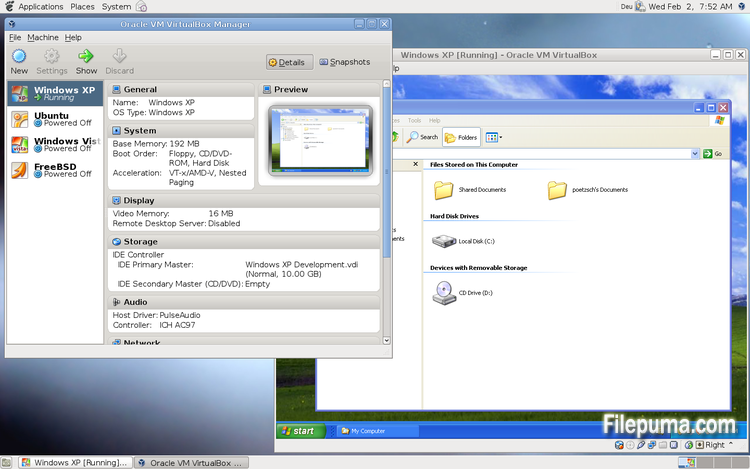
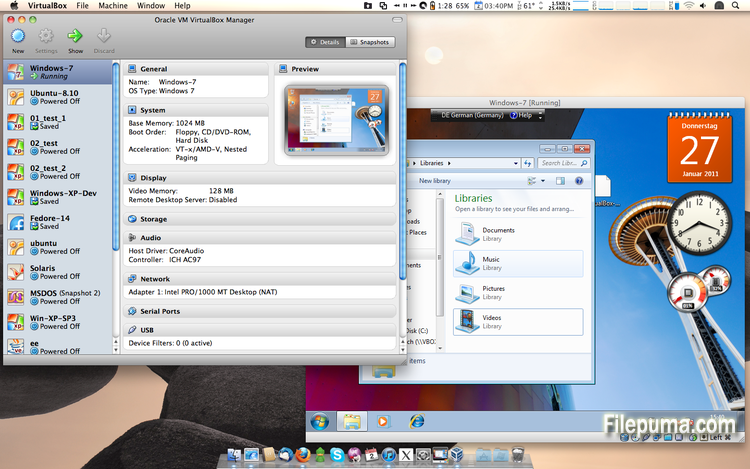
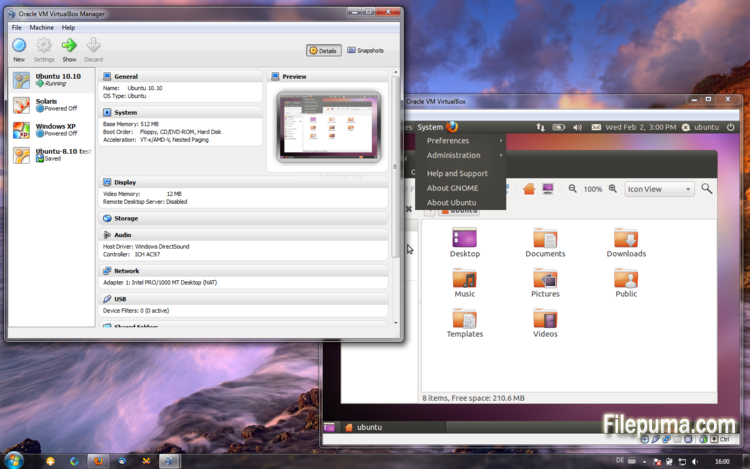


VirtualBoxは、ユーザーが自分のコンピュータで仮想マシンを作成および実行できる無料のオープンソースの仮想化ソフトウェアです。VirtualBoxを使用すると、ユーザーはコンピュータ上で複数のオペレーティングシステムを同時にインストールして実行することができ、別々のパーティションを作成したり追加のハードウェアを購入したりする必要がありません。
VirtualBoxの主な利点の一つは、その使いやすさです。仮想化技術の経験がほとんどない人でも、簡単にインストールして設定できます。VirtualBoxはまた、各仮想マシンに割り当てるRAMの量、CPUコア、ハードディスクスペースを調整する能力を含む、幅広いカスタマイズオプションを提供します。
VirtualBoxのもう一つの優れた機能は、幅広いオペレーティングシステムとの互換性です。ユーザーはWindows、Linux、macOS、その他多くのオペレーティングシステムを仮想マシン上でインストールして実行できます。これにより、開発者、ソフトウェアテスター、および単一のコンピュータで複数のオペレーティングシステムを実行する必要がある人にとって、優れたツールとなります。
VirtualBoxは、USBデバイスのサポート、共有フォルダー、ネットワークアダプターなど、さまざまな高度な機能も提供します。これらの機能により、仮想ルーター、ファイアウォール、サーバーなど、ハードウェアまたはネットワークリソースを必要とするソフトウェアを実行することが可能になります。
VirtualBoxは、1台のコンピューターで複数のオペレーティングシステムを実行する必要がある人にとって優れた選択肢です。使いやすさ、幅広いカスタマイズオプション、多くの異なるオペレーティングシステムとの互換性があるため、開発者、ITプロフェッショナル、一般家庭ユーザーにとっても多用途で強力なツールです。
主な特徴:
- クロスプラットフォームの互換性。
- 直感的なグラフィカルユーザーインターフェース。
- さまざまなオペレーティングシステムへのサポート。
- ホストオペレーティングシステムとのシームレスな統合。
- スナップショットとクローン。
- ネットワーク機能。
- バーチャルデバイスのサポート。
- 追加機能のためのExtension packs。
新着情報
- VMM: fix for a bug in the Local APIC emulation causing a BSOD when booting certain guests (4.3.0 regression; bug #12240)
- VMM: fixed loading of saved states if VT-x/AMD-V was disabled (4.3.2 regression; bug #12291)
- VMM: fixed single-stepping inside the guest for certain instructions (VT-x only; bug #10947)
- VMM: fixed a performance issue involving APIC accesses after rebooting a VM (4.3.0 regression; VT-x only; bug #12296)
- VMM: fixed TPR patching to be enabled for 32-bit guests even when the chosen guest type is 64-bit (4.3.0 regression; AMD-V only)
- VMM: fixed occasional VINF_EM_TRIPLE_FAULT errors on hosts without the unrestricted guest execution feature (bug #12198)
- GUI: don't bother the user with the BPP warning if no Guest Additions are installed
- GUI: fixed machine-window paint artifacts on VM reboot / guest-screen resize
- GUI: make sure the assigned license and description are attached to the exported appliance
- GUI: fixed bugs in close VM action restrictions handling (bug #12333)
- GUI: fixed incorrect wizards text colors for some unusual look and feel styles (bug #11743)
- GUI: should restore seamless mode as soon as possible after VM reboot or shutdown
- GUI: fixes for medium enumeration
- GUI: the OS X hot corners were not accessible while a VirtualBox VM is running (Mac OS X hosts only; bug #4139)
- GUI: fixed an old bug which bared the host from cleanly shutdown / reboot if the VM selector window is open (Mac OS X hosts only; bug #8254)
- Host-only Networking: fixed creating of host-only network interfaces (4.3.0 regression; bug #12182)
- NAT: don't run into an infinite loop in case the host cannot access any DNS server (4.3.0 regression; bug #12300)
- NAT: don't re-connect the cable if the DNS information changes and the cable was disconnected before (4.3.0 regression; bug #12225)
- NAT: fixed several issues with automatically starting / terminating of NAT networks on VM start / stop and configuration changes
- VBoxNetDHCP: don't block prevent VBoxSVC from terminating (bug #12264)
- 2D Video acceleration: fix crashes on presentation mode switches (bug #9194)
- BusLogic: allow to run VMs with more than one BusLogic SCSI controller enabled
- Keyboard: fixed a VM crash if a VM was resumed from a saved state where at least one key was pressed (bug #11289)
- VBoxSVC: fixed a heap corruption under certain conditions (4.3.0 regression)
- VBoxSVC: fixed a race leading to a hang during initialization (bug #12349)
- OVF: fixed import logic for OVF appliances containing multiple VMs
- OVF: improved logic for finding an appropriate image format during OVF import
- API: block the removal of the current snapshot if it has child snapshots (only relevant for VMs without snapshottable hard disks, their presence always prevented removal), which resulted in VM configuration corruption
- API: mark VM configurations with snapshots but without current snapshot as inaccessible, as this combination is nonsense
- API: fixed information for some automatically generated events (only with XPCOM, Windows host was not affected), which caused errors when getting some of the attributes over the webservice (bug #12379)
- SDK: extended the functionality coverage for the C bindings
- Guest Control: various bug fixes and improved VBoxManage help (bugs #8072, #11044, #12336, #12338, #12346, #12371)
- Windows hosts: another attempt to fix the massive DPC latency (bug #6242)
- Windows host installer: make registering file extensions optional, contributed by Tal Aloni (bug #8009)
- Mac OS X hosts: properly sign the kernel extensions for Mavericks hosts (bug #12256)
- Mac OS X hosts: fixed a bug where the VirtualBox dock icon was not properly removed from the dock after a VM terminated preventing Mavericks hosts from shutting down (bug #12241)
- Mac OS X hosts: fixed minor installer issue (bug #12275)
- Linux hosts / guests: Linux 3.13 compile fixes (bug #12358)
- Linux guests: build the vboxvideo kernel module correctly on OL/RHEL 6.1 guests (bug #11996)
- Linux guests: make 3D work on Slackware 14.1 (bug #12320 comments 3 and 4)
- Guest Additions/3D: fixed an occasional dead-lock (bug #12319)
- Windows Additions/3D: fixed possible memory leaking (bug #12228)
- Windows Additions/XPDM: use separate tables containing valid video modes for each virtual monitor
- Windows Additions: fixed automatic logins for Vista and newer Windows guests (bug #12332)
他の言語で利用可能なプログラム
- Download VirtualBox
- Télécharger VirtualBox
- Herunterladen VirtualBox
- Scaricare VirtualBox
- Descargar VirtualBox
- Baixar VirtualBox
ユーザーレビュー
ユーザー評価
 101
101
ライセンス:
無料
要件:
Windows All
言語:
Multi-languages
サイズ:
101MB
出版社:
更新しました:
Dec 2, 2013
クリーン
ソフト報告
最新版
旧バージョン
開発者のソフトウェア
 VirtualBox 7.2.4
 Adobe Air 51.2.2.6
 Java Runtime Environment (32bit) 8 Update 471
 Java Runtime Environment (64bit) 8 Update 471
 Java Development Kit (64bit) 8 Update 471
 Python (64bit) 3.14.2
セキュリティレベル
お使いのデバイスの潜在的な損害を避け、データとプライバシーの安全性を確保するために、私たちのチームは新しいインストールファイルがサーバーにアップロードされるかリモートサーバーにリンクされるたびに確認し、定期的にファイルをレビューしてその状態を確認または更新しています。この確認に基づいて、ダウンロード可能なファイルに対して次のセキュリティレベルを設定します。
 クリーン
クリーン
このソフトウェアプログラムはクリーンである可能性が高いです。
このソフトウェアプログラムに関連するファイルやURLを、世界の主要な60以上のウイルス対策サービスでスキャンしましたが、脅威は見つかりませんでした。また、サードパーティのソフトウェアはバンドルされていません。
 警告
警告
このプログラムは広告に支えられており、不要なサードパーティのプログラムをインストールすることを提案する場合があります。これにはツールバー、ホームページの変更、デフォルトの検索エンジンの変更、または他のパーティのプログラムのインストールが含まれる場合があります。これらは誤検出の場合があり、このソフトウェアをインストールおよび使用する際には注意するようにユーザーにアドバイスしています。
 無効
無効
このソフトウェアはもうダウンロードできません。このソフトウェアが悪意のあるものであるか、セキュリティの問題があるか、その他の理由がある可能性が非常に高いです。
報告書を提出してください
ありがとう!
あなたの報告書が送信されました。
ご依頼を確認し、適切な対応をいたします。
本報告に基づく措置について通知は行われませんのでご注意ください。ご不便をおかけして申し訳ありません。
私たちのウェブサイトを清潔で安全に保つためのご協力に感謝します。