

FileZilla Client (32bit)3.7.0 RC1
 Free Download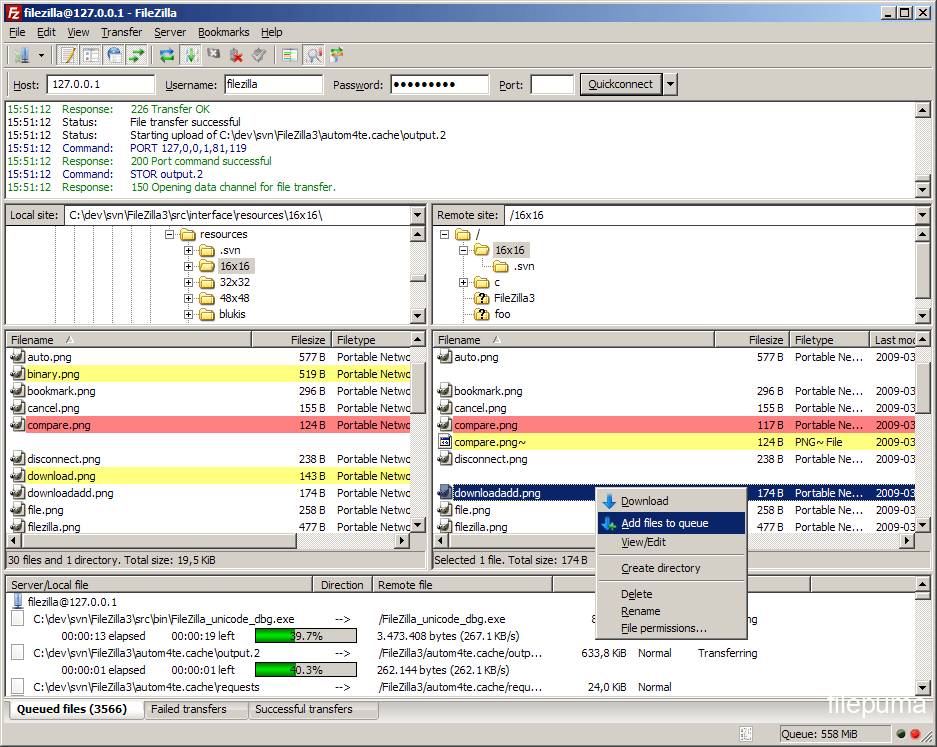


FileZilla Client is a free, open-source FTP (File Transfer Protocol) client that allows users to easily transfer files between their local computer and a remote server.
With FileZilla Client, users can connect to multiple servers simultaneously and transfer files using drag and drop functionality or through the use of the built-in file manager. The software also supports various file transfer protocols such as FTP, FTPS, and SFTP, allowing users to securely transfer files over encrypted connections.
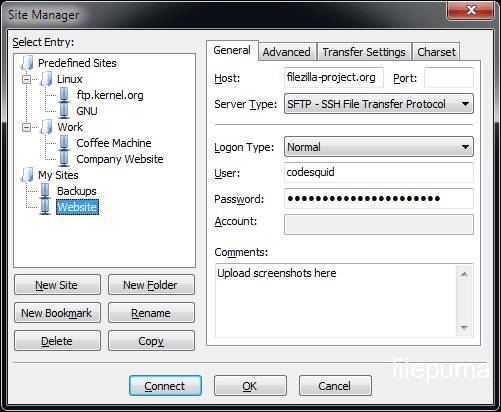
One of the key features of FileZilla Client is its customizable interface, which can be tailored to suit the user's preferences. This includes the ability to customize the toolbar, menus, and keyboard shortcuts. The software also includes a site manager, allowing users to save and manage their favorite server connections.
In addition, FileZilla Client offers a number of advanced features such as the ability to resume interrupted transfers, set transfer speed limits, and compare local and remote files for differences. The software also provides detailed information about file transfer progress and logs, allowing users to troubleshoot any issues that may arise.
FileZilla Client is a powerful and reliable FTP client that is easy to use and highly customizable. It is an essential tool for anyone who needs to transfer files between their local computer and a remote server.
Key Features:
- Easy to use
- Supports FTP, FTP over SSL/TLS (FTPS) and SSH File Transfer Protocol (SFTP)
- Cross-platform. Runs on Windows, Linux, *BSD, macOS and more
- IPv6 support
- Available in many languages
- Supports resume and transfer of large files >4GB
- Tabbed user interface
- Powerful Site Manager and transfer queue
- Bookmarks
- Drag & drop support
- Configurable transfer speed limits
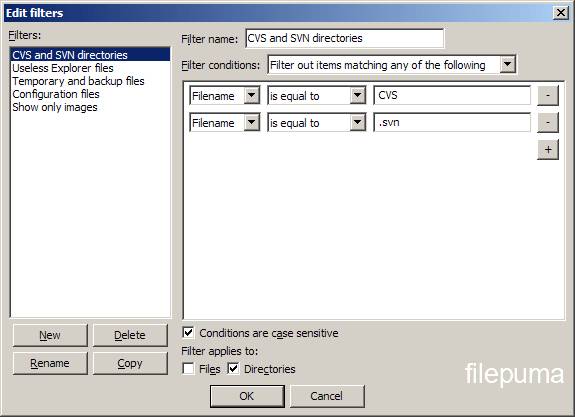
- Filename filters
- Directory comparison
- Network configuration wizard
- Remote file editing
- Keep-alive
- HTTP/1.1, SOCKS5 and FTP-Proxy support
- Logging to file
- Synchronized directory browsing
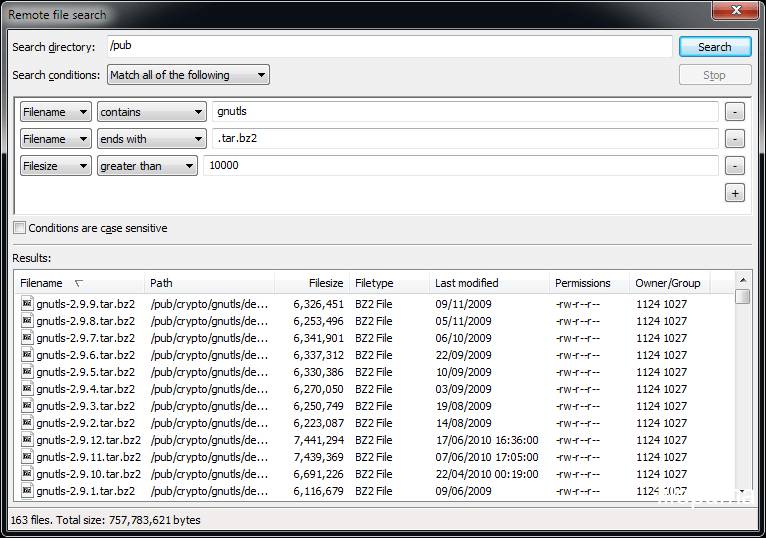
- Remote file search
What's New
New features:
- Show total transfer speed as tooltip over the transfer indicators
- List supported protocols in tooltip of host field in quickconnect bar
- Use TLS instead of the deprecated term SSL
- Reworded text when saving of passwords is disabled, do not refer to kiosk mode
- Improved usability of Update page in settings dialog
- Improve SFTP performance
- When navigating to the parent directory, highlight the former child
- When editing files, use high priority for the transfers
- Add label to size conditions in filter conditions dialog indicating that the unit is bytes
- Ignore drag&drop operations where source and target are identical and clarify the wording in some drop error cases
- Trim whitespace from the entered port numbers
- Slightly darker color of inactive tabs
- Ignore .. item in the file list context menus if multiple items are selected
- Display TLS version and key exchange algorithm in certificate and encryption details dialog for FTP over TLS connections.
Bugfixes and minor changes:
- Fix handling of remote paths containing double-quotes
- Fix crash when opening local directories in Explorer if the name contained characters not representable in the locale's narrow-width character set.
- Fix a memory leak in the host key verification dialog for SFTP
- Fix drag-scrolling in file lists with very low height
- Don't attempt writing XML files upon loading them
- Improve handling of legacy DDE file associations
- Fix handling of HTTPS in the auto updater in case a mirror redirects to HTTPS
Program available in other languages
- Télécharger FileZilla Client (32bit)
- Herunterladen FileZilla Client (32bit)
- Scaricare FileZilla Client (32bit)
- ダウンロード FileZilla Client (32bit)
- Descargar FileZilla Client (32bit)
- Baixar FileZilla Client (32bit)
User Reviews
User Rating
 24
24
License:
Free
Requirements:
Windows All
Languages:
Multi-languages
Size:
4.58MB
Publisher:
Updated:
May 2, 2013
Clean
Report Software
Latest Version
FileZilla Client (32bit) 3.70.5
Old Versions
FileZilla Client (32bit) 3.70.4
FileZilla Client (32bit) 3.70.3
FileZilla Client (32bit) 3.70.2
FileZilla Client (32bit) 3.69.6
FileZilla Client (32bit) 3.69.5
FileZilla Client (32bit) 3.69.3
FileZilla Client (32bit) 3.69.2
FileZilla Client (32bit) 3.69.1
 FileZilla Client (32bit) 3.70.5
 FileZilla Client (64bit) 3.70.5
 FileZilla Server 1.12.6
 WinSCP 6.5.6
 FlashFXP 5.4.0 build 3970
 Core FTP LE (64bit) 2.2.1960
Security Levels
To avoid any potential harm to your device and ensure the security of your data and privacy, our team checks every time a new installation file is uploaded to our servers or linked to a remote server and periodically reviews the file to confirm or update its status. Based on this checking, we set the following security levels for any downloadable files.
 Clean
Clean
It is highly likely that this software program is clean.
We scanned files and URLs associated with this software program in more than 60 of the world's leading antivirus services; no possible threats were found. And there is no third-party softwarebundled.
 Warning
This program is advertising supported and may offer to install third-party programs that are not required. These may include a toolbar, changing your homepage, default search engine, or installing other party programs. These could be false positives, and our users are advised to be careful when installing and using this software.
 Disabled
This software is no longer available for download. It is highly likely that this software program is malicious or has security issues or other reasons.
Submit a Report
Thank you!
Your report has been sent.
We will review your request and take appropriate action.
Please note that you will not receive a notification about anyaction taken dueto this report.We apologize for anyinconvenience this may cause.
We appreciate your help in keeping our website clean and safe.