
Looking for a free Mac cleaner? Try diCleaner

CodeLite18.5.0
 Muatan Percuma


Apa yang Baru
Version 18.5.0
Highlights
- Claude Code integration: run and manage Claude Code sessions directly inside CodeLite.
- Terminal Settings dialog: configure the default shell, scroll-back size, and drawing options for the built-in terminal from one place.
New Features
- Added a new Claude Code plugin that hosts Claude Code in its own tab with a toolbar, keyboard shortcut, and menu entry.
- Configurable Claude executable path via a new "Options…" dialog, with a fallback to
PATHlookup. - Remote workspace support — Claude Code can now be launched against SFTP/remote projects.
- The Claude Code plugin's terminal is fully clickable:
Ctrl+Left-Click (Cmd+Left-Click on macOS) any file path, symbol, class name, directory, executable, or plain URL that Claude Code prints, and it opens right inside CodeLite — in the editor, a file explorer, a browser, or via the "Open Resource" dialog as a fallback when the word isn't a direct file match. - Tab title and theme changes now follow the Claude Code session correctly.
- Added a persisted system prompt for Chat AI: edit it any time from
Chat AI→Edit System Prompt.... It's applied to every new agent session, and edits now take effect on the running session immediately, without a restart. - Chat AI now automatically loads a workspace's
AGENTS.md(orCLAUDE.mdif there's noAGENTS.md) into its system context as soon as the workspace opens, giving the model project-specific instructions without manually running/context. - Added a dedicated Terminal Settings dialog for the built-in terminal (default shell, scroll-back buffer size, safe/optimized drawing).
- Added type-ahead (incremental) search to tree control panels — start typing to jump to a matching item.
- Migrated the Remote Directory Control and Open Resource Dialog to
wxDataViewTreeCtrl/wxDataViewListCtrl, improving performance, icon rendering, and keyboard navigation. - Added asynchronous SFTP directory listing for a more responsive remote file browsing experience.
- Extended the file system watcher to monitor remote SFTP files (not just local files), so remote-workspace editors correctly detect external changes and deletions.
- Added support for the LLM "retry" reason in the AI Chat window, with a new warning icon shown when a request is retried.
- Added a Linux package build target and improved macOS build signing/notarization for release artifacts.
Improvements
- Reworked how the built-in terminal claims keyboard shortcuts, so application-wide shortcuts (e.g.
Ctrl-Tab,Ctrl-`, and mostCtrl+<letter>combinations) are no longer swallowed or misrouted while a terminal has focus. - Refactored SFTP account management and the SFTP tree view toolbar (now AUI-based, using standard icons) for a more consistent look and feel; the Quick Connect dialog now uses a notebook-based layout.
- Refactored the Diff Folders frame's icon handling and toolbar for consistency with the rest of the IDE.
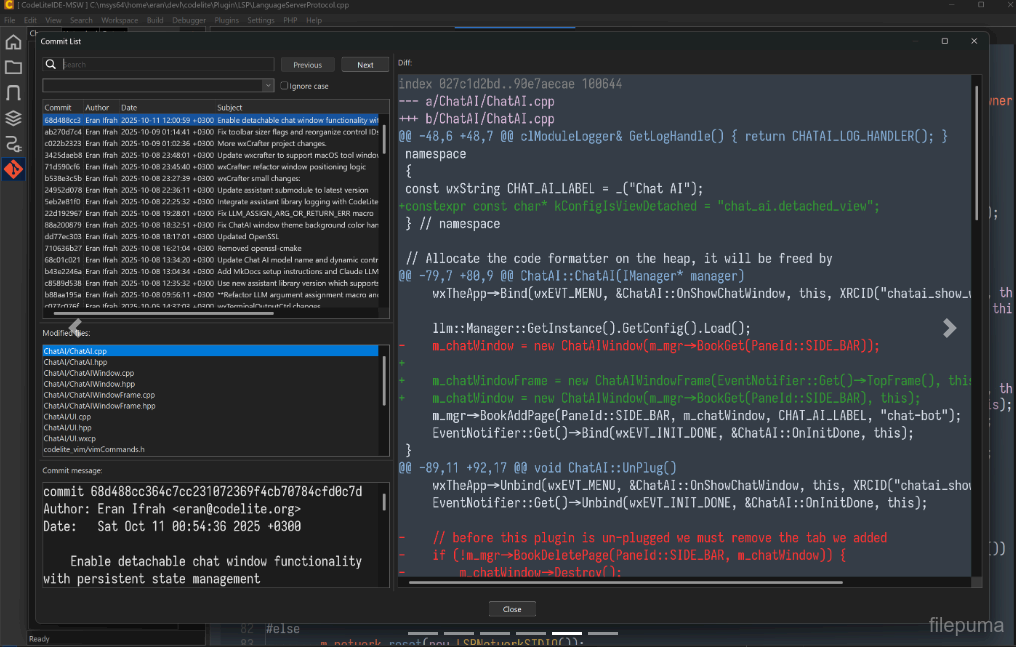
- Improved the Git Commit dialog: selection handling, search, and general visual consistency.
- Adjusted alternate row colors and tree indentation on Windows for better readability in dark/light themes.
- Simplified default shell selection for new terminals (modal selection instead of a toolbar dropdown) and improved WSL distribution discovery.
- Chat window docking now defaults to disabled.
- Renamed the "AI" menu to "Chat AI" for clarity, and added a predefined Ollama endpoint to the default AI settings.
- The tab switcher (
Ctrl-Tab) now shows each entry's icon in its own column, with a modified-file indicator prepended to the file name instead of overlaid on the icon.
Bug Fixes
- Fixed a
Ctrl+Tabassertion failure. - Fixed folder expand/collapse not toggling correctly on double-click in file trees.
- Fixed terminal-related events (tab title, termination, link clicks) not reaching plugins hosting their own terminal (e.g. Claude Code) due to a cross-plugin event delivery issue.
- Fixed a potential crash from a null file-watcher handler, and ensured watchers are cleared correctly when files are closed.
- Fixed disabled bitmaps rendering incorrectly (scaling) on Windows.
- Fixed the DataView row height on Windows.
- Fixed a potential null-pointer access in the Git Commit dialog when changing the selected file.
- Fixed the "Safe Drawing" terminal menu item not reflecting its actual state.
- Fixed terminal notebook event binding and ensured the GLEW DLL is bundled on Windows, avoiding a missing-dependency failure.
- Fixed font handling so the configured default font is applied correctly to editors.
- LSP: now shows a message box when a code action (e.g. renaming a namespace via clangd) cannot be applied, instead of failing silently.
- LSP: fixed an incorrect Code Action request being sent to the language server.
- Removed invalid/stale theme files.
- Fixed a bug where closing one tab in an AUI-docked notebook could notify plugins (e.g. Claude Code) that a different tab had closed.
- Fixed Chat AI not fully resetting its context: "Clear Session" could leave stale context active on the running client instead of clearing it.
- Corrected the placeholder environment-variable name used for the default LLM authorization key in the default AI settings.
Program tersedia dalam bahasa lain.
- Download CodeLite
- Télécharger CodeLite
- Herunterladen CodeLite
- Scaricare CodeLite
- ダウンロード CodeLite
- Descargar CodeLite
- Baixar CodeLite
Ulasan Pengguna
Penilaian Pengguna

Lesen:
Percuma
Keperluan:
Windows 10 64/ Windows 11 64
Bahasa:
Multi-languages
Saiz:
68.10 MB
Penerbit:
Dikemas kini:
Sep 22, 2026
Bersih
Laporan Perisian
Versi Terbaru
Perisian Pembangun
 Adobe Air 51.3.3.1
 Java Runtime Environment (32bit) 8.0.2210.11
 Java Runtime Environment (64bit) 8.0.2910.10
 Java Development Kit (64bit) 8.0.2110.12
 Python (64bit) 3.15.1
Tahap Keselamatan
Untuk mengelakkan sebarang potensi bahaya kepada peranti anda dan memastikan keselamatan data serta privasi anda, pasukan kami memeriksa setiap kali fail pemasangan baru dimuat naik ke pelayan kami atau dihubungkan ke pelayan jarak jauh dan secara berkala mengkaji fail tersebut untuk mengesahkan atau mengemas kini statusnya. Berdasarkan pemeriksaan ini, kami menetapkan tahap keselamatan berikut untuk mana-mana fail yang boleh dimuat turun.
 Bersih
Adalah sangat mungkin bahawa program perisian ini bersih.
Kami telah memindai fail dan URL yang berkaitan dengan program perisian ini dalam lebih daripada 60 perkhidmatan antivirus terkemuka di dunia; tiada ancaman yang mungkin ditemui. Dan tiada perisian pihak ketiga yang disertakan.
 Amaran
Program ini disokong oleh iklan dan mungkin menawarkan untuk memasang program pihak ketiga yang tidak diperlukan. Ini mungkin termasuk bar alat, menukar laman utama anda, enjin carian lalai, atau memasang program pihak lain. Ini boleh menjadi positif palsu, dan pengguna kami dinasihatkan untuk berhati-hati semasa memasang dan menggunakan perisian ini.
 Cacat
Cacat
Perisian ini tidak lagi tersedia untuk dimuat turun. Adalah sangat mungkin bahawa program perisian ini adalah berniat jahat atau mempunyai masalah keselamatan atau sebab-sebab lain.
Hantar Laporan
Terima kasih!
Laporan anda telah dihantar.
Kami akan menyemak permintaan anda dan mengambil tindakan yang sesuai.
Sila ambil perhatian bahawa anda tidak akan menerima sebarang pemberitahuan mengenai tindakan yang diambil berikutan laporan ini. Kami meminta maaf atas sebarang kesulitan yang mungkin timbul.
Kami menghargai bantuan anda dalam menjaga laman web kami bersih dan selamat.