

VirtualBox5.0.0-101573
 Free Download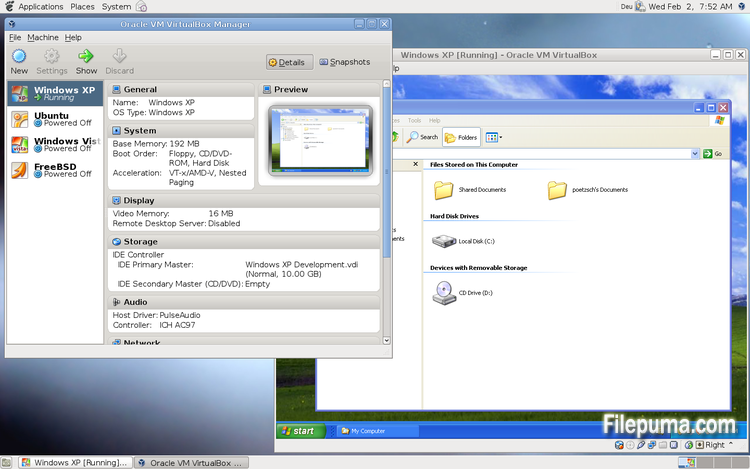
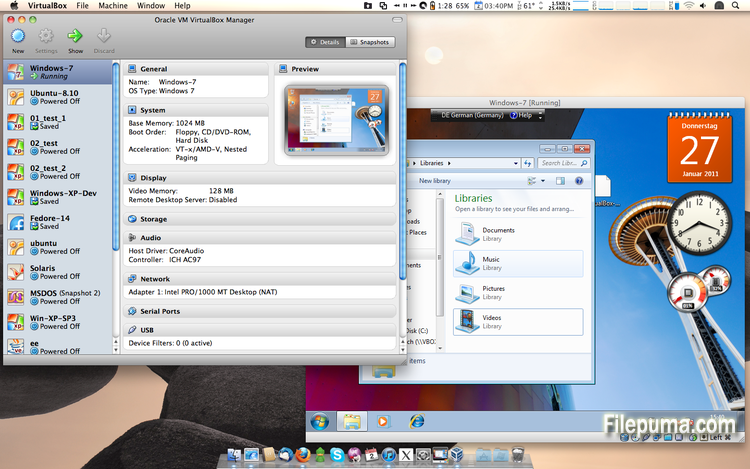
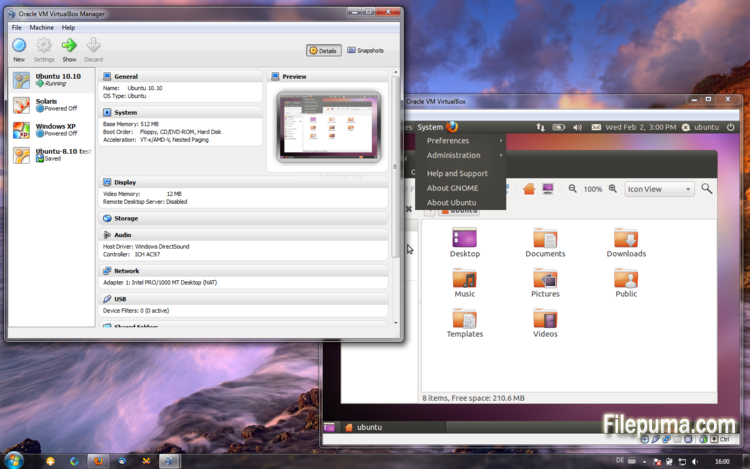


VirtualBox is a free and open-source virtualization software that allows users to create and run virtual machines on their computers. With VirtualBox, users can install and run multiple operating systems simultaneously on their computer without having to create separate partitions or buy additional hardware.
one of the main advantages of VirtualBox is its ease of use. It is simple to install and set up, even for those who have little or no experience with virtualization technology. VirtualBox also offers a wide range of customization options, including the ability to adjust the amount of RAM, CPU cores, and hard disk space allocated to each virtual machine.
Another great feature of VirtualBox is its compatibility with a wide range of operating systems. Users can install and run Windows, Linux, macOS, and many other operating systems on their virtual machines. This makes it an excellent tool for developers, software testers, and anyone who needs to run multiple operating systems on a single computer.
VirtualBox also offers a range of advanced features, such as support for USB devices, shared folders, and network adapters. These features make it possible to run software that requires hardware or network resources, such as virtual routers, firewalls, and servers.
VirtualBox is an excellent choice for anyone who needs to run multiple operating systems on a single computer. Its ease of use, wide range of customization options, and compatibility with many different operating systems make it a versatile and powerful tool for developers, IT professionals, and home users alike.
Key Feature:
- Cross-platform compatibility.
- Intuitive graphical user interface.
- Support for various operating systems.
- Seamless integration with host operating system.
- Snapshots and clones.
- Networking capabilities.
- Virtual device support.
- Extension packs for additional functionality.
What's New
- Paravirtualization support for Windows and Linux guests to improve time-keeping accuracy and performance (see the manual for more information)
- Make more instruction set extensions available to the guest when running with hardware-assisted virtualization and nested paging. Among others this includes: SSE 4.1, SSE4.2, AVX, AVX-2, AES-NI, POPCNT, RDRAND and RDSEED
- xHCI Controller to support USB 3 devices (see the manual for more information)
- Drag and drop support (bidirectional) for Windows, Linux and Solaris guests
- Disk image encryption (see the manual for more information)
- VMs can now be started in separate mode. The VM process is started headless while the frontend runs as a separate process which can be terminated without stopping the VM.
- GUI: VM guest-content scaling support (including 3D acceleration)
- GUI: New User Interface settings page for customizing status-bar, menu-bar and guest-content scaling
- GUI: New Encryption settings tab for customizing encryption options for disk images
- GUI: HiDPI support including application icons and optional unscaled HiDPI output on Mac OS X (including 3D acceleration)
- GUI: Hotplugging support for SATA disks
- New, modular audio architecture for providing a better abstraction of the host audio backends
- Support for the NDIS6 networking framework on Windows (default on Vista and later)
In addition, the following items were fixed and/or added:
- VMM: improved timing on Solaris hosts with older VT-x hosts without preemption timers
- VMM: further improvements for TSC frequency measurements and guest timekeeping
- VMM: debug facility now includes the guest CPU's FPU/SSE/extended state in the core dump
- VMM: fixed a hang under rare conditions on 32-bit hosts
- VMM: several fixes
- GUI: improved HID LEDs synchronization for Mac and Windows hosts. The physical LEDs state now restored together with the VM state.
- GUI: take the guest screen aspect ratio into account for the preview window
- GUI: provide direct access to storage media in the VM selector
- GUI: allow to save the VM state from the selector even if the VM is already paused
- VBoxManage: when exporting an appliance, support the suppression of MAC addresses, which means they will be always recreated on import, avoiding duplicate MAC addresses for VMs which are imported several times
- VBoxManage: now supports renaming storage controllers and USB controllers
- Guest Control: major overhaul, for example fixing wrong parameter quoting (bug #13157)
- USB: added USB traffic capturing (see the manual for more information)
- Made resizing X11 guests work more reliably
- API: block the removal of the current snapshot if it has child snapshots (only relevant for VMs without snapshottable hard disks, their presence always prevented removal), which resulted in VM config corruption
- API: mark VM configs with snapshots but without current snapshot as inaccessible, as this combination is nonsense
- API: fix information for some automatically generated events (only with XPCOM, Windows host was not affected), which caused errors when getting some of the attributes over the webservice (bug #12379)
- API: fix crashes in Java API clients using the XPCOM binding, happened with output parameters only (bug #11232)
- API: a number of settings (e.g. network settings) can now also be changed when the VM is in saved state
- API: fixed incorrect resuming of VMs on host-resume unless they were previously paused due to a host-suspend
- API: don't lose the saved state and "current state changed" flag during cloning of a VM
- API: OS type description consistency fix (bug #14162)
- VBoxSVC: don't keep the support driver permanently open
- Main/Properties: properly drop transient guest properties when the VM is powered off
- VRDP: fixed a couple of races which may cause a crash during VM poweroff
- ExtPack: don't fail if the TMP directory contains non-latin1 characters (bug #14159)
- 3D: fix potential race in which might cause a crash on VM termination
- 3D: fixed a possible memory leak in the host service
- Serial: new TCP/IP backend (see the manual for more information)
- Storage: added USB mass storage device class (see the manual for more information)
- Storage: added vbox-img standalone tool for direct manipulation of virtual hard disk images without VBoxManage
- Storage: fixed crash as a result of I/O errors in certain conditions (bug #13105)
- NAT: fixed several potential crashes
- NAT: don't forcibly reset/drop all connections when the link goes down
- Netsniffer: properly handle changing of the trace file name at VM runtime
- Audio: fixed audio output and input when changing the default audio device more than once on OS X
- Audio: fixed audio input on OS X under certain circumstances
- ICH9: fixed the interrupt disable logic for MSI interrupts; should fix old Linux guests with AHCI
- USB: improve playback with USB sound devices attached to the emulated OHCI controller
- Audio: provide Linux guests a different AC97 audio codec type so Linux ALSA does not mis-detect the link speed (default for new VMs)
- BIOS: fix for booting from SCSI CD/DVD media
- BIOS: fix for reads partially beyond end of disk (bug #14021)
- VRDP: fixed listening for IPv6 on some systems (bug #14038)
- rdesktop-vrdp: upgraded to version 1.8.3
- Linux hosts: fixed a bug which made the netfilter driver ignore certain events (bug #12264)
- Mac OS X hosts: El Capitan fixes
- Mac OS X hosts: fixed a bug which might trigger a host kernel panic if a VM is started and another hypervisor is active
- Solaris hosts: installer fix for very recent versions of Solaris
- Guest Additions: added a heartbeat service (see the manual for more information)
- Linux hosts / guests: support for Linux distributions using systemd without sysv emulation (e.g. ArchLinux)
- Windows Additions/WDDM: improved video memory utilization and allow more/bigger guest screens with large resolutions (including HiDPI)
- Linux Additions: added -s parameter to mount.vboxsf to be sloppy with invalid parameters
- X11 Additions: fixed wrong DPI value (bug #14151)
- Mac OS X guests: limit the CPU family for legacy guests
- Solaris Additions: added quiesce support to co-operate with Solaris' fast-reboot feature
Program available in other languages
- Télécharger VirtualBox
- Herunterladen VirtualBox
- Scaricare VirtualBox
- ダウンロード VirtualBox
- Descargar VirtualBox
- Baixar VirtualBox
User Reviews
User Rating
 101
101
License:
Free
Requirements:
Windows All
Languages:
Multi-languages
Size:
111MB
Publisher:
Updated:
Jul 9, 2015
Clean
Report Software
Latest Version
Old Versions
Developer's Software
 VirtualBox 7.2.4
 Adobe Air 51.2.2.6
 Java Runtime Environment (32bit) 8 Update 471
 Java Runtime Environment (64bit) 8 Update 471
 Java Development Kit (64bit) 8 Update 471
 Python (64bit) 3.14.2
Security Levels
To avoid any potential harm to your device and ensure the security of your data and privacy, our team checks every time a new installation file is uploaded to our servers or linked to a remote server and periodically reviews the file to confirm or update its status. Based on this checking, we set the following security levels for any downloadable files.
 Clean
Clean
It is highly likely that this software program is clean.
We scanned files and URLs associated with this software program in more than 60 of the world's leading antivirus services; no possible threats were found. And there is no third-party softwarebundled.
 Warning
This program is advertising supported and may offer to install third-party programs that are not required. These may include a toolbar, changing your homepage, default search engine, or installing other party programs. These could be false positives, and our users are advised to be careful when installing and using this software.
 Disabled
This software is no longer available for download. It is highly likely that this software program is malicious or has security issues or other reasons.
Submit a Report
Thank you!
Your report has been sent.
We will review your request and take appropriate action.
Please note that you will not receive a notification about anyaction taken dueto this report.We apologize for anyinconvenience this may cause.
We appreciate your help in keeping our website clean and safe.