

VirtualBox5.0.0-101573
 Download gratuito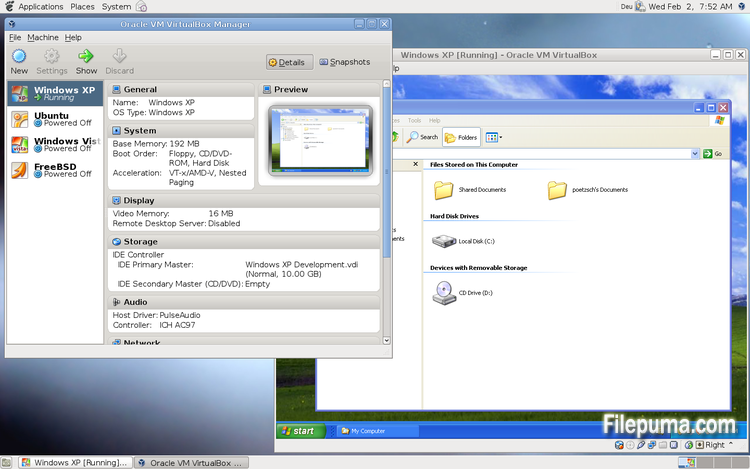
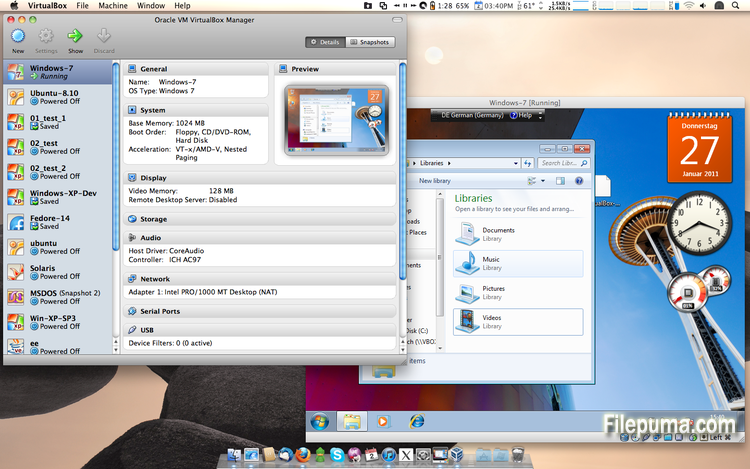
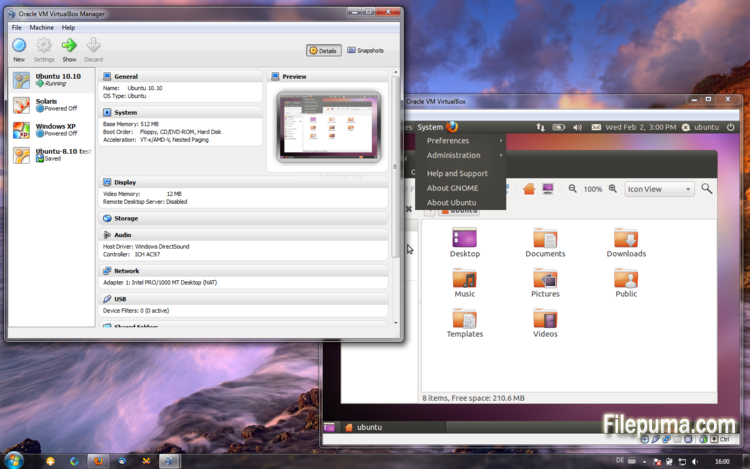


VirtualBoxé um software de virtualização gratuito e de código aberto que permite aos usuários criar e executar máquinas virtuais em seus computadores. Com o VirtualBox, os usuários podem instalar e executar vários sistemas operacionais simultaneamente em seu computador sem ter que criar partições separadas ou comprar hardware adicional.
Uma das principais vantagens do VirtualBox é a sua facilidade de uso. É simples de instalar e configurar, mesmo para aqueles que têm pouca ou nenhuma experiência com tecnologia de virtualização. O VirtualBox também oferece uma ampla gama de opções de personalização, incluindo a capacidade de ajustar a quantidade de RAM, núcleos de CPU e espaço de disco rígido alocado para cada máquina virtual.
Outra grande característica do VirtualBox é sua compatibilidade com uma ampla gama de sistemas operacionais. Os usuários podem instalar e executar Windows, Linux, macOS e muitos outros sistemas operacionais em suas máquinas virtuais. Isso faz dele uma excelente ferramenta para desenvolvedores, testadores de software e qualquer pessoa que precise executar múltiplos sistemas operacionais em um único computador.
O VirtualBox também oferece uma gama de recursos avançados, como suporte para dispositivos USB, pastas compartilhadas e adaptadores de rede. Esses recursos tornam possível executar software que requer recursos de hardware ou rede, como roteadores virtuais, firewalls e servidores.
VirtualBox é uma excelente escolha para quem precisa executar vários sistemas operacionais em um único computador. Sua facilidade de uso, ampla gama de opções de personalização e compatibilidade com muitos sistemas operacionais diferentes o tornam uma ferramenta versátil e poderosa para desenvolvedores, profissionais de TI e usuários domésticos.
Recurso Principal:
- Compatibilidade entre plataformas.
- Interface gráfica de usuário intuitiva.
- Suporte para vários sistemas operacionais.
- Integração perfeita com o sistema operacional host.
- Snapshots e clones.
- Capacidades de rede.
- Suporte a dispositivo virtual.
- Pacotes de extensão para funcionalidade adicional.
O que há de novo
- Paravirtualization support for Windows and Linux guests to improve time-keeping accuracy and performance (see the manual for more information)
- Make more instruction set extensions available to the guest when running with hardware-assisted virtualization and nested paging. Among others this includes: SSE 4.1, SSE4.2, AVX, AVX-2, AES-NI, POPCNT, RDRAND and RDSEED
- xHCI Controller to support USB 3 devices (see the manual for more information)
- Drag and drop support (bidirectional) for Windows, Linux and Solaris guests
- Disk image encryption (see the manual for more information)
- VMs can now be started in separate mode. The VM process is started headless while the frontend runs as a separate process which can be terminated without stopping the VM.
- GUI: VM guest-content scaling support (including 3D acceleration)
- GUI: New User Interface settings page for customizing status-bar, menu-bar and guest-content scaling
- GUI: New Encryption settings tab for customizing encryption options for disk images
- GUI: HiDPI support including application icons and optional unscaled HiDPI output on Mac OS X (including 3D acceleration)
- GUI: Hotplugging support for SATA disks
- New, modular audio architecture for providing a better abstraction of the host audio backends
- Support for the NDIS6 networking framework on Windows (default on Vista and later)
In addition, the following items were fixed and/or added:
- VMM: improved timing on Solaris hosts with older VT-x hosts without preemption timers
- VMM: further improvements for TSC frequency measurements and guest timekeeping
- VMM: debug facility now includes the guest CPU's FPU/SSE/extended state in the core dump
- VMM: fixed a hang under rare conditions on 32-bit hosts
- VMM: several fixes
- GUI: improved HID LEDs synchronization for Mac and Windows hosts. The physical LEDs state now restored together with the VM state.
- GUI: take the guest screen aspect ratio into account for the preview window
- GUI: provide direct access to storage media in the VM selector
- GUI: allow to save the VM state from the selector even if the VM is already paused
- VBoxManage: when exporting an appliance, support the suppression of MAC addresses, which means they will be always recreated on import, avoiding duplicate MAC addresses for VMs which are imported several times
- VBoxManage: now supports renaming storage controllers and USB controllers
- Guest Control: major overhaul, for example fixing wrong parameter quoting (bug #13157)
- USB: added USB traffic capturing (see the manual for more information)
- Made resizing X11 guests work more reliably
- API: block the removal of the current snapshot if it has child snapshots (only relevant for VMs without snapshottable hard disks, their presence always prevented removal), which resulted in VM config corruption
- API: mark VM configs with snapshots but without current snapshot as inaccessible, as this combination is nonsense
- API: fix information for some automatically generated events (only with XPCOM, Windows host was not affected), which caused errors when getting some of the attributes over the webservice (bug #12379)
- API: fix crashes in Java API clients using the XPCOM binding, happened with output parameters only (bug #11232)
- API: a number of settings (e.g. network settings) can now also be changed when the VM is in saved state
- API: fixed incorrect resuming of VMs on host-resume unless they were previously paused due to a host-suspend
- API: don't lose the saved state and "current state changed" flag during cloning of a VM
- API: OS type description consistency fix (bug #14162)
- VBoxSVC: don't keep the support driver permanently open
- Main/Properties: properly drop transient guest properties when the VM is powered off
- VRDP: fixed a couple of races which may cause a crash during VM poweroff
- ExtPack: don't fail if the TMP directory contains non-latin1 characters (bug #14159)
- 3D: fix potential race in which might cause a crash on VM termination
- 3D: fixed a possible memory leak in the host service
- Serial: new TCP/IP backend (see the manual for more information)
- Storage: added USB mass storage device class (see the manual for more information)
- Storage: added vbox-img standalone tool for direct manipulation of virtual hard disk images without VBoxManage
- Storage: fixed crash as a result of I/O errors in certain conditions (bug #13105)
- NAT: fixed several potential crashes
- NAT: don't forcibly reset/drop all connections when the link goes down
- Netsniffer: properly handle changing of the trace file name at VM runtime
- Audio: fixed audio output and input when changing the default audio device more than once on OS X
- Audio: fixed audio input on OS X under certain circumstances
- ICH9: fixed the interrupt disable logic for MSI interrupts; should fix old Linux guests with AHCI
- USB: improve playback with USB sound devices attached to the emulated OHCI controller
- Audio: provide Linux guests a different AC97 audio codec type so Linux ALSA does not mis-detect the link speed (default for new VMs)
- BIOS: fix for booting from SCSI CD/DVD media
- BIOS: fix for reads partially beyond end of disk (bug #14021)
- VRDP: fixed listening for IPv6 on some systems (bug #14038)
- rdesktop-vrdp: upgraded to version 1.8.3
- Linux hosts: fixed a bug which made the netfilter driver ignore certain events (bug #12264)
- Mac OS X hosts: El Capitan fixes
- Mac OS X hosts: fixed a bug which might trigger a host kernel panic if a VM is started and another hypervisor is active
- Solaris hosts: installer fix for very recent versions of Solaris
- Guest Additions: added a heartbeat service (see the manual for more information)
- Linux hosts / guests: support for Linux distributions using systemd without sysv emulation (e.g. ArchLinux)
- Windows Additions/WDDM: improved video memory utilization and allow more/bigger guest screens with large resolutions (including HiDPI)
- Linux Additions: added -s parameter to mount.vboxsf to be sloppy with invalid parameters
- X11 Additions: fixed wrong DPI value (bug #14151)
- Mac OS X guests: limit the CPU family for legacy guests
- Solaris Additions: added quiesce support to co-operate with Solaris' fast-reboot feature
Programa disponível em outras línguas
- Download VirtualBox
- Télécharger VirtualBox
- Herunterladen VirtualBox
- Scaricare VirtualBox
- ダウンロード VirtualBox
- Descargar VirtualBox
Avaliações dos usuários
Classificação do Usuário
 101
101
Licença:
Grátis
Requisitos:
Windows All
Idiomas:
Multi-languages
Tamanho:
111MB
Editor:
Atualizado:
Jul 9, 2015
limpo
Reporte o software
Última Versão
Versões Antigas
Software do Desenvolvedor
 VirtualBox 7.2.4
 Adobe Air 51.2.2.6
 Java Runtime Environment (32bit) 8 Update 471
 Java Runtime Environment (64bit) 8 Update 471
 Java Development Kit (64bit) 8 Update 471
 Python (64bit) 3.14.2
Níveis de Segurança
Para evitar qualquer dano potencial ao seu dispositivo e garantir a segurança dos seus dados e privacidade, nossa equipe verifica cada vez que um novo arquivo de instalação é carregado em nossos servidores ou vinculado a um servidor remoto e revisa periodicamente o arquivo para confirmar ou atualizar seu status. Com base nessa verificação, definimos os seguintes níveis de segurança para quaisquer arquivos que possam ser baixados.
 limpo
limpo
É altamente provável que este programa de software seja seguro.
Analisamos arquivos e URLs associados a este programa de software em mais de 60 dos principais serviços de antivírus do mundo; nenhuma possível ameaça foi encontrada. E não há software de terceiros incluído.
 Aviso
Aviso
Este programa é sustentado por publicidade e pode oferecer a instalação de programas de terceiros que não são necessários. Estes podem incluir uma barra de ferramentas, mudança da sua página inicial, motor de busca padrão ou instalação de outros programas de terceiros. Estes podem ser falsos positivos e aconselhamos nossos usuários a terem cuidado ao instalar e usar este software.
 Desabilitado
Este software não está mais disponível para download. É altamente provável que este programa de software seja malicioso ou tenha problemas de segurança ou outros motivos.
Enviar um relatório
Obrigada!
Seu relatório foi enviado.
Vamos revisar sua solicitação e tomar as medidas apropriadas.
Por favor, observe que você não receberá uma notificação sobre qualquer ação tomada devido a este relatório. Pedimos desculpas por qualquer inconveniente que isso possa causar.
Agradecemos sua ajuda em manter nosso site limpo e seguro.