

VirtualBox5.0.0-101573
 Download gratuito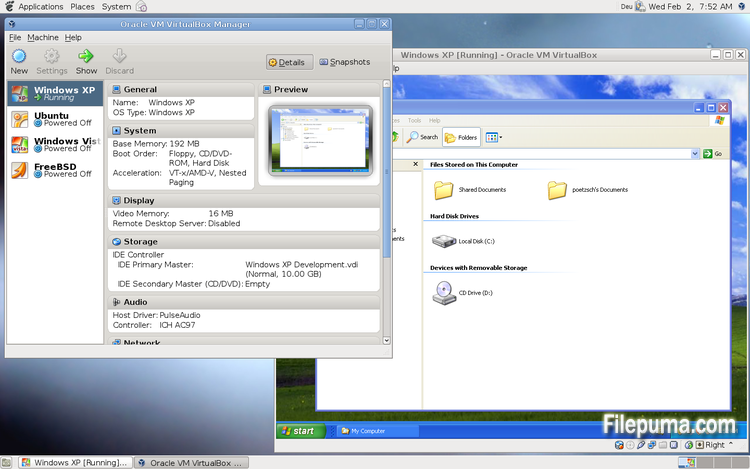
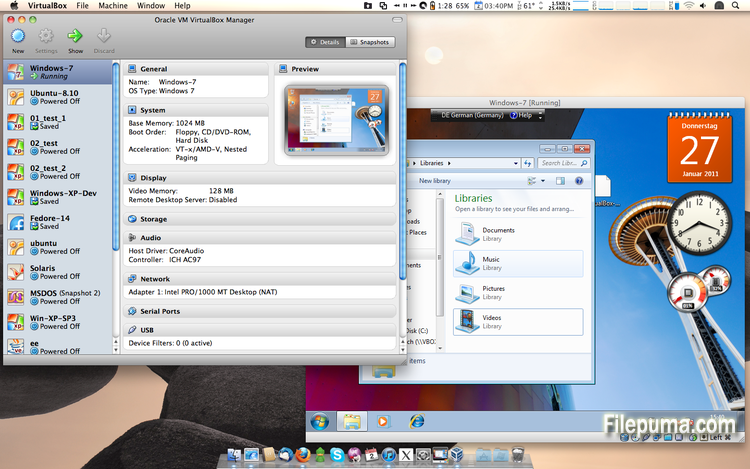
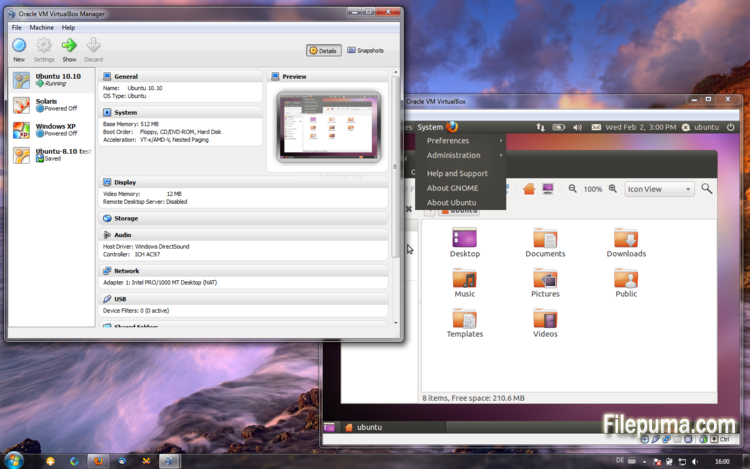


VirtualBoxè un software di virtualizzazione gratuito e open-source che consente agli utenti di creare ed eseguire macchine virtuali sui loro computer. Con VirtualBox, gli utenti possono installare ed eseguire più sistemi operativi simultaneamente sul loro computer senza dover creare partizioni separate o acquistare hardware aggiuntivo.
Uno dei principali vantaggi di VirtualBox è la sua facilità d'uso. È semplice da installare e configurare, anche per coloro che hanno poca o nessuna esperienza con la tecnologia di virtualizzazione. VirtualBox offre anche una vasta gamma di opzioni di personalizzazione, comprese la possibilità di regolare la quantità di RAM, i core della CPU e lo spazio su disco rigido allocato a ciascuna macchina virtuale.
Un'altra grande caratteristica di VirtualBox è la sua compatibilità con una vasta gamma di sistemi operativi. Gli utenti possono installare ed eseguire Windows, Linux, macOS e molti altri sistemi operativi sulle loro macchine virtuali. Questo lo rende uno strumento eccellente per sviluppatori, tester di software e chiunque abbia bisogno di eseguire più sistemi operativi su un singolo computer.
VirtualBox offre anche una gamma di funzionalità avanzate, come il supporto per dispositivi USB, cartelle condivise e adattatori di rete. Queste funzionalità rendono possibile l'esecuzione di software che richiede risorse hardware o di rete, come router virtuali, firewall e server.
VirtualBox è un'ottima scelta per chiunque abbia bisogno di eseguire più sistemi operativi su un singolo computer. La sua facilità d'uso, la vasta gamma di opzioni di personalizzazione e la compatibilità con molti sistemi operativi diversi lo rendono uno strumento versatile e potente per sviluppatori, professionisti IT e utenti domestici.
Caratteristica principale:
- Compatibilità multipiattaforma.
- Interfaccia utente grafica intuitiva.
- Supporto per vari sistemi operativi.
- Integrazione senza soluzione di continuità con il sistema operativo host.
- Snapshot e cloni.
- Capacità di networking.
- Supporto per dispositivi virtuali.
- Pacchetti di estensione per funzionalità aggiuntive.
Novità
- Paravirtualization support for Windows and Linux guests to improve time-keeping accuracy and performance (see the manual for more information)
- Make more instruction set extensions available to the guest when running with hardware-assisted virtualization and nested paging. Among others this includes: SSE 4.1, SSE4.2, AVX, AVX-2, AES-NI, POPCNT, RDRAND and RDSEED
- xHCI Controller to support USB 3 devices (see the manual for more information)
- Drag and drop support (bidirectional) for Windows, Linux and Solaris guests
- Disk image encryption (see the manual for more information)
- VMs can now be started in separate mode. The VM process is started headless while the frontend runs as a separate process which can be terminated without stopping the VM.
- GUI: VM guest-content scaling support (including 3D acceleration)
- GUI: New User Interface settings page for customizing status-bar, menu-bar and guest-content scaling
- GUI: New Encryption settings tab for customizing encryption options for disk images
- GUI: HiDPI support including application icons and optional unscaled HiDPI output on Mac OS X (including 3D acceleration)
- GUI: Hotplugging support for SATA disks
- New, modular audio architecture for providing a better abstraction of the host audio backends
- Support for the NDIS6 networking framework on Windows (default on Vista and later)
In addition, the following items were fixed and/or added:
- VMM: improved timing on Solaris hosts with older VT-x hosts without preemption timers
- VMM: further improvements for TSC frequency measurements and guest timekeeping
- VMM: debug facility now includes the guest CPU's FPU/SSE/extended state in the core dump
- VMM: fixed a hang under rare conditions on 32-bit hosts
- VMM: several fixes
- GUI: improved HID LEDs synchronization for Mac and Windows hosts. The physical LEDs state now restored together with the VM state.
- GUI: take the guest screen aspect ratio into account for the preview window
- GUI: provide direct access to storage media in the VM selector
- GUI: allow to save the VM state from the selector even if the VM is already paused
- VBoxManage: when exporting an appliance, support the suppression of MAC addresses, which means they will be always recreated on import, avoiding duplicate MAC addresses for VMs which are imported several times
- VBoxManage: now supports renaming storage controllers and USB controllers
- Guest Control: major overhaul, for example fixing wrong parameter quoting (bug #13157)
- USB: added USB traffic capturing (see the manual for more information)
- Made resizing X11 guests work more reliably
- API: block the removal of the current snapshot if it has child snapshots (only relevant for VMs without snapshottable hard disks, their presence always prevented removal), which resulted in VM config corruption
- API: mark VM configs with snapshots but without current snapshot as inaccessible, as this combination is nonsense
- API: fix information for some automatically generated events (only with XPCOM, Windows host was not affected), which caused errors when getting some of the attributes over the webservice (bug #12379)
- API: fix crashes in Java API clients using the XPCOM binding, happened with output parameters only (bug #11232)
- API: a number of settings (e.g. network settings) can now also be changed when the VM is in saved state
- API: fixed incorrect resuming of VMs on host-resume unless they were previously paused due to a host-suspend
- API: don't lose the saved state and "current state changed" flag during cloning of a VM
- API: OS type description consistency fix (bug #14162)
- VBoxSVC: don't keep the support driver permanently open
- Main/Properties: properly drop transient guest properties when the VM is powered off
- VRDP: fixed a couple of races which may cause a crash during VM poweroff
- ExtPack: don't fail if the TMP directory contains non-latin1 characters (bug #14159)
- 3D: fix potential race in which might cause a crash on VM termination
- 3D: fixed a possible memory leak in the host service
- Serial: new TCP/IP backend (see the manual for more information)
- Storage: added USB mass storage device class (see the manual for more information)
- Storage: added vbox-img standalone tool for direct manipulation of virtual hard disk images without VBoxManage
- Storage: fixed crash as a result of I/O errors in certain conditions (bug #13105)
- NAT: fixed several potential crashes
- NAT: don't forcibly reset/drop all connections when the link goes down
- Netsniffer: properly handle changing of the trace file name at VM runtime
- Audio: fixed audio output and input when changing the default audio device more than once on OS X
- Audio: fixed audio input on OS X under certain circumstances
- ICH9: fixed the interrupt disable logic for MSI interrupts; should fix old Linux guests with AHCI
- USB: improve playback with USB sound devices attached to the emulated OHCI controller
- Audio: provide Linux guests a different AC97 audio codec type so Linux ALSA does not mis-detect the link speed (default for new VMs)
- BIOS: fix for booting from SCSI CD/DVD media
- BIOS: fix for reads partially beyond end of disk (bug #14021)
- VRDP: fixed listening for IPv6 on some systems (bug #14038)
- rdesktop-vrdp: upgraded to version 1.8.3
- Linux hosts: fixed a bug which made the netfilter driver ignore certain events (bug #12264)
- Mac OS X hosts: El Capitan fixes
- Mac OS X hosts: fixed a bug which might trigger a host kernel panic if a VM is started and another hypervisor is active
- Solaris hosts: installer fix for very recent versions of Solaris
- Guest Additions: added a heartbeat service (see the manual for more information)
- Linux hosts / guests: support for Linux distributions using systemd without sysv emulation (e.g. ArchLinux)
- Windows Additions/WDDM: improved video memory utilization and allow more/bigger guest screens with large resolutions (including HiDPI)
- Linux Additions: added -s parameter to mount.vboxsf to be sloppy with invalid parameters
- X11 Additions: fixed wrong DPI value (bug #14151)
- Mac OS X guests: limit the CPU family for legacy guests
- Solaris Additions: added quiesce support to co-operate with Solaris' fast-reboot feature
Programma disponibile in altre lingue
- Download VirtualBox
- Télécharger VirtualBox
- Herunterladen VirtualBox
- ダウンロード VirtualBox
- Descargar VirtualBox
- Baixar VirtualBox
Recensioni degli utenti
Valutazione dell'utente
 101
101
Licenza:
Gratis
Requisiti:
Windows All
Lingue:
Multi-languages
Taglia:
111MB
Editore:
Aggiornato:
Jul 9, 2015
Pulito
Segnala il software
Ultima versione
Vecchie versioni
Software dello sviluppatore
 VirtualBox 7.2.4
 Adobe Air 51.2.2.6
 Java Runtime Environment (32bit) 8 Update 471
 Java Runtime Environment (64bit) 8 Update 471
 Java Development Kit (64bit) 8 Update 471
 Python (64bit) 3.14.2
Livelli di Sicurezza
Per evitare qualsiasi potenziale danno al tuo dispositivo e garantire la sicurezza dei tuoi dati e della tua privacy, il nostro team controlla ogni volta che un nuovo file di installazione viene caricato sui nostri server o collegato a un server remoto e riesamina periodicamente il file per confermarne o aggiornarne lo stato. Sulla base di questo controllo, impostiamo i seguenti livelli di sicurezza per qualsiasi file scaricabile.
 Pulito
È molto probabile che questo programma software sia pulito.
Abbiamo scansionato file e URL associati a questo programma software in oltre 60 dei principali servizi antivirus del mondo; non sono state trovate minacce possibili. E non ci sono software di terze parti inclusi.
 Avvertimento
Questo programma è supportato dalla pubblicità e potrebbe offrire l'installazione di programmi di terze parti che non sono necessari. Questi possono includere una barra degli strumenti, il cambiamento della tua homepage, del motore di ricerca predefinito o l'installazione di altri programmi di terze parti. Questi potrebbero essere falsi positivi e si consiglia ai nostri utenti di essere cauti durante l'installazione e l'utilizzo di questo software.
 Disabile
Questo software non è più disponibile per il download. È altamente probabile che questo programma software sia dannoso o abbia problemi di sicurezza o altri motivi.
Presenta un rapporto
Grazie!
Il tuo rapporto è stato inviato.
Esamineremo la tua richiesta e prenderemo le misure opportune.
Si prega di notare che non riceverai una notifica riguardante qualsiasi azione intrapresa a causa di questo rapporto. Ci scusiamo per qualsiasi inconveniente che ciò possa causare.
Apprezziamo il tuo aiuto nel mantenere il nostro sito web pulito e sicuro.