

FlashFXP5.1.0.3817
 Free Trial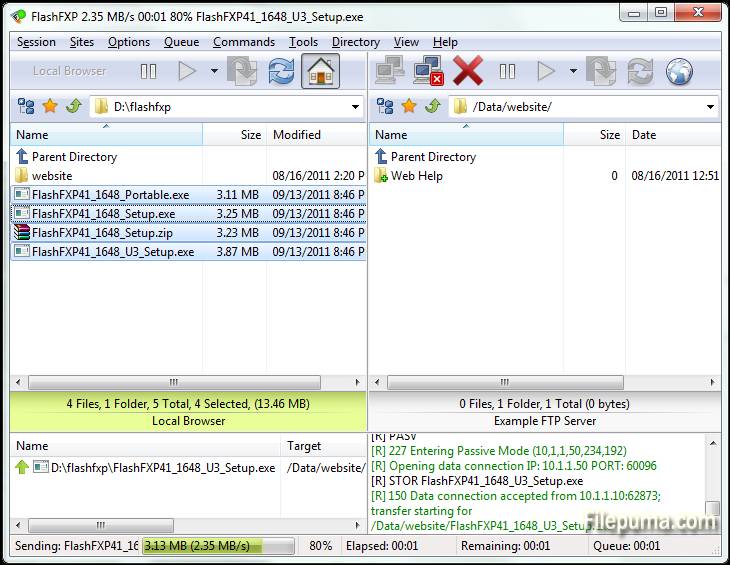
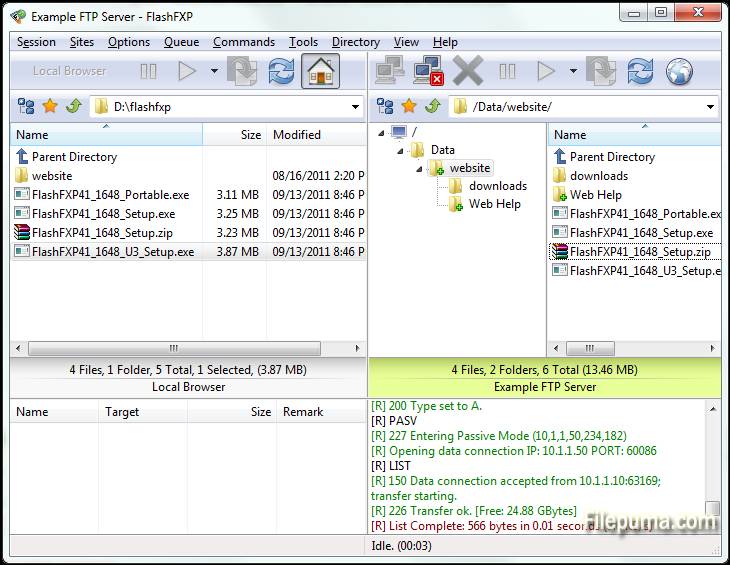
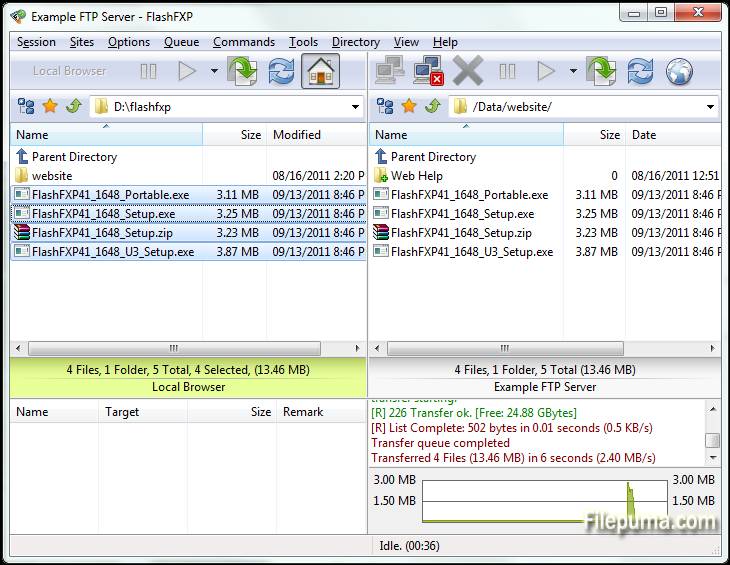
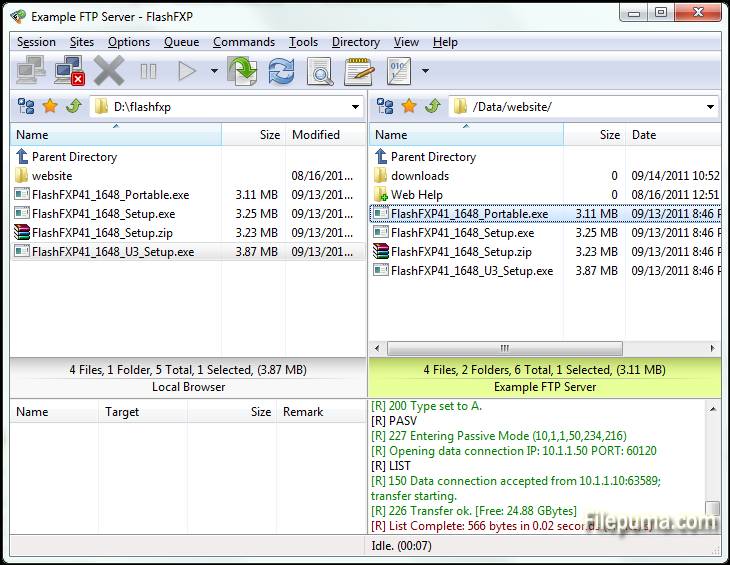
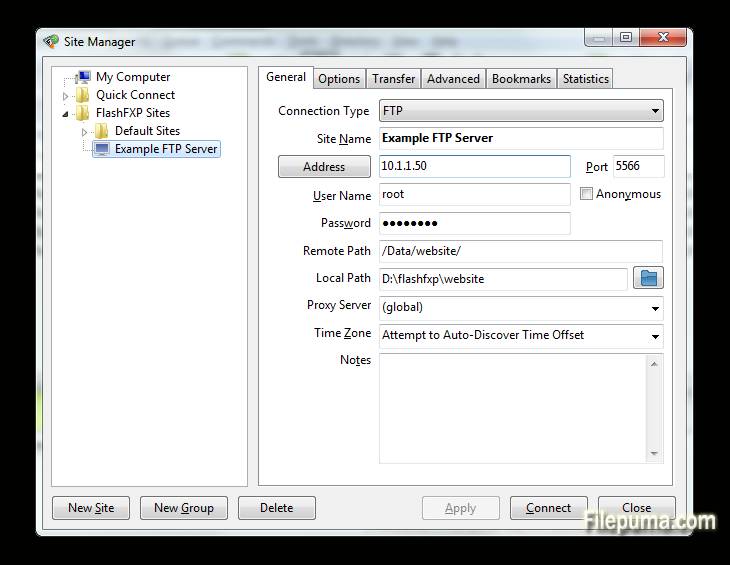


FlashFXP is a powerful FTP, FTPS, SFTP, and FXP client designed for both home and professional users. With a user-friendly interface, FlashFXP allows seamless file transfers between local and remote servers, ensuring smooth and efficient operations. It supports multiple file transfer protocols, making it versatile for a wide range of tasks, from simple file sharing to complex site management.
One of FlashFXP's key features is its robust file transfer queue, which enables users to queue multiple files for transfer, optimizing efficiency. The software also includes advanced site synchronization tools, ensuring that files are correctly mirrored between local and remote locations. Additionally, it supports drag-and-drop functionality, making file management easier and faster.
FlashFXP also offers security with support for encrypted connections via FTPS and SFTP. This ensures that sensitive data is transferred safely over the internet. The software provides a variety of customizable settings, allowing users to tailor the program to their specific needs and preferences.
FlashFXP is a reliable and feature-rich FTP client that caters to both casual users and professionals alike. Its combination of speed, security, and ease of use makes it a solid choice for anyone needing a robust file transfer solution.
Key Features:
- Multiple Protocol Support: Supports FTP, FTPS (SSL/TLS), and SFTP (SSH), allowing for secure file transfers.
- Drag-and-Drop Interface: Simple drag-and-drop functionality for transferring files between local and remote directories.
- Advanced Site Manager: Allows users to save and manage connections to multiple FTP, FTPS, and SFTP servers.
- Queued Transfers: Supports file transfer queuing, enabling multiple files or directories to be transferred sequentially.
- Transfer Resumption: Enables the resumption of interrupted file transfers, saving time and bandwidth.
- Customizable Transfer Rules: Users can configure transfer rules such as file filters and scheduled transfers.
- Bandwidth Throttling: Allows for control over bandwidth usage during file transfers, preventing network congestion.
- Multiple Simultaneous Connections: FlashFXP supports multiple connections to different servers for simultaneous transfers.
- SSL/TLS Encryption: Ensures secure data transmission with SSL/TLS encryption for FTPS connections.
- Folder Synchronization: Supports folder synchronization to keep local and remote directories in sync.
- File Integrity Check: Includes features like CRC-32, MD5, and SHA-1 checksums to verify file integrity.
- IPv6 Support: FlashFXP supports IPv6, ensuring compatibility with the latest networking standards.
What's New
- Fixed: When FlashFXP is running as a scheduled task, if the user restored FlashFXP from the system tray the main application window was blank.
- Fixed: High DPI scaling issue where the statusbar transfer progress panel was not scaled.
- Fixed: An issue where in some situations the remote file listing cache was stale and regardless of the settings it should of been purged and re-cached. i.e. within a single queue; upload a folder to a site followed by downloading the same folder to the users computer in new location. The download would fail because the cache was stale.
- Fixed: An issue uploading files where the source path+filename was 260 characters or longer.
- Fixed: on the confirmation prompt "Opening separate shell session" the check-box "Don't show this dialog again" the text was missing a UTF-8 to Unicode conversion.
- Fixed: In the remote file browser when sorting by column (owner, group, attrib) the sorted result was incorrect due to a logic error evaluating the "parent directory" item.
- Fixed: SFTP / Keyboard authentication issue. [BUG ID: 1020]
- Updated SBB library (used for x.509 certificates, public/private keys, ssh, and sftp)
- New command script macro: /busybox Displays a busy dialog during script execution with a cancel button.
- Major change to the way FlashFXP handles remote directory listings. Now the auto-detect setting detects UTF-8 and converts non-UTF8 text using the operating system code page. Previously non UTF-8 was displayed using the Windows 1252 code page. This caused problems displaying non-English text such as Korean and Chinese. This change may result in some text being displayed incorrectly. If you experience problems please let me know ASAP. Please provide the name and version of the FTP server software and the language as well as the OS version and language. Additional information may be required.
- Changed: Many internal Unicode to UTF-8 conversions were changed from using CP 1252 to using the operating system locale CP.
- Fixed entering a Unicode pathname in the drop-down path breadcrumb could fail.
- Fixed the Active Edits feature did not always handle Unicode file-names correctly.
- Fixed an issue with timestamps in the session console window, resulting in some incorrect timestamps.
- Changed: Timestamps in the session console window, if you turn timestamps on you will now see timestamps for pre-existing lines in the window.
- Fixed issue with the font select dialog; the font preview used the wrong color.
- Cleaned up parts of the transfer queue routine and removed some flawed code that attempted to swap the direction of a queue item.
- Changed: When a delete operation is performed via the transfer queue FlashFXP makes sure that there are no failed transfers pending, if any are found then they are reset and retried, if the transfer fails again then the transfer queue is now aborted. In Previous builds the delete operation was marked as failed and skipped and the queue continued.
- Major speed improvement when downloading from a ProFTPD/mod_sftp Server.
- Fixed SSH/SFTP compatiblity issue with Sun_SSH that resulted in incomplete/failed uploads.
- Major overhaul to the custom command script engine to resolve an issue where command blocks and script macro includes were sometimes executed in the wrong order. THIS MAY BREAK PRE-EXISTING CUSTOM COMMAND SCRIPTS THAT RELY ON OUT OF ORDER EXECUTION. PLEASE VERIFY THAT THEY WORK AS EXPECTED.
- Fixed an issue in command scripts that caused /shell { } command blocks to stop working.
- Improved the %c (clipboard text) token when the clipboard contains multiple lines of text and is used with the /shell command. i.e. "/shell %c"
- Fixed Unicode encoding issue in the /writeln command when the output filename contained non-UF8 characters.
- Fixed an issue with the /select* commands in the remote browser where the current item selection wasn't correctly cleared before being applied.
- Fixed an issue in the local browser where in some situations the wrong icon was displayed for an item.
- Fixed an issue with using -get with a ftp:// url via the command line.
- Fixed an issue with FTPS uploads where the file transfer would fail and was treated as if it was successful. This could occur if the control channel was lost and the data data channel successfully completed a graceful TLS shutdown without actually sending the entire file.
- Added raw command "/set app.icon.static 1" to set the taskbar/window icon to a static icon, rather than change based on the current state.
- Added raw command "/set app.closetotray 1" to change the behavior of FlashFXP when clicking the close button to minimize to the tray rather than exit. To exit FlashFXP you need to either use Exit from under the Session menu or the tray right-click menu.
- Fixed UTF-8/Unicode encoding issue when using a selective transfer rule that contains UTF-8 encoded characters in the Edit Queue and Edit Scheduled Task dialogs.
- Fixed an issue with selective transfer rules; when the files list action is set to transfer and folder list action is set to skip and the entry in the folder list is an exact match (no wildcard/regex) the folder list action could be ignored and allow the matching folder to transfer.
- Fixed Site Manager > Site Profile > TCP/IP Buffer size > Send/Receive values were reversed on load.
- Fixed double UTF-8 encoding on some SFTP status messages shown in the console window.
- Fixed local browser modified date was rounded to the nearest even second. The SHGetDataFromIDList api doesn't mention this limitation.
Program available in other languages
- Télécharger FlashFXP
- Herunterladen FlashFXP
- Scaricare FlashFXP
- ダウンロード FlashFXP
- Descargar FlashFXP
- Baixar FlashFXP
User Reviews
User Rating
 5
5
License:
Free Trial
Requirements:
Windows XP/ Vista/ Windows 7/ Windows 8
Languages:
Multi-languages
Size:
5.3MB
Publisher:
Updated:
Mar 16, 2015
Clean
Report Software
Latest Version
Old Versions
Developer's Software
 FlashFXP 5.4.0 build 3970
 FileZilla Client (64bit) 3.69.6
 FileZilla Client (32bit) 3.69.6
 WinSCP 6.5.5
 Core FTP LE (64bit) 2.2.1960
Security Levels
To avoid any potential harm to your device and ensure the security of your data and privacy, our team checks every time a new installation file is uploaded to our servers or linked to a remote server and periodically reviews the file to confirm or update its status. Based on this checking, we set the following security levels for any downloadable files.
 Clean
Clean
It is highly likely that this software program is clean.
We scanned files and URLs associated with this software program in more than 60 of the world's leading antivirus services; no possible threats were found. And there is no third-party softwarebundled.
 Warning
This program is advertising supported and may offer to install third-party programs that are not required. These may include a toolbar, changing your homepage, default search engine, or installing other party programs. These could be false positives, and our users are advised to be careful when installing and using this software.
 Disabled
This software is no longer available for download. It is highly likely that this software program is malicious or has security issues or other reasons.
Submit a Report
Thank you!
Your report has been sent.
We will review your request and take appropriate action.
Please note that you will not receive a notification about anyaction taken dueto this report.We apologize for anyinconvenience this may cause.
We appreciate your help in keeping our website clean and safe.