

FlashFXP5.1.0.3817
 無料トライアル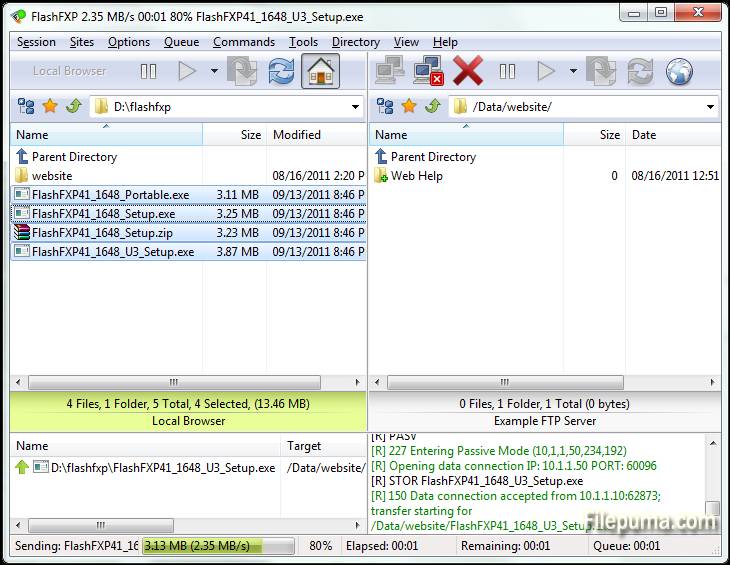
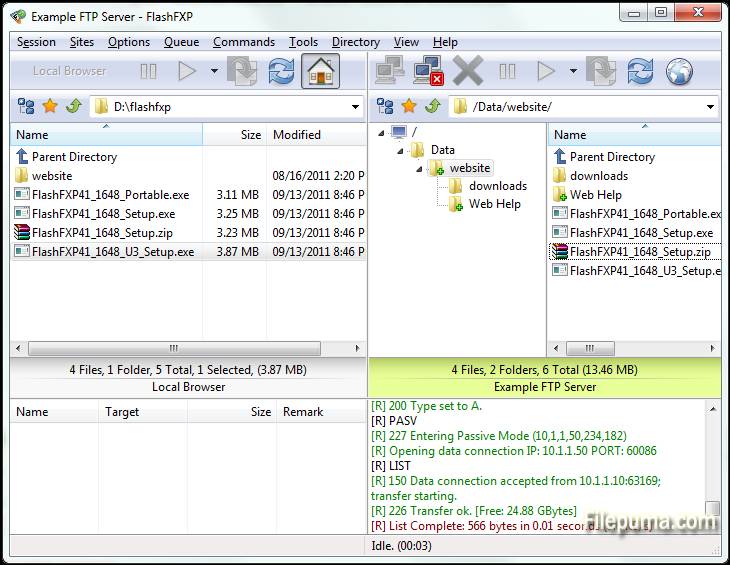
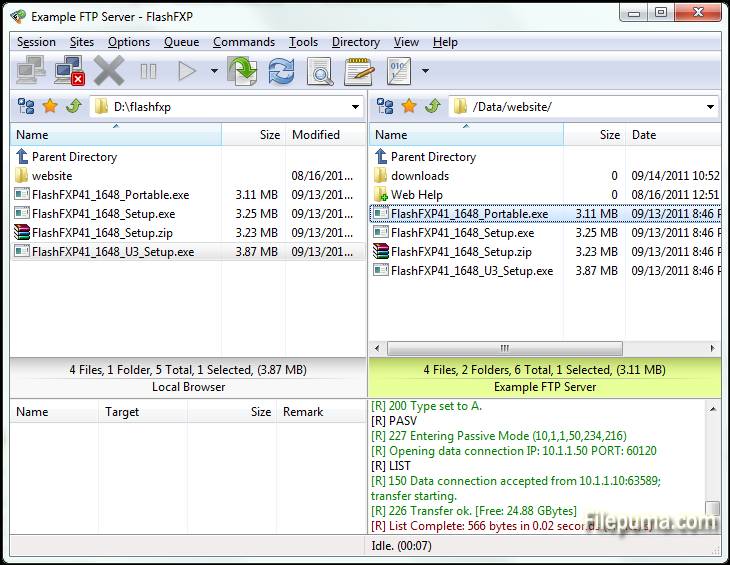


FlashFXPFlashFXPは、家庭およびプロフェッショナルユーザー向けに設計された強力なFTP、FTPS、SFTP、FXPクライアントです。ユーザーフレンドリーなインターフェースを備えたFlashFXPは、ローカルとリモートサーバー間のファイル転送をスムーズかつ効率的に行うことができます。複数のファイル転送プロトコルをサポートしており、シンプルなファイル共有から複雑なサイト管理まで、幅広いタスクに対応可能です。
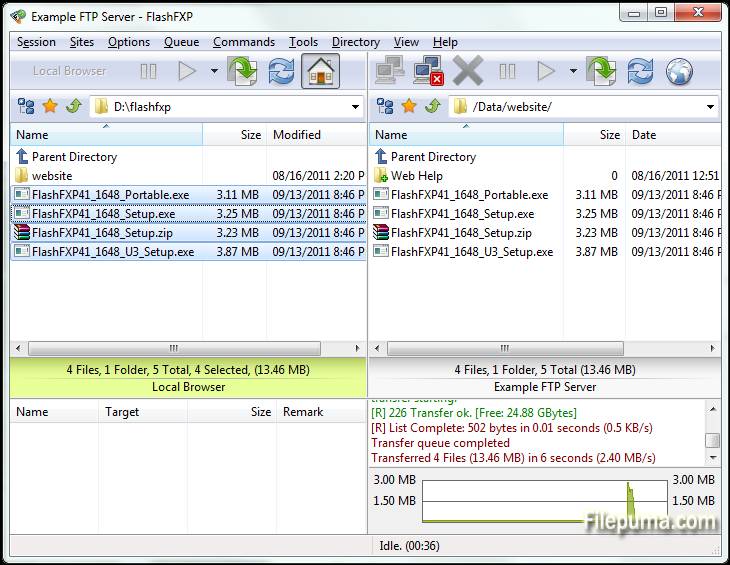
の一つFlashFXPの主な特徴の一つは、効率を最適化するために複数のファイルを転送するキューが可能な強力なファイル転送キューです。ソフトウェアには、ローカルとリモートの間でファイルが正しくミラーリングされることを保証する高度なサイト同期ツールも含まれています。さらに、ドラッグアンドドロップ機能をサポートしており、ファイル管理をより簡単かつ迅速に行うことができます。
FlashFXPまた、FTPSおよびSFTPを介した暗号化接続のサポートによりセキュリティを提供します。これにより、機密データがインターネット上で安全に転送されることが保証されます。このソフトウェアは、多様なカスタマイズ可能な設定を提供し、ユーザーがプログラムを特定のニーズや好みに合わせて調整できるようにします。
FlashFXPこれは、カジュアルユーザーとプロフェッショナルの両方に対応する信頼性が高く機能豊富なFTPクライアントです。スピード、セキュリティ、および使いやすさの組み合わせにより、強力なファイル転送ソリューションを必要とする人に最適な選択肢となります。
主な特徴:
- 複数プロトコル対応: FTP、FTPS (SSL/TLS)、および SFTP (SSH) をサポートし、セキュアなファイル転送を可能にします。
- ドラッグアンドドロップインターフェース:ローカルとリモートディレクトリ間でファイルを転送するためのシンプルなドラッグアンドドロップ機能。
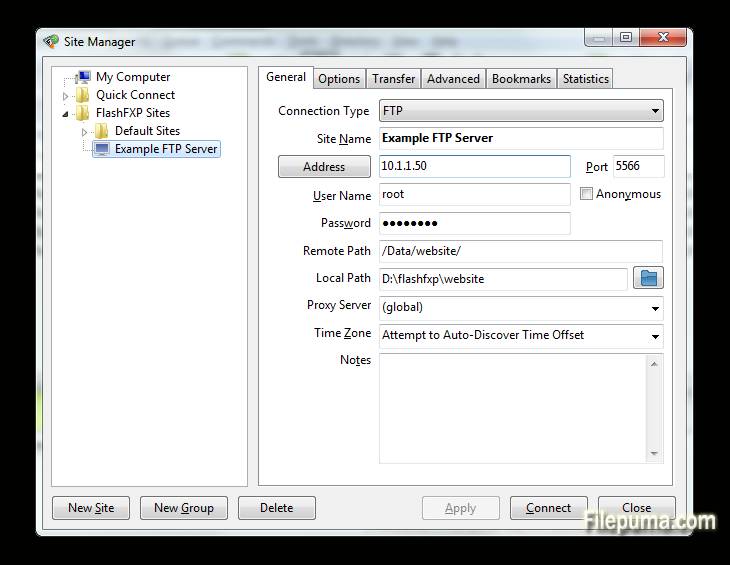
- Advanced Site Manager:ユーザーが複数のFTP、FTPS、SFTPサーバーへの接続を保存および管理できるようにします。
- キューされた転送: ファイル転送のキューイングをサポートし、複数のファイルやディレクトリを順次転送できるようにします。
- 転送再開: 中断されたファイル転送を再開できるようにし、時間と帯域幅を節約します。
- カスタマイズ可能な転送ルール: ユーザーは、ファイルフィルターやスケジュールされた転送などの転送ルールを設定できます。
- 帯域幅制限: ファイル転送中の帯域幅使用量を制御し、ネットワーク輻輳を防ぎます。
- 複数同時接続: FlashFXPは、同時転送のために異なるサーバーへの複数接続をサポートしています。
- SSL/TLS暗号化:FTPS接続にはSSL/TLS暗号化で安全なデータ伝送を保証します。
- フォルダー同期化: ローカルディレクトリとリモートディレクトリを同期した状態に保つためのフォルダー同期化をサポートします。
- ファイル整合性チェック: ファイルの整合性を検証するために、CRC-32、MD5、SHA-1チェックサムなどの機能が含まれています。
- IPv6サポート: FlashFXPはIPv6をサポートしており、最新のネットワーキング標準に対応しています。
新着情報
- Fixed: When FlashFXP is running as a scheduled task, if the user restored FlashFXP from the system tray the main application window was blank.
- Fixed: High DPI scaling issue where the statusbar transfer progress panel was not scaled.
- Fixed: An issue where in some situations the remote file listing cache was stale and regardless of the settings it should of been purged and re-cached. i.e. within a single queue; upload a folder to a site followed by downloading the same folder to the users computer in new location. The download would fail because the cache was stale.
- Fixed: An issue uploading files where the source path+filename was 260 characters or longer.
- Fixed: on the confirmation prompt "Opening separate shell session" the check-box "Don't show this dialog again" the text was missing a UTF-8 to Unicode conversion.
- Fixed: In the remote file browser when sorting by column (owner, group, attrib) the sorted result was incorrect due to a logic error evaluating the "parent directory" item.
- Fixed: SFTP / Keyboard authentication issue. [BUG ID: 1020]
- Updated SBB library (used for x.509 certificates, public/private keys, ssh, and sftp)
- New command script macro: /busybox Displays a busy dialog during script execution with a cancel button.
- Major change to the way FlashFXP handles remote directory listings. Now the auto-detect setting detects UTF-8 and converts non-UTF8 text using the operating system code page. Previously non UTF-8 was displayed using the Windows 1252 code page. This caused problems displaying non-English text such as Korean and Chinese. This change may result in some text being displayed incorrectly. If you experience problems please let me know ASAP. Please provide the name and version of the FTP server software and the language as well as the OS version and language. Additional information may be required.
- Changed: Many internal Unicode to UTF-8 conversions were changed from using CP 1252 to using the operating system locale CP.
- Fixed entering a Unicode pathname in the drop-down path breadcrumb could fail.
- Fixed the Active Edits feature did not always handle Unicode file-names correctly.
- Fixed an issue with timestamps in the session console window, resulting in some incorrect timestamps.
- Changed: Timestamps in the session console window, if you turn timestamps on you will now see timestamps for pre-existing lines in the window.
- Fixed issue with the font select dialog; the font preview used the wrong color.
- Cleaned up parts of the transfer queue routine and removed some flawed code that attempted to swap the direction of a queue item.
- Changed: When a delete operation is performed via the transfer queue FlashFXP makes sure that there are no failed transfers pending, if any are found then they are reset and retried, if the transfer fails again then the transfer queue is now aborted. In Previous builds the delete operation was marked as failed and skipped and the queue continued.
- Major speed improvement when downloading from a ProFTPD/mod_sftp Server.
- Fixed SSH/SFTP compatiblity issue with Sun_SSH that resulted in incomplete/failed uploads.
- Major overhaul to the custom command script engine to resolve an issue where command blocks and script macro includes were sometimes executed in the wrong order. THIS MAY BREAK PRE-EXISTING CUSTOM COMMAND SCRIPTS THAT RELY ON OUT OF ORDER EXECUTION. PLEASE VERIFY THAT THEY WORK AS EXPECTED.
- Fixed an issue in command scripts that caused /shell { } command blocks to stop working.
- Improved the %c (clipboard text) token when the clipboard contains multiple lines of text and is used with the /shell command. i.e. "/shell %c"
- Fixed Unicode encoding issue in the /writeln command when the output filename contained non-UF8 characters.
- Fixed an issue with the /select* commands in the remote browser where the current item selection wasn't correctly cleared before being applied.
- Fixed an issue in the local browser where in some situations the wrong icon was displayed for an item.
- Fixed an issue with using -get with a ftp:// url via the command line.
- Fixed an issue with FTPS uploads where the file transfer would fail and was treated as if it was successful. This could occur if the control channel was lost and the data data channel successfully completed a graceful TLS shutdown without actually sending the entire file.
- Added raw command "/set app.icon.static 1" to set the taskbar/window icon to a static icon, rather than change based on the current state.
- Added raw command "/set app.closetotray 1" to change the behavior of FlashFXP when clicking the close button to minimize to the tray rather than exit. To exit FlashFXP you need to either use Exit from under the Session menu or the tray right-click menu.
- Fixed UTF-8/Unicode encoding issue when using a selective transfer rule that contains UTF-8 encoded characters in the Edit Queue and Edit Scheduled Task dialogs.
- Fixed an issue with selective transfer rules; when the files list action is set to transfer and folder list action is set to skip and the entry in the folder list is an exact match (no wildcard/regex) the folder list action could be ignored and allow the matching folder to transfer.
- Fixed Site Manager > Site Profile > TCP/IP Buffer size > Send/Receive values were reversed on load.
- Fixed double UTF-8 encoding on some SFTP status messages shown in the console window.
- Fixed local browser modified date was rounded to the nearest even second. The SHGetDataFromIDList api doesn't mention this limitation.
他の言語で利用可能なプログラム
- Download FlashFXP
- Télécharger FlashFXP
- Herunterladen FlashFXP
- Scaricare FlashFXP
- Descargar FlashFXP
- Baixar FlashFXP
ユーザーレビュー
ユーザー評価
 5
5
ライセンス:
無料トライアル
要件:
Windows XP/ Vista/ Windows 7/ Windows 8
言語:
Multi-languages
サイズ:
5.3MB
出版社:
更新しました:
Mar 16, 2015
クリーン
ソフト報告
最新版
旧バージョン
開発者のソフトウェア
 FlashFXP 5.4.0 build 3970
 FileZilla Client (64bit) 3.69.6
 FileZilla Client (32bit) 3.69.6
 WinSCP 6.5.5
 Core FTP LE (64bit) 2.2.1960
セキュリティレベル
お使いのデバイスの潜在的な損害を避け、データとプライバシーの安全性を確保するために、私たちのチームは新しいインストールファイルがサーバーにアップロードされるかリモートサーバーにリンクされるたびに確認し、定期的にファイルをレビューしてその状態を確認または更新しています。この確認に基づいて、ダウンロード可能なファイルに対して次のセキュリティレベルを設定します。
 クリーン
クリーン
このソフトウェアプログラムはクリーンである可能性が高いです。
このソフトウェアプログラムに関連するファイルやURLを、世界の主要な60以上のウイルス対策サービスでスキャンしましたが、脅威は見つかりませんでした。また、サードパーティのソフトウェアはバンドルされていません。
 警告
警告
このプログラムは広告に支えられており、不要なサードパーティのプログラムをインストールすることを提案する場合があります。これにはツールバー、ホームページの変更、デフォルトの検索エンジンの変更、または他のパーティのプログラムのインストールが含まれる場合があります。これらは誤検出の場合があり、このソフトウェアをインストールおよび使用する際には注意するようにユーザーにアドバイスしています。
 無効
無効
このソフトウェアはもうダウンロードできません。このソフトウェアが悪意のあるものであるか、セキュリティの問題があるか、その他の理由がある可能性が非常に高いです。
報告書を提出してください
ありがとう!
あなたの報告書が送信されました。
ご依頼を確認し、適切な対応をいたします。
本報告に基づく措置について通知は行われませんのでご注意ください。ご不便をおかけして申し訳ありません。
私たちのウェブサイトを清潔で安全に保つためのご協力に感謝します。