

FlashFXP5.1.0.3817
 Prueba gratuita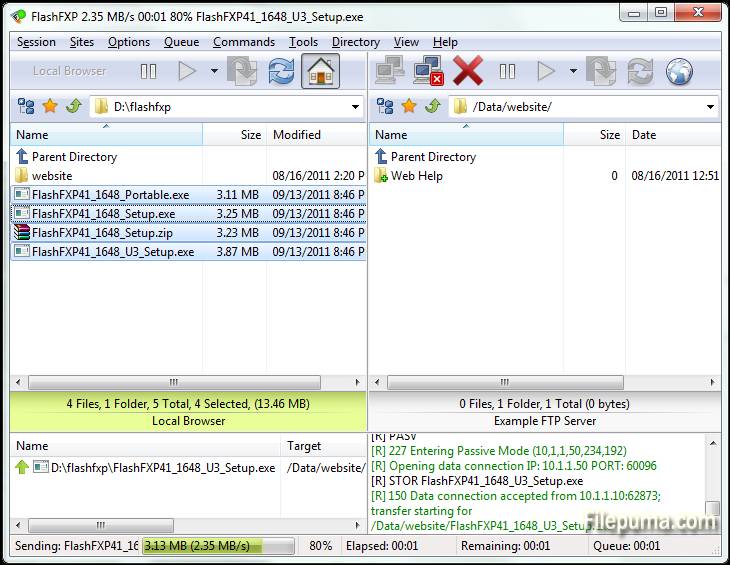
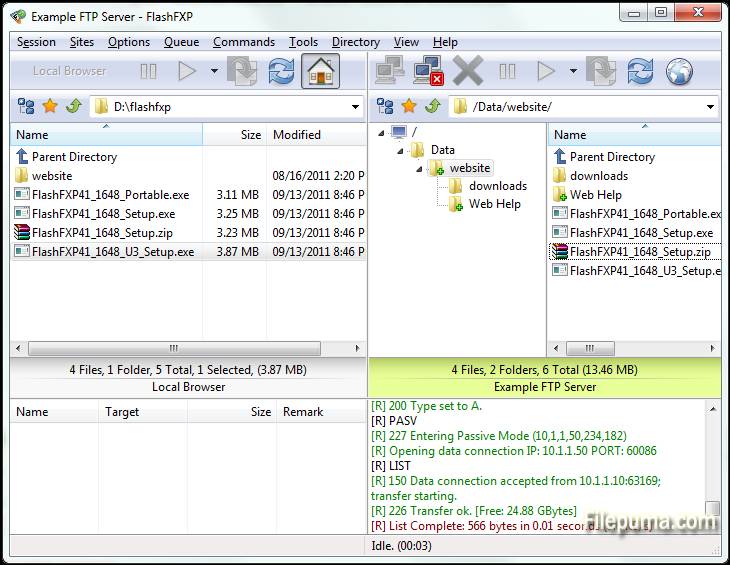
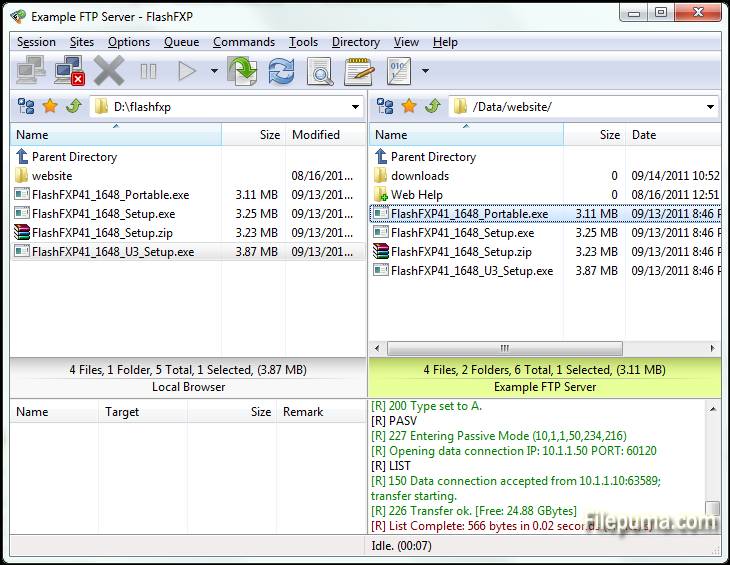
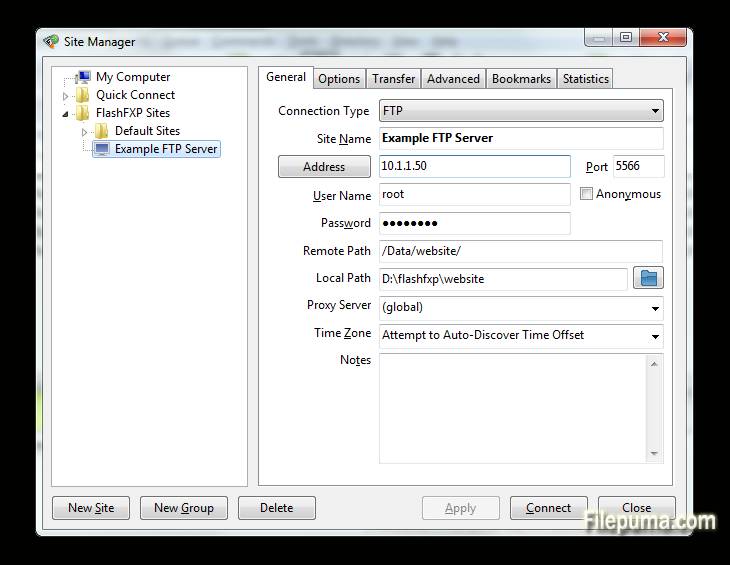


FlashFXPes un potente cliente FTP, FTPS, SFTP y FXP diseñado para usuarios domésticos y profesionales. Con una interfaz fácil de usar, FlashFXP permite transferencias de archivos fluidas entre servidores locales y remotos, asegurando operaciones suaves y eficientes. Admite múltiples protocolos de transferencia de archivos, lo que lo hace versátil para una amplia gama de tareas, desde el simple intercambio de archivos hasta la gestión de sitios complejos.
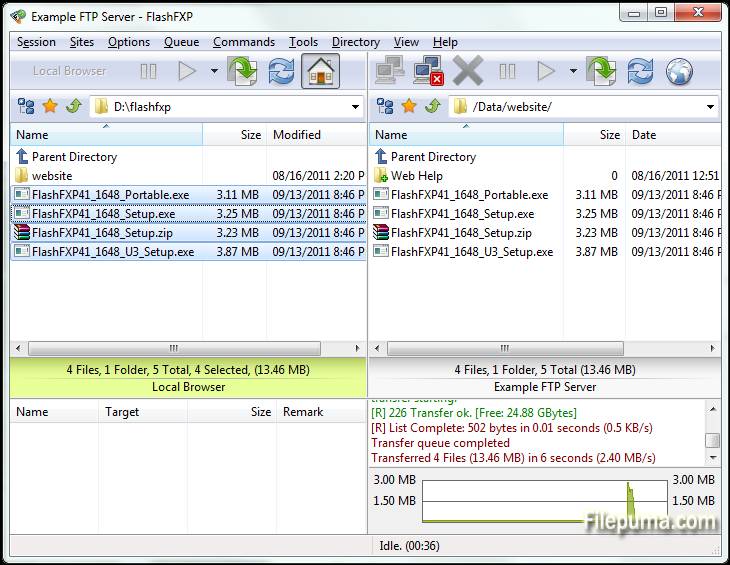
Uno deFlashFXPUna de las características principales es su robusta cola de transferencia de archivos, que permite a los usuarios encolar múltiples archivos para transferencia, optimizando la eficiencia. El software también incluye herramientas avanzadas de sincronización de sitios, asegurando que los archivos se reflejen correctamente entre ubicaciones locales y remotas. Además, admite la funcionalidad de arrastrar y soltar, haciendo la gestión de archivos más fácil y rápida.
FlashFXPtambién ofrece seguridad con soporte para conexiones cifradas a través de FTPS y SFTP. Esto garantiza que los datos sensibles se transfieran de forma segura por internet. El software proporciona una variedad de configuraciones personalizables, lo que permite a los usuarios adaptar el programa a sus necesidades y preferencias específicas.
FlashFXPes un cliente FTP confiable y rico en funciones que atiende tanto a usuarios ocasionales como a profesionales por igual. Su combinación de velocidad, seguridad y facilidad de uso lo convierte en una opción sólida para cualquiera que necesite una solución robusta de transferencia de archivos.
Características clave:
- Soporte de múltiples protocolos: Soporta FTP, FTPS (SSL/TLS) y SFTP (SSH), permitiendo transferencias de archivos seguras.
- Interfaz de arrastrar y soltar: Funcionalidad simple de arrastrar y soltar para transferir archivos entre directorios locales y remotos.
- Advanced Site Manager: Permite a los usuarios guardar y gestionar conexiones a múltiples servidores FTP, FTPS y SFTP.
- Transferencias en cola: Admite la cola de transferencia de archivos, lo que permite que múltiples archivos o directorios se transfieran secuencialmente.
- Reanudación de Transferencia: Permite la reanudación de transferencias de archivos interrumpidas, ahorrando tiempo y ancho de banda.
- Reglas de Transferencia Personalizables: Los usuarios pueden configurar reglas de transferencia como filtros de archivos y transferencias programadas.
- Limitación de Ancho de Banda: Permite el control sobre el uso del ancho de banda durante las transferencias de archivos, evitando la congestión de la red.
- Conexiones Simultáneas Múltiples: FlashFXP admite múltiples conexiones a diferentes servidores para transferencias simultáneas.
- Cifrado SSL/TLS: Garantiza la transmisión segura de datos con cifrado SSL/TLS para conexiones FTPS.
- Sincronización de carpetas: admite la sincronización de carpetas para mantener los directorios locales y remotos sincronizados.
- Verificación de Integridad de Archivos: Incluye funciones como las sumas de comprobación CRC-32, MD5 y SHA-1 para verificar la integridad de los archivos.
- Compatibilidad con IPv6: FlashFXP admite IPv6, garantizando la compatibilidad con los últimos estándares de redes.
Qué hay de nuevo
- Fixed: When FlashFXP is running as a scheduled task, if the user restored FlashFXP from the system tray the main application window was blank.
- Fixed: High DPI scaling issue where the statusbar transfer progress panel was not scaled.
- Fixed: An issue where in some situations the remote file listing cache was stale and regardless of the settings it should of been purged and re-cached. i.e. within a single queue; upload a folder to a site followed by downloading the same folder to the users computer in new location. The download would fail because the cache was stale.
- Fixed: An issue uploading files where the source path+filename was 260 characters or longer.
- Fixed: on the confirmation prompt "Opening separate shell session" the check-box "Don't show this dialog again" the text was missing a UTF-8 to Unicode conversion.
- Fixed: In the remote file browser when sorting by column (owner, group, attrib) the sorted result was incorrect due to a logic error evaluating the "parent directory" item.
- Fixed: SFTP / Keyboard authentication issue. [BUG ID: 1020]
- Updated SBB library (used for x.509 certificates, public/private keys, ssh, and sftp)
- New command script macro: /busybox Displays a busy dialog during script execution with a cancel button.
- Major change to the way FlashFXP handles remote directory listings. Now the auto-detect setting detects UTF-8 and converts non-UTF8 text using the operating system code page. Previously non UTF-8 was displayed using the Windows 1252 code page. This caused problems displaying non-English text such as Korean and Chinese. This change may result in some text being displayed incorrectly. If you experience problems please let me know ASAP. Please provide the name and version of the FTP server software and the language as well as the OS version and language. Additional information may be required.
- Changed: Many internal Unicode to UTF-8 conversions were changed from using CP 1252 to using the operating system locale CP.
- Fixed entering a Unicode pathname in the drop-down path breadcrumb could fail.
- Fixed the Active Edits feature did not always handle Unicode file-names correctly.
- Fixed an issue with timestamps in the session console window, resulting in some incorrect timestamps.
- Changed: Timestamps in the session console window, if you turn timestamps on you will now see timestamps for pre-existing lines in the window.
- Fixed issue with the font select dialog; the font preview used the wrong color.
- Cleaned up parts of the transfer queue routine and removed some flawed code that attempted to swap the direction of a queue item.
- Changed: When a delete operation is performed via the transfer queue FlashFXP makes sure that there are no failed transfers pending, if any are found then they are reset and retried, if the transfer fails again then the transfer queue is now aborted. In Previous builds the delete operation was marked as failed and skipped and the queue continued.
- Major speed improvement when downloading from a ProFTPD/mod_sftp Server.
- Fixed SSH/SFTP compatiblity issue with Sun_SSH that resulted in incomplete/failed uploads.
- Major overhaul to the custom command script engine to resolve an issue where command blocks and script macro includes were sometimes executed in the wrong order. THIS MAY BREAK PRE-EXISTING CUSTOM COMMAND SCRIPTS THAT RELY ON OUT OF ORDER EXECUTION. PLEASE VERIFY THAT THEY WORK AS EXPECTED.
- Fixed an issue in command scripts that caused /shell { } command blocks to stop working.
- Improved the %c (clipboard text) token when the clipboard contains multiple lines of text and is used with the /shell command. i.e. "/shell %c"
- Fixed Unicode encoding issue in the /writeln command when the output filename contained non-UF8 characters.
- Fixed an issue with the /select* commands in the remote browser where the current item selection wasn't correctly cleared before being applied.
- Fixed an issue in the local browser where in some situations the wrong icon was displayed for an item.
- Fixed an issue with using -get with a ftp:// url via the command line.
- Fixed an issue with FTPS uploads where the file transfer would fail and was treated as if it was successful. This could occur if the control channel was lost and the data data channel successfully completed a graceful TLS shutdown without actually sending the entire file.
- Added raw command "/set app.icon.static 1" to set the taskbar/window icon to a static icon, rather than change based on the current state.
- Added raw command "/set app.closetotray 1" to change the behavior of FlashFXP when clicking the close button to minimize to the tray rather than exit. To exit FlashFXP you need to either use Exit from under the Session menu or the tray right-click menu.
- Fixed UTF-8/Unicode encoding issue when using a selective transfer rule that contains UTF-8 encoded characters in the Edit Queue and Edit Scheduled Task dialogs.
- Fixed an issue with selective transfer rules; when the files list action is set to transfer and folder list action is set to skip and the entry in the folder list is an exact match (no wildcard/regex) the folder list action could be ignored and allow the matching folder to transfer.
- Fixed Site Manager > Site Profile > TCP/IP Buffer size > Send/Receive values were reversed on load.
- Fixed double UTF-8 encoding on some SFTP status messages shown in the console window.
- Fixed local browser modified date was rounded to the nearest even second. The SHGetDataFromIDList api doesn't mention this limitation.
Programa disponible en otros idiomas
- Download FlashFXP
- Télécharger FlashFXP
- Herunterladen FlashFXP
- Scaricare FlashFXP
- ダウンロード FlashFXP
- Baixar FlashFXP
Reseñas de usuarios
Calificación del usuario
 5
5
Licencia:
Prueba gratuita
Requisitos:
Windows XP/ Vista/ Windows 7/ Windows 8
Idiomas:
Multi-languages
Tamaño:
5.3MB
Editor:
Actualizado:
Mar 16, 2015
Limpio
Informa del software
Última versión
Versiones antiguas
Software del desarrollador
 FlashFXP 5.4.0 build 3970
 FileZilla Client (64bit) 3.69.6
 FileZilla Client (32bit) 3.69.6
 WinSCP 6.5.5
 Core FTP LE (64bit) 2.2.1960
Niveles de seguridad
Para evitar cualquier daño potencial a su dispositivo y garantizar la seguridad de sus datos y privacidad, nuestro equipo verifica cada vez que se sube un nuevo archivo de instalación a nuestros servidores o se vincula a un servidor remoto y revisa periódicamente el archivo para confirmar o actualizar su estado. Basándonos en esta verificación, establecemos los siguientes niveles de seguridad para cualquier archivo descargable.
 Limpio
Es muy probable que este programa de software esté limpio.
Hemos escaneado los archivos y las URL asociadas con este programa de software en más de 60 de los principales servicios antivirus del mundo; no se encontraron posibles amenazas. Y no hay software de terceros incluido.
 Advertencia
Este programa está soportado por publicidad y puede ofrecer instalar programas de terceros que no son necesarios. Estos pueden incluir una barra de herramientas, cambiar su página de inicio, motor de búsqueda predeterminado, o instalar otros programas de terceros. Estos podrían ser falsos positivos, y se recomienda a nuestros usuarios que tengan cuidado al instalar y usar este software.
 Discapacitado
Este software ya no está disponible para su descarga. Es muy probable que este programa de software sea malicioso o tenga problemas de seguridad u otros motivos.
Enviar un informe
¡Gracias!
Tu informe ha sido enviado.
Revisaremos su solicitud y tomaremos las medidas adecuadas.
Tenga en cuenta que no recibirá una notificación sobre cualquier acción tomada debido a este informe. Nos disculpamos por cualquier inconveniente que esto pueda causar.
Agradecemos su ayuda para mantener nuestro sitio web limpio y seguro.