

FlashFXP5.1.0.3817
 Prova gratuita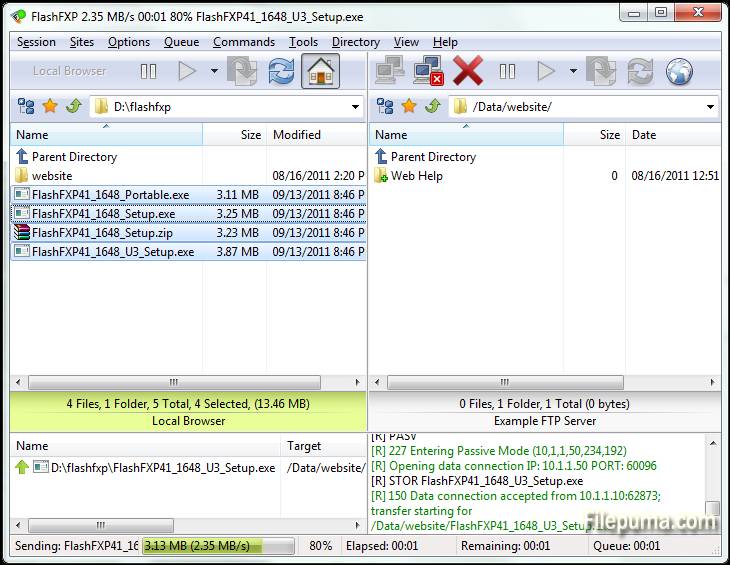
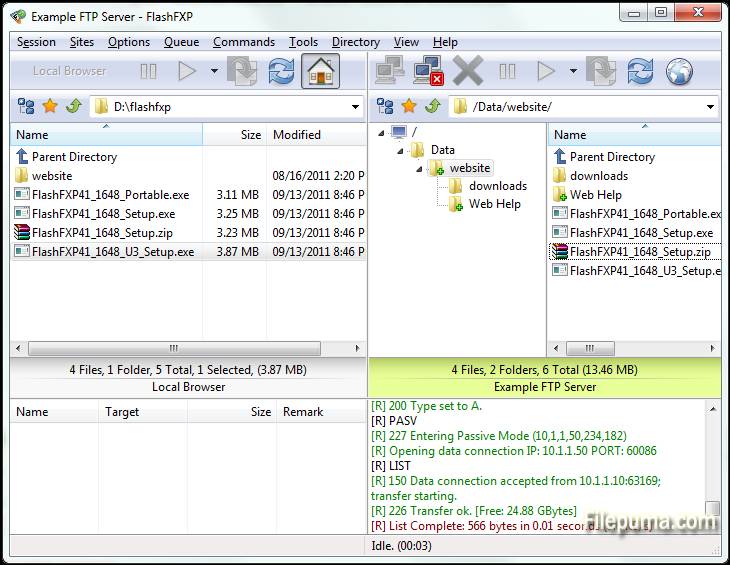
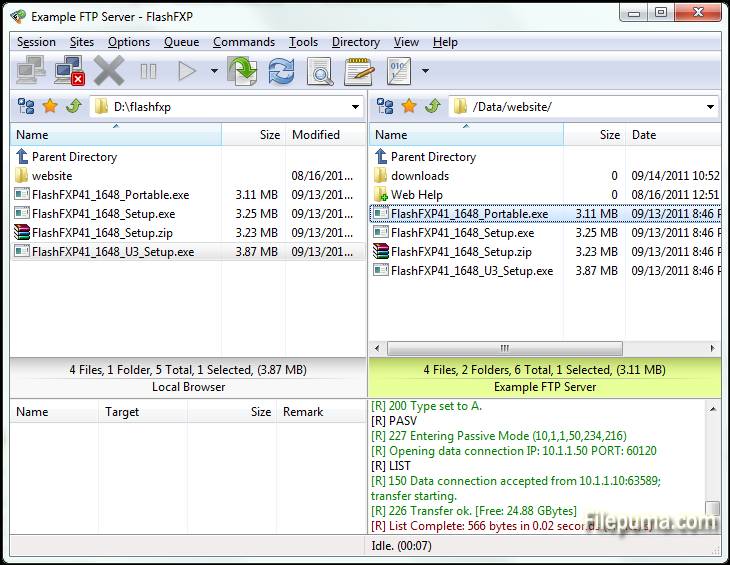
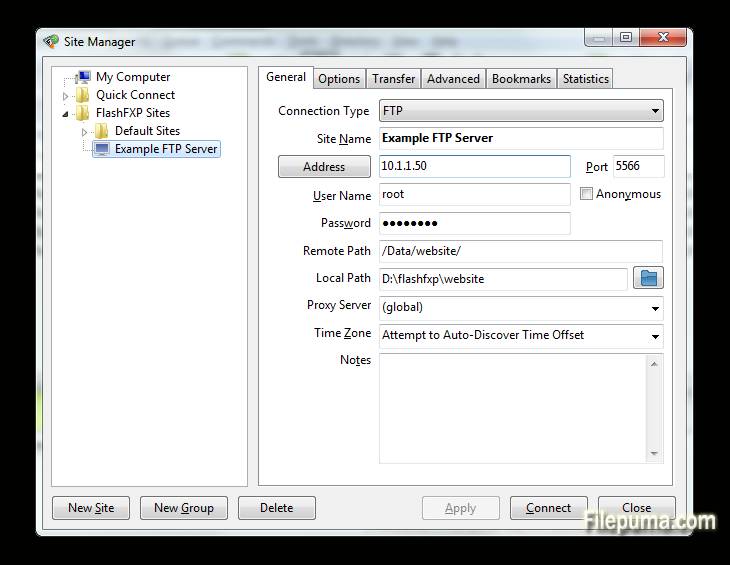


FlashFXPè un potente client FTP, FTPS, SFTP e FXP progettato sia per utenti domestici che professionali. Con un'interfaccia user-friendly, FlashFXP consente trasferimenti di file senza interruzioni tra server locali e remoti, garantendo operazioni fluide ed efficienti. Supporta più protocolli di trasferimento file, rendendolo versatile per una vasta gamma di compiti, dalla semplice condivisione di file alla gestione complessa di siti.
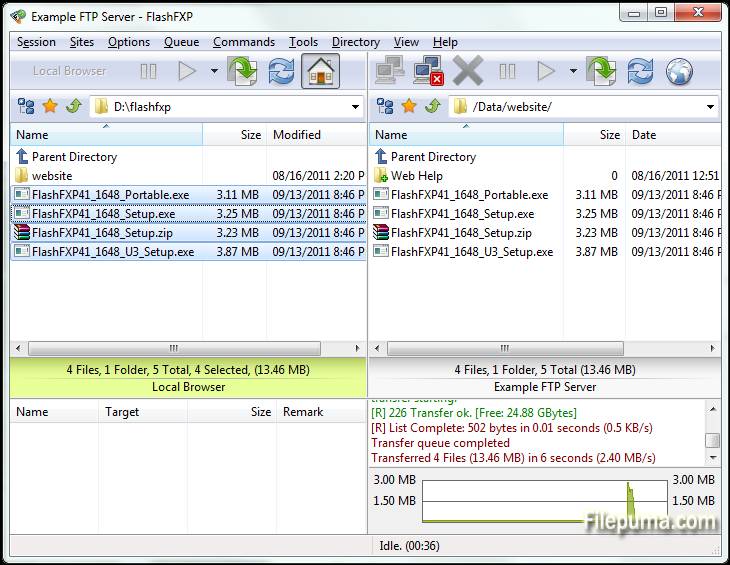
Uno deiFlashFXPUna delle sue caratteristiche principali è la robusta coda di trasferimento file, che consente agli utenti di mettere in coda più file per il trasferimento, ottimizzando l'efficienza. Il software include anche strumenti avanzati di sincronizzazione del sito, garantendo che i file siano correttamente specchiati tra posizioni locali e remote. Inoltre, supporta la funzionalità di trascinamento della selezione, rendendo la gestione dei file più semplice e veloce.
FlashFXPoffre anche sicurezza con supporto per connessioni crittografate tramite FTPS e SFTP. Questo garantisce che i dati sensibili vengano trasferiti in modo sicuro su internet. Il software fornisce una varietà di impostazioni personalizzabili, consentendo agli utenti di adattare il programma alle loro esigenze e preferenze specifiche.
FlashFXPè un client FTP affidabile e ricco di funzionalità che si rivolge sia agli utenti occasionali che ai professionisti. La combinazione di velocità, sicurezza e facilità d'uso lo rende una scelta solida per chiunque necessiti di una soluzione di trasferimento file robusta.
Caratteristiche principali:
- Supporto a più protocolli: Supporta FTP, FTPS (SSL/TLS) e SFTP (SSH), consentendo trasferimenti di file sicuri.
- Interfaccia Drag-and-Drop: Funzionalità semplice di trascinamento per trasferire file tra directory locali e remote.
- Advanced Site Manager: Consente agli utenti di salvare e gestire le connessioni a più server FTP, FTPS e SFTP.
- Trasferimenti in coda: Supporta l'accodamento dei trasferimenti di file, consentendo il trasferimento sequenziale di più file o directory.
- Ripresa del trasferimento: consente la ripresa dei trasferimenti di file interrotti, risparmiando tempo e larghezza di banda.
- Regole di Trasferimento Personalizzabili: Gli utenti possono configurare regole di trasferimento come filtri file e trasferimenti pianificati.
- Limitazione della larghezza di banda: Consente di controllare l'uso della larghezza di banda durante i trasferimenti di file, prevenendo la congestione della rete.
- Connessioni Simultanee Multiple: FlashFXP supporta connessioni multiple a server diversi per trasferimenti simultanei.
- Crittografia SSL/TLS: Garantisce la trasmissione sicura dei dati con crittografia SSL/TLS per connessioni FTPS.
- Sincronizzazione delle cartelle: supporta la sincronizzazione delle cartelle per mantenere sincronizzati i directory locali e remoti.
- Controllo dell'integrità dei file: include funzionalità come CRC-32, checksum MD5 e SHA-1 per verificare l'integrità dei file.
- Supporto IPv6: FlashFXP supporta IPv6, garantendo la compatibilità con gli ultimi standard di rete.
Novità
- Fixed: When FlashFXP is running as a scheduled task, if the user restored FlashFXP from the system tray the main application window was blank.
- Fixed: High DPI scaling issue where the statusbar transfer progress panel was not scaled.
- Fixed: An issue where in some situations the remote file listing cache was stale and regardless of the settings it should of been purged and re-cached. i.e. within a single queue; upload a folder to a site followed by downloading the same folder to the users computer in new location. The download would fail because the cache was stale.
- Fixed: An issue uploading files where the source path+filename was 260 characters or longer.
- Fixed: on the confirmation prompt "Opening separate shell session" the check-box "Don't show this dialog again" the text was missing a UTF-8 to Unicode conversion.
- Fixed: In the remote file browser when sorting by column (owner, group, attrib) the sorted result was incorrect due to a logic error evaluating the "parent directory" item.
- Fixed: SFTP / Keyboard authentication issue. [BUG ID: 1020]
- Updated SBB library (used for x.509 certificates, public/private keys, ssh, and sftp)
- New command script macro: /busybox Displays a busy dialog during script execution with a cancel button.
- Major change to the way FlashFXP handles remote directory listings. Now the auto-detect setting detects UTF-8 and converts non-UTF8 text using the operating system code page. Previously non UTF-8 was displayed using the Windows 1252 code page. This caused problems displaying non-English text such as Korean and Chinese. This change may result in some text being displayed incorrectly. If you experience problems please let me know ASAP. Please provide the name and version of the FTP server software and the language as well as the OS version and language. Additional information may be required.
- Changed: Many internal Unicode to UTF-8 conversions were changed from using CP 1252 to using the operating system locale CP.
- Fixed entering a Unicode pathname in the drop-down path breadcrumb could fail.
- Fixed the Active Edits feature did not always handle Unicode file-names correctly.
- Fixed an issue with timestamps in the session console window, resulting in some incorrect timestamps.
- Changed: Timestamps in the session console window, if you turn timestamps on you will now see timestamps for pre-existing lines in the window.
- Fixed issue with the font select dialog; the font preview used the wrong color.
- Cleaned up parts of the transfer queue routine and removed some flawed code that attempted to swap the direction of a queue item.
- Changed: When a delete operation is performed via the transfer queue FlashFXP makes sure that there are no failed transfers pending, if any are found then they are reset and retried, if the transfer fails again then the transfer queue is now aborted. In Previous builds the delete operation was marked as failed and skipped and the queue continued.
- Major speed improvement when downloading from a ProFTPD/mod_sftp Server.
- Fixed SSH/SFTP compatiblity issue with Sun_SSH that resulted in incomplete/failed uploads.
- Major overhaul to the custom command script engine to resolve an issue where command blocks and script macro includes were sometimes executed in the wrong order. THIS MAY BREAK PRE-EXISTING CUSTOM COMMAND SCRIPTS THAT RELY ON OUT OF ORDER EXECUTION. PLEASE VERIFY THAT THEY WORK AS EXPECTED.
- Fixed an issue in command scripts that caused /shell { } command blocks to stop working.
- Improved the %c (clipboard text) token when the clipboard contains multiple lines of text and is used with the /shell command. i.e. "/shell %c"
- Fixed Unicode encoding issue in the /writeln command when the output filename contained non-UF8 characters.
- Fixed an issue with the /select* commands in the remote browser where the current item selection wasn't correctly cleared before being applied.
- Fixed an issue in the local browser where in some situations the wrong icon was displayed for an item.
- Fixed an issue with using -get with a ftp:// url via the command line.
- Fixed an issue with FTPS uploads where the file transfer would fail and was treated as if it was successful. This could occur if the control channel was lost and the data data channel successfully completed a graceful TLS shutdown without actually sending the entire file.
- Added raw command "/set app.icon.static 1" to set the taskbar/window icon to a static icon, rather than change based on the current state.
- Added raw command "/set app.closetotray 1" to change the behavior of FlashFXP when clicking the close button to minimize to the tray rather than exit. To exit FlashFXP you need to either use Exit from under the Session menu or the tray right-click menu.
- Fixed UTF-8/Unicode encoding issue when using a selective transfer rule that contains UTF-8 encoded characters in the Edit Queue and Edit Scheduled Task dialogs.
- Fixed an issue with selective transfer rules; when the files list action is set to transfer and folder list action is set to skip and the entry in the folder list is an exact match (no wildcard/regex) the folder list action could be ignored and allow the matching folder to transfer.
- Fixed Site Manager > Site Profile > TCP/IP Buffer size > Send/Receive values were reversed on load.
- Fixed double UTF-8 encoding on some SFTP status messages shown in the console window.
- Fixed local browser modified date was rounded to the nearest even second. The SHGetDataFromIDList api doesn't mention this limitation.
Programma disponibile in altre lingue
- Download FlashFXP
- Télécharger FlashFXP
- Herunterladen FlashFXP
- ダウンロード FlashFXP
- Descargar FlashFXP
- Baixar FlashFXP
Recensioni degli utenti
Valutazione dell'utente
 5
5
Licenza:
Prova gratuita
Requisiti:
Windows XP/ Vista/ Windows 7/ Windows 8
Lingue:
Multi-languages
Taglia:
5.3MB
Editore:
Aggiornato:
Mar 16, 2015
Pulito
Segnala il software
Ultima versione
Vecchie versioni
Software dello sviluppatore
 FlashFXP 5.4.0 build 3970
 FileZilla Client (64bit) 3.69.6
 FileZilla Client (32bit) 3.69.6
 WinSCP 6.5.5
 Core FTP LE (64bit) 2.2.1960
Livelli di Sicurezza
Per evitare qualsiasi potenziale danno al tuo dispositivo e garantire la sicurezza dei tuoi dati e della tua privacy, il nostro team controlla ogni volta che un nuovo file di installazione viene caricato sui nostri server o collegato a un server remoto e riesamina periodicamente il file per confermarne o aggiornarne lo stato. Sulla base di questo controllo, impostiamo i seguenti livelli di sicurezza per qualsiasi file scaricabile.
 Pulito
È molto probabile che questo programma software sia pulito.
Abbiamo scansionato file e URL associati a questo programma software in oltre 60 dei principali servizi antivirus del mondo; non sono state trovate minacce possibili. E non ci sono software di terze parti inclusi.
 Avvertimento
Questo programma è supportato dalla pubblicità e potrebbe offrire l'installazione di programmi di terze parti che non sono necessari. Questi possono includere una barra degli strumenti, il cambiamento della tua homepage, del motore di ricerca predefinito o l'installazione di altri programmi di terze parti. Questi potrebbero essere falsi positivi e si consiglia ai nostri utenti di essere cauti durante l'installazione e l'utilizzo di questo software.
 Disabile
Questo software non è più disponibile per il download. È altamente probabile che questo programma software sia dannoso o abbia problemi di sicurezza o altri motivi.
Presenta un rapporto
Grazie!
Il tuo rapporto è stato inviato.
Esamineremo la tua richiesta e prenderemo le misure opportune.
Si prega di notare che non riceverai una notifica riguardante qualsiasi azione intrapresa a causa di questo rapporto. Ci scusiamo per qualsiasi inconveniente che ciò possa causare.
Apprezziamo il tuo aiuto nel mantenere il nostro sito web pulito e sicuro.