

FlashFXP5.1.0.3817
 Ücretsiz Deneme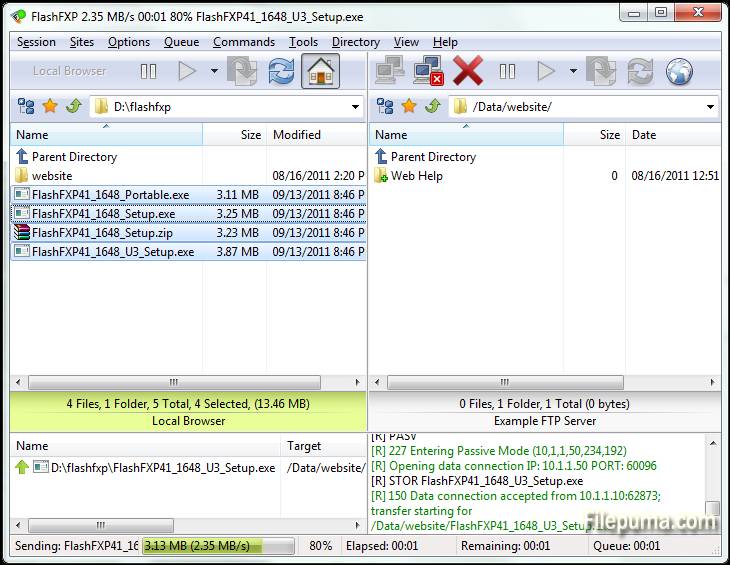
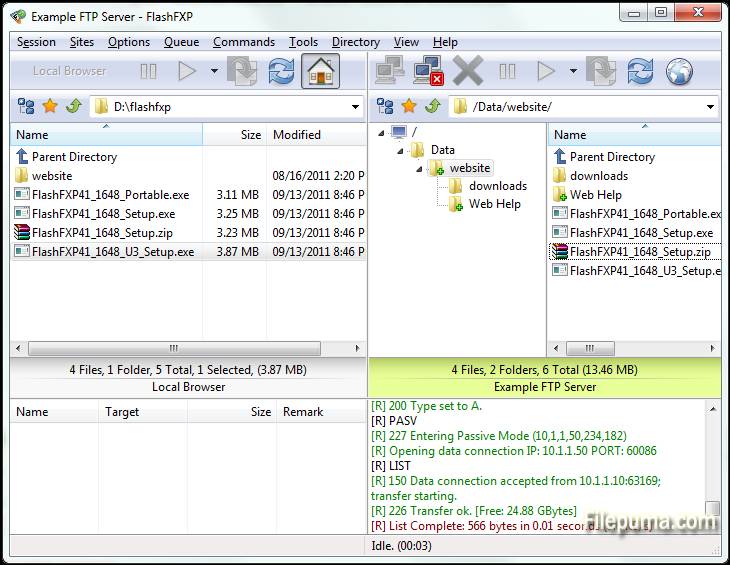
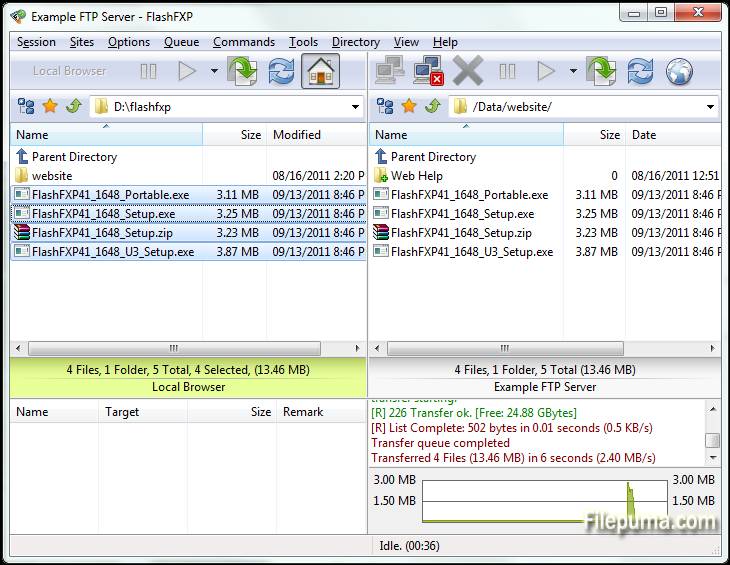
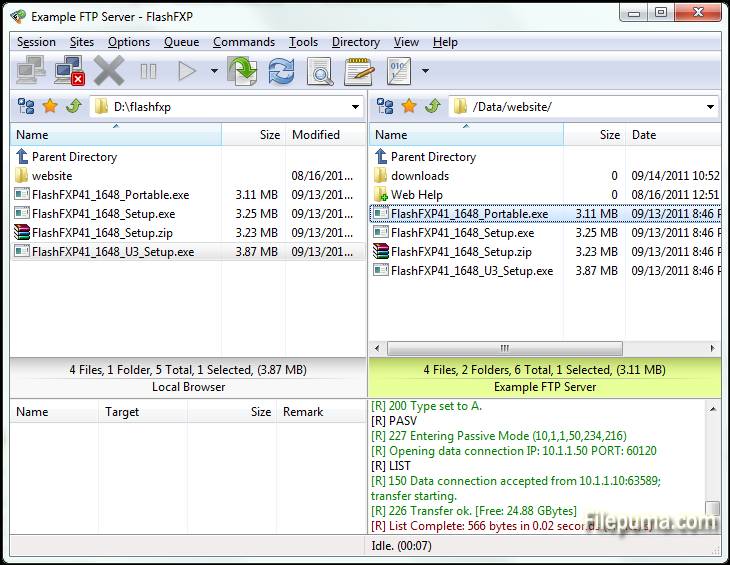
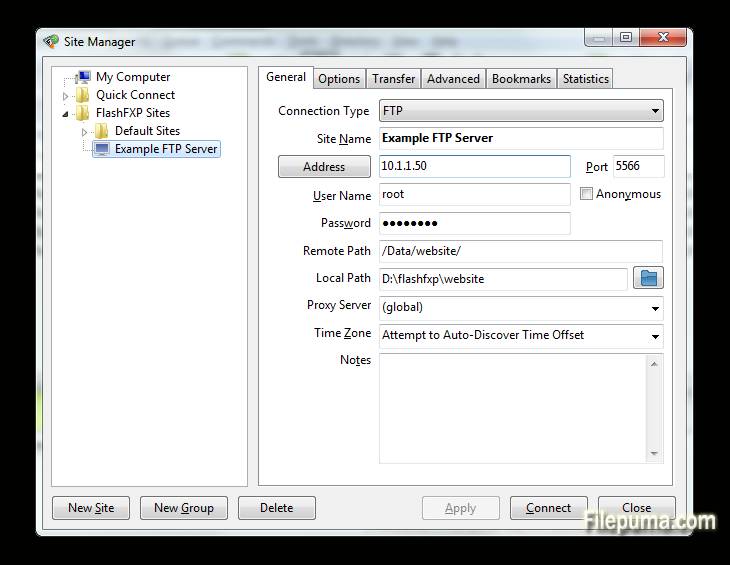


FlashFXPhem ev hem de profesyonel kullanıcılar için tasarlanmış güçlü bir FTP, FTPS, SFTP ve FXP istemcisidir. Kullanıcı dostu arayüzüyle FlashFXP, yerel ve uzak sunucular arasında sorunsuz dosya transferi sağlar, operasyonların düzgün ve verimli olmasını garantiler. Birden fazla dosya transfer protokolünü destekleyerek, basit dosya paylaşımından karmaşık site yönetimine kadar geniş bir yelpazede görevler için çok yönlü hale gelir.
BirFlashFXPanahtar özelliklerinden biri, kullanıcıların verimliliği optimize ederek birden fazla dosyayı aktarım için sıraya koymasına olanak tanıyan sağlam dosya aktarım kuyruğudur. Yazılım ayrıca, dosyaların yerel ve uzak konumlar arasında doğru şekilde yansıtılmasını sağlayan gelişmiş site senkronizasyon araçlarını içerir. Ek olarak, sürükle ve bırak işlevini destekleyerek dosya yönetimini daha kolay ve hızlı hale getirmektedir.
FlashFXPayrıca FTPS ve SFTP aracılığıyla şifreli bağlantıları destekleyerek güvenlik sunar. Bu, hassas verilerin internet üzerinden güvenli bir şekilde aktarılmasını sağlar. Yazılım, kullanıcıların programı özel ihtiyaç ve tercihlerine göre uyarlamalarına olanak tanıyan çeşitli özelleştirilebilir ayarlar sunar.
FlashFXPhem sıradan kullanıcılar hem de profesyoneller için uygun güvenilir ve özellik açısından zengin bir FTP istemcisidir. Hız, güvenlik ve kullanım kolaylığının birleşimi, güçlü bir dosya transfer çözümüne ihtiyaç duyan herkes için sağlam bir seçenek haline getirir.
Ana Özellikler:
- Çoklu Protokol Desteği: Güvenli dosya transferlerine olanak tanıyan FTP, FTPS (SSL/TLS) ve SFTP (SSH) destekler.
- Sürükle-Bırak Arayüzü: Yerel ve uzak dizinler arasında dosya transferi için basit sürükle-bırak işlevselliği.
- Advanced Site Manager: Kullanıcıların birden fazla FTP, FTPS ve SFTP sunucusuna bağlantıları kaydetmelerini ve yönetmelerini sağlar.
- Sıralı Aktarımlar: Birden çok dosya veya dizinin ardışık olarak aktarılabilmesini sağlayan dosya aktarım sıralamasını destekler.
- Aktarımın Devam Ettirilmesi: Zaman ve bant genişliğinden tasarruf sağlamak için kesintiye uğrayan dosya aktarımlarının devam etmesini sağlar.
- Özelleştirilebilir Transfer Kuralları: Kullanıcılar, dosya filtreleri ve zamanlanmış transferler gibi transfer kurallarını yapılandırabilir.
- Bant Daraltma: Dosya transferleri sırasında bant genişliği kullanımını kontrol etmeyi sağlar, ağ tıkanıklığını önler.
- Birden Çok Eşzamanlı Bağlantı: FlashFXP, eşzamanlı aktarım için farklı sunuculara birden fazla bağlantıyı destekler.
- SSL/TLS Şifreleme: FTPS bağlantıları için SSL/TLS şifrelemesi ile güvenli veri iletimini sağlar.
- Klasör Senkronizasyonu: Yerel ve uzaktan dizinleri senkronize tutmak için klasör senkronizasyonunu destekler.
- Dosya Bütünlüğü Kontrolü: Dosya bütünlüğünü doğrulamak için CRC-32, MD5 ve SHA-1 sağlama toplamları gibi özellikleri içerir.
- IPv6 Desteği: FlashFXP, IPv6'yı destekleyerek en son ağ standartlarıyla uyumluluğu sağlıyor.
Yeni Olan Nedir?
- Fixed: When FlashFXP is running as a scheduled task, if the user restored FlashFXP from the system tray the main application window was blank.
- Fixed: High DPI scaling issue where the statusbar transfer progress panel was not scaled.
- Fixed: An issue where in some situations the remote file listing cache was stale and regardless of the settings it should of been purged and re-cached. i.e. within a single queue; upload a folder to a site followed by downloading the same folder to the users computer in new location. The download would fail because the cache was stale.
- Fixed: An issue uploading files where the source path+filename was 260 characters or longer.
- Fixed: on the confirmation prompt "Opening separate shell session" the check-box "Don't show this dialog again" the text was missing a UTF-8 to Unicode conversion.
- Fixed: In the remote file browser when sorting by column (owner, group, attrib) the sorted result was incorrect due to a logic error evaluating the "parent directory" item.
- Fixed: SFTP / Keyboard authentication issue. [BUG ID: 1020]
- Updated SBB library (used for x.509 certificates, public/private keys, ssh, and sftp)
- New command script macro: /busybox Displays a busy dialog during script execution with a cancel button.
- Major change to the way FlashFXP handles remote directory listings. Now the auto-detect setting detects UTF-8 and converts non-UTF8 text using the operating system code page. Previously non UTF-8 was displayed using the Windows 1252 code page. This caused problems displaying non-English text such as Korean and Chinese. This change may result in some text being displayed incorrectly. If you experience problems please let me know ASAP. Please provide the name and version of the FTP server software and the language as well as the OS version and language. Additional information may be required.
- Changed: Many internal Unicode to UTF-8 conversions were changed from using CP 1252 to using the operating system locale CP.
- Fixed entering a Unicode pathname in the drop-down path breadcrumb could fail.
- Fixed the Active Edits feature did not always handle Unicode file-names correctly.
- Fixed an issue with timestamps in the session console window, resulting in some incorrect timestamps.
- Changed: Timestamps in the session console window, if you turn timestamps on you will now see timestamps for pre-existing lines in the window.
- Fixed issue with the font select dialog; the font preview used the wrong color.
- Cleaned up parts of the transfer queue routine and removed some flawed code that attempted to swap the direction of a queue item.
- Changed: When a delete operation is performed via the transfer queue FlashFXP makes sure that there are no failed transfers pending, if any are found then they are reset and retried, if the transfer fails again then the transfer queue is now aborted. In Previous builds the delete operation was marked as failed and skipped and the queue continued.
- Major speed improvement when downloading from a ProFTPD/mod_sftp Server.
- Fixed SSH/SFTP compatiblity issue with Sun_SSH that resulted in incomplete/failed uploads.
- Major overhaul to the custom command script engine to resolve an issue where command blocks and script macro includes were sometimes executed in the wrong order. THIS MAY BREAK PRE-EXISTING CUSTOM COMMAND SCRIPTS THAT RELY ON OUT OF ORDER EXECUTION. PLEASE VERIFY THAT THEY WORK AS EXPECTED.
- Fixed an issue in command scripts that caused /shell { } command blocks to stop working.
- Improved the %c (clipboard text) token when the clipboard contains multiple lines of text and is used with the /shell command. i.e. "/shell %c"
- Fixed Unicode encoding issue in the /writeln command when the output filename contained non-UF8 characters.
- Fixed an issue with the /select* commands in the remote browser where the current item selection wasn't correctly cleared before being applied.
- Fixed an issue in the local browser where in some situations the wrong icon was displayed for an item.
- Fixed an issue with using -get with a ftp:// url via the command line.
- Fixed an issue with FTPS uploads where the file transfer would fail and was treated as if it was successful. This could occur if the control channel was lost and the data data channel successfully completed a graceful TLS shutdown without actually sending the entire file.
- Added raw command "/set app.icon.static 1" to set the taskbar/window icon to a static icon, rather than change based on the current state.
- Added raw command "/set app.closetotray 1" to change the behavior of FlashFXP when clicking the close button to minimize to the tray rather than exit. To exit FlashFXP you need to either use Exit from under the Session menu or the tray right-click menu.
- Fixed UTF-8/Unicode encoding issue when using a selective transfer rule that contains UTF-8 encoded characters in the Edit Queue and Edit Scheduled Task dialogs.
- Fixed an issue with selective transfer rules; when the files list action is set to transfer and folder list action is set to skip and the entry in the folder list is an exact match (no wildcard/regex) the folder list action could be ignored and allow the matching folder to transfer.
- Fixed Site Manager > Site Profile > TCP/IP Buffer size > Send/Receive values were reversed on load.
- Fixed double UTF-8 encoding on some SFTP status messages shown in the console window.
- Fixed local browser modified date was rounded to the nearest even second. The SHGetDataFromIDList api doesn't mention this limitation.
Program diğer dillerde mevcuttur.
- Download FlashFXP
- Télécharger FlashFXP
- Herunterladen FlashFXP
- Scaricare FlashFXP
- ダウンロード FlashFXP
- Descargar FlashFXP
- Baixar FlashFXP
Kullanıcı Yorumları
Kullanıcı Puanı
 5
5
Lisans:
Ücretsiz Deneme
Gereksinimler:
Windows XP/ Vista/ Windows 7/ Windows 8
Diller:
Multi-languages
Size:
5.3MB
Yayıncı:
Güncellendi:
Mar 16, 2015
Temiz
Yazılım Raporu
Son Sürüm
Eski Sürümler
Geliştirici Yazılımı
 FlashFXP 5.4.0 build 3970
 FileZilla Client (64bit) 3.69.5
 FileZilla Client (32bit) 3.69.5
 WinSCP 6.5.5
 Core FTP LE (64bit) 2.2.1960
Güvenlik Seviyeleri
Cihazınıza olası zararları önlemek ve verilerinizin ve gizliliğinizin güvenliğini sağlamak amacıyla, ekibimiz her yeni kurulum dosyası sunucularımıza yüklendiğinde veya bir uzak sunucuya bağlandığında kontrol yapar ve dosyanın durumunu onaylamak veya güncellemek için periyodik olarak gözden geçirir. Bu kontrol temelinde, indirilebilir dosyalar için aşağıdaki güvenlik seviyelerini belirliyoruz.
 Temiz
Temiz
Bu yazılım programının temiz olması yüksek ihtimal.
Bu yazılım programıyla ilişkili dosyaları ve URL'leri dünyanın önde gelen 60'tan fazla antivirüs hizmetinde taradık; olası tehditler bulunamadı. Ayrıca, üçüncü taraf yazılımlar bir arada gelmemiştir.
 Uyarı
Uyarı
Bu program reklam desteklidir ve gerekli olmayan üçüncü taraf programların kurulmasını teklif edebilir. Bu, bir araç çubuğu, ana sayfanızı değiştirmek, varsayılan arama motorunuzu ayarlamak veya diğer parti programlarını yüklemek gibi şeyleri içerebilir. Bunlar yanlış pozitif olabilir ve kullanıcılarımızın bu yazılımı kurarken ve kullanırken dikkatli olmaları tavsiye edilir.
 Engelli
Bu yazılım artık indirilebilir durumda değil. Bu yazılım programının kötü niyetli olma veya güvenlik sorunları ya da başka nedenlerden dolayı olması oldukça olasıdır.
Bir Rapor Gönderin
Teşekkür ederim!
Raporunuz gönderildi.
Talebinizi gözden geçireceğiz ve uygun adımları atacağız.
Lütfen bu raporla ilgili alınan herhangi bir eylem hakkında bildirim almayacağınızı unutmayın. Verdiğimiz rahatsızlıktan dolayı özür dileriz.
Web sitemizi temiz ve güvenli tutma konusundaki yardımınızı takdir ediyoruz.